






















Square
Using Square for Your Restaurant? Here's a Smarter Way to Send SMS
Oct 26, 2026
TLDR
Your restaurant probably has customers who haven't ordered in weeks, others who are close to earning a loyalty reward, and regulars who visit almost every day. But does your SMS marketing tool know the difference? If you're using a separate platform to text customers, you may still be exporting lists from Square, updating contacts, and sending promotions without knowing who's most likely to respond. Your restaurant already collects useful customer information with every order. Connecting that information to your SMS marketing can help you send better messages, spend less time managing campaigns, and get greater value from the tools you're already paying for.
Use Your Square Customer Data to Send Better SMS Campaigns
Sending the same promotion to your entire contact list might bring in a few orders, but it can also mean giving discounts to customers who were already planning to visit.
Imagine you own a coffee shop and want to increase orders on a slow Tuesday. You could text every subscriber offering 20% off their next coffee. But your regular customers might have bought their usual drinks at full price anyway.
A better approach is to look at customers' recent activity before deciding who needs an incentive.
Square already helps businesses organize customers based on purchasing behavior, including regulars and customers who have stopped visiting. Its customer directory supports groups based on factors such as visit frequency and purchase history.
The challenge comes when your SMS platform operates separately from that information. You need to export contacts, update customer groups, and upload lists whenever you want to reach a particular audience.
With Per Diem, SMS marketing can use your restaurant's ordering and loyalty activity to help you reach specific customers without having to rebuild contact lists in another platform.
Here are a few practical ways to use that connection.
Reach customers who haven't ordered in 30 days
Not every customer who stops visiting has had a bad experience. Some simply forget about a place they used to enjoy.
Instead of offering discounts to your entire list, focus on customers who previously ordered regularly but haven't returned in the past month.
For example, a sandwich shop could send:
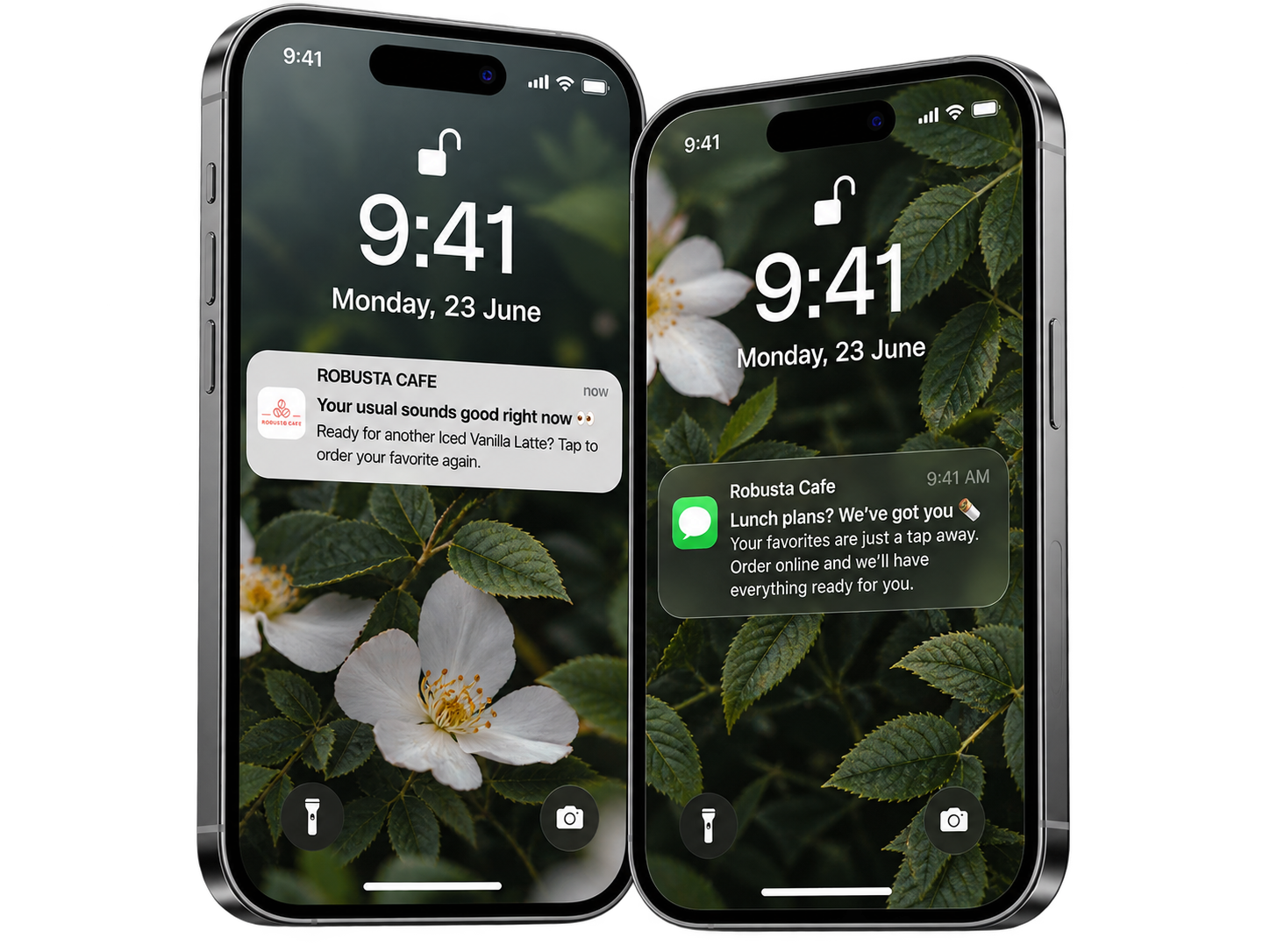
Hi Alex, it's been a while since your last order at Corner Deli. We're offering $3 off your next lunch this week. Hope to see you soon.
The timing matters. Someone who ordered yesterday probably doesn't need an invitation to come back. Someone who used to visit every Friday and suddenly stopped may appreciate the reminder.
You can also adjust the 30-day window to match your business. A daily coffee customer who hasn't visited in two weeks may be worth contacting, while someone who orders a birthday cake twice a year shouldn't be considered inactive after a month.
Give loyalty members a reason to make their next visit
Loyalty points help you decide when to contact customers.
Suppose a customer has collected 90 points and needs another 10 to claim a free drink. A short reminder could encourage a visit without requiring another promotion.
You're just 10 points away from your next reward at Corner Coffee. Your next visit could earn you a free drink.
This approach works particularly well for cafés, bakeries, and quick service restaurants where customers make frequent, smaller purchases.
Rather than creating another discount, you're reminding someone about a benefit they've already earned through previous visits.
Set up birthday messages in advance
Birthday texts are another simple way to make use of information you already collect.
If customers have shared their birthdays, you can arrange for greetings or offers to go out automatically.
A bakery might offer a complimentary cookie during a customer's birthday week. A restaurant could provide a birthday dessert with a meal.
Keep the offer easy to redeem, explain when it expires, and make sure staff know how it works. A thoughtful birthday message loses its value if customers arrive and employees don't recognize the promotion.
Birthday SMS can also be automated, so you don't have to schedule each greeting individually.
For all these campaigns, remember to contact only customers who have agreed to receive marketing texts. Having their phone numbers from past purchases doesn't automatically provide that permission.
Keep Customers Informed With Automatic SMS Order Updates
Customers shouldn't have to call your restaurant to find out if their online order is ready.
During a busy lunch rush, even a few calls asking about pickup times can interrupt employees preparing food or serving people at the counter.
Automatic order notifications can answer these questions before customers need to ask.
For orders placed through your mobile app or website, SMS updates can be sent when an order reaches three stages:
- Accepted: The restaurant has received and accepted the order.
- Ready: The food or drinks are prepared and ready for the next step.
- Completed: The order has been marked as complete.
These notifications are particularly useful for web ordering because customers may not have your restaurant's mobile app installed to receive push notifications.
Make pickup and delivery messages clear
A customer collecting coffee needs different information from someone waiting for dinner to arrive.
For pickup orders, a message might say:
Your order from Corner Coffee is ready. Please collect it from the pickup counter.
For delivery orders, the restaurant can use wording suited to the delivery process.
You can customize these messages separately, so customers receive relevant information instead of one generic notification for every order.
It's worth keeping each text short and including only details the customer needs at that stage.
The benefit here is a better ordering experience. Customers know what's happening, and your team can spend less time responding to routine questions.
Manage SMS, Email, and Push Notifications From One Dashboard
Using separate platforms for customer communication can make even a simple campaign harder to manage.
You might have one tool for promotional texts, another for email, and a different place to manage app notifications. Each platform has its own contact lists, campaign reports, and monthly costs.
It also becomes harder to keep track of what customers are receiving.
Imagine your restaurant is promoting a new weekend brunch menu. You send an email on Monday, an SMS on Thursday, and a push notification on Saturday. If each channel uses a different system, you may have little visibility into how often the same customer has been contacted.
Keeping these activities together makes it easier to plan your communication.
From the Per Diem merchant dashboard, you can manage SMS campaigns, birthday messages, email marketing, and push notifications using a shared customer database.
This also makes it easier to decide which channel suits a particular message.
- SMS: Useful for timely reminders, limited offers, and messages customers may need to see quickly.
- Email: Better suited to longer announcements, seasonal menus, or newsletters with several details.
- Push notifications: A good option for reaching customers who have your restaurant's app and have enabled notifications.
For example, you could announce a new menu through email, then use SMS to remind interested customers about a special available that weekend.
The point is to give every message a purpose rather than sending the same promotion through every available channel.
There is a financial benefit too. If you already use the platform, bringing your texting into the same dashboard can remove the need for a separate SMS software subscription. You should still consider the cost of sending messages when comparing providers.
Why Your Restaurant Should Send SMS From Its Own Phone Number
The phone number your restaurant uses for texting may seem like a small detail, but it can affect how consistently your messages reach customers.
Mobile carriers use registration and filtering systems to help identify legitimate business messaging. In the United States, businesses sending application-based SMS through standard local numbers generally need to complete A2P 10DLC registration.
This process identifies the business behind the number and the purpose of its messages.
Without proper registration, business texts may be filtered or blocked by carriers.
Each store can use its own dedicated registered sending number, rather than sharing one number across an entire restaurant group.
For a restaurant group with five locations, this means each store can have its own sending identity.
Registration helps establish that identity with carriers, although it doesn't guarantee that every message will be delivered. Consent, message content, sending patterns, and carrier policies still matter.
If you're moving from another SMS provider, it's worth checking how your numbers will be assigned, what registration information is required, and how existing subscriber consent will be handled before sending your first campaign.
Let Customer Journeys Handle the Follow Up
A customer signs up for your restaurant's app, places their first order, and then disappears for six weeks. Should they receive the same messages as someone who orders every Monday?
Probably not.
This is where automated customer journeys become useful. Instead of choosing a date for every campaign, you create a series of messages that respond to specific customer actions.
For example, a welcome journey could look like this:
- Day 1: A new customer receives a welcome message after signing up.
- Day 5: If they haven't ordered, they receive an email introducing a popular menu item.
- After their first purchase: They receive a thank you message encouraging another visit.
A different journey could focus on customers who stop ordering. After 30 days without a purchase, the restaurant could send a reminder by email, followed by an SMS with a small incentive if the customer still hasn't returned.
The advantage is that follow up messages can depend on what the customer does next. Someone who places an order doesn't need to keep receiving reminders intended for people who haven't purchased.
The upcoming Customer Journeys V2 feature is designed to bring SMS and email into automated flows built around ordering and loyalty activity. The existing feature supports push notifications, while the next version will add expanded messaging journeys.
For restaurant owners, the important part is being able to set up these conversations in advance, then review their performance and make changes based on how customers respond.
Make Your Restaurant's SMS Marketing Easier to Manage
If you're already texting customers, the next step is making better use of the information your restaurant collects every day. A message sent at the right time, to the right group of customers, can be much more useful than another promotion sent to your entire contact list.
For restaurants using Square, connected SMS marketing can reduce the work involved in preparing campaigns and help you focus on giving customers a good reason to return.
And if you're already using Per Diem for online ordering and loyalty, you can manage your texting there too, without paying for another SMS marketing platform.
Ready to bring your restaurant's SMS marketing into Per Diem?* Explore our SMS marketing tools** or book a demo to see how they work with Square.*