






















Marketing
Restaurant Email Deliverability: How to Keep Your Emails Out of Spam
Sep 29, 2026
TLDR
A restaurant email can be perfectly written and still fail at what matters most: reaching the guest. That becomes a real problem when the message contains an order receipt, pickup details, or an offer meant for tonight. Email deliverability determines where those messages end up, and inbox providers are getting stricter about what they accept. Gmail has increased enforcement of its sender requirements, including email authentication, low spam complaint rates, and easy unsubscribe for promotional email. If email is part of how your restaurant takes orders and brings guests back, keeping it out of spam needs to be part of the setup.
What Email Deliverability Means for Restaurants
Seeing a high delivery rate can give you the wrong idea.
An email marked as delivered has reached the guest's email provider. It does not tell you where the provider placed it. The message could appear in the inbox, another tab, or the spam folder.
That second part is email deliverability.
For restaurants, it helps to think about email in two groups.
Transactional emails are triggered by something the guest does. Order confirmations, receipts, and reservation confirmations belong here.
Marketing emails are sent to encourage another visit or order. New menu announcements, weekend offers, loyalty updates, and win-back campaigns are examples.
Both need good deliverability, but the cost of missing the inbox can be different.
If a weekend promotion goes to spam, you may lose a sale. If an order confirmation goes there, the guest may wonder if the payment worked or if the restaurant even received the order.
That is why deliverability should be treated as part of the customer experience, not only as an email marketing metric.
Google also makes an important distinction between these email types. Its one-click unsubscribe requirement applies to marketing and promotional messages from bulk senders, while transactional messages such as purchase receipts are excluded.
The goal is simple: send each type of message correctly, and give inbox providers enough reason to trust the sender.
Send Restaurant Emails From a Domain You Own
Before thinking about subject lines, templates, or campaign ideas, look at what is sending the email.
A restaurant with a website such as yourrestaurant.com should ideally send branded emails using that domain instead of relying on an unrelated sending identity.
There is a technical reason for this. Gmail and Yahoo now expect senders to prove that they are authorized to send email from the domain shown to recipients.
For Gmail, every sender must use SPF or DKIM authentication. Senders delivering over 5,000 messages a day to personal Gmail accounts face additional requirements, including SPF, DKIM, and DMARC. Yahoo has similar requirements for bulk senders.
Those names sound much harder than the idea behind them.
SPF, DKIM, and DMARC in plain English
SPF lists the services that have permission to send email for your domain.
DKIM adds a digital signature that lets the receiving provider check that the message came from an approved source.
DMARC adds another check around your domain and tells receiving providers how unauthenticated mail should be handled.
Think of them as proof that an email carrying your restaurant's name really belongs to your restaurant.
This matters because anyone can type a business name into a sender field. Authentication gives Gmail, Yahoo, and other providers something stronger to check.
Google says authenticated messages are less likely to be rejected or marked as spam, while authentication also helps protect a domain from impersonation and phishing.
Connecting your sending domain in Per Diem
If you use Per Diem Email Marketing, you can connect your restaurant's own domain from the dashboard. Per Diem provides the DNS records needed for the setup, including records that verify ownership and authorize email sending.
You copy the provided records into your domain's DNS settings and complete the verification. This lets your restaurant build its email program around its own sending identity rather than treating authentication as something to figure out separately later.
It is a small setup step with a large role behind the scenes.
Build a Restaurant Email List People Asked to Join
A bigger email list is not automatically a healthier one.
For restaurants, this can become a problem surprisingly fast. Addresses may come from online ordering, loyalty enrollment, events, website forms, WiFi signups, or an old customer database. Some guests visit every week. Others ordered once two years ago.
Putting every address into the same marketing list ignores those differences.
The first question should be simple:
Did this guest agree to receive marketing emails from you?
If the answer is no, adding them to promotional campaigns can create exactly the signals you want to avoid. People who do not recognize the sender are more likely to ignore the email, unsubscribe, or report it as spam.
Google specifically recommends sending subscription emails to people who asked to receive them and confirming addresses before adding recipients to a mailing list.
This also means purchased email lists have no place in a restaurant's email strategy. A database containing thousands of local addresses may look useful, but those people did not ask to hear from your business.
Instead, collect permission at moments where the relationship makes sense.
A guest placing an online order can choose to receive offers. A loyalty member can opt into restaurant news. Someone joining your email list from your website knows exactly which business they are signing up for.
The number on the list may grow more slowly, but the people on it know why your restaurant is appearing in their inbox.
That is a much better starting point for deliverability.
Match Email Frequency to Guest Engagement
The fastest way to tire out a restaurant email list is to treat every customer like a regular.
Consider three guests:
Maya orders lunch twice a week.
Daniel placed his first order last Saturday.
Chris ordered once seven months ago and has not opened an email since.
Sending all three people the same three promotions every week may be convenient, but it ignores what their behavior is telling you.
Maya is actively engaged with the restaurant. Daniel is still a new customer. Chris may no longer be interested at all.
Your sending frequency should reflect that.
Regular guests can receive timely menu updates, offers, and loyalty messages because there is an active relationship. New customers are better served by a useful welcome or follow-up. Guests who have gone quiet should hear from you less often.
This is where segmentation starts helping deliverability.
Instead of asking, "How many people can we send this to?", ask, "Who is this email actually useful for?"
A weekday lunch offer could go to guests who have ordered lunch before. A loyalty update belongs with loyalty members. A new location announcement makes the most sense for people close enough to visit it.
Relevance gives people fewer reasons to ignore your emails.
And when someone stops responding for a long period, continuing to increase the number of messages rarely fixes the problem. Google itself recommends considering the removal of recipients who no longer open or read subscription emails.
Your email list should reflect your current audience, not every email address your restaurant has ever collected.
Write Restaurant Emails People Trust
A good sending setup can get your email to the door, but the email itself still matters.
Guests make quick decisions when scanning their inbox. A subject line that feels exaggerated, confusing, or suspicious can make a legitimate restaurant email look like something they should avoid.
Compare:
FREE FOOD!!! ACT NOW!!!
with:
Free fries with your burger tonight
Or:
HURRY! LAST CHANCE! DON'T MISS OUT!
with:
Last call for our Sunday brunch menu
The second versions still create urgency. They simply tell the guest what is happening without trying too hard to get the click.
Keep subject lines clear and believable. Too many capital letters, repeated exclamation marks, or exaggerated promises can make an email feel suspicious before it is even opened.
Give each email one clear job
Restaurant emails can become crowded quickly.
You have a new seasonal drink, a weekend offer, catering, loyalty rewards, delivery, and three menu items you would love to promote. Putting all of them into one campaign makes it harder for the guest to know what to do next.
Start with one purpose.
If you are announcing a new fall menu, show what is new, give guests a reason to try it, and make ordering easy. Save catering for another email.
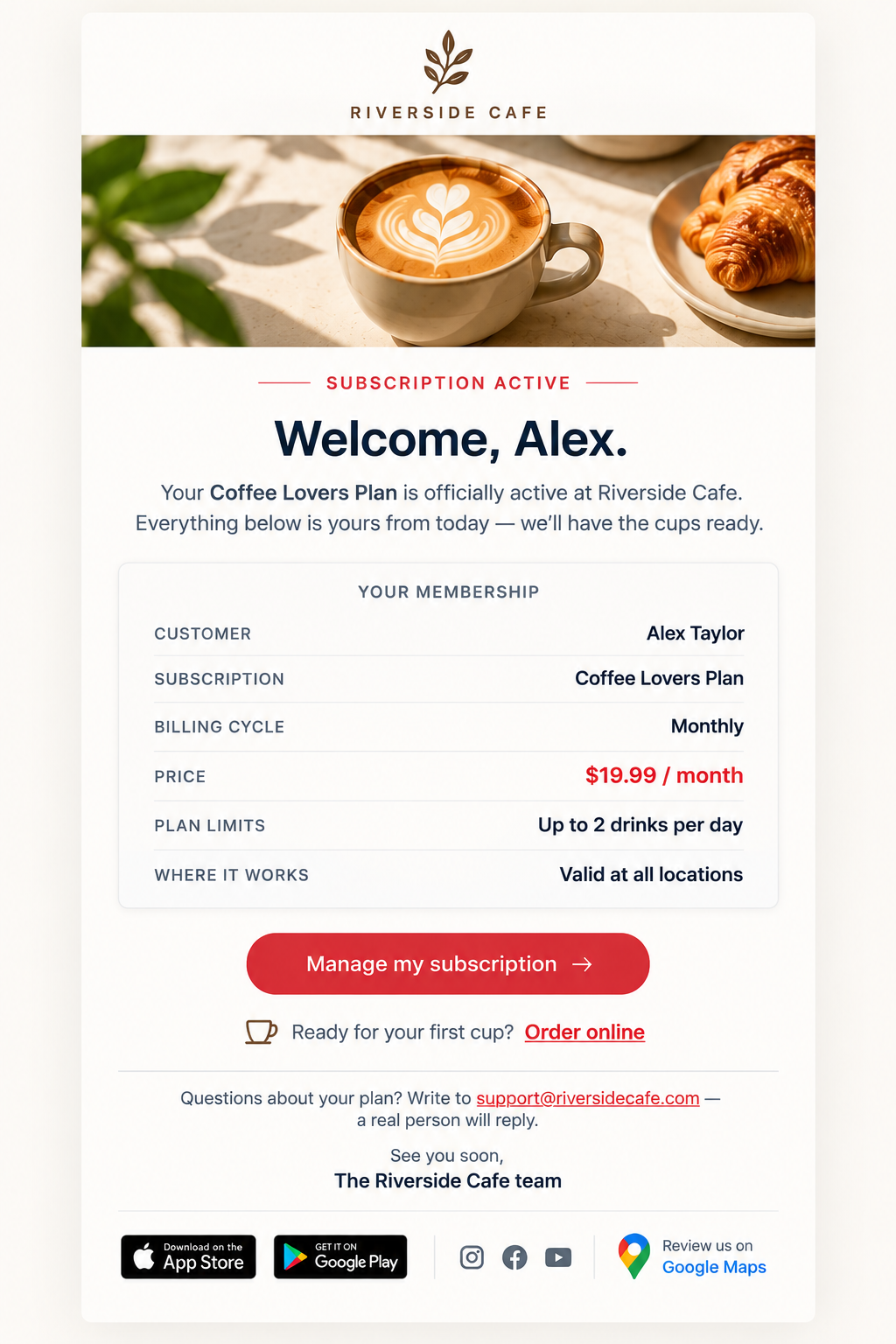
The same applies to design. Use food photography where it adds something, but do not turn the entire email into one large image. Important information should appear as text too, especially prices, offer details, dates, and calls to action.
Keep links intentional as well. If the goal is to order the weekend special, the main button should take guests directly there rather than sending them through several pages first.
Before sending, open the email on your phone. Check the subject line, images, buttons, links, spelling, and the page guests reach after clicking.
Per Diem includes a Send test option in the email editor, so you can see the actual email before customers receive it. That small check can catch a broken link, an awkward mobile layout, or a typo before the campaign reaches your entire list.
Make It Easy for Guests to Unsubscribe
Someone leaving your email list is better than someone reporting your restaurant as spam.
If a guest no longer wants promotional emails, give them a simple way to opt out. Hiding the unsubscribe option does not make that person interested again. It can push them toward the spam button instead.
This also matters under current sender requirements.
Google requires qualifying bulk senders to provide one-click unsubscribe for marketing and promotional emails. Google recommends keeping user-reported spam rates below 0.1% and avoiding rates of 0.3% or higher.
For a restaurant, the practical lesson is straightforward: make leaving easy.
There is also an important difference between promotional and transactional email. A guest opting out of your Friday offers still needs important messages connected to an order they place, such as a receipt or order confirmation.
Keep those two purposes separate.
Clean Your Restaurant Email List as It Ages
Restaurant customer lists naturally change.
People move. Email addresses stop working. Some guests visit while travelling and never return. Others simply stop opening your messages.
Those contacts should not remain in your regular campaign audience forever.
Start with emails that repeatedly fail to deliver. A hard bounce usually means an address is invalid, unavailable, or cannot accept the message. There is little reason to keep sending marketing to an address that cannot receive it.
Then look at long-term inactivity.
Do not remove someone simply because they missed two emails. Restaurant visits are not always predictable. A customer may disappear for a month and return the next.
Instead, look for a pattern.
A regular customer who has recently gone quiet is worth trying to reconnect with. Someone who has received months of campaigns without opening, clicking, or ordering is giving you a very different signal.
Keeping those groups separate helps you avoid sending every promotion to every address you have collected.
Try one win-back email
Before you stop regular marketing to an inactive guest, give them a good reason to come back.
You could send:
We haven't seen you in a while. Here's what's new.
Or use a relevant offer:
Dinner this week? Dessert is on us.
A win-back email should be short. You are trying to find out if the guest is still interested, not introduce them to every part of your restaurant again.
If they click or place an order, they can return to your active audience. If they continue to show no interest, reduce or stop promotional emails to that address.
This keeps your list focused on people who still have a relationship with your restaurant.
Track the Restaurant Email Metrics That Tell You Something
You do not need to watch a long dashboard of numbers after every campaign.
A few metrics can show you where something may need attention.
| Metric | What to Look For |
| Delivery rate | A sudden fall can point to problems with your addresses or sending setup |
| Open rate | Useful for spotting broad changes in attention, although opens are not perfectly accurate |
| Click rate | Shows if recipients took action after reading |
| Bounce rate | A rise can indicate that your list contains too many invalid addresses |
| Unsubscribe rate | A sudden increase can signal poor targeting or too many emails |
The trend matters more than one isolated number.
Suppose your open rate looks similar month to month, but clicks begin falling after you increase your campaign frequency. That gives you something useful to investigate.
Or perhaps one broad promotion generates far more unsubscribes than your targeted campaigns. That can tell you something about who should receive similar emails next time.
Open rate also needs context. Privacy features and automatic image loading mean a recorded open does not always represent a person actively reading the email. Clicks, orders, bounces, opt-outs, and spam complaints can help complete the picture.
If you use Per Diem Email Marketing, campaign performance can be monitored from the email dashboard, so you can see how your sends perform over time.
Do not only ask:
Was this a good open rate?
A better question is:
What did guests do after receiving the email?
That answer is far more useful for your next campaign.
Treat Order Emails as Part of the Guest Experience
There is one email your customer is actually waiting to receive.
The one that arrives right after they order.
At that moment, the guest does not want another promotion. They want confirmation that everything worked.
A useful order email should quickly answer:
- Did my order go through?
- What did I order?
- How much did I pay?
- Where am I picking it up?
- When should I expect it?
- Who do I contact if something is wrong?
That is why transactional emails deserve the same care as the ordering page that comes before them.
Keep the information easy to scan. Put the important order details first. Use the restaurant's name, logo, and familiar branding so the guest immediately recognizes the sender.
Per Diem lets you customize transactional email templates using real order and customer information. Details such as the customer's name, order summary, payment information, pickup location, loyalty points, and support information can be added automatically when the message is sent.
Restaurants can also customize the email design so the receipt feels connected to the ordering experience rather than looking like a generic system message.
This is one place where deliverability becomes very practical. The customer has already taken action. Your job is to make sure the information that follows is clear, recognizable, and useful.
*Create branded restaurant emails, send yourself a test, and start reaching your guests from one place. Sign up today. *
Restaurant Email Deliverability Checklist
Before your next campaign, run through these basics:
- Send from a domain your restaurant owns and has authenticated.
- Add guests to promotional lists only when they have agreed to receive marketing.
- Keep invalid addresses out of future sends.
- Match the audience to the purpose of the campaign.
- Reduce sending to guests who have stopped engaging.
- Keep subject lines clear and believable.
- Use text alongside images so the message remains easy to understand.
- Give each campaign one main action.
- Make unsubscribing simple.
- Send yourself a test before publishing.
- Watch bounces, clicks, opt-outs, and spam complaints over time.
Restaurant email deliverability comes down to a simple idea: send useful emails to people who expect them.
That means getting the technical setup right, respecting who has asked to hear from you, keeping your audience healthy, and giving every email a clear purpose.
Per Diem Email Marketing brings those pieces into the same restaurant platform, from branded order emails and your own sending domain to campaign creation, test sends, and performance tracking.
The goal is not to send as many emails as possible. It is to make each send worth receiving.
*Ready to improve your restaurant email marketing? Book a free demo today. *