


























Create a subscription plan
Build loyalty, convenience, and a delightful experience for your customers with Panera-like subscriptions in app.
Instructions
- Log in to your Per Diem merchant dashboard.
- From the left sidebar, click on "Subscription Plans."
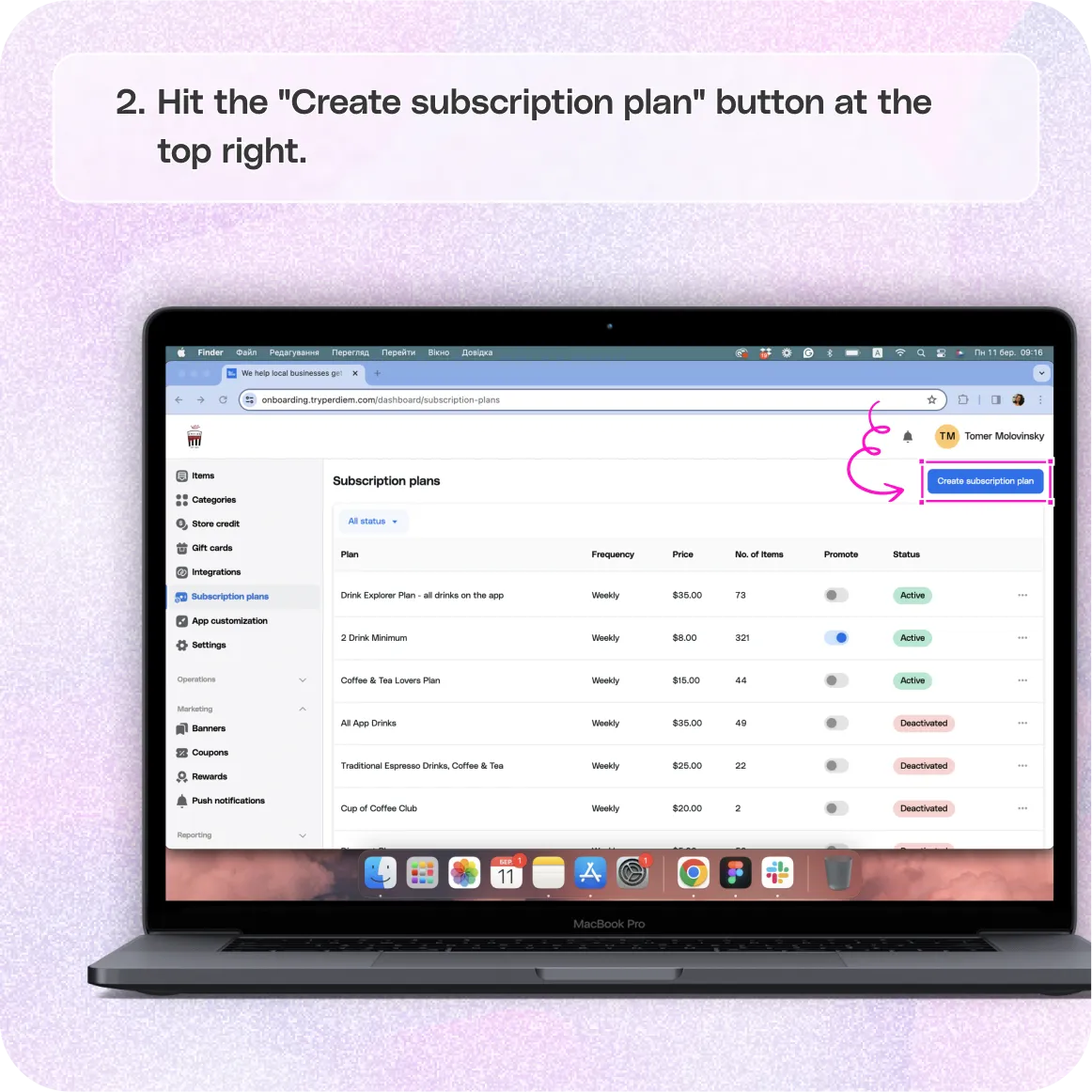
- Hit the "Create Subscription Plan" button at the top right.
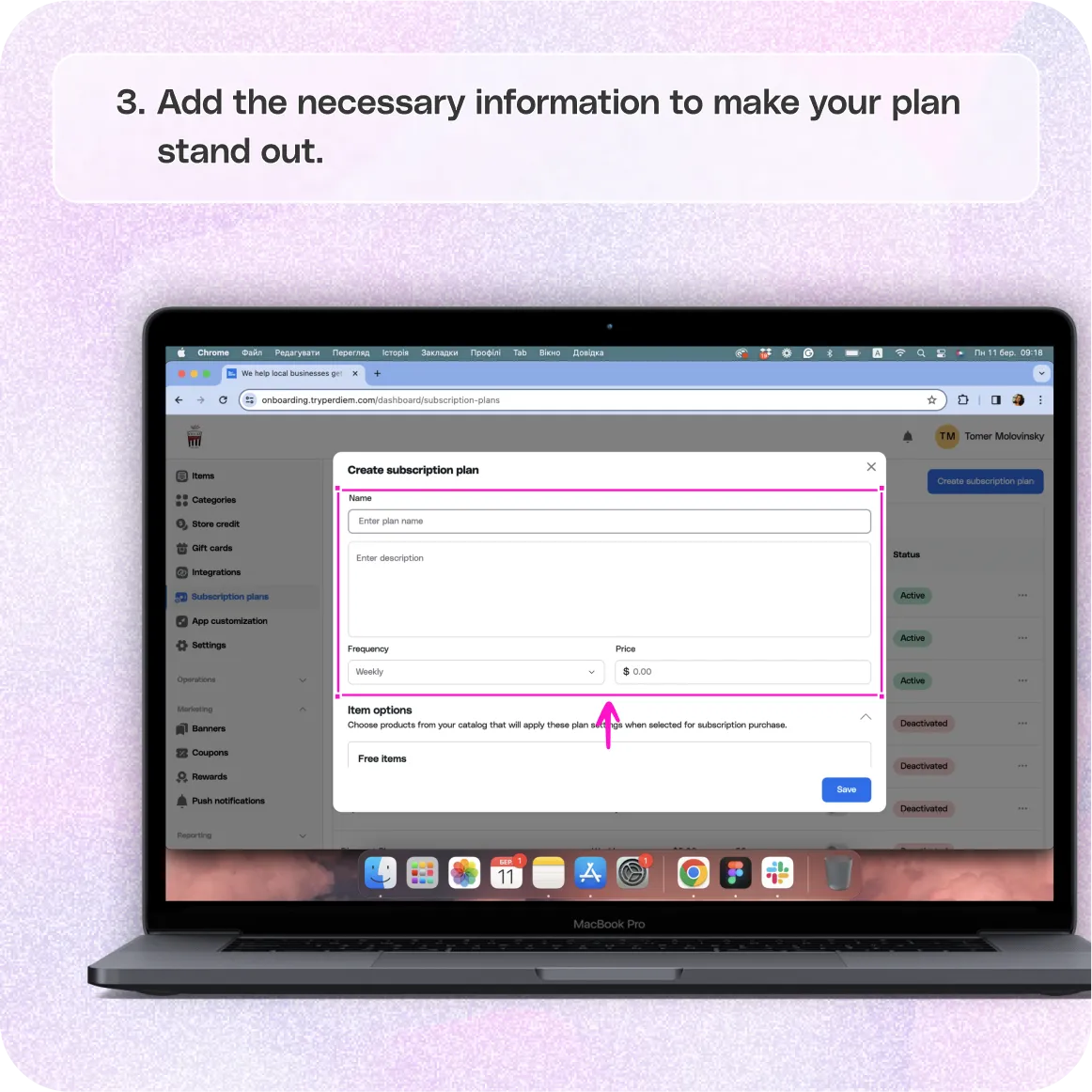
- Provide a distinctive name and a compelling description.
- Select the frequency - weekly, monthly, or quarterly.
- Set the price for your subscription plan.
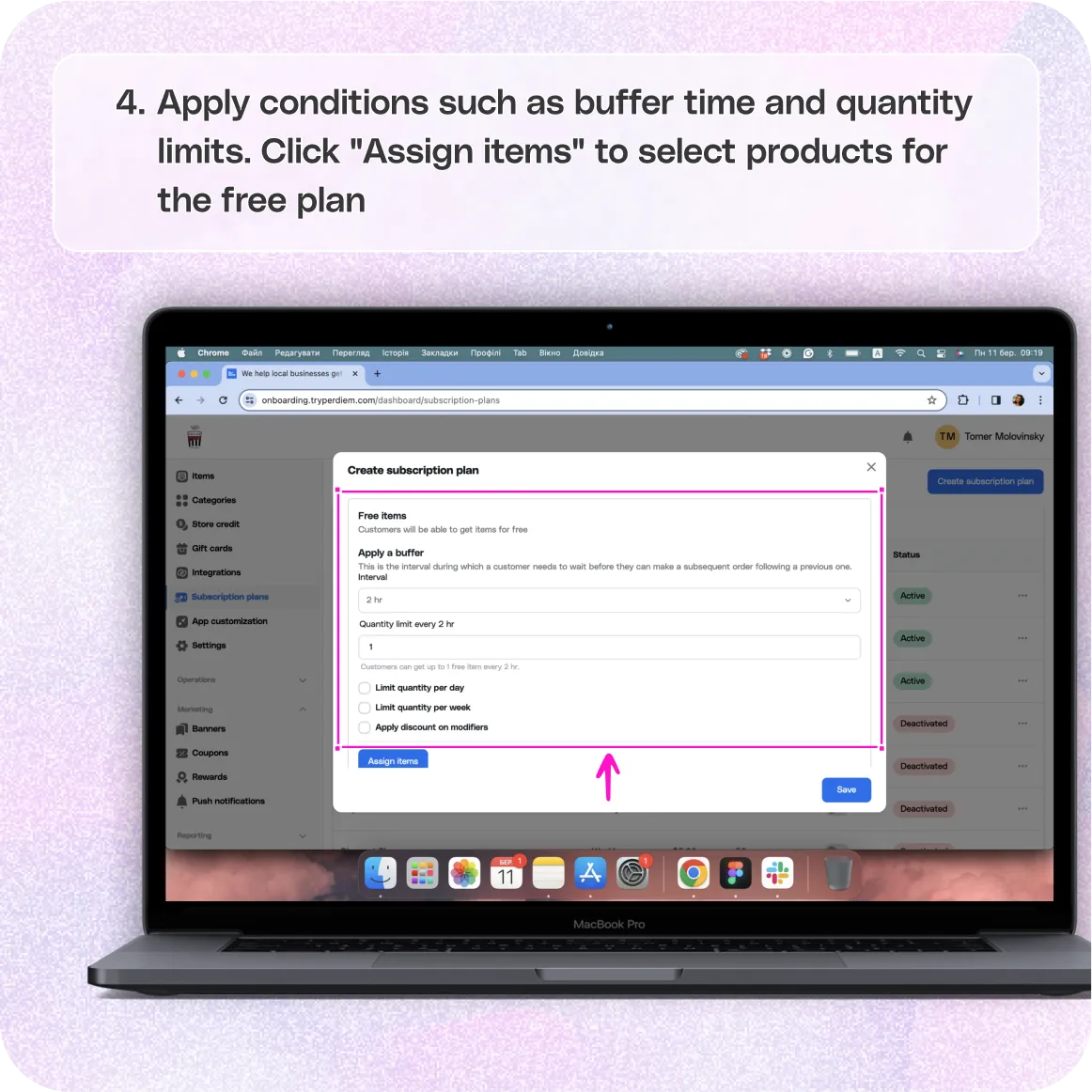
- Apply conditions such as buffer time and quantity limits.
- Click "Assign Items" to select products for the free plan.
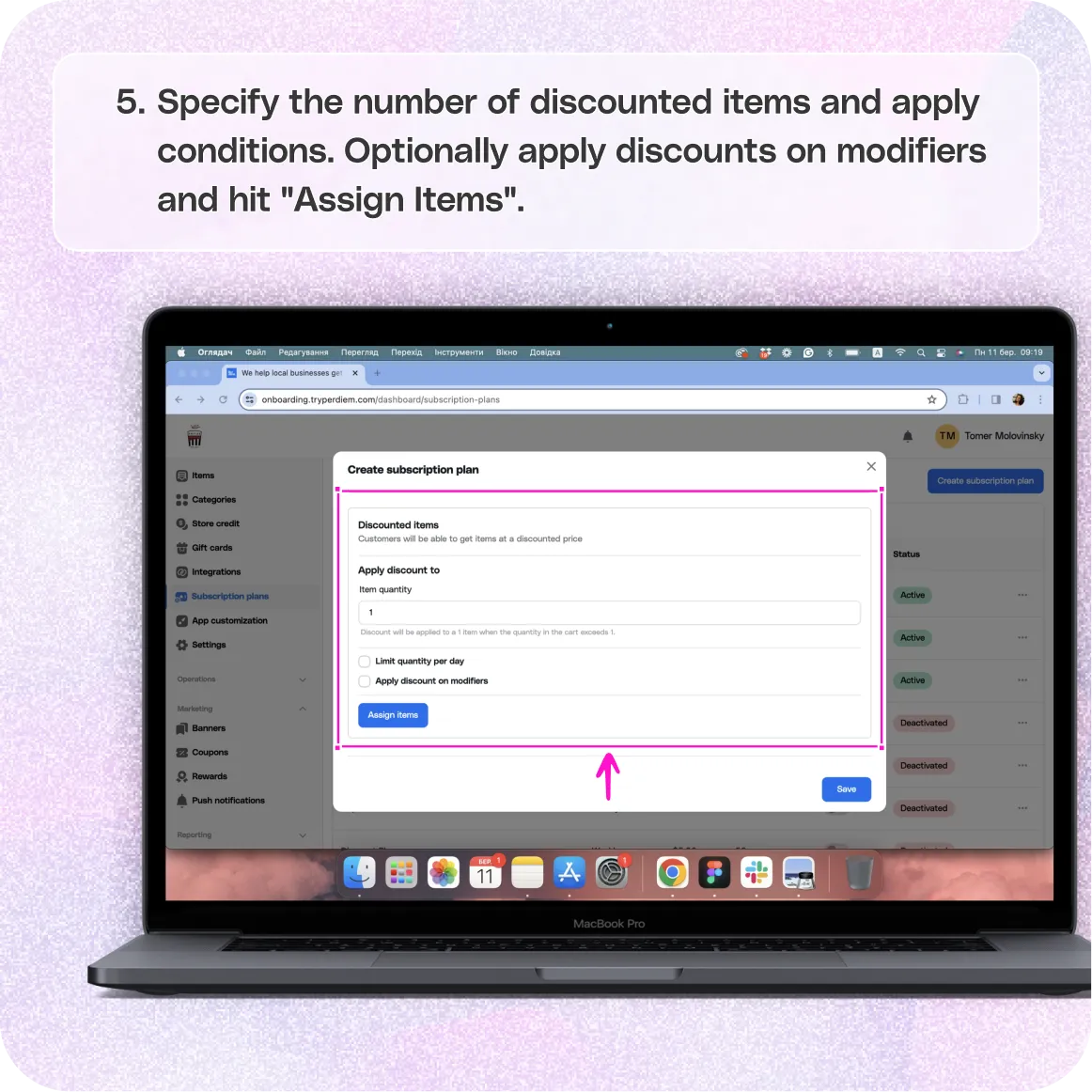
- Specify the number of discounted items and apply conditions.
- Optionally apply discounts on modifiers.
- Hit "Assign Items" to choose products for the discounted plan.
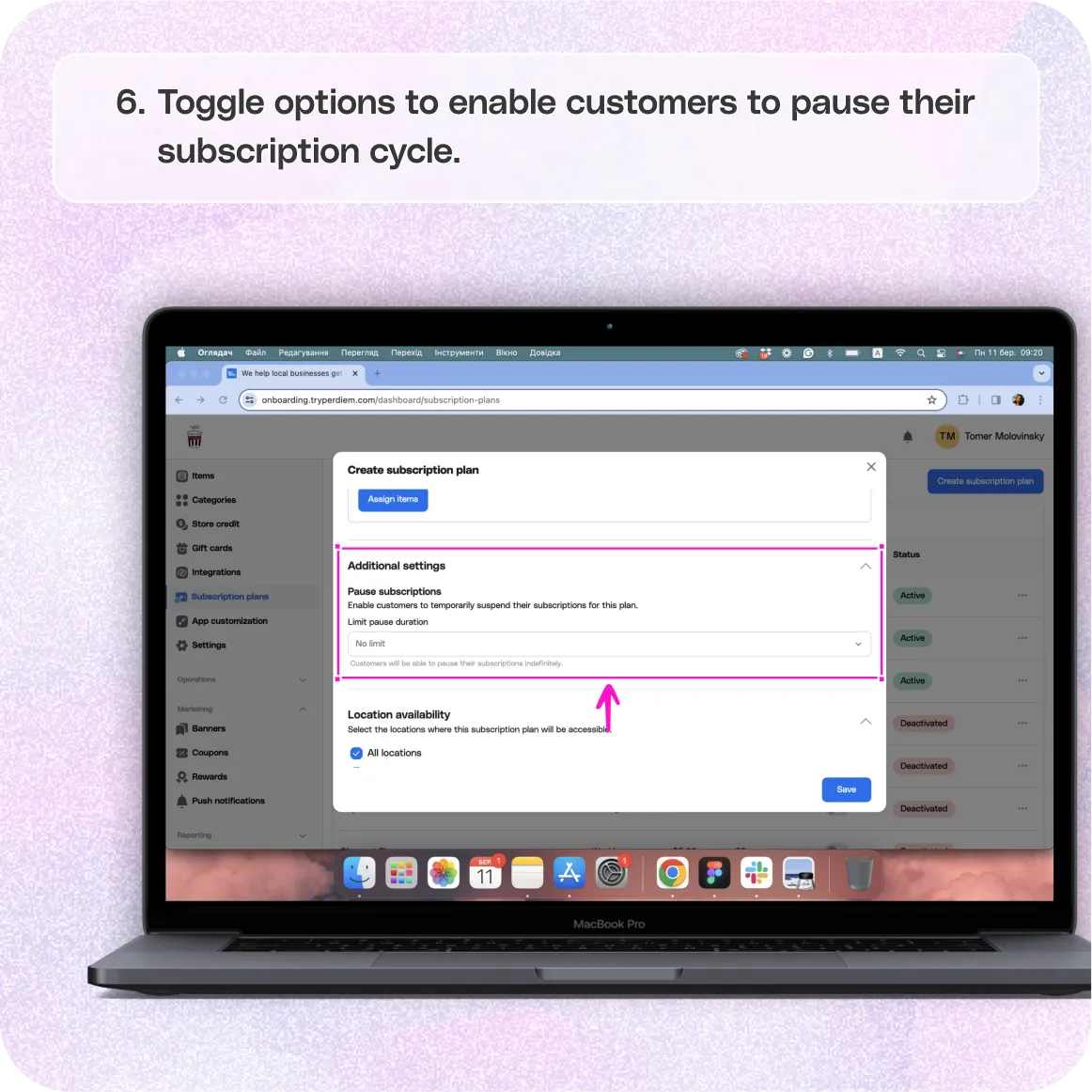
- Toggle options to enable customers to pause their subscription cycle.
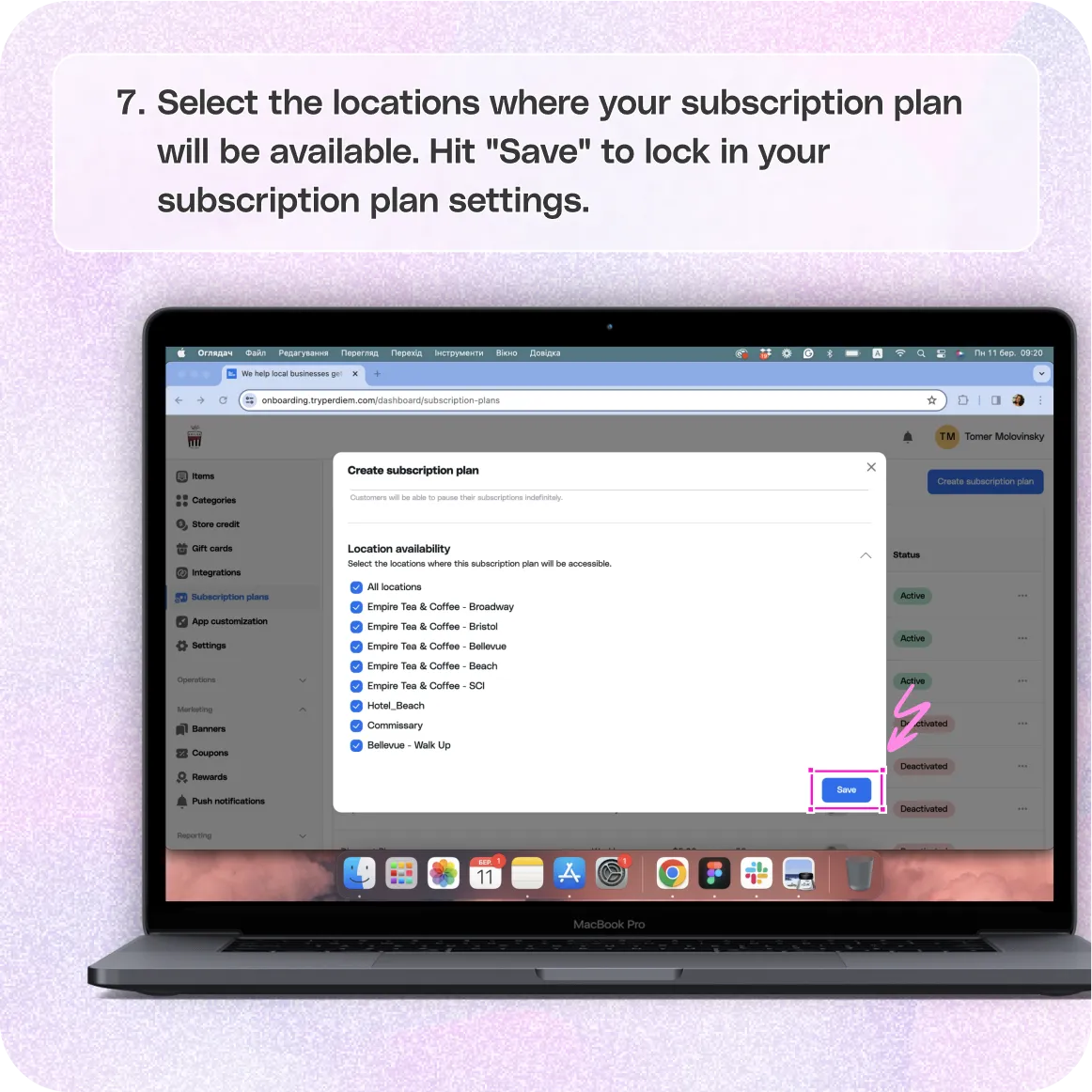
- Select the locations where your subscription plan will be available.
- Hit "Save" to lock in your subscription plan settings.
Still require support?
Contact support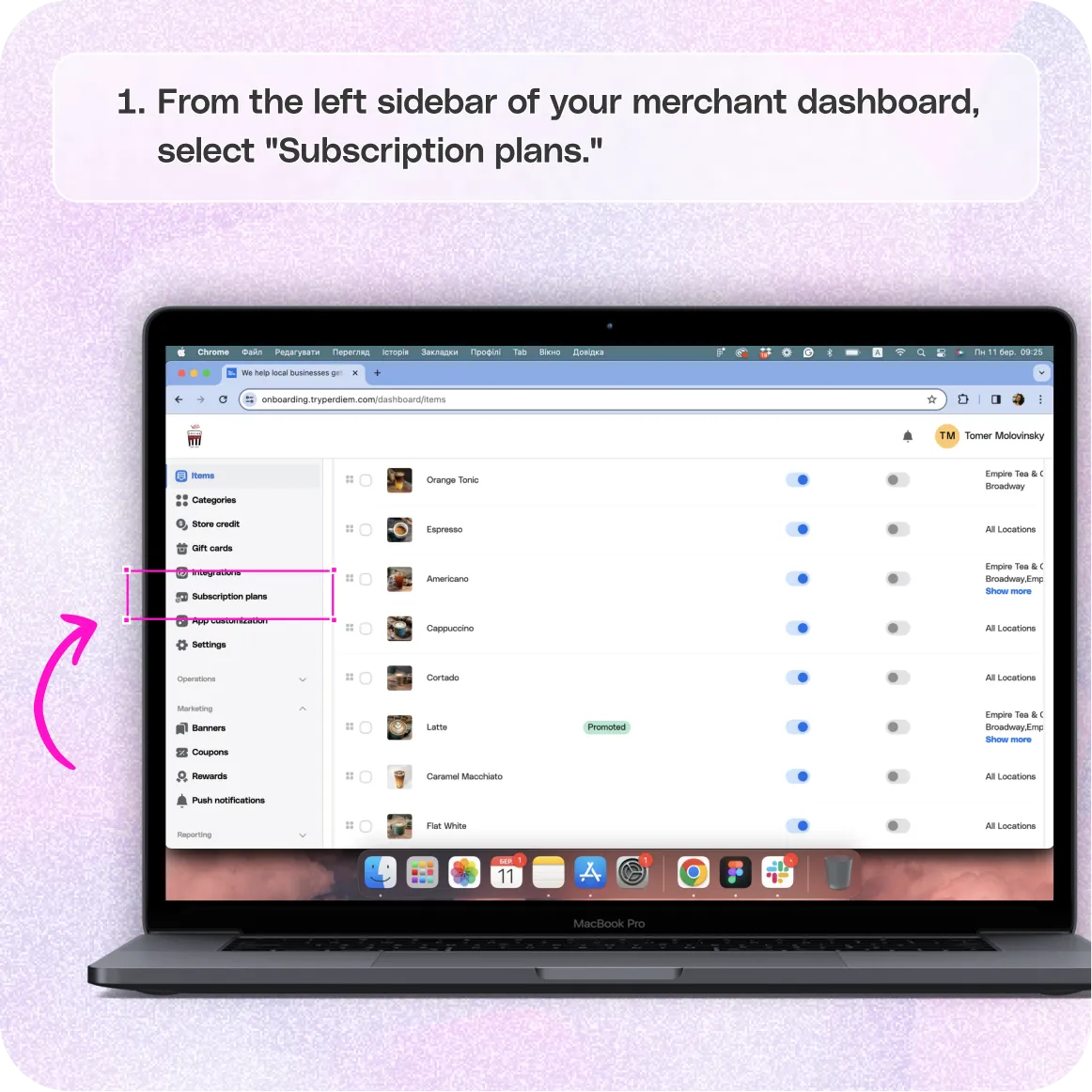
Log in to Your Merchant Dashboard
Step 1
Log in to your Per Diem merchant dashboard.
Select Subscription Plans
Craft subscription plans that keep your customers coming back:
Step 1
From the left sidebar, click on "Subscription Plans."
Create a Plan
Lay the foundation for your subscription plan:
Step 1
Hit the "Create Subscription Plan" button at the top right.
Fill the Details
Add the necessary information to make your plan stand out:
Step 1
Provide a distinctive name and a compelling description.
Step 2
Select the frequency - weekly, monthly, or quarterly.
Step 3
Set the price for your subscription plan.
Choose Items for the Free Plan
Enhance your free plan with optional conditions:
Step 1
Apply conditions such as buffer time and quantity limits.
Step 2
Click "Assign Items" to select products for the free plan.
Choose Items for the Discounted Plan
Maximize the appeal of your discounted plan:
Step 1
Specify the number of discounted items and apply conditions.
Step 2
Optionally apply discounts on modifiers.
Step 3
Hit "Assign Items" to choose products for the discounted plan.
Enable Customers to Pause Subscriptions
Offer flexibility with subscription pauses:
Step 1
Toggle options to enable customers to pause their subscription cycle.
Choose Locations
Tailor your subscription plan for specific locations:
Step 1
Select the locations where your subscription plan will be available.
Step 2
Hit "Save" to lock in your subscription plan settings.
Learn more about susbcription in this article to start offering your own Panera Bread like susbscriptions.
Still have questions?Contact us
Ask anything or just say hi