























Getting Started with Per Diem Loyalty
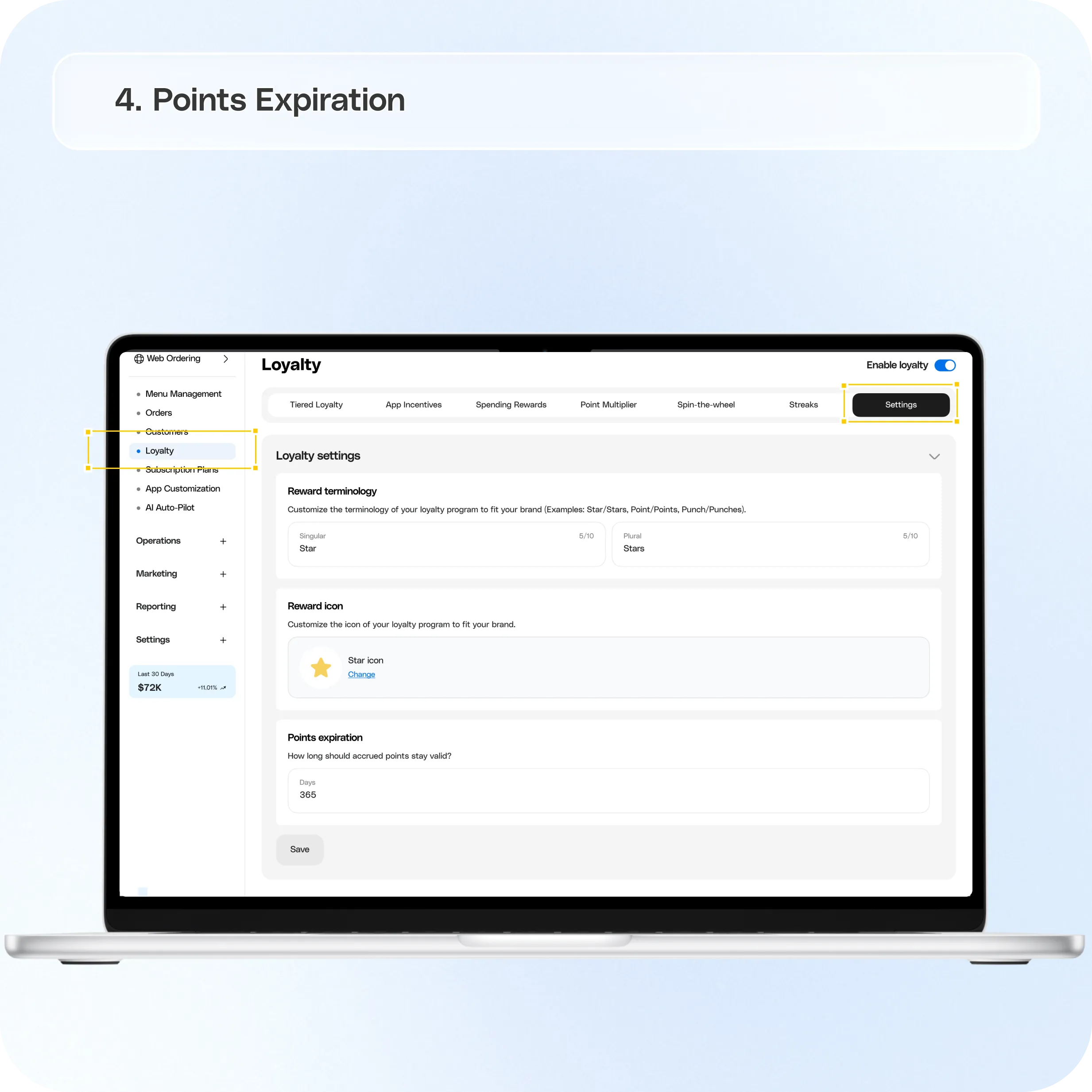
Per Diem Loyalty allows merchants to create fully customized loyalty programs that reward customers for engaging with their business. You can define your own loyalty currency, configure how customers earn points, create rewards, launch VIP tiers, manage point expiration, and run promotions across your app and web ordering experience. Loyalty is designed to be flexible, allowing each merchant to create a program that reflects their brand and customer retention strategy.
Still require support?
Contact support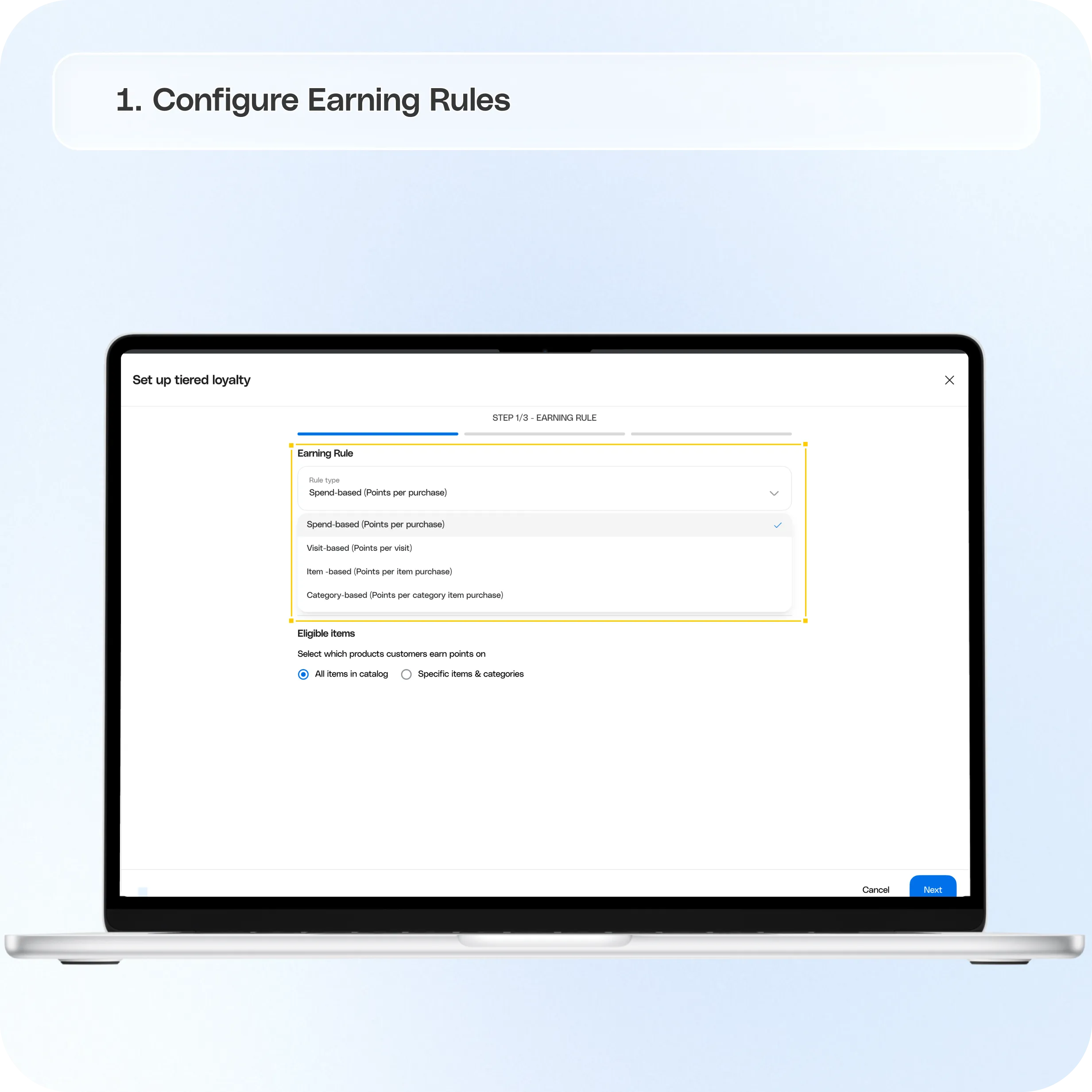
How Per Diem Loyalty Works
A loyalty program consists of four main components:
- Loyalty currency
- Earning rules
- Redemption rewards
- Point expiration settings
You can also expand your program with VIP tiers and promotional campaigns.
Loyalty Program Settings
When creating a loyalty program, you'll first define the basic program settings.
Loyalty Currency
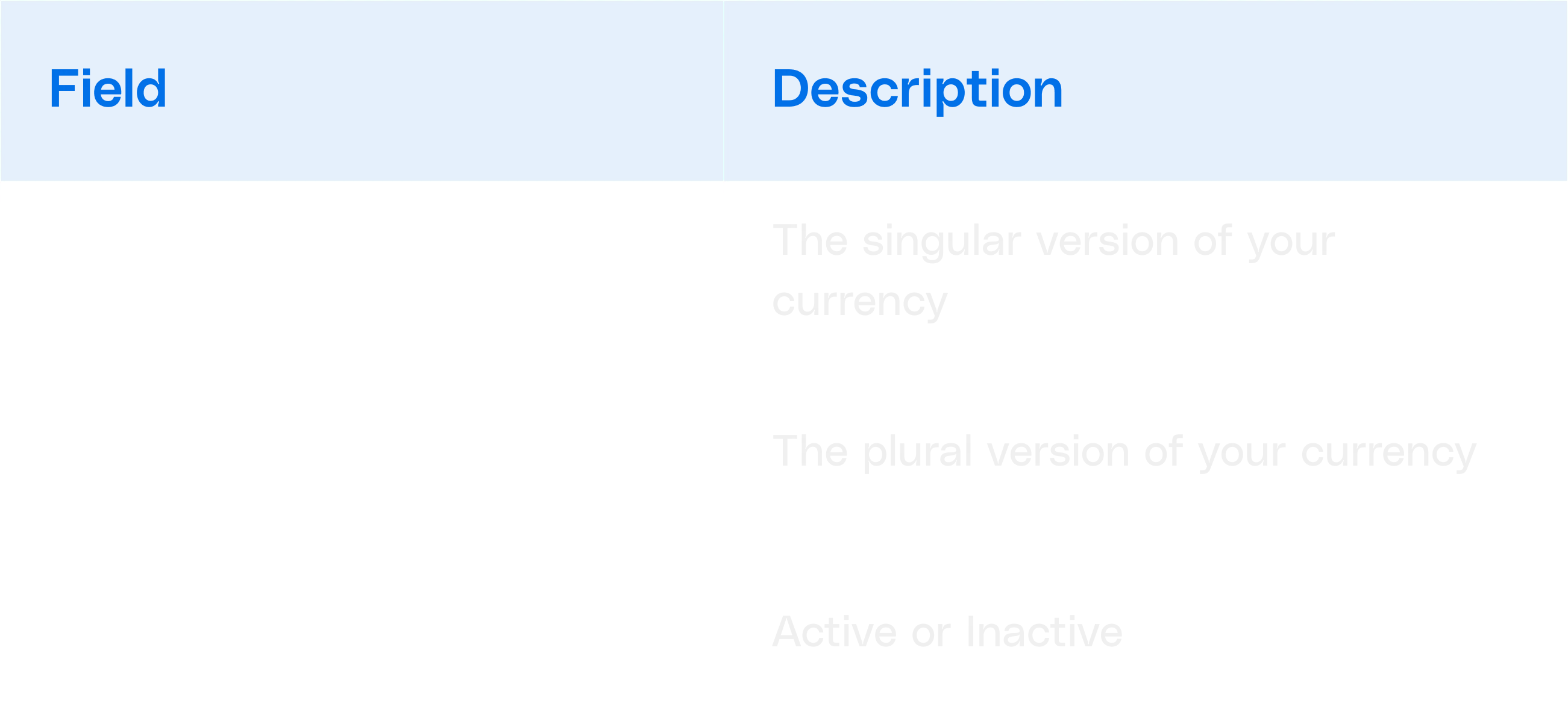
Customize the name of your loyalty currency to match your brand.
Available Fields:
Examples
- Bean / Beans
- Star / Stars
- Sip / Sips
- Coin / Coins
- Reward / Rewards
This custom currency will be displayed throughout the customer experience when points are earned or redeemed.
Configure Earning Rules
Earning rules determine how customers collect loyalty points.
Important: A loyalty program can only use one earning method at a time.
Option 1: Spend-Based Loyalty
Customers earn points based on how much they spend.
Example

Customers receive points automatically based on their purchase amount.
Optional Restrictions
You can choose whether points are earned on:
- All menu items
- Specific categories
- Specific items
You can also configure a minimum spend threshold before points begin accumulating.
Option 2: Visit-Based Loyalty
Customers earn points each time they make a qualifying visit.
Configuration

Example
Visit the store → Earn 10 Beans
This setup is ideal for businesses focused on increasing visit frequency.
Option 3: Item-Based Loyalty
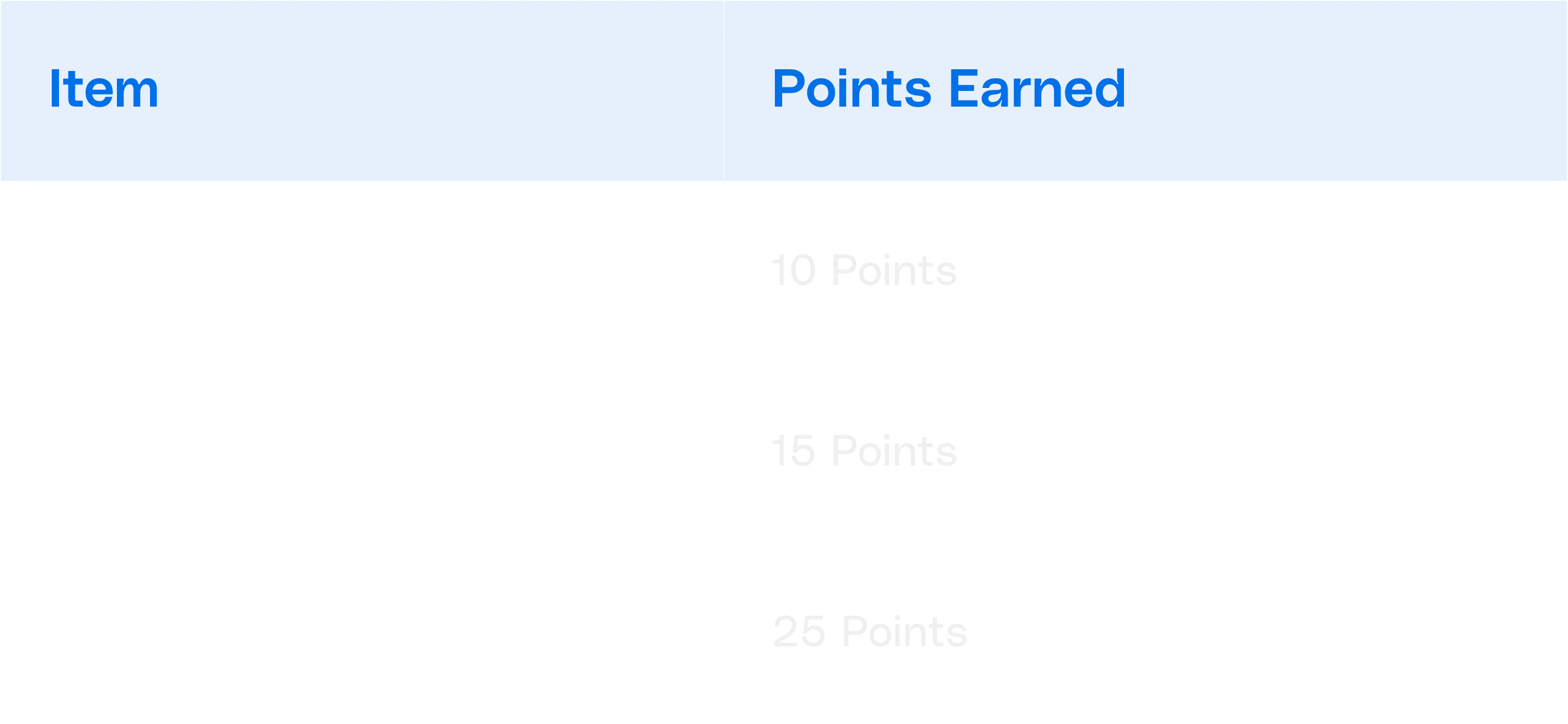
Customers earn different point values for specific products.
Example
Example
Purchase a Latte → Earn 10 Beans
This method allows merchants to encourage sales of specific products.
Option 4: Category-Based Loyalty
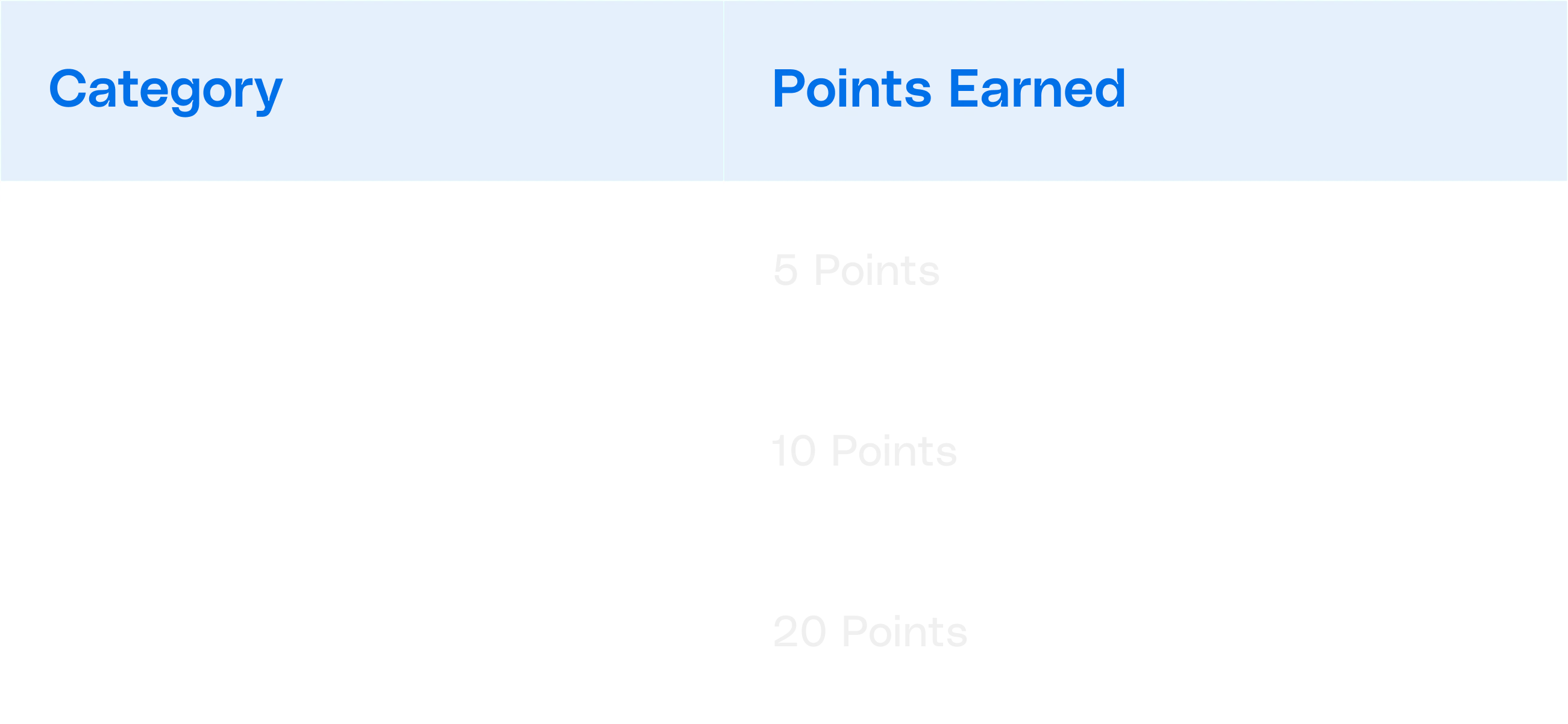
Customers earn points based on the category of products purchased.
Example
Example
Purchase from the Bakery category → Earn 10 Beans
This method is useful for promoting higher-margin categories.
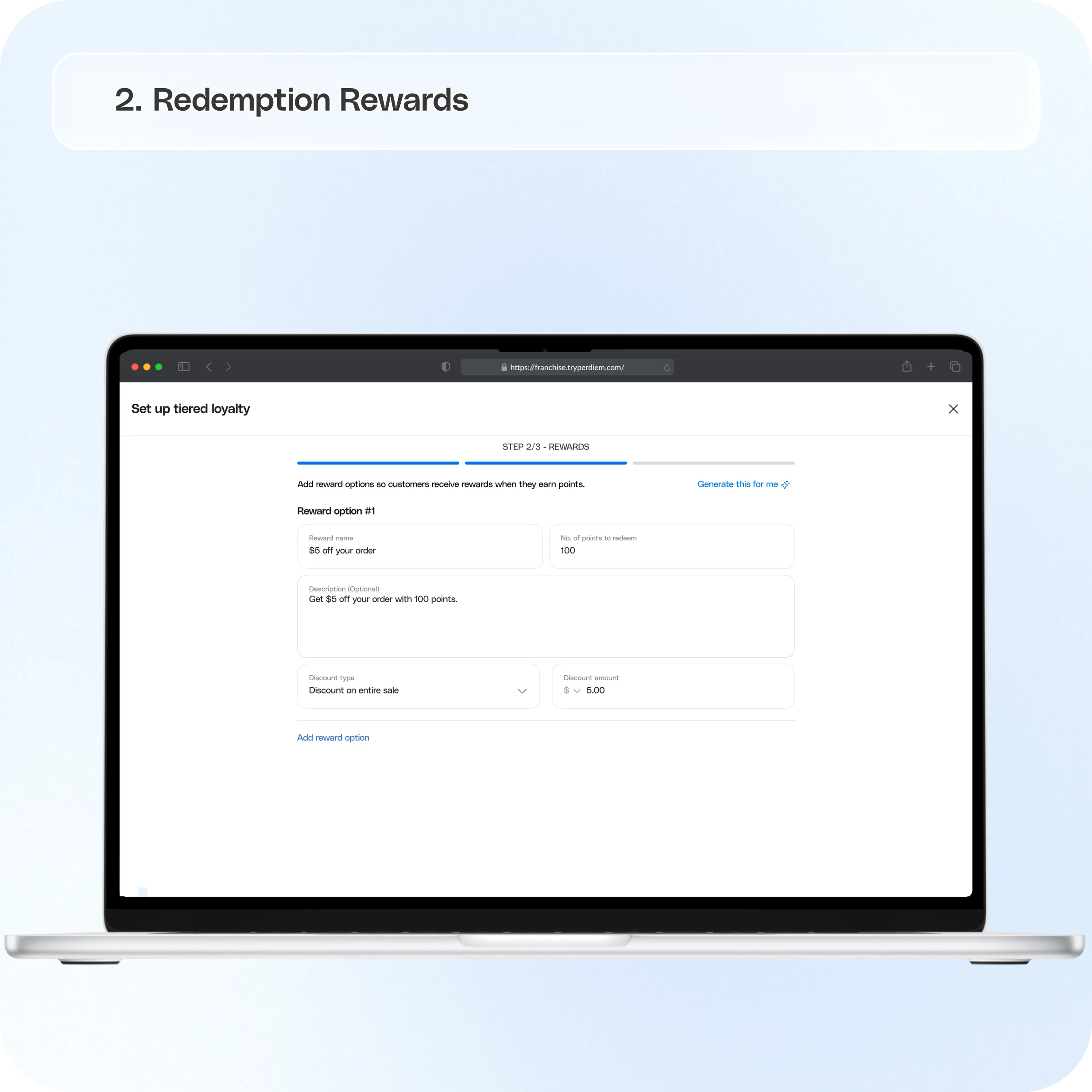
Redemption Rewards
After customers earn points, they can redeem them for rewards.
Merchants can create custom rewards based on their loyalty strategy.
Examples include:
- Free items
- Discounts
- Dollar-off rewards
- Exclusive member offers
Customers redeem rewards using the points they have accumulated through the loyalty program.
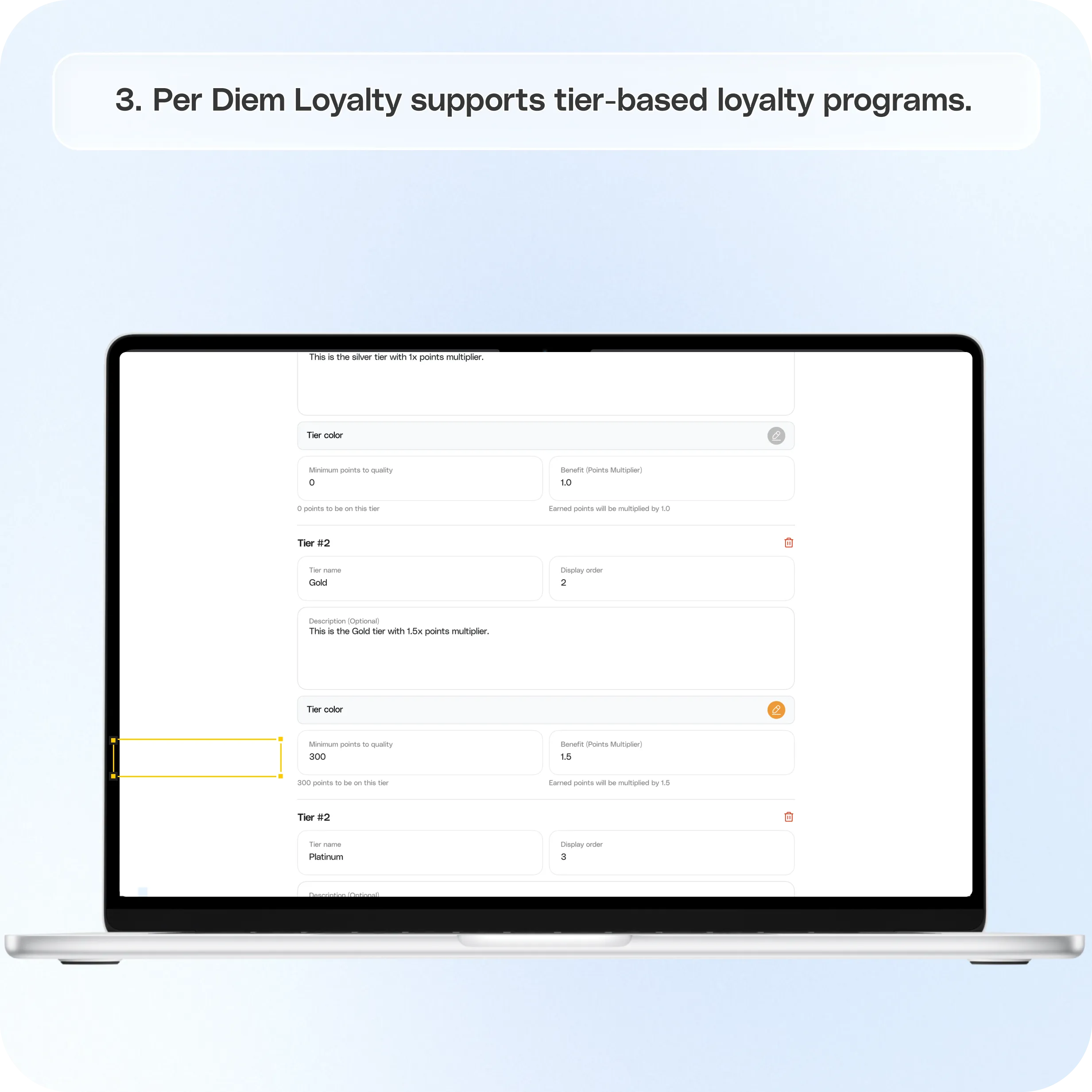
VIP Tiers
Per Diem Loyalty supports tier-based loyalty programs.
VIP tiers allow merchants to reward their most engaged customers with additional benefits.
Examples may include:
- Exclusive rewards
- Higher earning rates
- Special offers
- Member-only promotions
Tiers help encourage repeat visits and increased customer lifetime value.
Loyalty Promotions
Merchants can create targeted loyalty promotions to encourage customer engagement.
Examples include:
- Bonus point campaigns
- Double point days
- Seasonal promotions
- Special event rewards
Promotions can be used alongside your loyalty program to drive additional visits and purchases.
Points Expiration
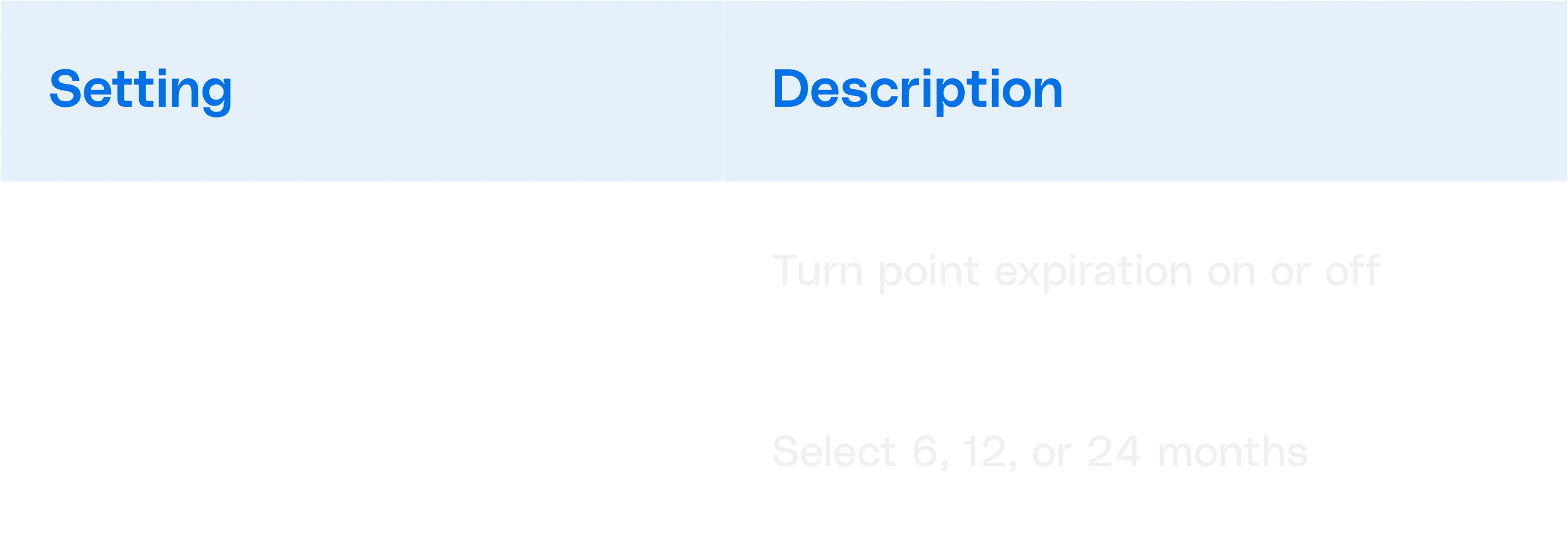
Point expiration allows merchants to control how long loyalty points remain active.
Available Expiration Periods
- 6 Months
- 12 Months
- 24 Months
Configuration
How Point Expiration Works
When expiration is enabled:
- Points expire after the selected inactivity period
- Customer activity extends the expiration window
- Customers receive notifications before points expire
This helps keep loyalty programs active while encouraging repeat engagement.
Still have questions?Contact us
Ask anything or just say hi