




















Restaurants
How to Improve Your Restaurant Online Ordering Conversion Rate
Sep 24, 2026
TLDR
A customer can arrive ready to order and still leave without paying. Maybe they cannot find what they want, the customization gets confusing, or the final price gives them second thoughts. Improving your restaurant online ordering conversion rate starts with finding these moments and making the path from menu to payment easier.
Why Customers Abandon Online Orders
Online order abandonment rarely comes down to one big problem. It is usually a series of small points of friction.
A customer might leave because:
- The right location or fulfillment option is hard to find
- The menu takes too long to browse
- An item is unavailable, or information is missing
- Customization feels complicated
- A discount or reward is difficult to use
- Extra fees appear late
- Checkout asks for too much information
- Their preferred payment option is missing
This is why conversion should be looked at across the whole ordering journey, not only the payment screen.
The best place to start is the experience your customers already have.
1. Make Online Ordering Easy From the First Tap
Someone who taps Order Online has already shown strong intent. Help them reach the right menu quickly.
Start with the right location
For restaurants with several stores, show recognizable location names and addresses. Customers should not have to guess which store is closest or realize after building a cart that they chose the wrong one.
If a location is closed, show that early. If future orders are available, tell the customer when they can order instead.
Make pickup and delivery clear
Show the available fulfillment options before customers start shopping. Once they choose pickup or delivery, keep that choice visible and easy to change.
Timing matters too. If an order will be ready at a certain time, customers should know before they reach payment.
Per Diem web ordering connects these choices with the restaurant's Square setup, helping keep store information, ordering options, and operations aligned.
The goal here is simple: get customers into the correct menu without making them solve anything first.
2. Make Your Online Menu Easier to Buy From
Once someone reaches your menu, the next conversion you want is Add to Cart.
A physical menu has staff nearby to answer questions. Your online menu has to help customers make the decision on its own.
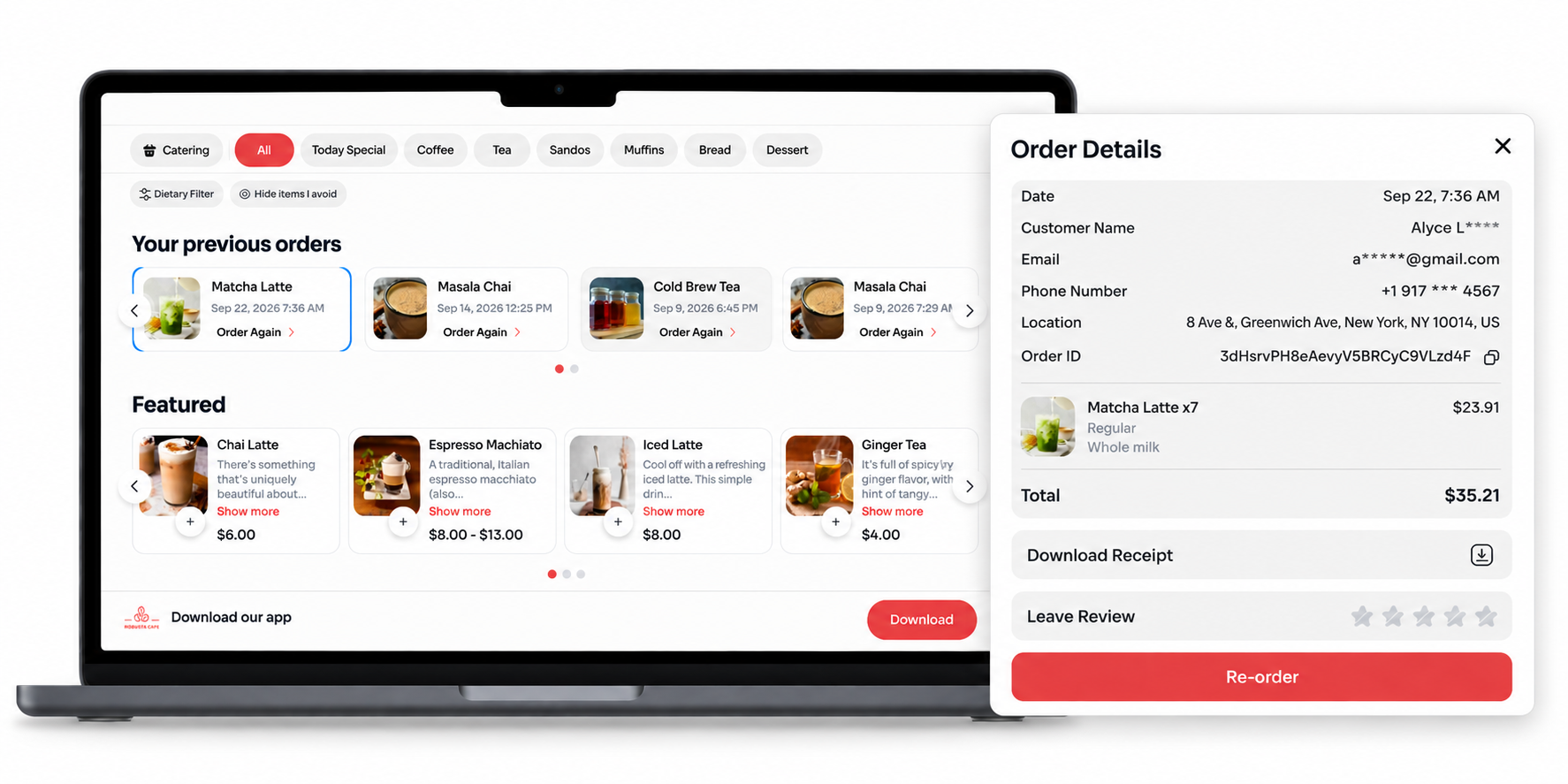
Help customers find items quickly
Break larger menus into clear categories such as Coffee, Matcha, Breakfast, Pastries, and Seasonal.
Put popular categories where customers can reach them easily. Avoid making someone scroll through a long menu to find a product they already came to buy.
Each item should have the information needed to make a decision:
- A recognizable name
- A visible price
- A short, useful description
- An accurate photo where helpful
- Relevant dietary and allergen information
Keep availability accurate
Do not let someone spend time choosing a product only to discover that it cannot be ordered.
Sold-out items, changed prices, new products, and store-specific menus should be reflected online quickly.
This is especially useful for Square restaurants using a connected ordering system. Per Diem can sync menu information with Square, so the online experience does not have to operate as a completely separate menu.
Simplify modifiers
Customization can become one of the hardest parts of ordering online.
A latte might involve size, temperature, milk, syrup, sweetness, and extra shots. A pizza or bowl can involve even more.
Organize those choices in the order customers naturally make them.
Make required selections obvious. Keep optional extras separate. Show added costs beside the option itself.
For complex items, nested modifiers can reveal the next relevant choices based on what the customer selects instead of putting every possible option on the screen at once.
A customer should be able to customize an item without needing a staff member to explain how your menu works.
3. Put Loyalty and Promotions Inside the Ordering Journey
Rewards are useful for conversion when customers can actually see and use them while deciding what to buy.
A returning customer may already have enough points for a free item, a birthday offer, a promotion, or a tier benefit. Hiding that value somewhere else misses the moment when it could influence the purchase.
Show customers what they can use now
When a customer signs in, make it easy to see:
- Their current points
- Rewards available to redeem
- Eligible promotions
- Tier status or progress
If they use a reward, show its effect on the order immediately.
Per Diem Loyalty brings these parts of the loyalty program into web ordering, so customers do not need to leave their order to understand what they have earned.
This can also make promotions feel less like random discount codes. A regular customer might see that they are close to their next tier. Another might discover that their points can cover an item already in the cart. Someone else may have a reward ready to redeem.
Keep the rules simple. Customers should quickly understand what they have earned, what they can use, and what they get from using it.
A reward that needs its own explanation can create friction instead of removing it.
4. Remove Friction From Cart and Checkout
By the time someone reaches the cart, they have already decided what they want. This is a bad time to introduce surprises.
Show the real cost before payment
Unexpected costs are a common reason people reconsider an online purchase. The Baymard Institute's latest checkout research found that 39% of US online shoppers who abandoned an order cited high extra costs, such as shipping, taxes, and fees. The research covers e-commerce rather than restaurants specifically, but the lesson is relevant to food ordering too.
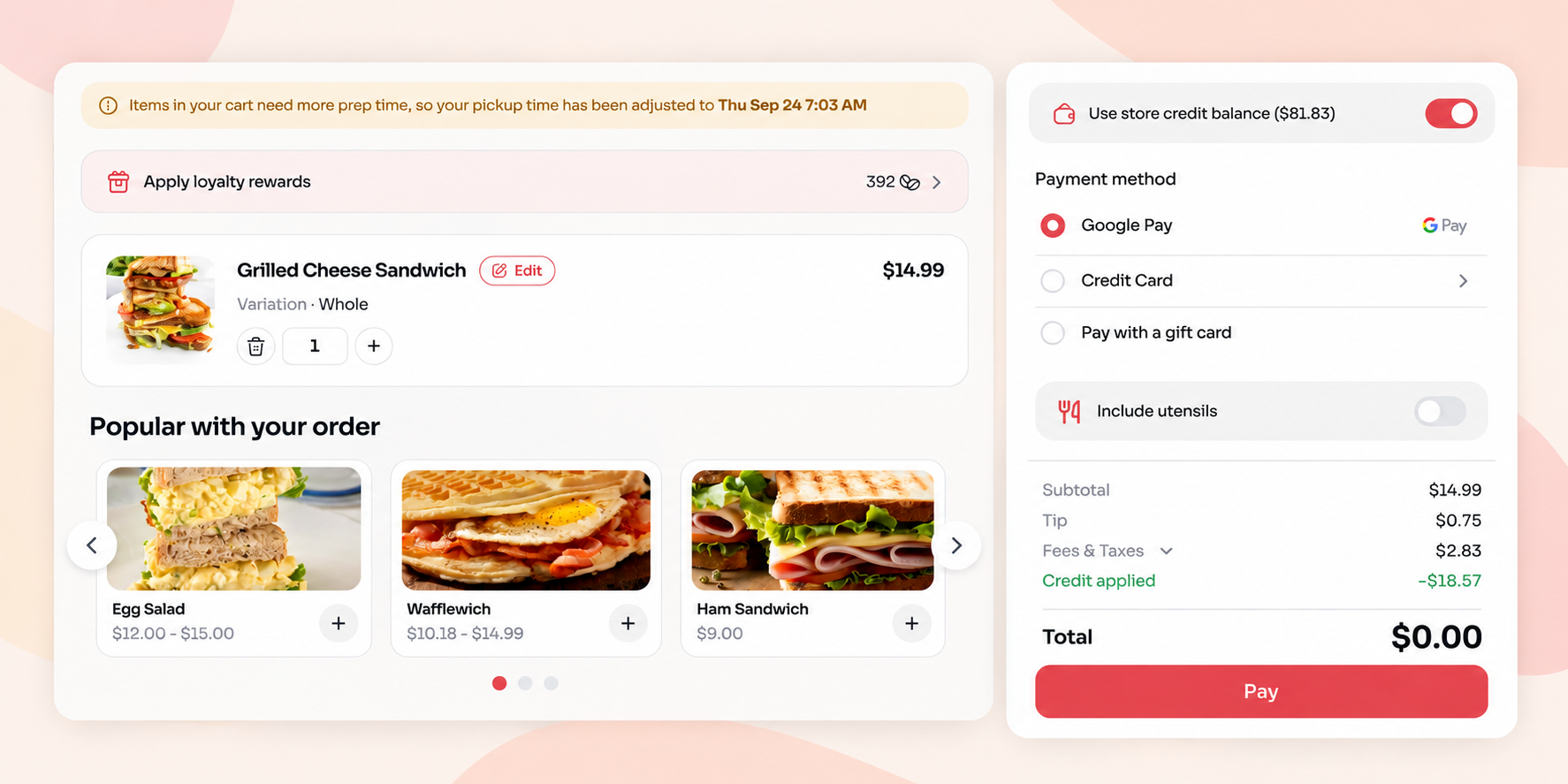
Customers should see a clear breakdown of:
- Items and quantities
- Selected extras
- Discounts
- Taxes
- Delivery or service fees
- Tip
- Final total
Do not wait until the final payment screen to reveal charges that could have been shown earlier.
The cart should also be easy to edit. Changing the quantity or removing an item should not mean rebuilding the order.
Make payment fast on mobile
Checkout should ask only for information needed to complete the purchase.
Digital wallets can remove much of the work of typing payment details on a small screen. Options such as Apple Pay and Google Pay let customers use payment information already saved on their device.
Per Diem web ordering supports both, alongside standard card payments.
Pay attention to the small details here. Form fields should be easy to complete. Errors should explain what needs fixing. The payment button should be easy to find.
Once a customer is ready to pay, there should be very little left for them to do.
5. Find Where Your Online Orders Are Being Lost
You can improve an ordering experience much faster when you know where people stop.
Looking only at completed orders tells you the result. It does not tell you what happened before it.
Think about online ordering as a simple funnel:
Ordering page visit → Menu view → Add to cart → Checkout → Completed order
Each stage tells you something different.
If plenty of people visit the menu but few add an item, investigate the menu experience. If customers add products but do not continue to checkout, look closely at the cart. If the biggest loss happens at payment, focus your attention there.
This also makes testing changes more useful. Instead of redesigning several parts of your ordering site at once, change one meaningful element and watch what happens.
For example, you might reorganize menu categories, update product photos, simplify a complex item, change how a fee is presented, or add a faster payment method.
Compare the relevant numbers before and after the change. Keep what helps and continue testing.
Conversion optimization works best as an ongoing process, not a one-time redesign.
FAQs
What is a restaurant online ordering conversion rate?
It is the percentage of people who visit your online ordering experience and complete an order.
For example, if 1,000 people visit and 100 place an order, the conversion rate is 10%.
The exact rate alone does not explain what needs fixing. Looking at actions such as menu views, items added to cart, checkout starts, and completed purchases gives you more useful context.
How can restaurants reduce online order abandonment?
Start with the points where customers have to make a decision or enter information. Make store selection clear, organize the menu well, simplify customization, show costs before payment, and keep checkout short.
It is also useful to place an order yourself on a real phone. Small problems are often much easier to notice as a customer than from the restaurant dashboard.
Does online ordering work with Square?
Yes. Square supports online ordering directly, and restaurant ordering platforms can also connect with Square.
Per Diem is built for Square restaurants and connects web ordering with Square menus, orders, payments, loyalty, and restaurant operations. This lets restaurants offer their own ordering experience without replacing the POS their team already uses.
Should restaurants offer guest checkout?
Making customers create an account before they can buy can add another barrier to an order. If an account is not necessary for the transaction, giving new customers a simple path to purchase can make the first order easier.
You can still give returning customers reasons to sign in, such as accessing saved information, points, rewards, and other loyalty benefits.
Turn More Online Visits Into Orders
Improving online ordering conversion often comes down to removing small reasons to leave.
Per Diem gives Square restaurants a branded web ordering experience with connected menus, flexible modifiers, loyalty, promotions, pickup and delivery, and fast payment options in one customer journey.
Customers can find what they want, customize it, use what they have earned, and complete their order directly with the restaurant.
See how Per Diem web ordering works for your restaurant. Book a free demo today.