



















How to Create Better Restaurant Campaigns With AI
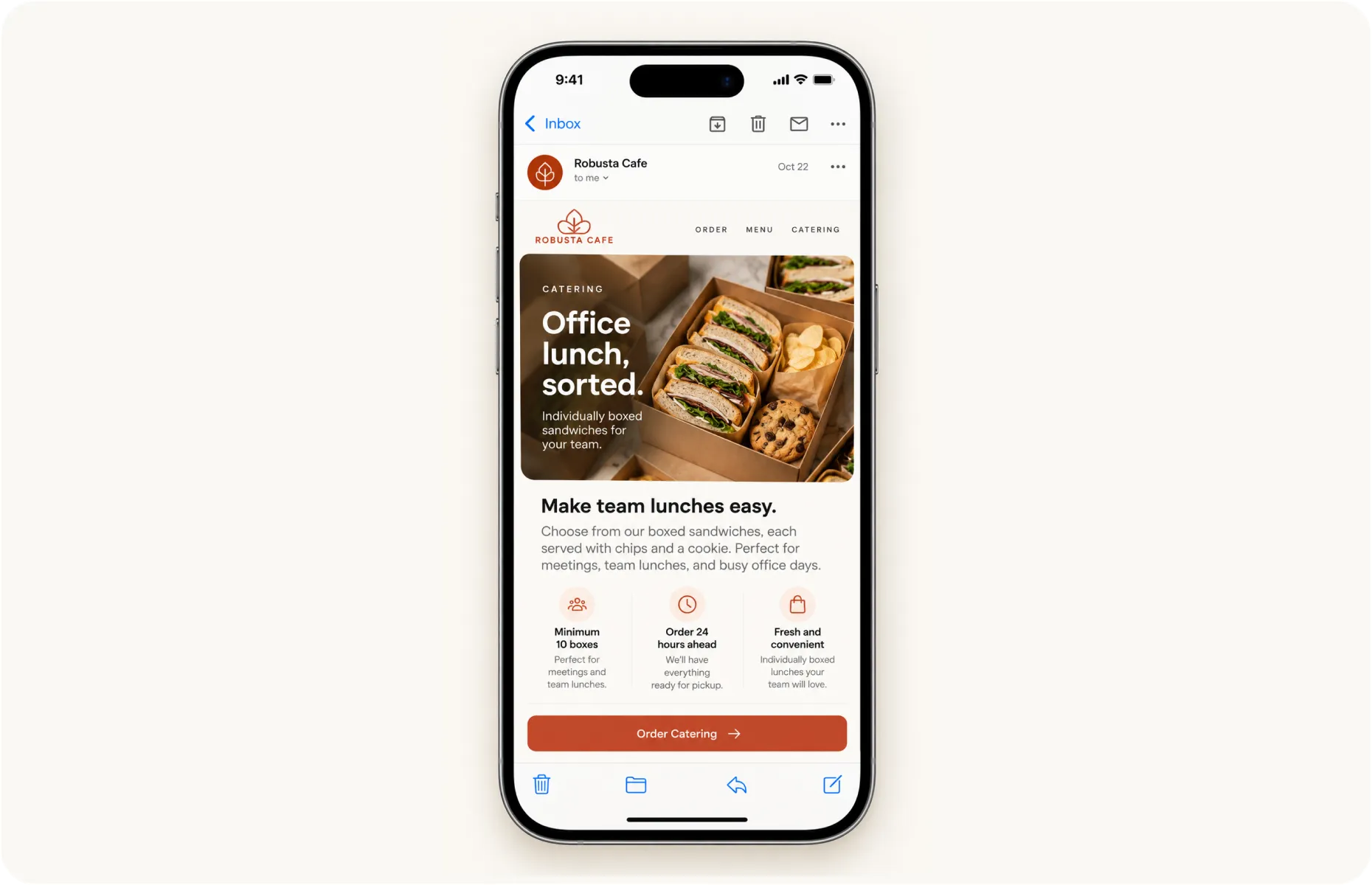
For someone ordering lunch for 12 colleagues, “fresh food everyone will love” leaves a lot unanswered.
What comes in each box? Are vegetarian options available? How far ahead do they need to order?
The person arranging lunch may be choosing between several restaurants while collecting everyone’s preferences. Clear details make their job easier and give them a reason to choose you.
AI can help you organize those details, develop the campaign and prepare the messages. A useful brief gives it somewhere to start.
What Should You Give AI Before Creating a Campaign?
Start with the decisions that make the campaign specific to your restaurant.
For an illustrative catering campaign, the brief could contain:
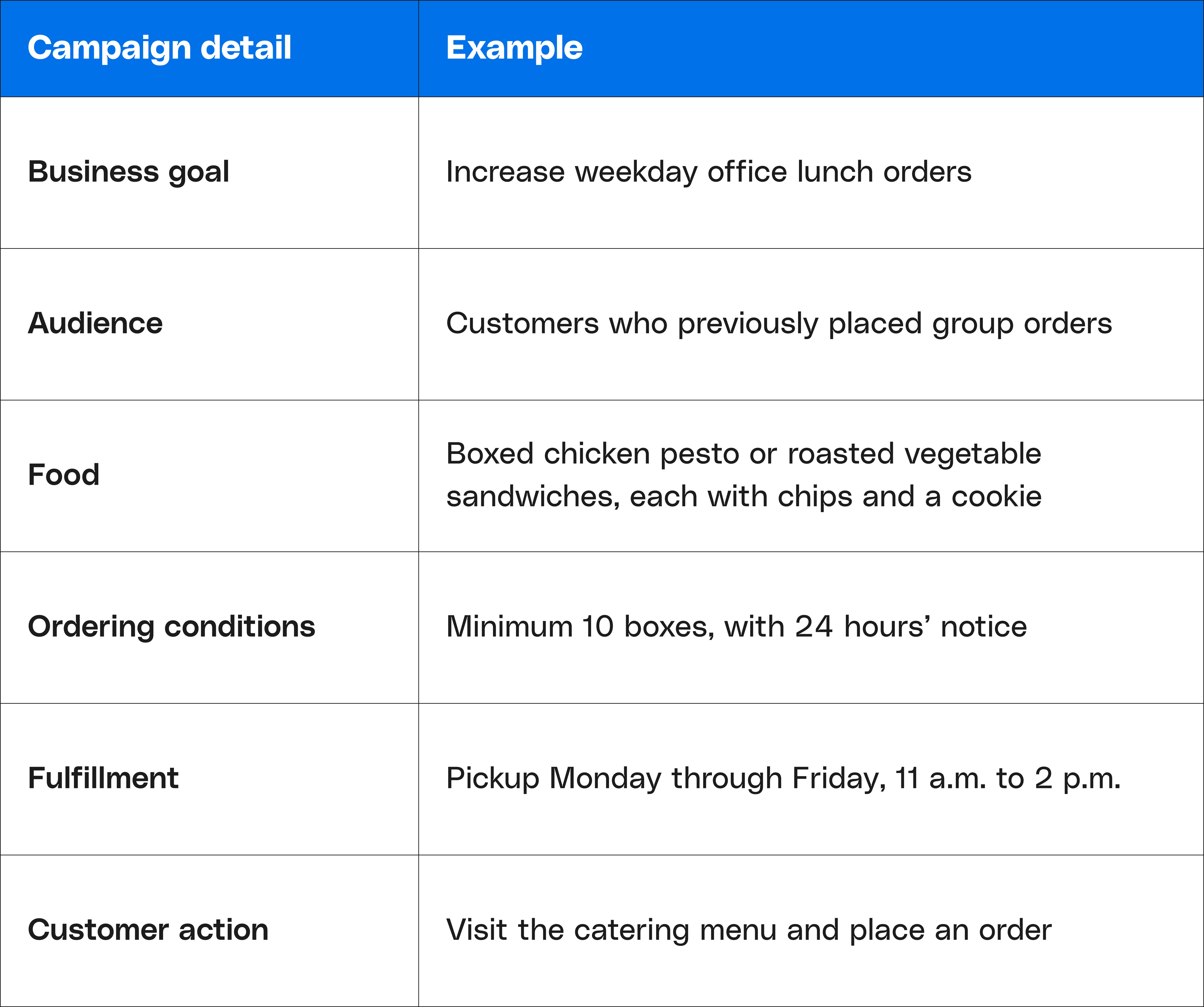
Include the price, ordering link, and any relevant conditions before requesting the final draft. If something is undecided, tell the assistant to flag it rather than fill in the gap.
Keep a short restaurant brief you can reuse, including your tone, links and usual service conditions. For each campaign, you can then concentrate on what is changing: the food, audience, occasion or offer.
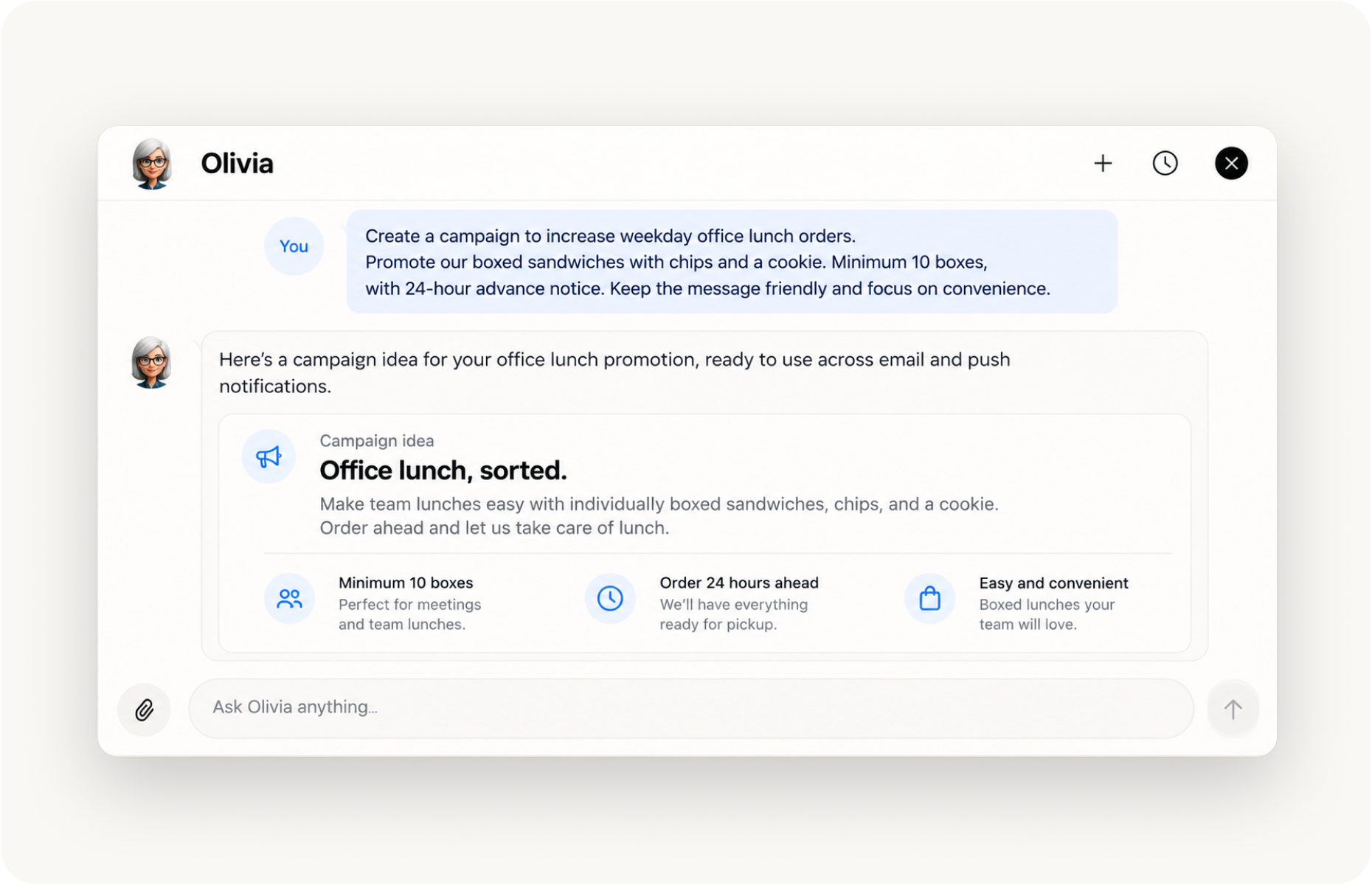
How Can AI Help Plan the Campaign?
Ask for an approach before requesting finished copy.
Using the catering brief above, you could ask:
Plan an email campaign around these boxed lunches. Recommend the main message, the details customers need and one clear call to action. Give me two approaches: one focused on making office lunch easy to organize, and another focused on the food. Identify missing information before drafting.
Comparing two approaches helps you choose what deserves emphasis. If customers regularly call to ask how catering works, the convenience angle may be useful. If the service is familiar but the sandwich choices are new, lead with the food.
Olivia helps connect business questions with campaign planning. Give the assistant a clear objective and useful context so its recommendations have something concrete to work toward.
You can also ask it to review the plan from the buyer’s perspective:
What would an office manager still need to know before placing this order?
That question may reveal a missing detail, such as whether each box can be labeled or how customers specify the number of vegetarian lunches. Confirm the answer with your team before including it.
How Do You Make AI Copy Sound Like Your Restaurant?
Give it a short example of something you have published and explain what you like about it.
“Short sentences, specific food descriptions and no exaggerated claims” gives clearer direction than “make it engaging.” If your restaurant would never say “elevate your lunch experience,” say so.
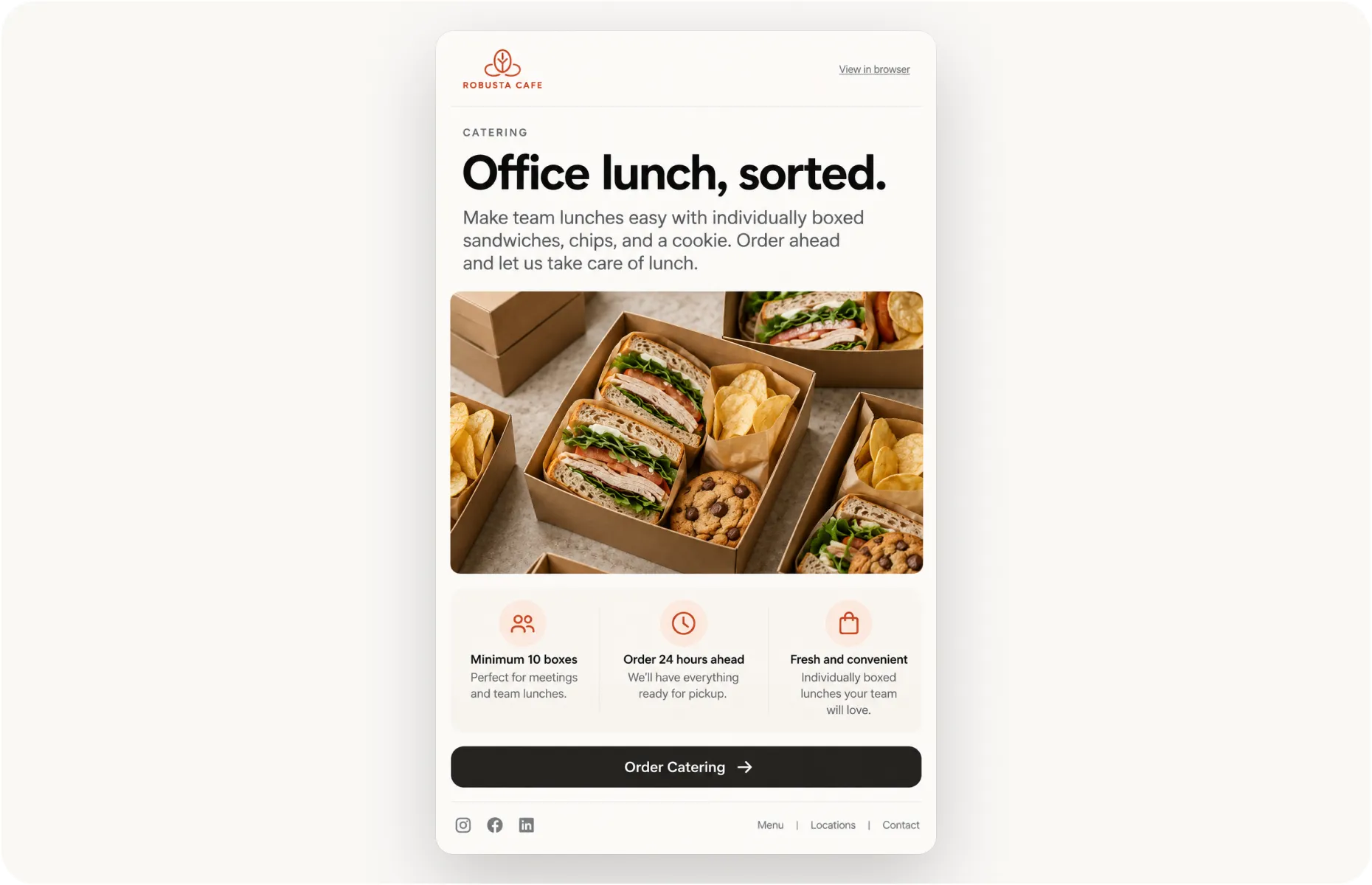
Then request a complete draft with a defined structure: subject line, short opening, sandwich choices, ordering conditions and a button labeled “Order boxed lunches.”
An opening could read:
Office lunch, sorted. Choose chicken pesto or roasted vegetable sandwiches, each boxed with chips and a cookie. Order at least 10 boxes a day ahead, and collect before your meeting.
The food and convenience carry the message. A real photograph of the boxed lunch can show customers what they will receive.
How Can You Adapt One Campaign Across Channels?
Once the main message works, ask AI to adapt it for the space and purpose of each channel.
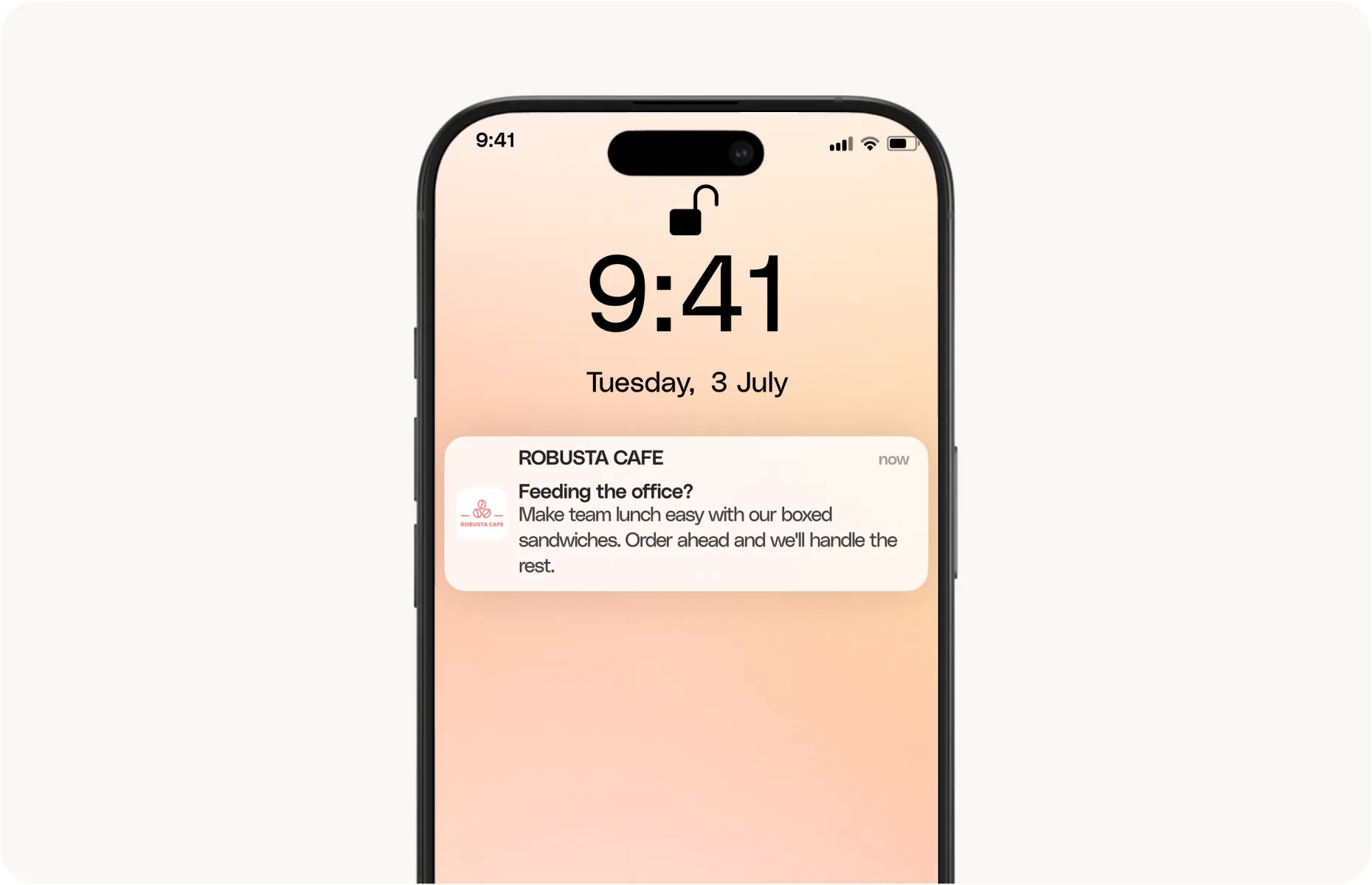
The email can explain the choices and ordering process. A push notification needs a shorter route to the same action:
Feeding the office? Boxed sandwich lunches are ready to plan. Order a day ahead.
The linked catering page should carry the minimum quantity, price and pickup conditions. Customers should reach those details immediately, without searching through the main menu.
Keeping one approved brief behind the campaign also helps prevent contradictions. The email, notification and ordering page should all describe the same service.
What Should You Review Before Sending?
Follow the campaign as a customer would. Read the message, open the button, and try placing an order.
Check that quantities, prices, availability, and notice periods match what your team can fulfill. If the message promises a choice of sandwiches, make sure customers can select those choices at checkout.
Timing deserves the same attention. A Thursday afternoon email requiring 24 hours’ notice leaves little room for someone planning Friday lunch. Send while the customer still has time to organize the purchase.
Save the brief and final copy together. The next office lunch campaign can begin with those decisions already documented, leaving you to update the details and improve what customers see.