
















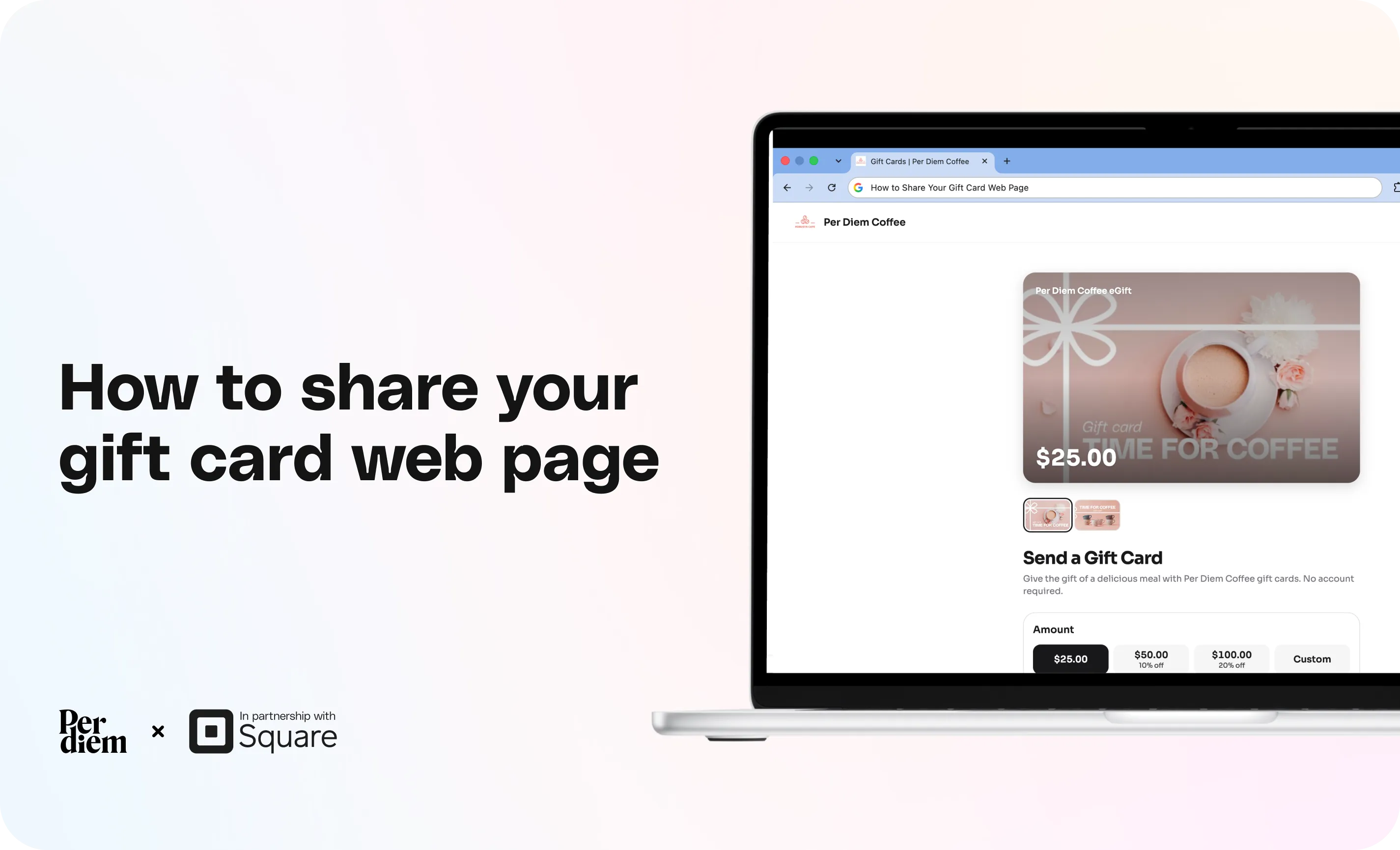
How to Share Your Gift Card Web Page
Your gift card web page is a standalone link where customers can buy and send eGift cards from your website.
Step 1: Turn on the gift card web page
- In your dashboard, go to Settings > Platform Features.
- Scroll to the Discounts & loyalty section and find Gift card web page.
- Turn the toggle on.
Step 2: Copy your gift card link
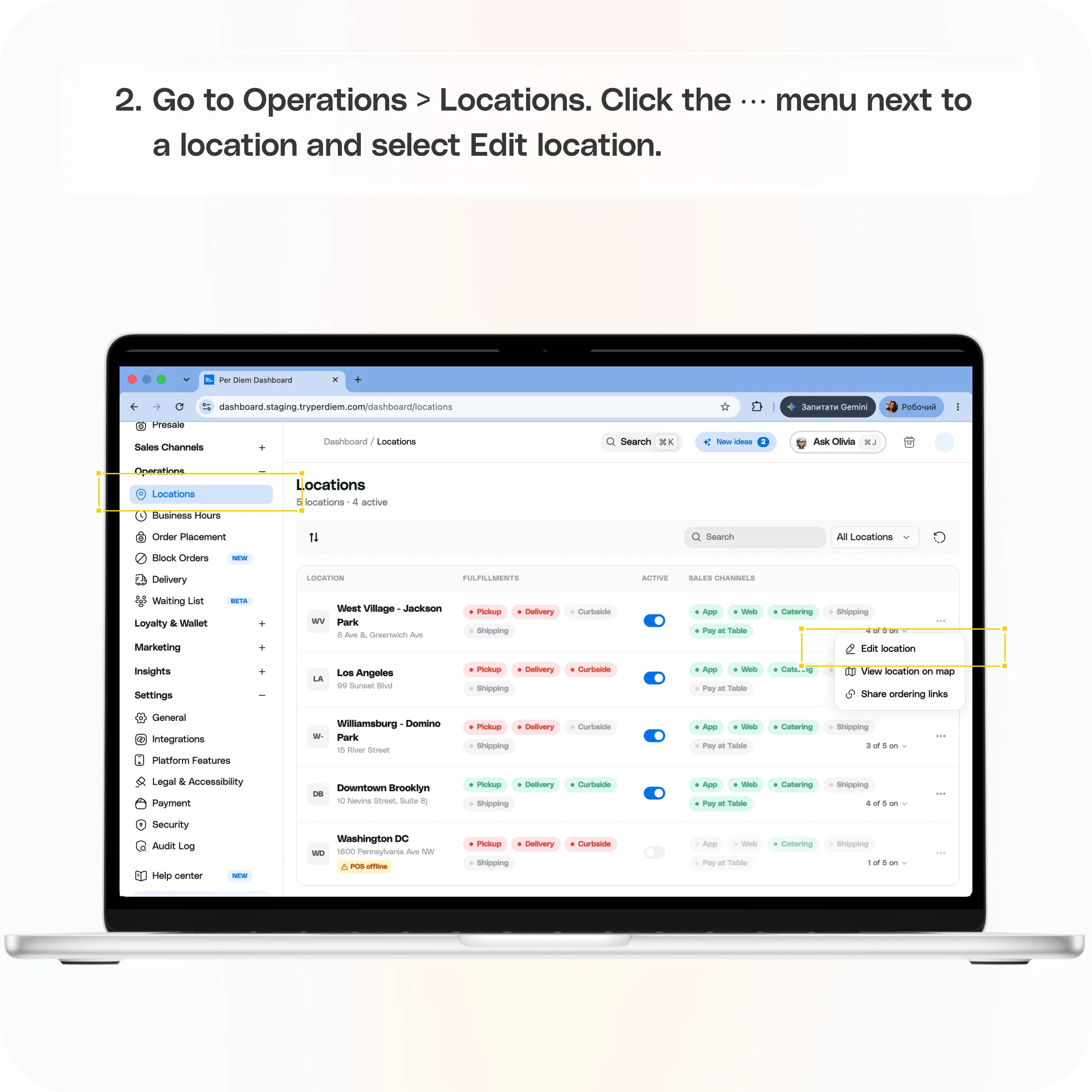
- Go to Operations > Locations.
- Click the ⋯ menu next to a location and select Edit location.
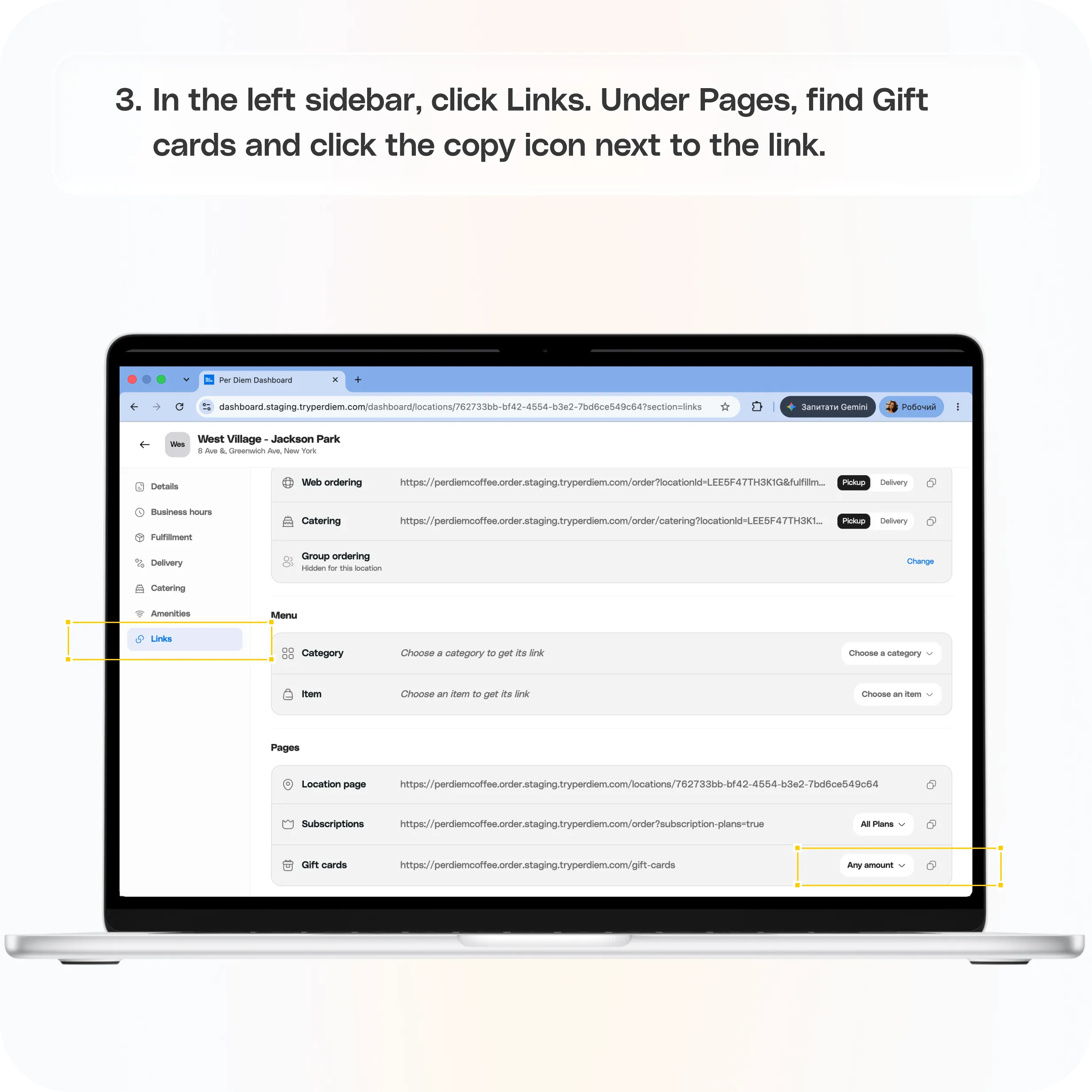
- In the left sidebar, click Links.
- Under Pages, find Gift cards and click the copy icon next to the link.
Still require support?
Contact support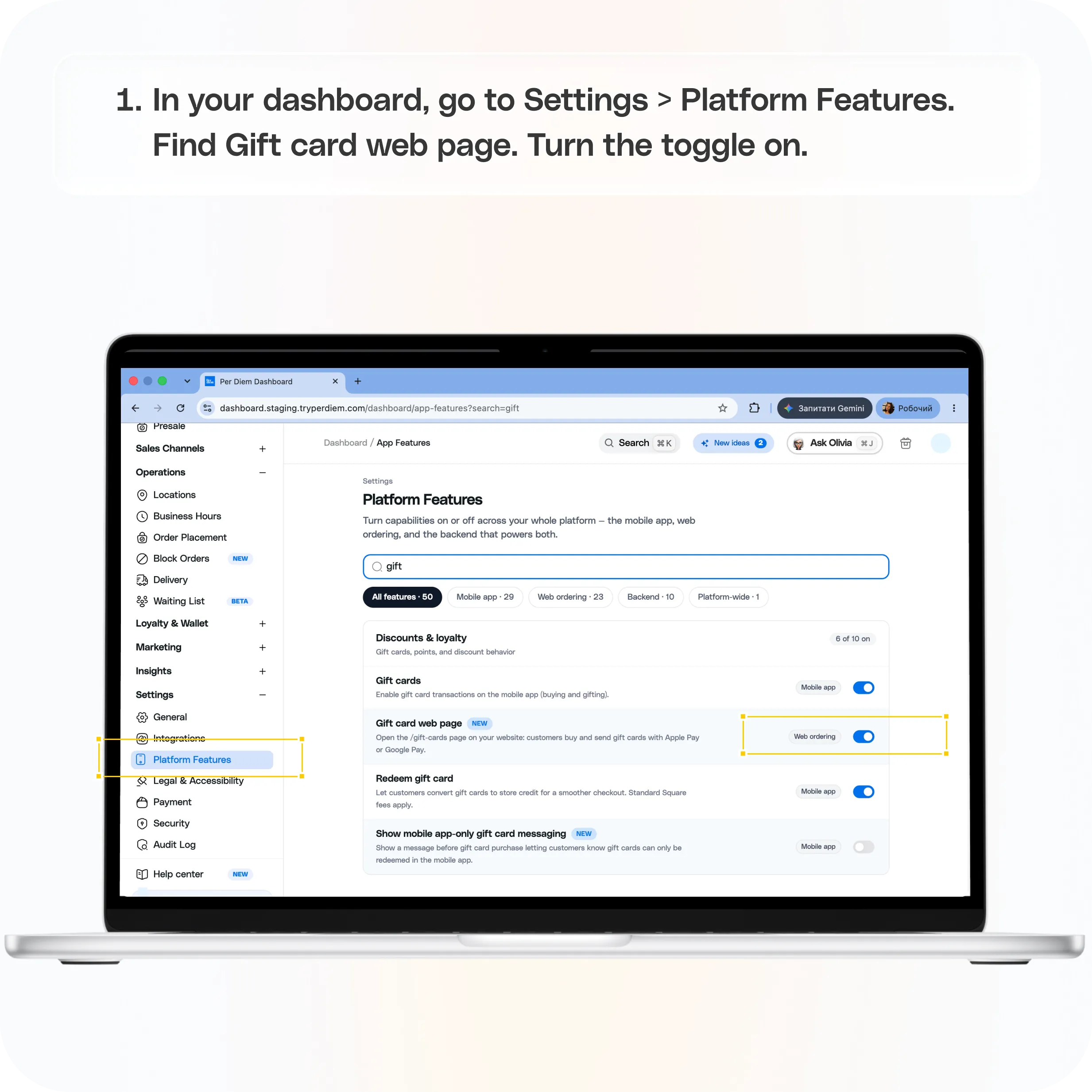
What is the gift card web page?
It's a page on your ordering site (at /gift-cards) where customers can buy a gift card and send it to someone in a few taps. They pick an amount or enter their own, add the recipient's details and a note if they want, and pay with Apple Pay or Google Pay. Because it's a separate link, you can share it anywhere: your website, social media, emails or a QR code in your store.
Step 1: Turn on the gift card web page
- In your dashboard, go to Settings > Platform Features.
- Scroll to the Discounts & loyalty section and find Gift card web page.
- Turn the toggle on.
Step 2: Copy your gift card link
- Go to Operations > Locations.
- Click the ⋯ menu next to a location and select Edit location.
- In the left sidebar, click Links.
- Under Pages, find Gift cards and click the copy icon next to the link.
That's it. Your link is ready to share.
Where can I use it?
Anywhere you reach customers. Some popular spots:
- A "Gift Cards" button or menu item on your website
- Your Instagram or TikTok bio
- Email and SMS campaigns, especially around holidays
- A QR code at your counter or on receipts
- Your Google Business Profile
What else is on the Links page?
The Links page lists every standalone link for that location, including your Web ordering link, Catering link, links to specific menu Categories and Items, and your Location page. You can also click Build a link to make a custom one.
Don't see the Gift cards link?
Check that Gift card web page is turned on in Settings > Platform Features. The link only shows up under Pages once the feature is on.
Still have questions?Contact us
Ask anything or just say hi