



















Your First 30 Days of AI and Marketing Automation
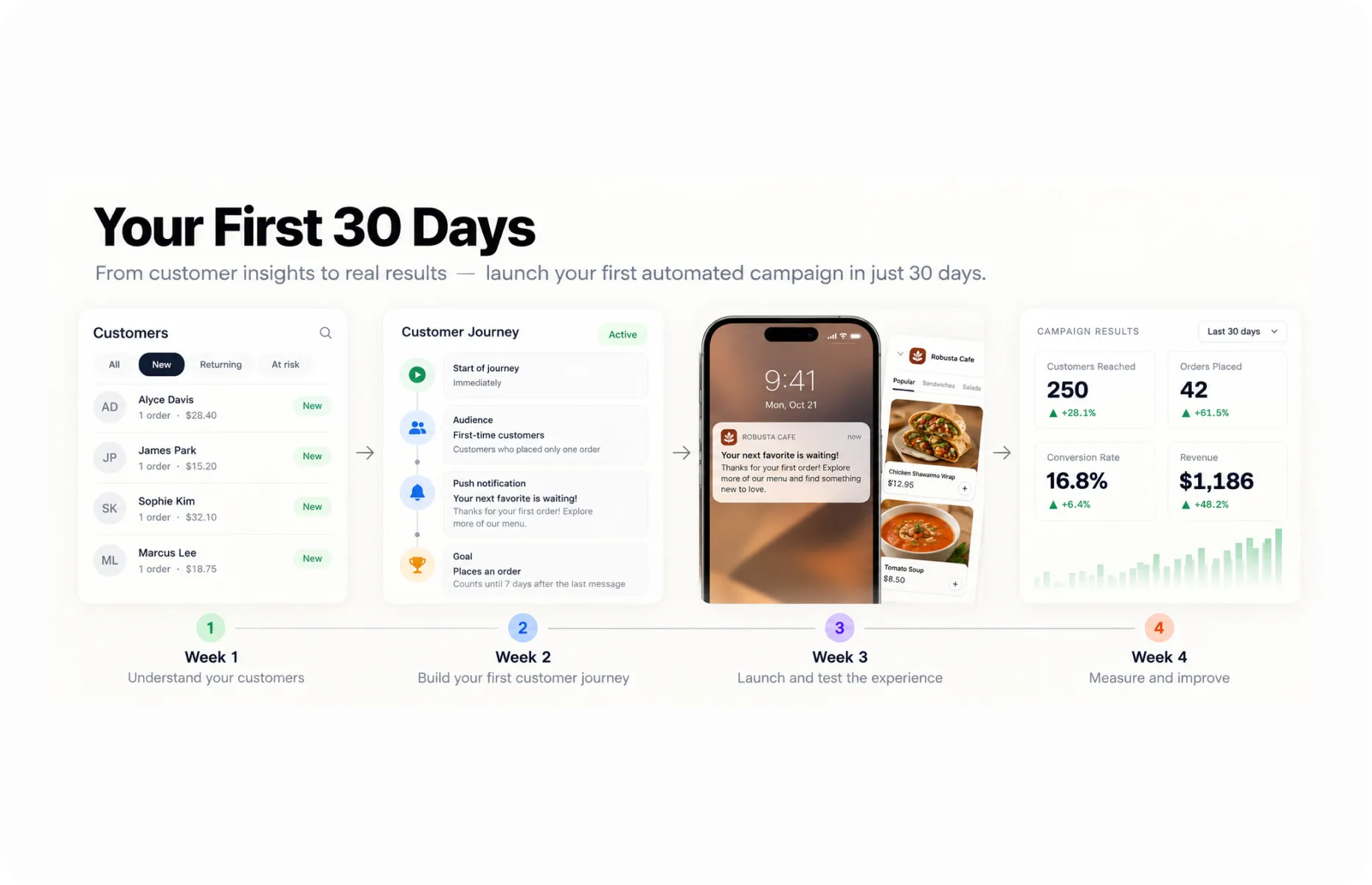
By the end of your first month, one marketing task should need less of your attention.
Choose something that keeps getting postponed or rebuilt: welcoming customers, preparing a recurring promotion or following up after an unfinished order. Give it a clear purpose, put it into operation and learn what it takes to maintain.
Our customer Hungry Hobo offers a practical example of repeatable planning. Double Points Monday, Taco Tuesday and other recurring promotions give the team a familiar framework. Push notifications, persistent app banners and reminders on the relevant day support selected offers. The team has a routine to work from, while customers know what to expect.
You can apply that discipline to a single campaign or journey before building a larger program.
Week 1: Choose a Job You Can Finish
Pick a problem with a clear customer action. “Improve engagement” leaves too much open. “Help first time purchasers place a second order” gives you something to build and measure.
For this first month, use a first purchase follow up as the working example.
Write down the decisions before opening the journey settings:
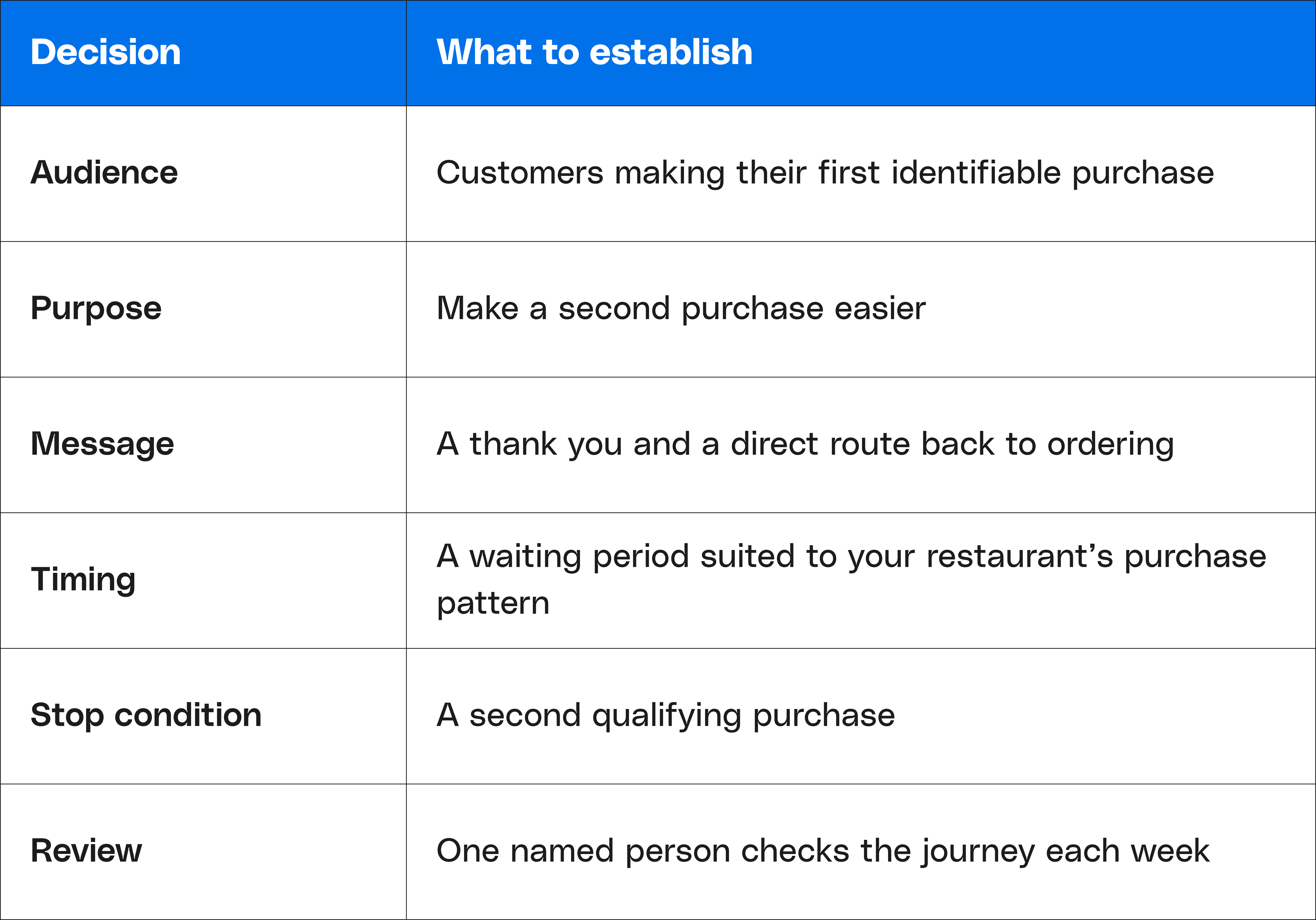
Check what information is available across your connected systems. A first app order may belong to someone who already buys at the counter. Your audience definition should reflect what you can reliably identify.
Ask staff what new customers commonly need help with. They may tell you that guests miss the pickup entrance, cannot find their rewards or do not realize they can order ahead. Those details can make the follow up more useful than another discount.
Week 2: Build It Around the Customer’s Next Step
Use AI to prepare a draft from the decisions you have made. Include the ordering link, the service detail worth mentioning and a short example of your restaurant’s voice.
Then review the relevant ready-made journey in Per Diem. Adjust the available message and timing settings, and check how purchases affect the sequence.
Give the final review to someone who knows the restaurant’s daily operation. A shift lead might notice that the featured item sells out before dinner or that customers collecting orders need different instructions at weekends.
Follow the link on a phone. Check which location opens, whether ordering is available and how easily a guest can complete the purchase.
Record the launch date and keep a copy of the original settings. You will need them when deciding whether a later change helped.
Week 3: Find the Work That Still Needs You
An automation can be active while leaving your team with avoidable work.
Perhaps guests reply with the same question. Perhaps an offer needs a code that staff has not been told about. Perhaps the link works, but lands customers several screens away from ordering.
Keep a short issue log with the problem, correction, and date. For example:
Wednesday: guests were looking for pickup instructions. Added the entrance details to the ordering page.
Review a few customer paths through an approved test method or the records available to you. Check someone who purchased during the wait, someone who received the message, and someone who never responded.
Fix operational problems promptly. Give the campaign enough time before changing its offer or wording simply because the first few recipients did not order.
Week 4: Decide What Deserves Another Month
Review three things together: customer response, financial contribution and maintenance time.
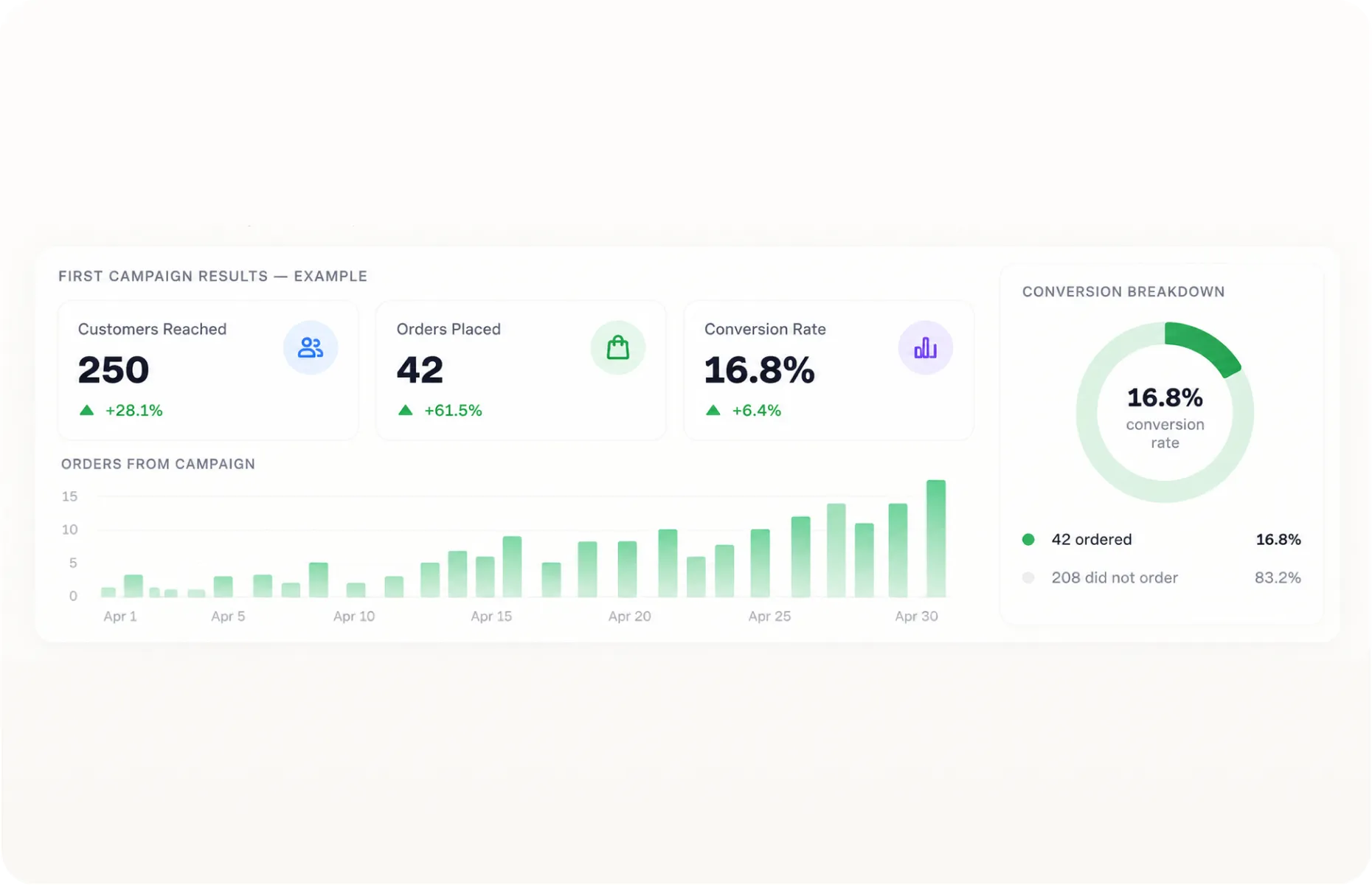
Give each customer the full measurement period you chose. If you are measuring second purchases within 30 days, a guest who entered on day 20 will not have a complete result until day 50. At the end of the first month, you may have a working journey and early evidence rather than a finished performance assessment.
Use what you can see to choose one improvement. A clearer destination, a better waiting period, or an answer to a common customer question may be more valuable than increasing the incentive.
Also review the workload. Has someone stopped checking new accounts manually? Does the weekly review take a manageable amount of time? Could another team member maintain the setup using your notes?
Save the audience definition, message, settings, and change log together. Keep the review on the calendar. Add the next campaign when you understand what this one requires and what it contributes.
Make AI Work for Your Restaurant
A useful test for any new tool is what happens on a week when you barely have time to open it.
Do new customers still receive their welcome? Are the right reminders going out? Can you return to a campaign you prepared earlier and update it without rebuilding everything?
That is the kind of progress worth working toward. Decisions you make once should keep doing useful work, with a manageable amount of attention from your team.
As you apply this guide, some ideas will earn another month. Others will need changing or stopping. Keep a record of both. Your own results will become a better starting point than a blank prompt or another list of marketing ideas.
At Per Diem, we are building toward that everyday usefulness: helping restaurants turn their customer relationships and business information into action they can sustain.
You have probably thought of something while reading that deserves a better process. Put a date beside it. Give someone responsibility for getting it running.
The next busy week will come soon enough. Have one less thing waiting for you when it does.
Bring us the marketing task that keeps getting postponed
Whether it is welcoming new guests, bringing regulars back, or preparing the next campaign, we’ll walk through how Per Diem could help your restaurant handle it.