


























How to create automatic discounts in Per Diem
Automatic discounts are offers that apply themselves at checkout as soon as a customer's cart qualifies. There's no code to enter and nothing for the customer to click.
- Log in to your Per Diem dashboard.
- In the left menu, open Marketing → Discounts.
- Make sure the items you want to discount are already in your catalog. Discounts are built from your existing items and categories.
The Discounts page lists every discount with its rule, the number of items it covers, status, valid days and redemptions. Click How this works at the top right for a quick refresher on the rules.
Still require support?
Contact support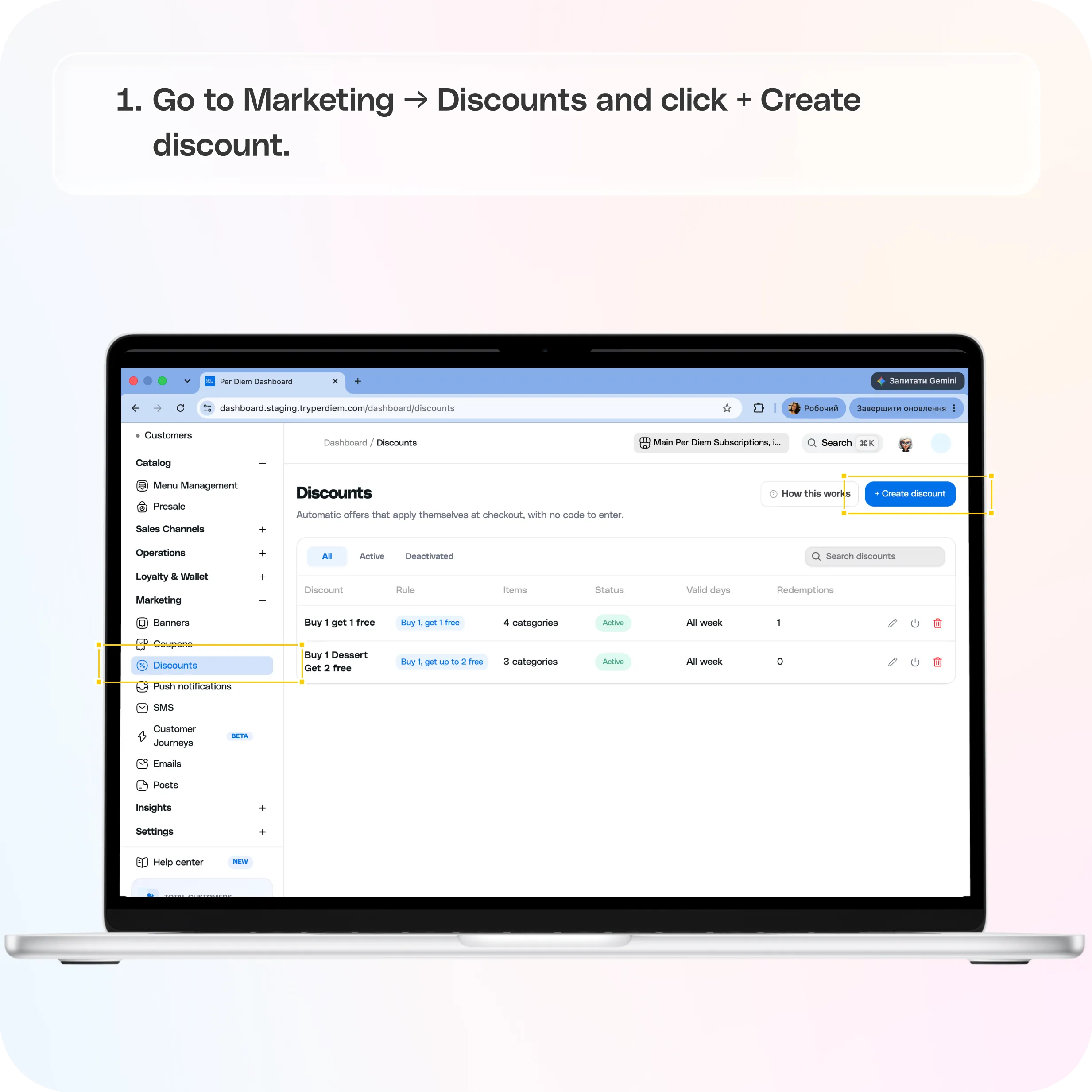
Discount types
Every discount uses one of two rules.
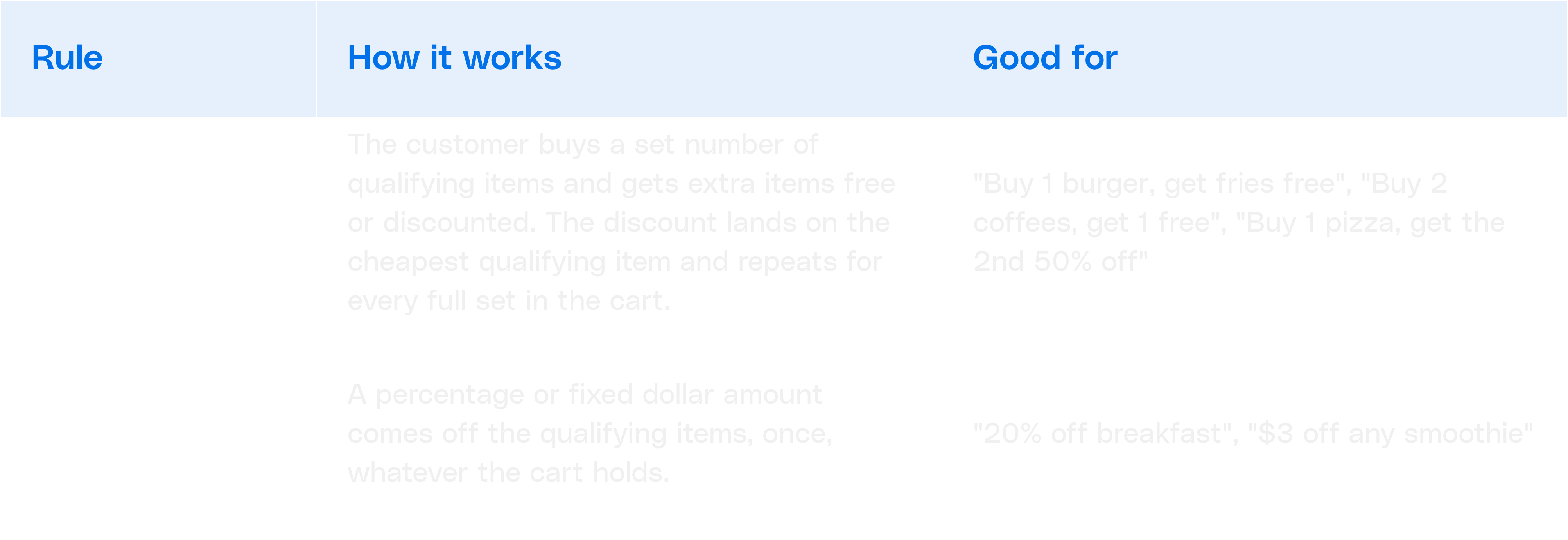
How BOGO repeats: with "Buy 2, get up to 1 free", a cart with 3 coffees gets the cheapest one free. A cart with 6 coffees gets 2 free (two full sets). A cart with only 2 coffees gets nothing, because both are used to meet the buy quantity.
Create an automatic discount
Go to Marketing → Discounts and click + Create discount. The form has five sections. A Summary panel on the right updates as you go and tells you what's still missing. When it shows Ready to save, you can create the discount.
- Details
- The rule
- Conditions (optional)
- Schedule
- Modifier discount
Click Create. You'll see a "Discount created" confirmation and the discount appears in the list as Active.
Example: set up a Buy 1, Get 1 Free
Here's how to create a classic BOGO where customers buy one latte or cappuccino and get the cheaper one free.
- Go to Marketing → Discounts and click + Create discount.
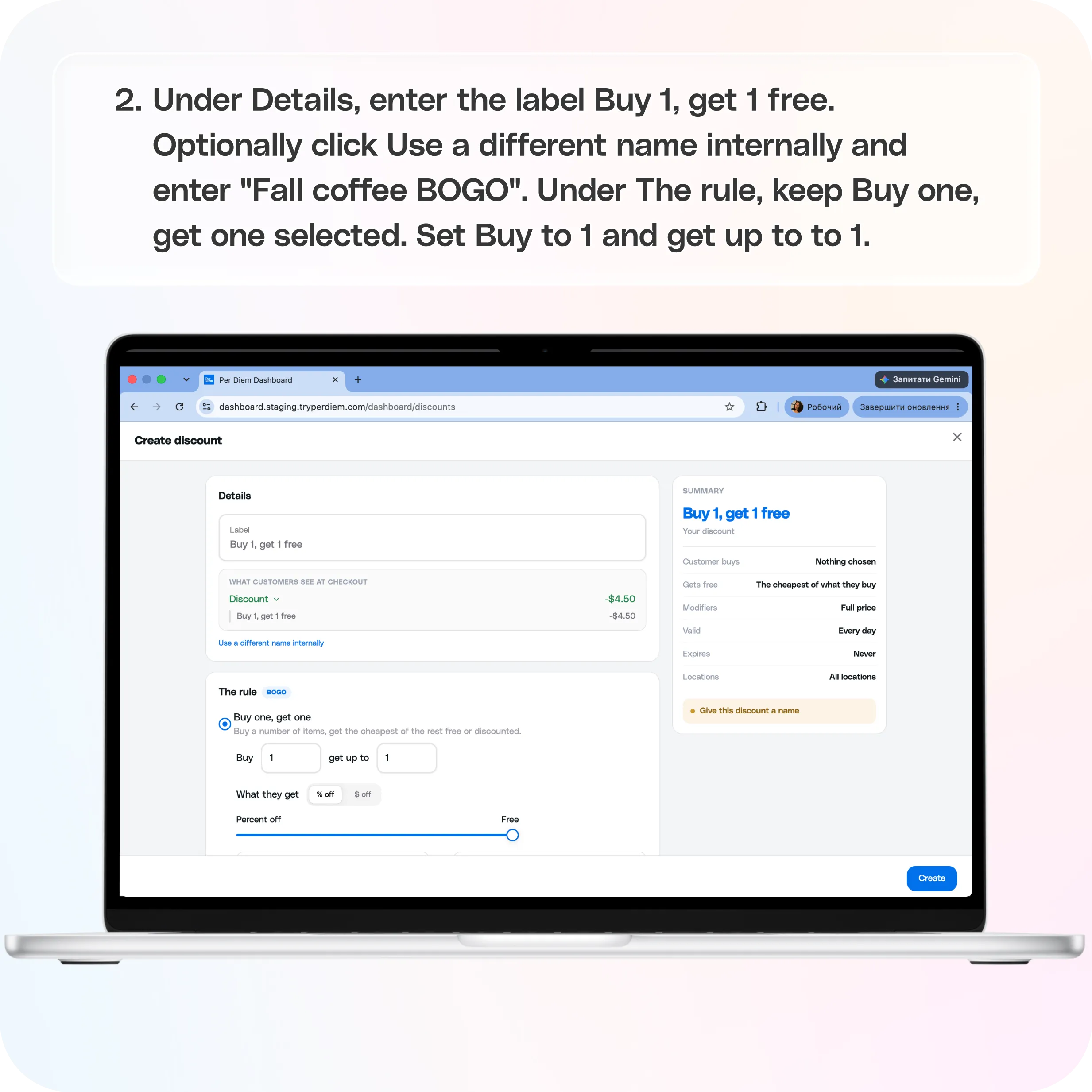
- Under Details, enter the label Buy 1, get 1 free. Optionally click Use a different name internally and enter "Fall coffee BOGO".
- Under The rule, keep Buy one, get one selected. Set Buy to 1 and get up to to 1.
- Under What they get, keep % off and leave the slider at Free (100%).
- Under What they buy, click Assign items, tick your latte and cappuccino, and click Save.
- Under What they get free, leave The same items selected. The customer gets the cheapest of what they bought.
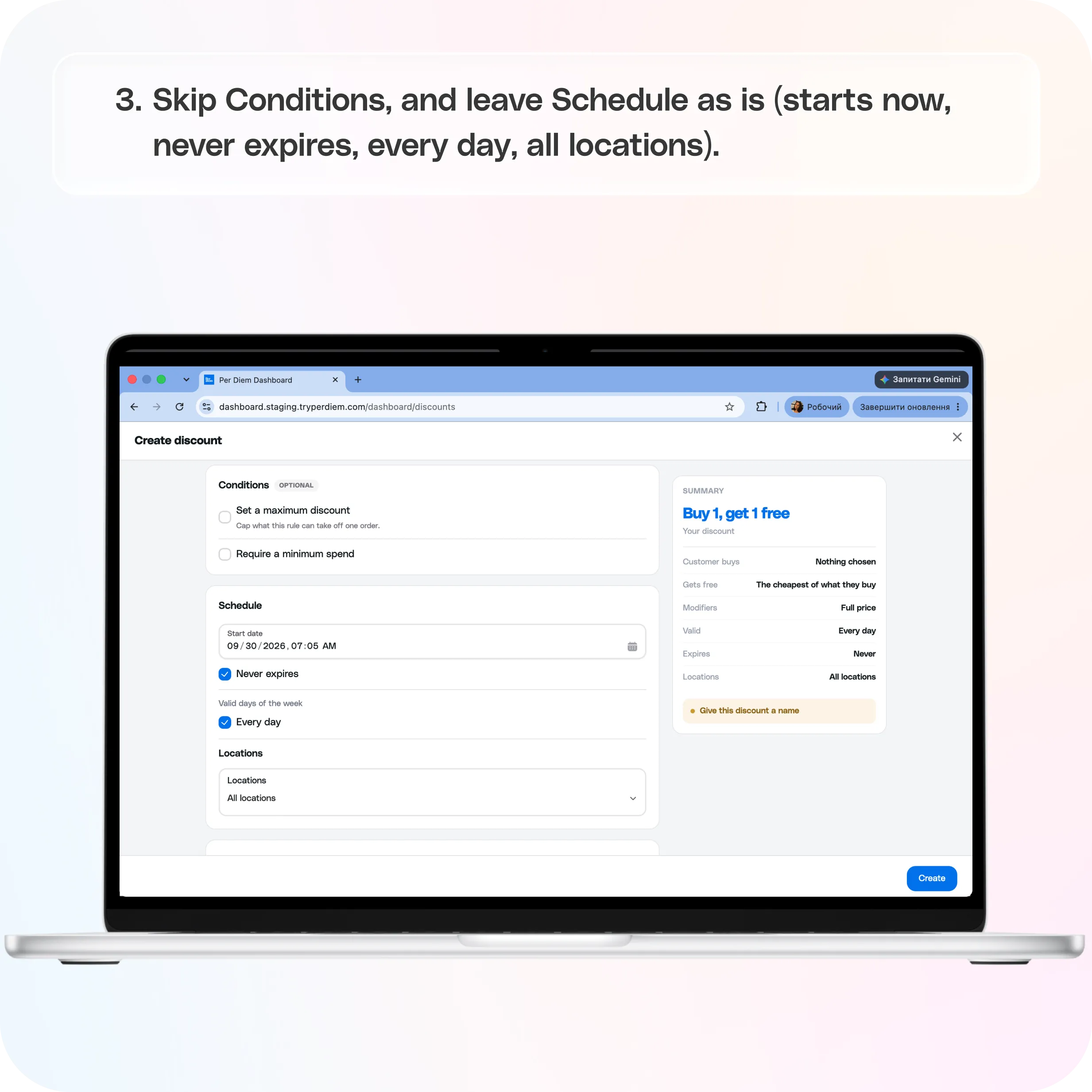
- Skip Conditions, and leave Schedule as is (starts now, never expires, every day, all locations).
- Leave Don't discount modifiers selected so add-ons like oat milk are still charged.
- Check that the Summary shows Ready to save, then click Create.
A customer who adds one latte and one cappuccino now sees the cheaper drink come off automatically at checkout, under a Discount line labelled "Buy 1, get 1 free".
Want to give away a different item? Under What they get free, click Give them something else instead, then choose categories or assign items. For example: buy any burger, get fries free.
Manage your discounts
Each row on the Discounts page has three actions on the right:
- Edit (pencil icon): change any setting.
- Deactivate (power icon): pause the discount without losing its setup. Find it later under the Deactivated tab.
- Delete (trash icon): remove the discount permanently.
Use the All / Active / Deactivated tabs and the search bar to find a discount. The Redemptions column shows how many orders have used it.
FAQ
Can a customer get more than one discount on an order?
No. Only one automatic discount applies per order. If several fit the same cart, the customer automatically gets the one that saves them the most.
What happens if a customer also enters a coupon code?
The coupon takes priority. While a coupon is applied, automatic discounts stand down. A subscription discount takes priority over both.
Which item is free in a BOGO?
The cheapest qualifying item in the cart.
Why isn't my discount showing up?
Check that it's Active, that today falls within its start and end dates and valid days/times, that the order is from an included location, and that the cart meets any minimum spend and the BOGO buy quantity.
How do I stop a BOGO from costing too much on big orders?
Turn on Set a maximum discount under Conditions to cap the amount taken off a single order.
Tips
- Keep labels short and clear. Customers see them on the order summary.
- Use internal names to tell similar promotions apart.
- Pair BOGOs with a minimum spend to protect margins on low-price items.
Still have questions?Contact us
Ask anything or just say hi