


























How to Target Posts to Specific Customer Groups
Posts on your app's homepage don't have to go to every customer. You can target a post to a specific customer group or segment (sometimes called a "segmented post"), so it only shows to the customers who should see it, like a win-back offer for lapsed customers or a perk for a loyalty group.
- Go to Marketing > Posts and create a new post
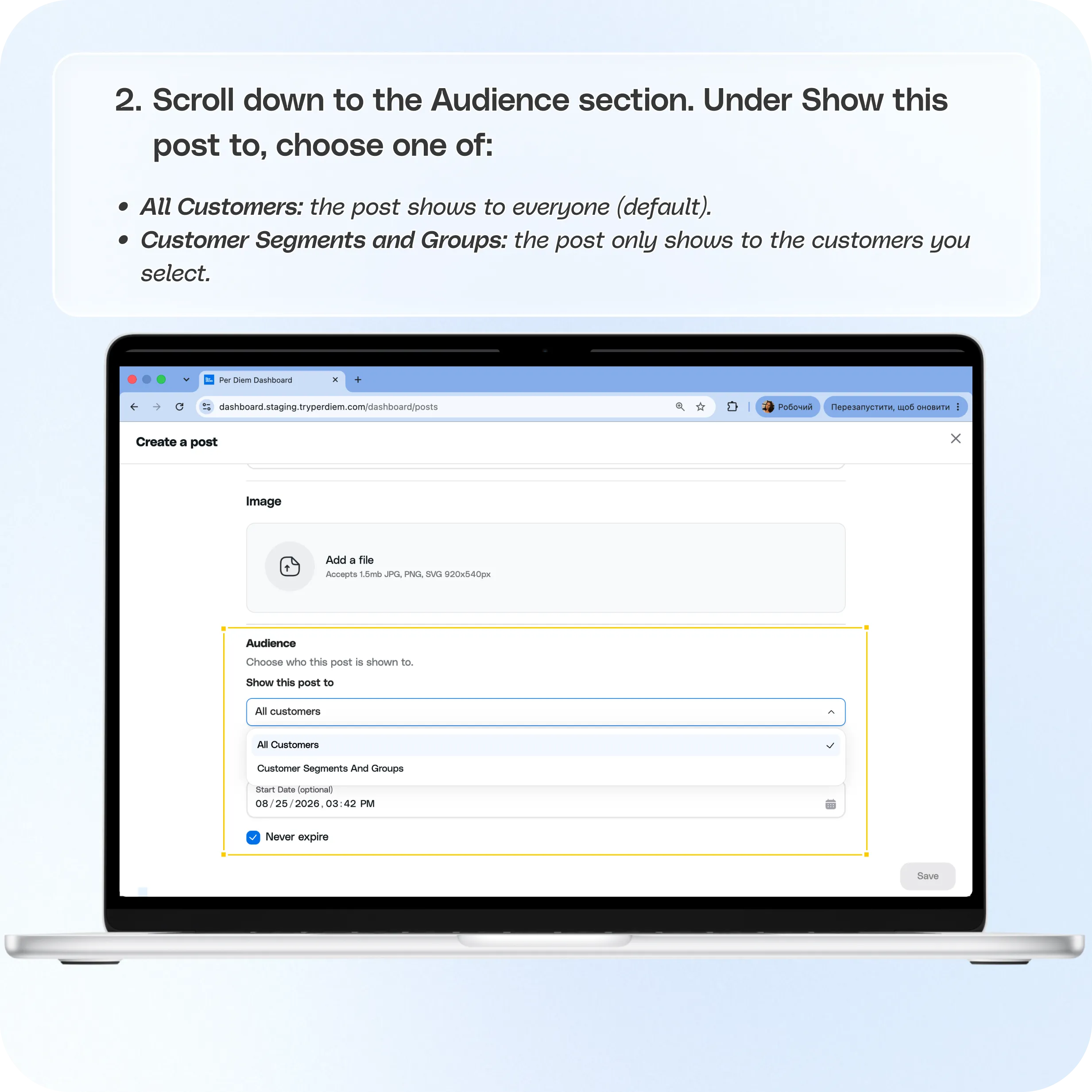
- Scroll down to the Audience section.
- nder Show this post to, choose one of All Customers or Customer Segments and Groups.
- If you choose Customer Segments and Groups, two new fields appear: Groups and Segments.
- You can select from either or both.
- Scroll down to Display schedule.
- Click Save.
Still require support?
Contact support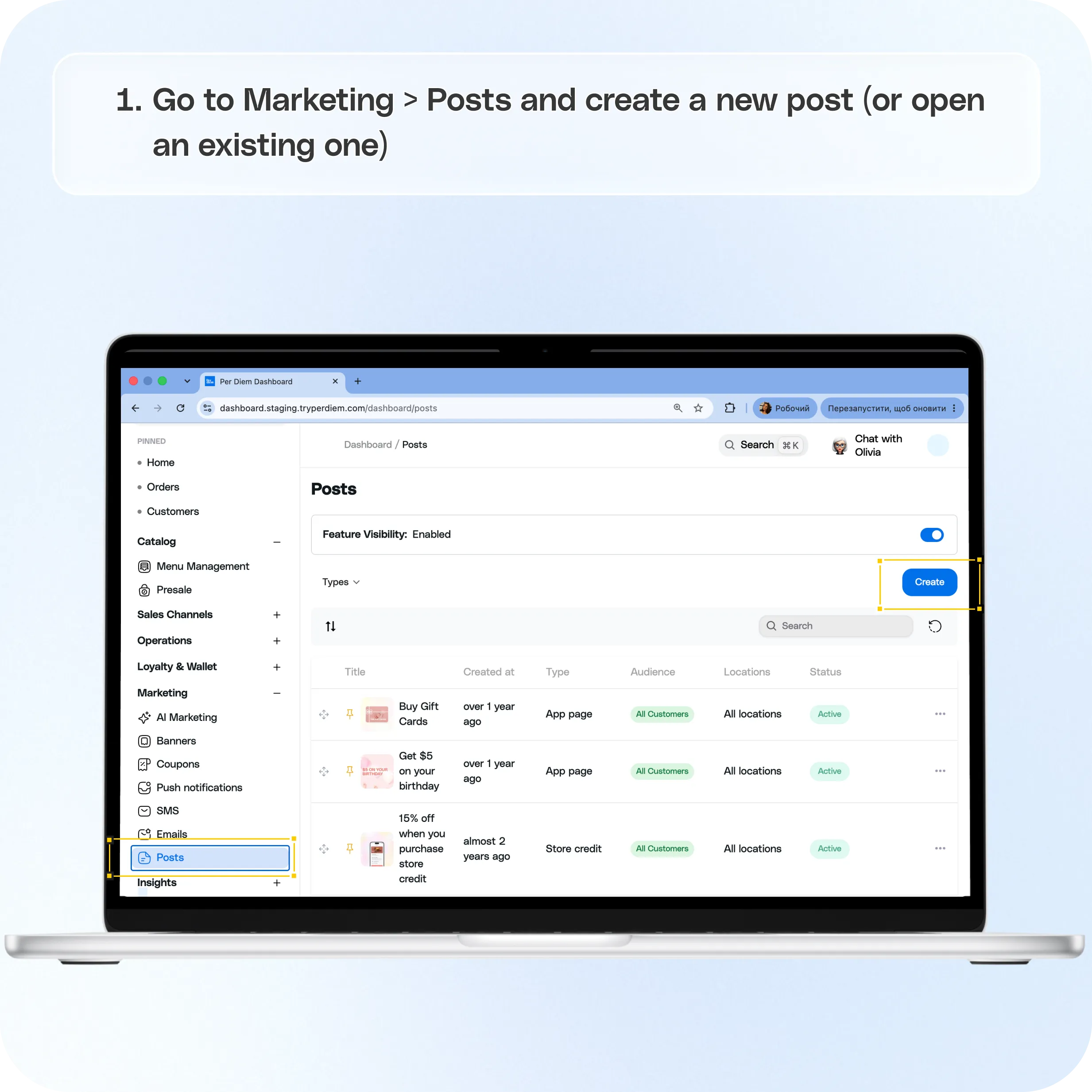
Where to find it
Posts live under Marketing > Posts in your dashboard: dashboard.tryperdiem.com/dashboard/posts
How to target a post to specific customers
Go to Marketing > Posts and create a new post (or open an existing one).
Scroll down to the Audience section. This controls who the post is shown to.
Under Show this post to, choose one of:
- All Customers: the post shows to everyone (default).
- Customer Segments and Groups: the post only shows to the customers you select.
If you choose Customer Segments and Groups, two new fields appear:
- Groups: select from your existing customer groups.
- Segments: select from your existing customer segments.
You can select from either or both. The post will show to any customer who matches what you've selected.
Scroll down to Display schedule:
- Start Date (optional): schedule the post to start showing on a future date/time, or leave it blank to start immediately.
- Never expire: checked by default, meaning the post stays up indefinitely. Uncheck it if you want to set an end date instead.
Click Save.
Still have questions?Contact us
Ask anything or just say hi