






















How to Set Up Location SEO for Web Ordering
Location SEO helps each of your store locations rank higher in search results for online ordering. By customizing the SEO title and description for each location, you can improve your visibility in local searches and help customers find the nearest ordering page more easily. For multi location businesses, optimizing each location individually can increase organic traffic and drive more online orders.
- Navigate to: Sales Channels → Web Ordering
- Click the SEO & Analytics tab
- Select Location SEO
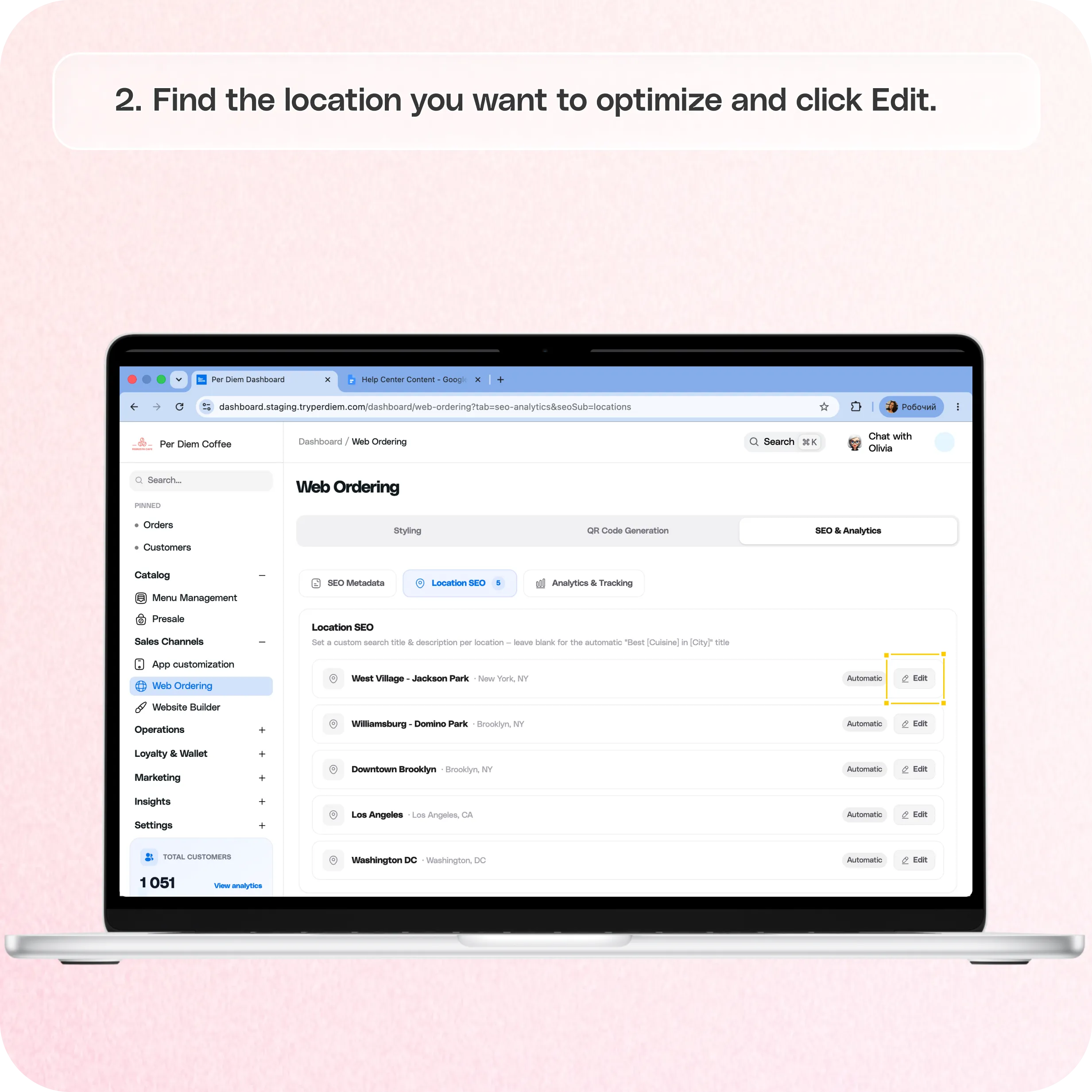
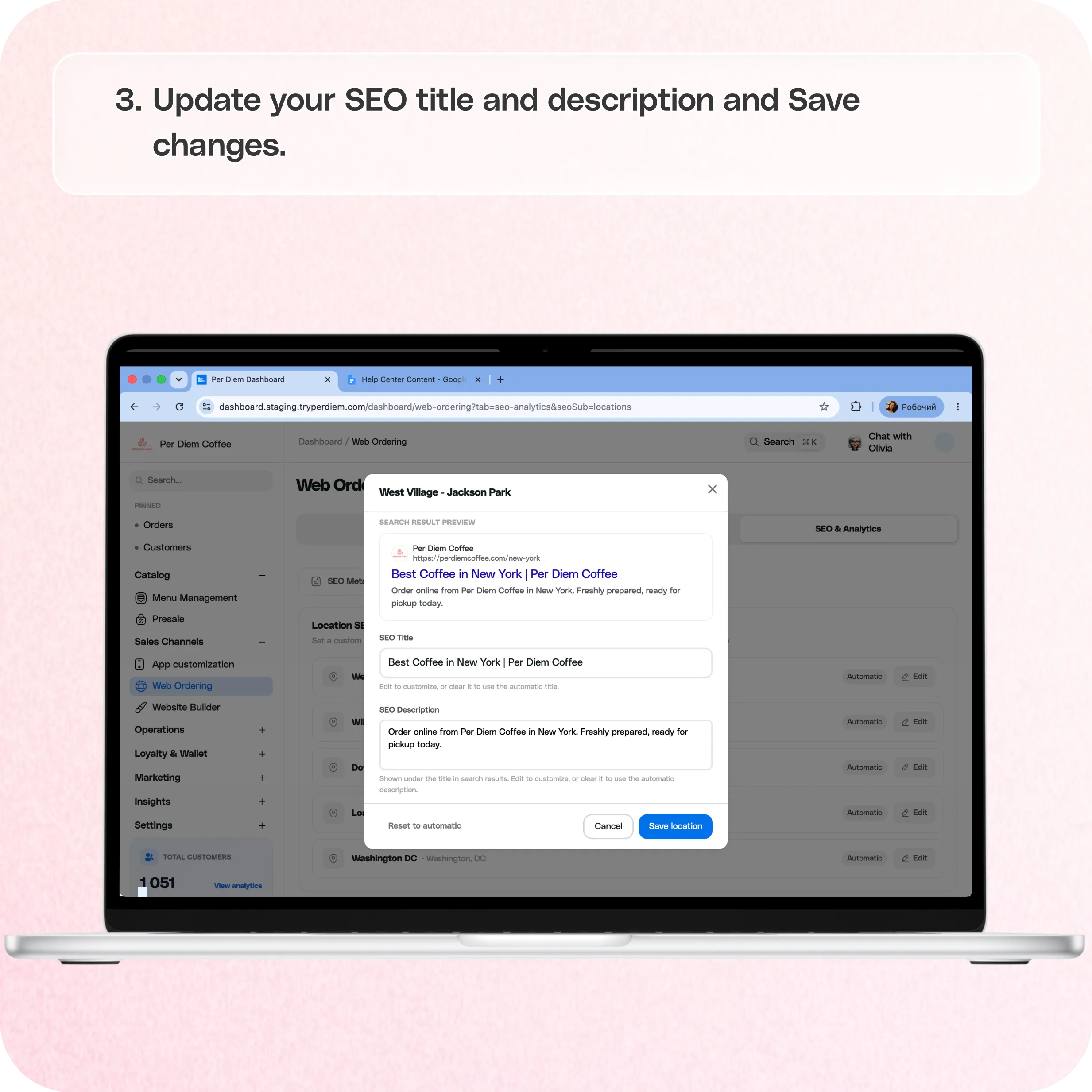
- Find the location you want to optimize and click Edit
- Update your SEO title
- Update your SEO description
- Save your changes
Still require support?
Contact support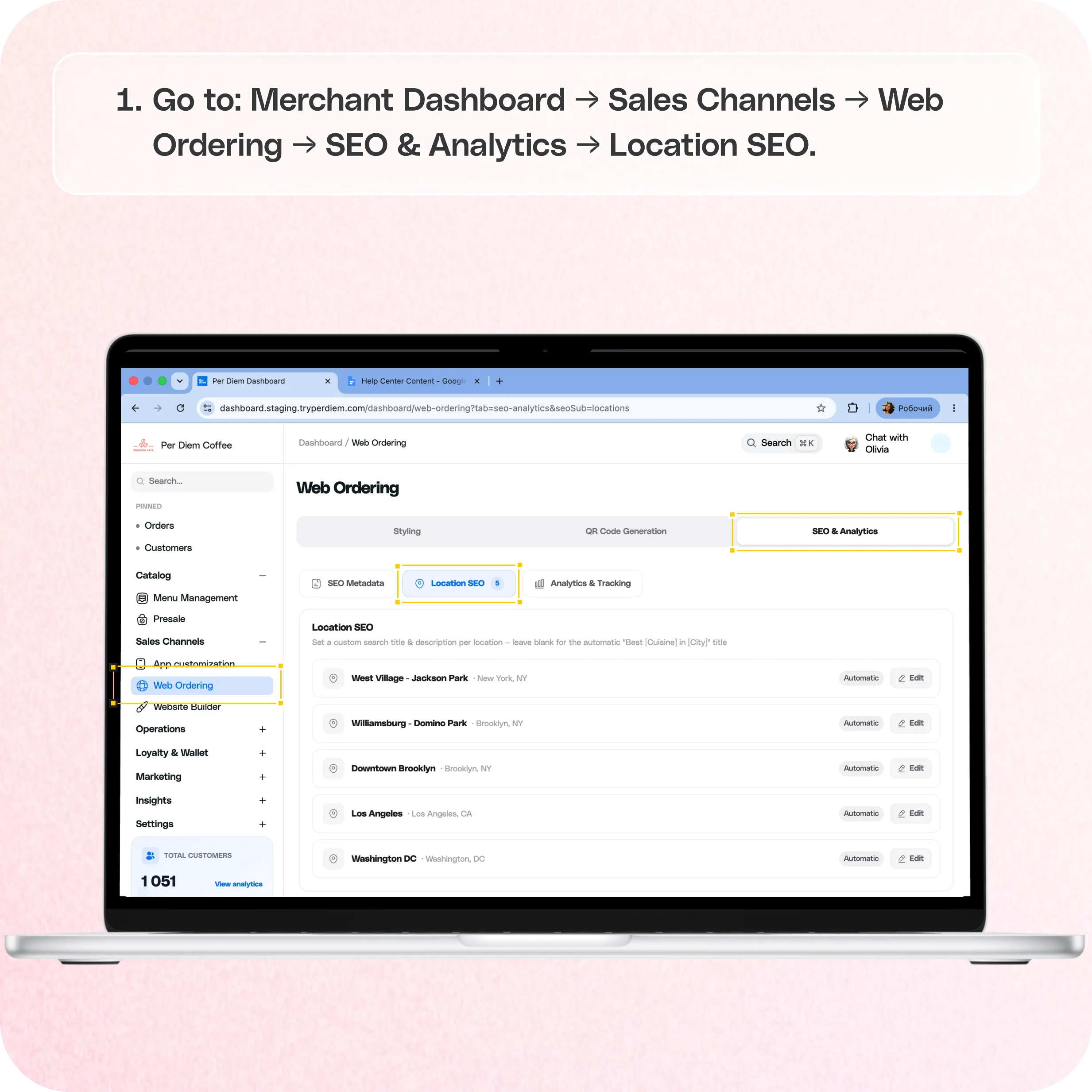
Where to find Location SEO
Go to:**
Merchant Dashboard → Sales Channels → Web Ordering → SEO & Analytics → Location SEO**
How Location SEO works
Each location in your Web Ordering experience has its own SEO settings.
You can customize:
- SEO title
- SEO description
These details appear in search engine results and help customers understand what your location offers before they click.
If no custom SEO information is added, Per Diem automatically generates a title and description for each location.
How to edit Location SEO
Step 1: Open Web Ordering settings
Navigate to:**
Sales Channels → Web Ordering**
Step 2: Select SEO & Analytics
Click the SEO & Analytics tab.
Step 3: Open the Location SEO section
Select Location SEO.
You will see a list of all your locations.
Step 4: Edit a location
Find the location you want to optimize and click Edit.
A preview window will open, showing how your location page may appear in search results.
Step 5: Update your SEO title
Enter a custom SEO title for the location.
Include:
- Your business name
- The neighborhood, city, or area name
- Relevant keywords customers might search for
Example:
Best Coffee in Williamsburg | Per Diem Coffee
If you clear the field, Per Diem will use the automatic title.
Step 6: Update your SEO description
Add a short description that highlights your location and ordering experience.
Include:
- Location name
- Cuisine or product type
- Ordering options such as pickup or delivery
Example:
**Order online from Per Diem Coffee in Williamsburg, Brooklyn. Freshly prepared coffee and pastries available for pickup and delivery.**
If you clear the field, Per Diem will use the automatic description.
Step 7: Save your changes
Click Save location.
Repeat these steps for each location you want to optimize.
Still have questions?Contact us
Ask anything or just say hi