
















Set Up Delivery Polygons for Precise Delivery Areas
Delivery Polygon lets you define exactly where you deliver by drawing a custom area on the map. Instead of using only a fixed radius, you can create a delivery zone that matches your real service area. This helps you avoid hard to reach areas and keep delivery reliable.
- Open location settings
- Go to Delivery settings
- Choose delivery type
- Enable drawing mode
- Draw your delivery polygon
- Adjust your delivery area
- Save your delivery area
Still require support?
Contact support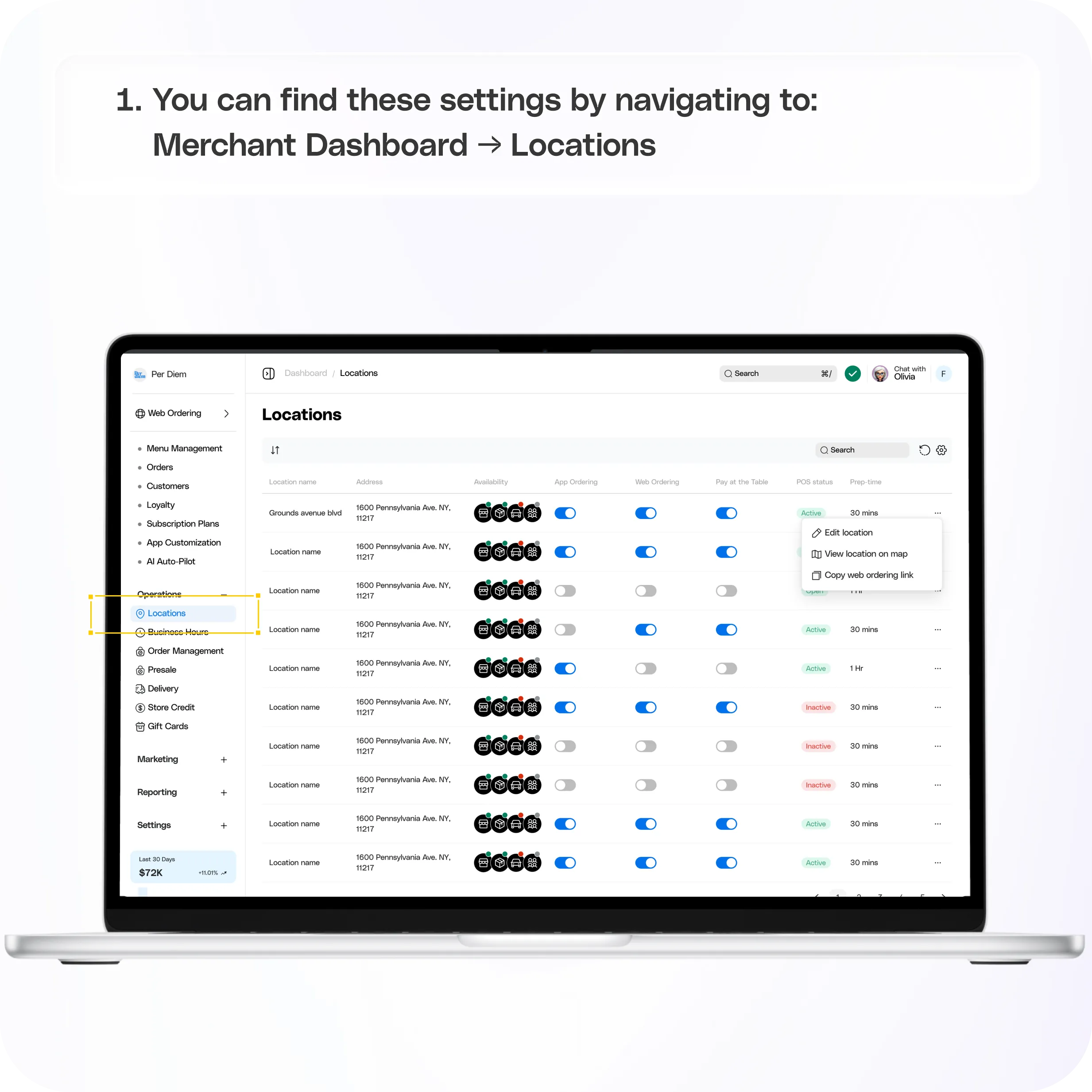
Where to find it
Go to:**
Merchant Dashboard → Locations**
Select the location you want to edit.
Step 1: Open location settings
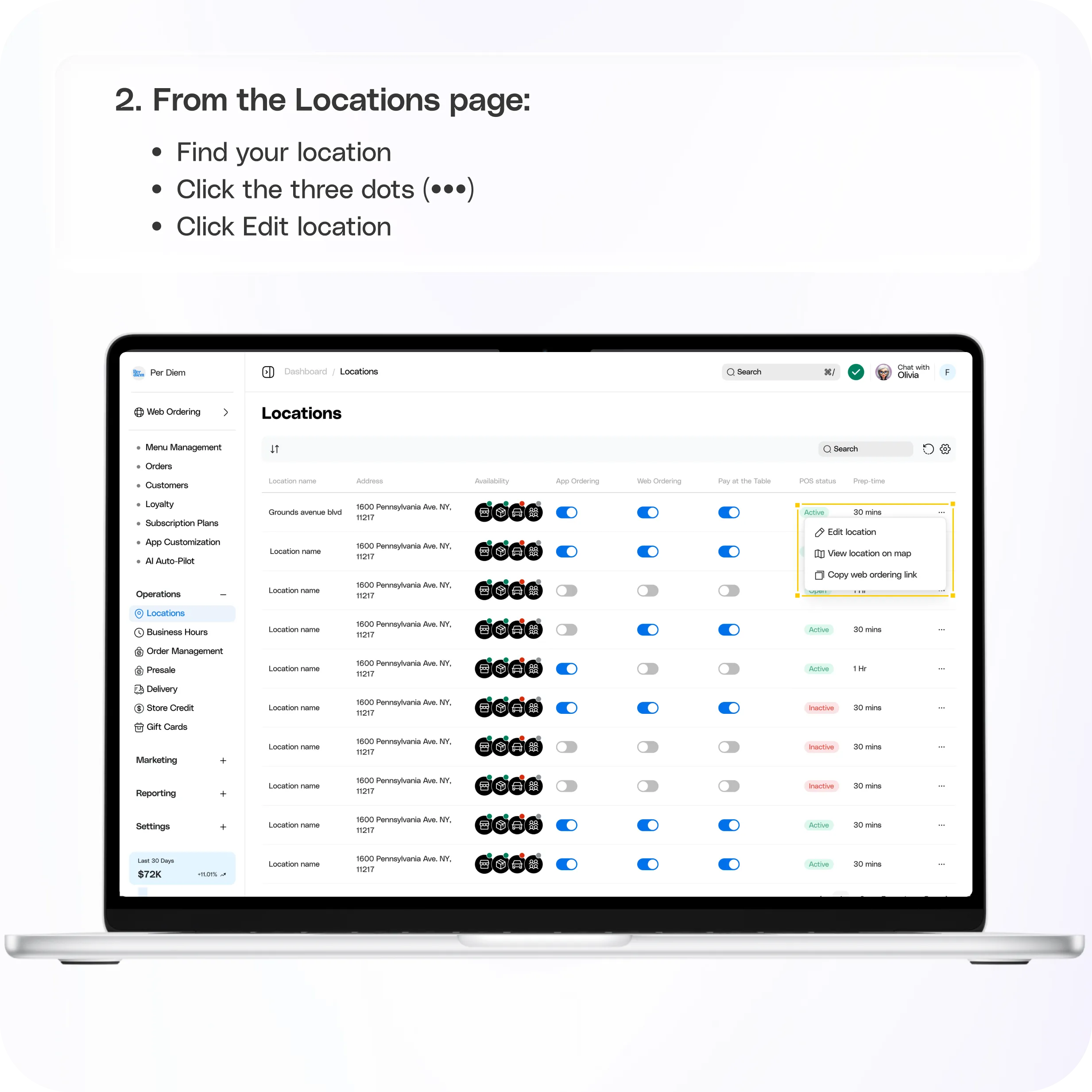
From the Locations page:
- Find your location
- Click the three dots (•••)
- Click Edit location
This opens your location settings.
Step 2: Go to Delivery settings
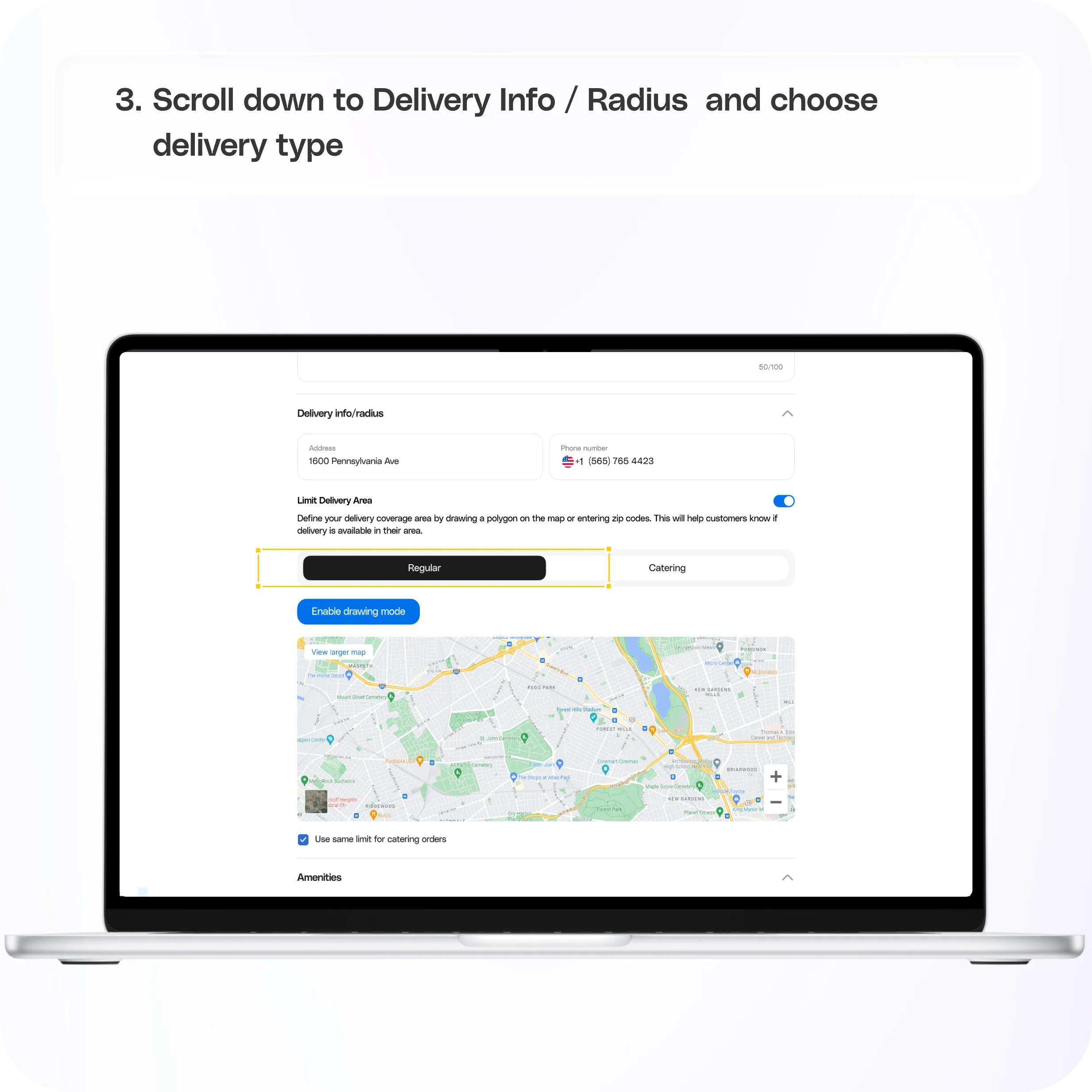
Scroll down to:
Delivery Info / Radius
You’ll see the Limit Delivery Area section.
Step 3: Choose delivery type
You can set delivery areas for:
- Regular (standard orders)
- Catering (large or scheduled orders)
Turn on the toggle for the type you want to configure.
You can enable one or both depending on your setup.
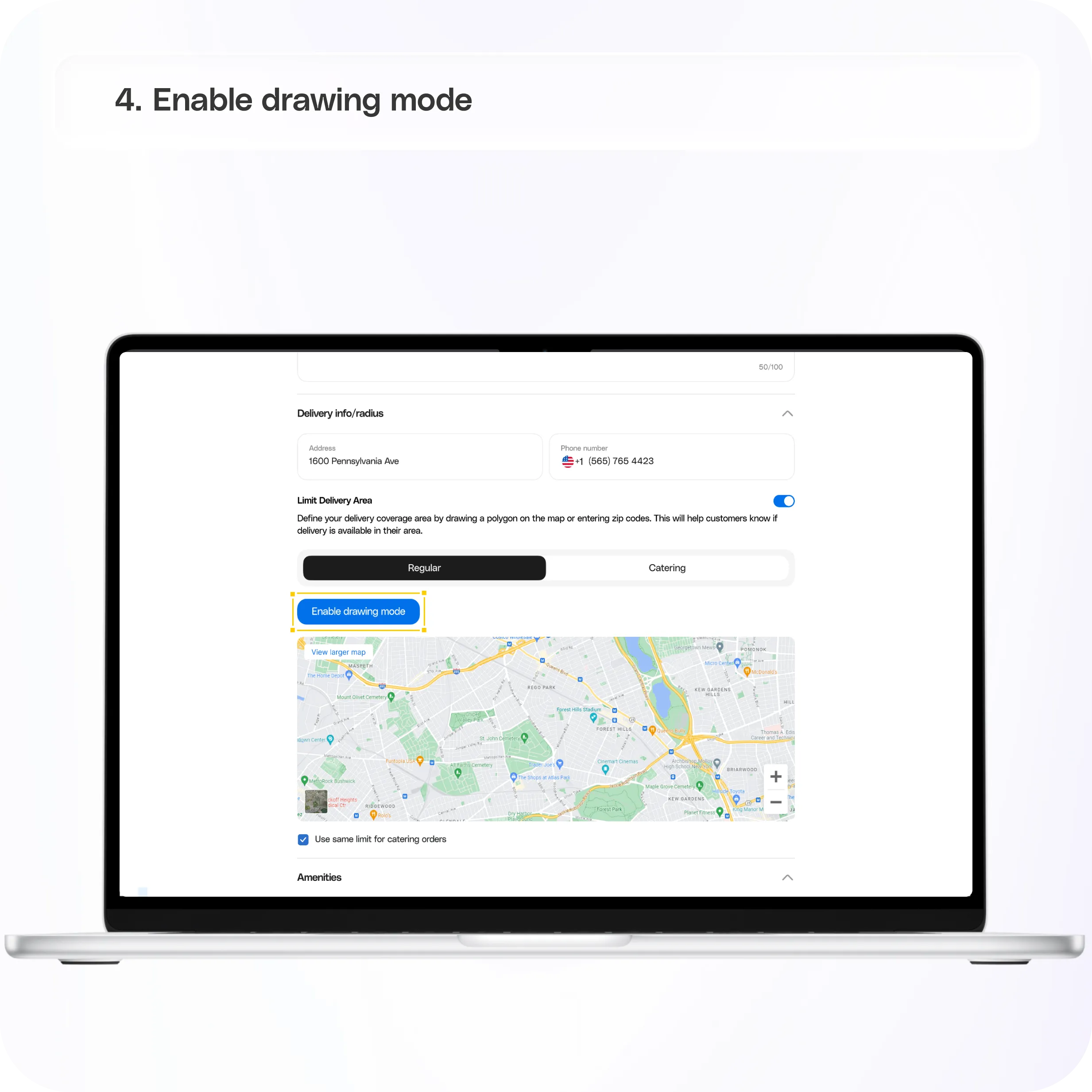
Step 4: Enable drawing mode
Once you toggle it on:
- Click Enable drawing mode
- The map will activate for editing
You’ll also see a note that at least 3 points are required to create a delivery area.
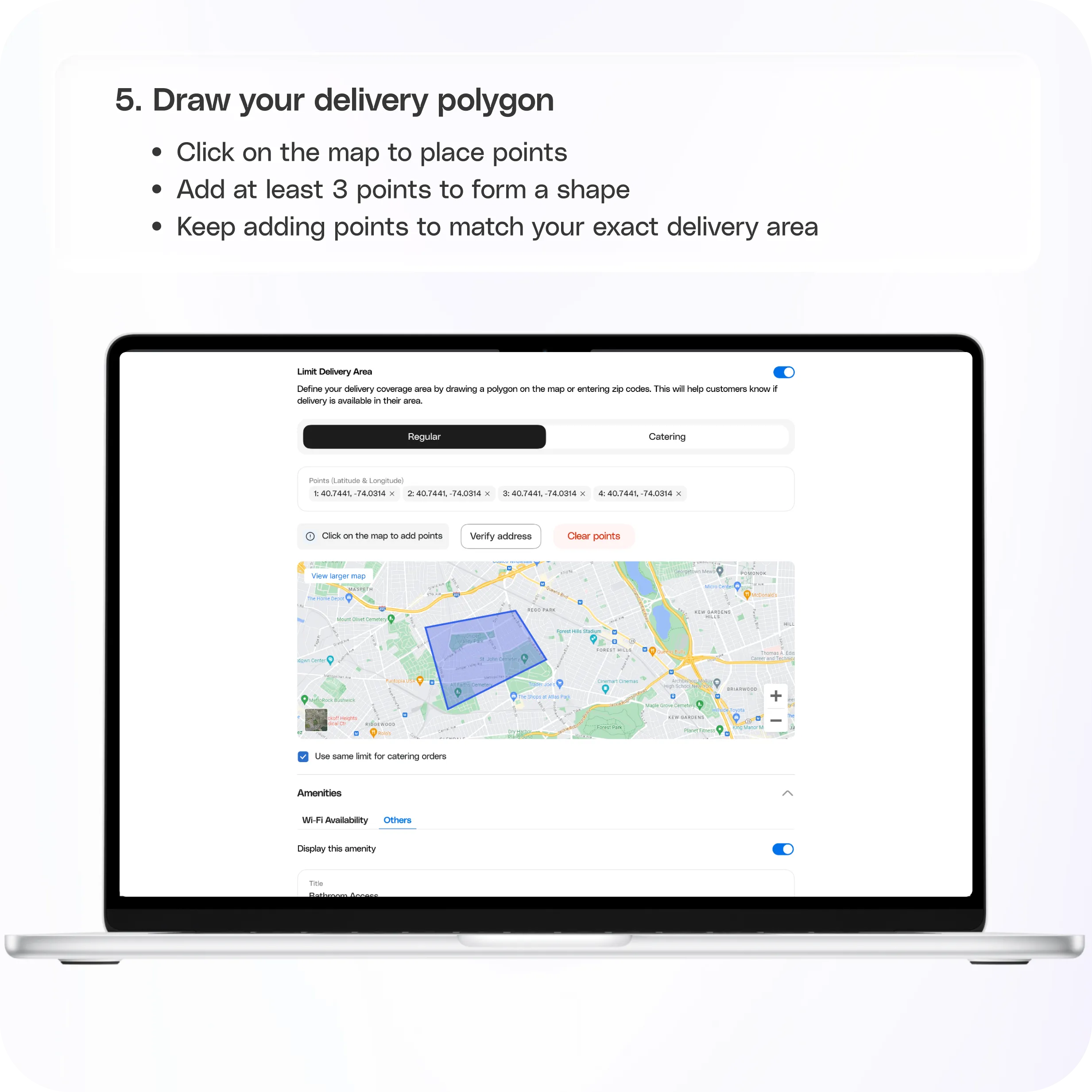
Step 5: Draw your delivery polygon
To create your delivery zone:
- Click on the map to place points
- Add at least 3 points to form a shape
- Keep adding points to match your exact delivery area
This allows you to create a custom shape instead of a simple circle.
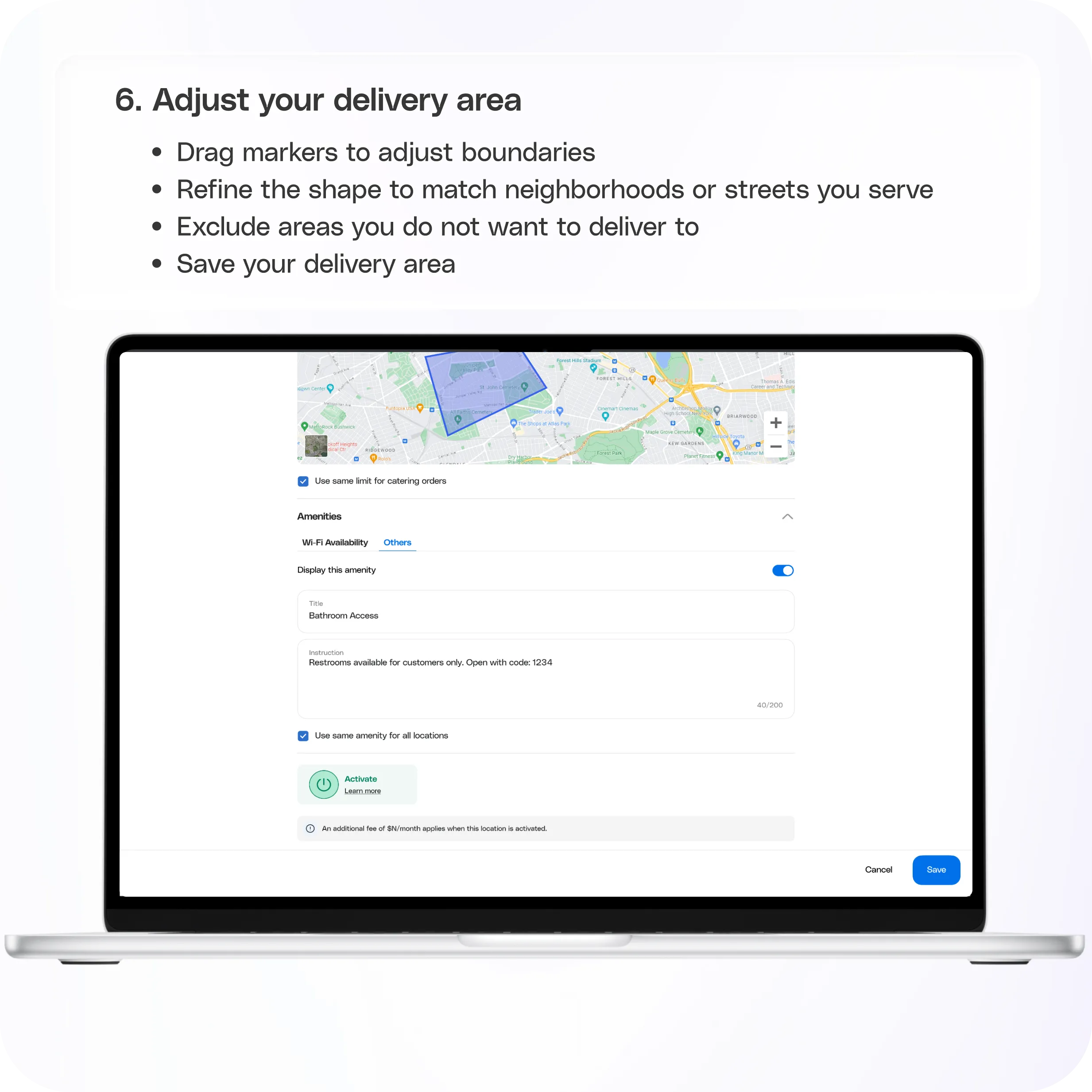
Step 6: Adjust your delivery area
After placing points:
- Drag markers to adjust boundaries
- Refine the shape to match neighborhoods or streets you serve
- Exclude areas you do not want to deliver to
This is where you fine tune your coverage.
Step 7: Save your delivery area
Once your polygon looks right:
- Click Save
Your delivery will now be limited to this defined area.
Important notes
- Delivery will only be available inside the polygon
- You must create at least 3 points to save
- Regular and Catering delivery areas can be set independently
This is configured per location
Still have questions?Contact us
Ask anything or just say hi