

























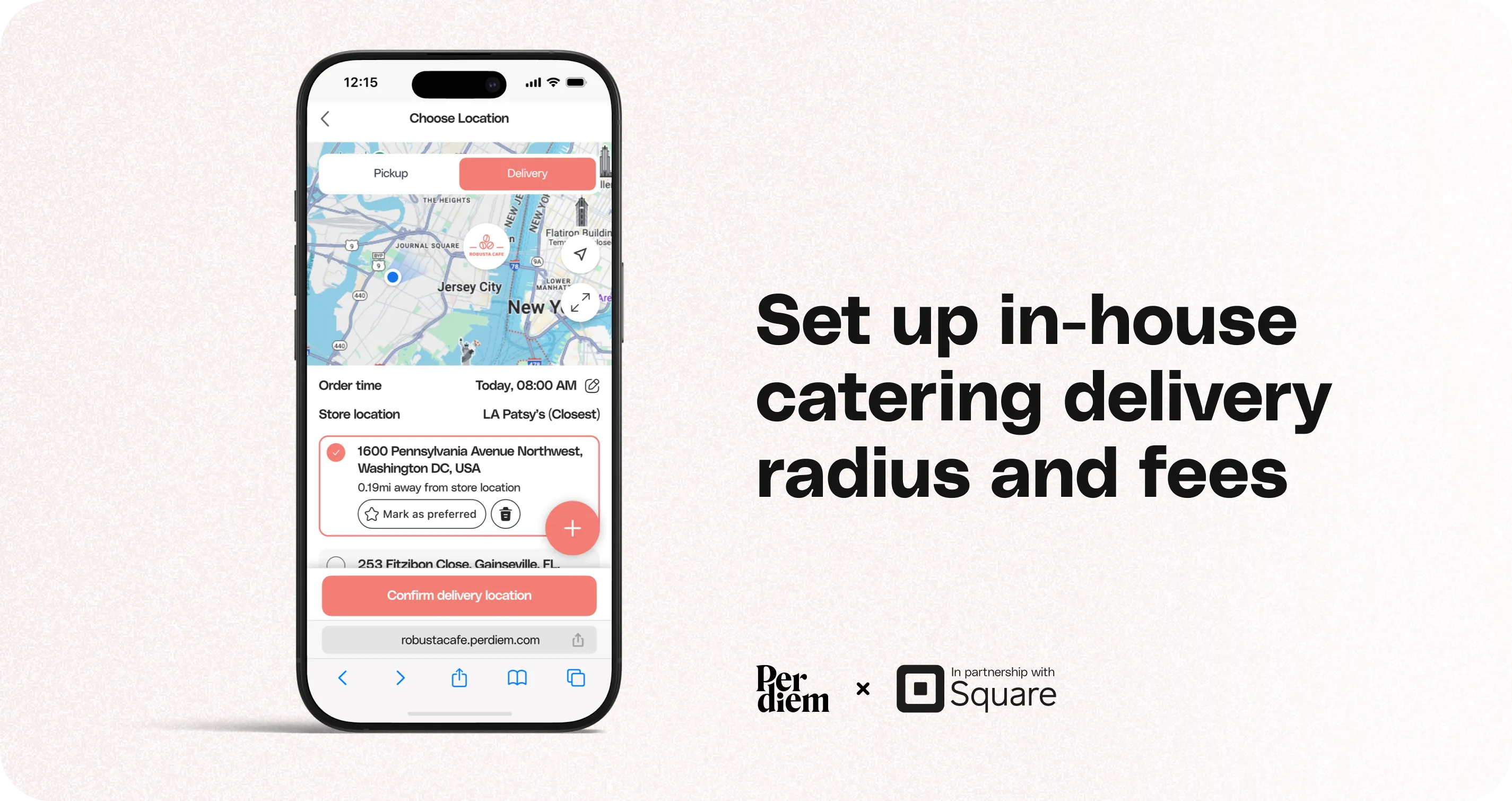
Set Up In-House Catering Delivery Radius and Fees
You can control how far you deliver catering orders and how much you charge based on distance using In-House Catering Delivery in your Merchant Dashboard. This helps you protect margins while still offering flexible delivery options for larger catering orders.
Instructions
- Log in to your Per Diem Merchant Dashboard.
- From the left navigation, go to Operations.
- Click Delivery.
- On the Delivery page:
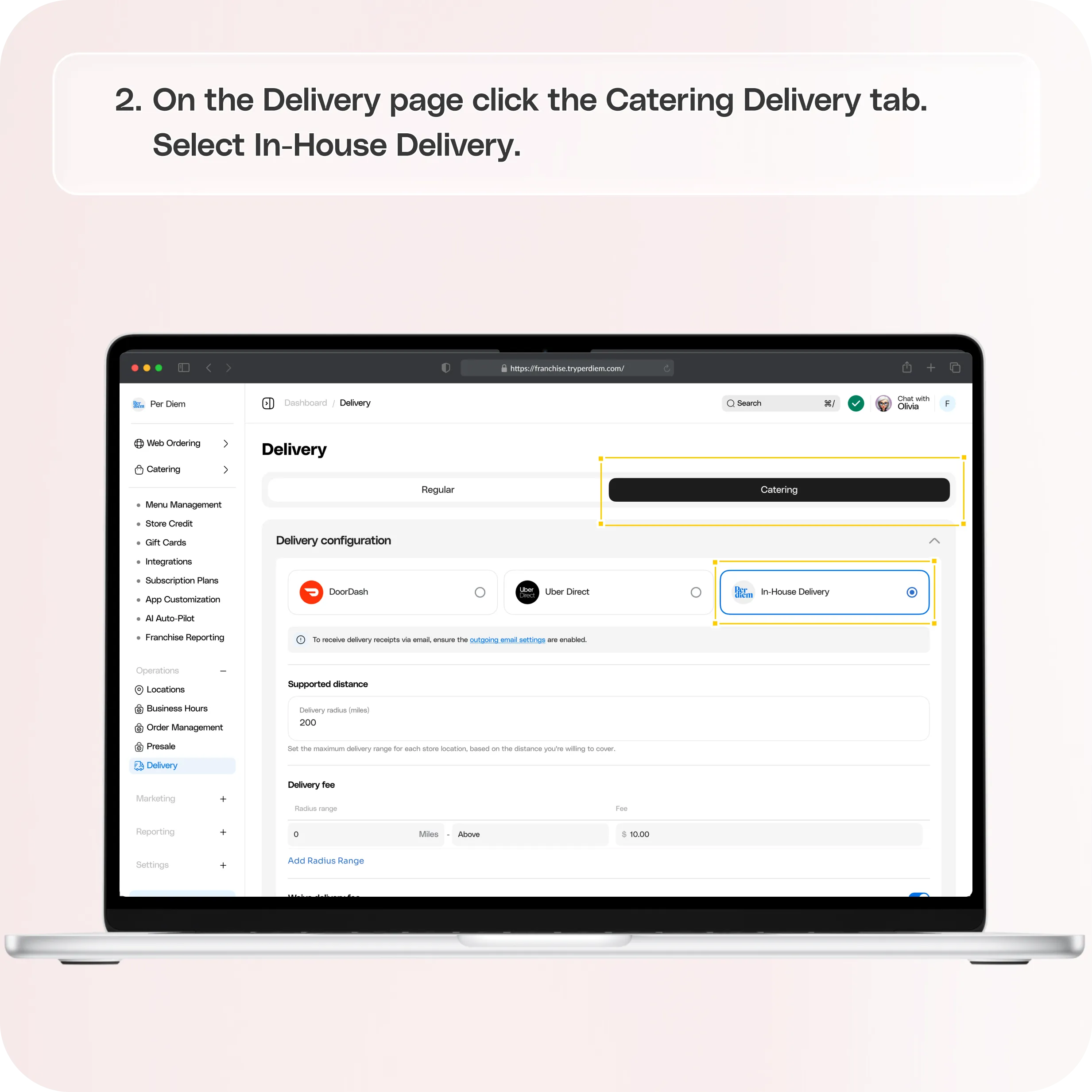
- Click the Catering Delivery tab
- Select In-House Delivery
- Enter the maximum delivery radius you want to support for catering (for example, 20 miles).
- Set a Radius Range (example: 0 to 20 miles).
- You can click Add Radius Range to create multiple distance tiers with different fees.
Still require support?
Contact support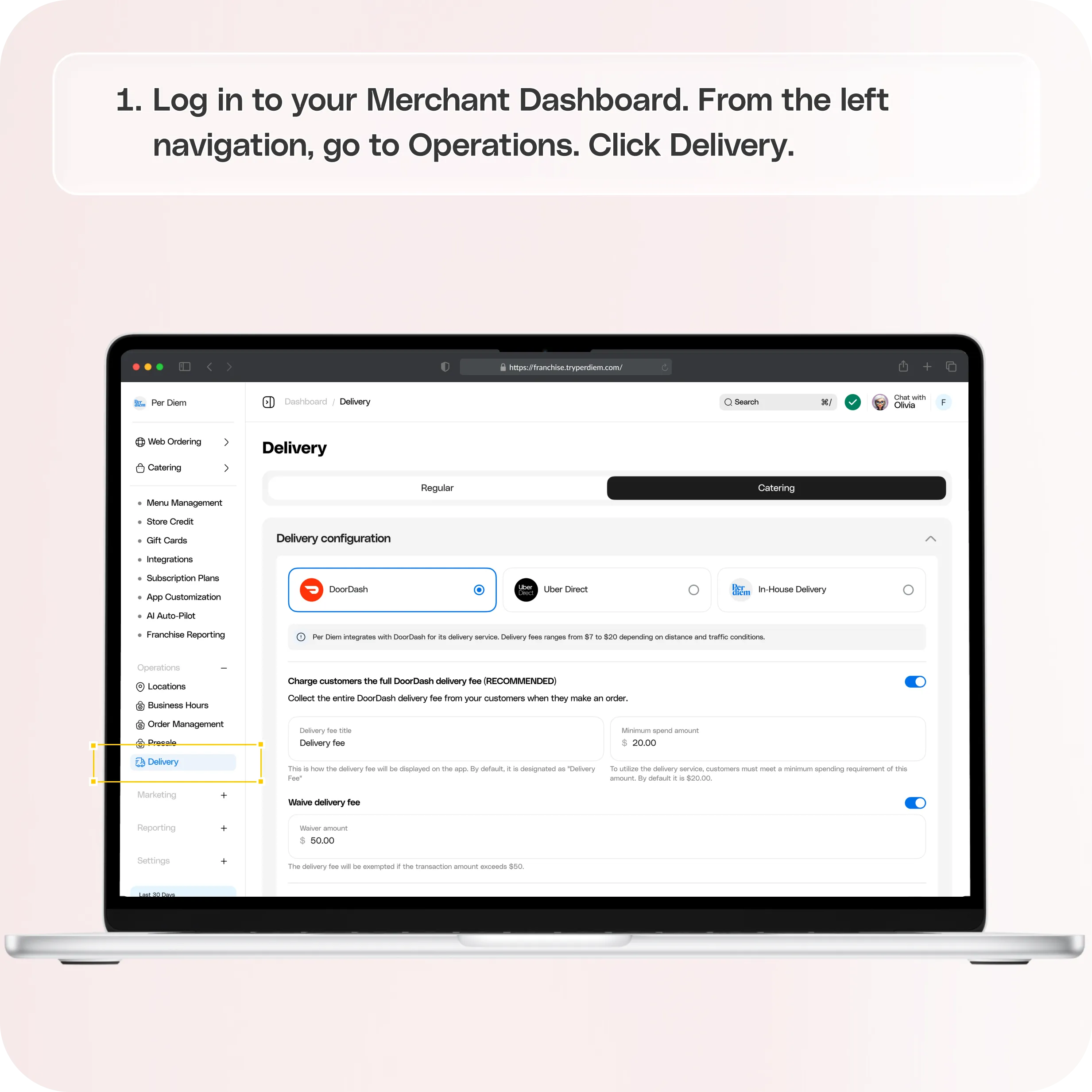
Step 1: Go to Delivery Settings
Log in to your Merchant Dashboard.
From the left navigation, go to Operations.
Click Delivery.
Step 2: Select Catering Delivery and Enable In-House Delivery
On the Delivery page:
- Click the Catering Delivery tab
- Select In-House Delivery
This enables you to manage your own catering delivery zones and pricing.
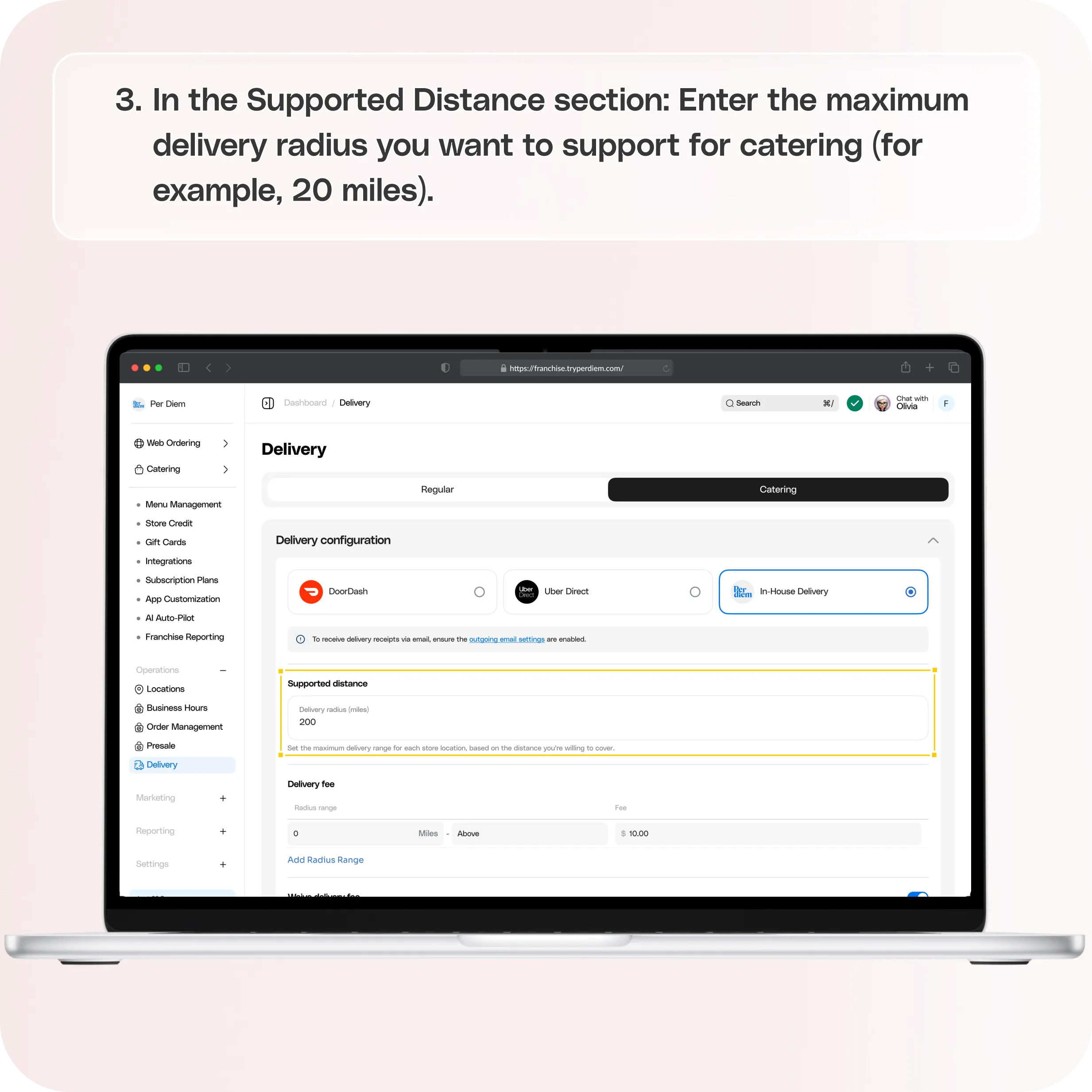
Step 3: Set Supported Catering Delivery Distance
In the Supported Distance section:
- Enter the maximum delivery radius you want to support for catering (for example, 20 miles)
This defines the furthest distance you are willing to deliver catering orders.
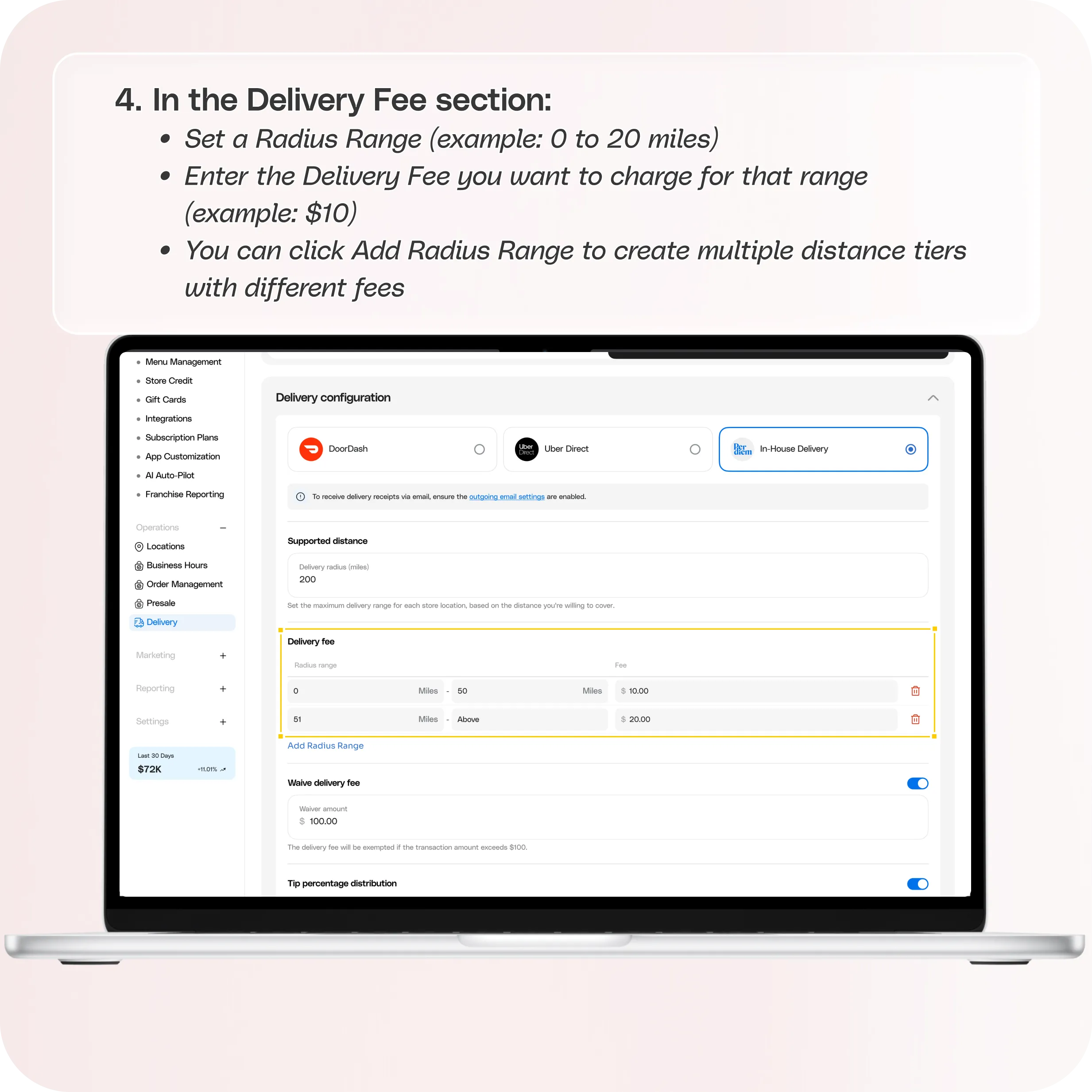
Step 4: Add Radius Range and Delivery Fees
In the Delivery Fee section:
- Set a Radius Range (example: 0 to 20 miles)
- Enter the Delivery Fee you want to charge for that range (example: $10)
- You can click Add Radius Range to create multiple distance tiers with different fees
This lets you charge different delivery fees depending on how far the delivery location is.
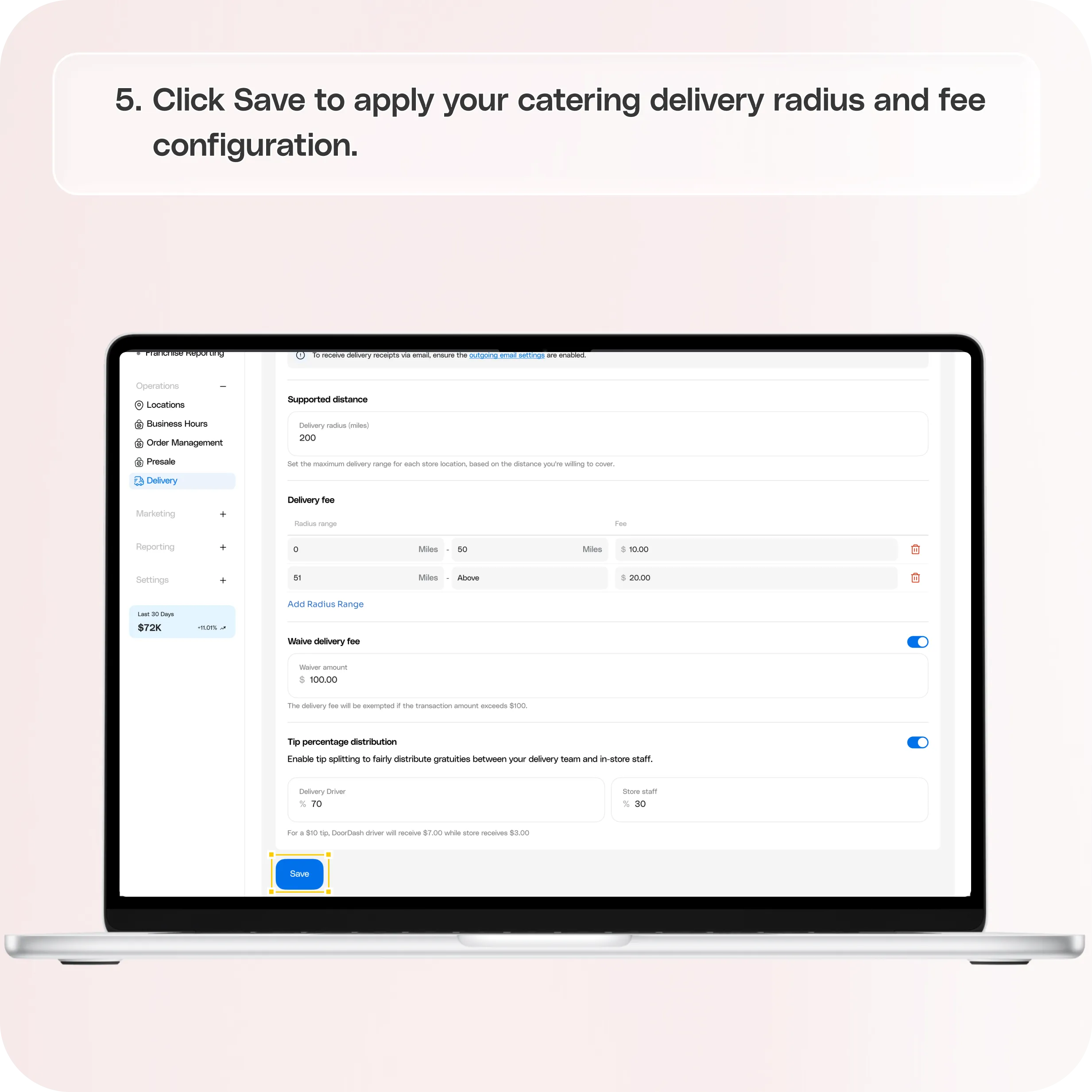
Step 5: Save Your Settings
Click Save to apply your catering delivery radius and fee configuration.
Still have questions?Contact us
Ask anything or just say hi