

























Help center
Advanced Prep Time by Order Cost
Advanced Prep Time allows you to automatically adjust preparation time based on the order value. This helps ensure larger or more complex orders are given enough time while keeping smaller orders fast and efficient.
- Log in to your Per Diem Merchant Dashboard.
- Go to Operations from the left menu.
- Click Order Placement.
- Open the Prep Time tab (4th tab).
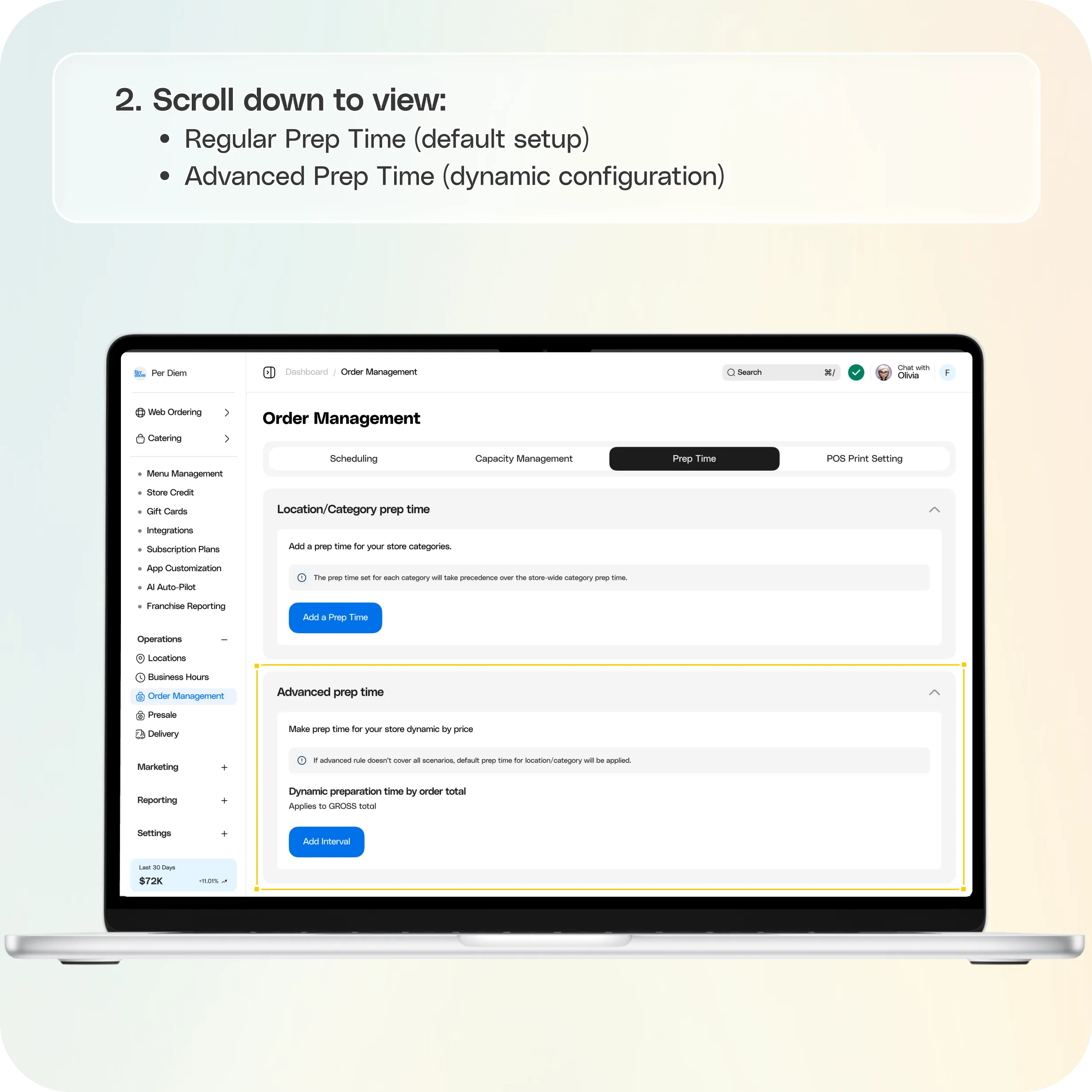
- Scroll down to view: Regular Prep Time (default setup) and Advanced Prep Time (dynamic configuration).
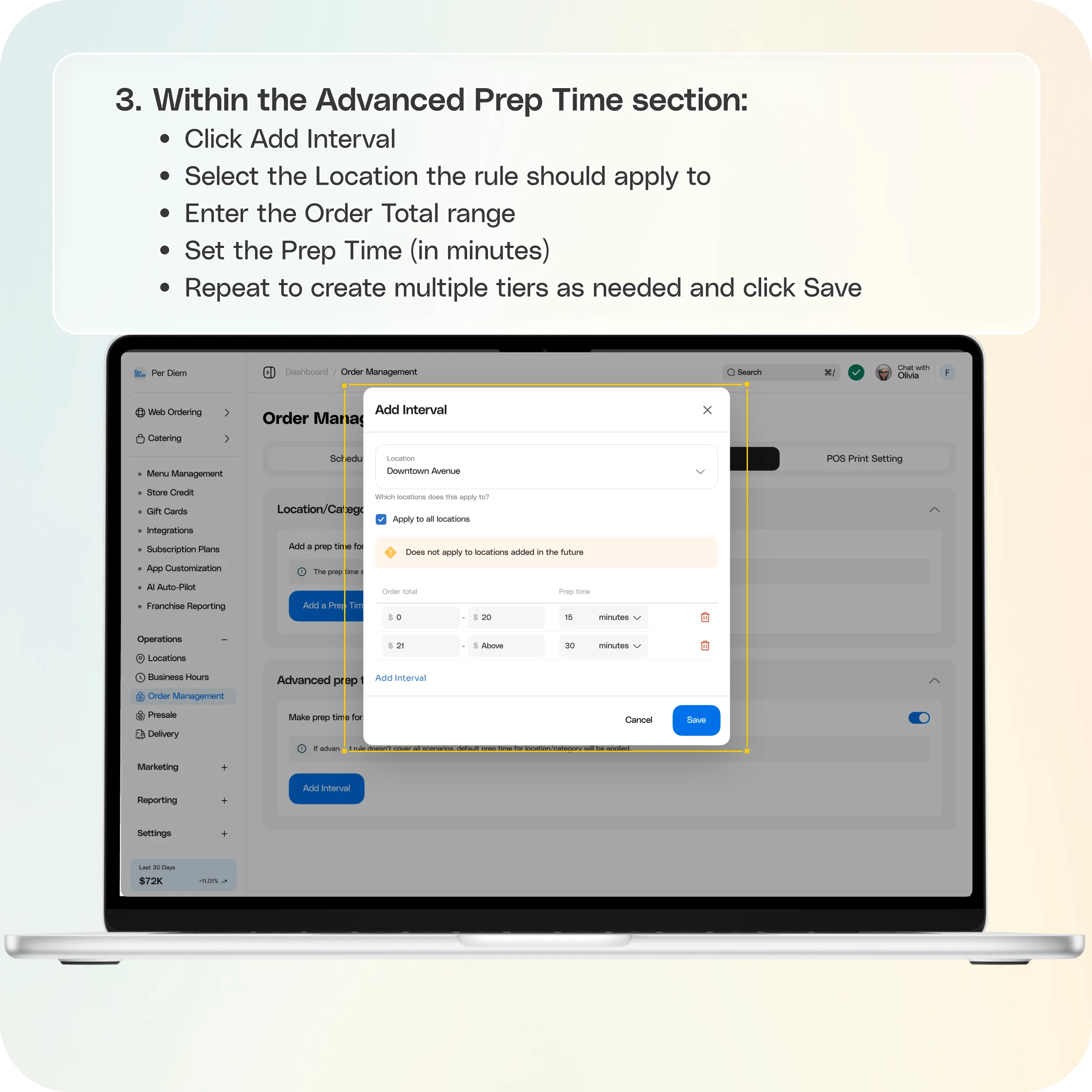
- Within the Advanced Prep Time section:
- Click Add Interval
- Select the Location the rule should apply to
- Enter the Order Total range
- Set the Prep Time (in minutes)
- Repeat to create multiple tiers as needed and click Save
Still require support?
Contact support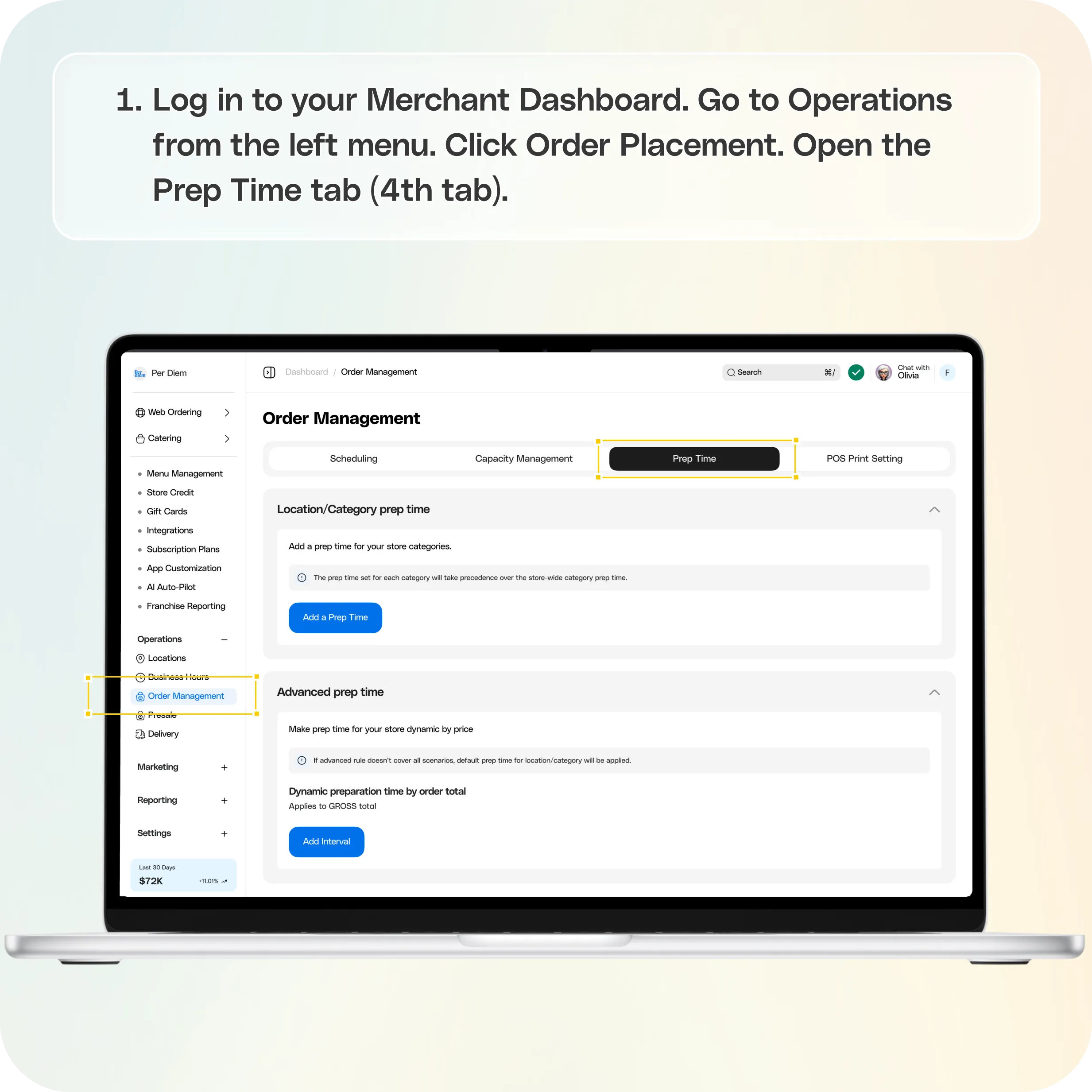
Where to Find Advanced Prep Time
- Log in to your Merchant Dashboard
- Go to Operations from the left menu
- Click Order Placement
- Open the Prep Time tab (4th tab)
- Scroll down to view:
- Regular Prep Time (default setup)
- Advanced Prep Time (dynamic configuration)
How to Set Up Dynamic Prep Time by Order Cost
Within the Advanced Prep Time section:
- Click Add Interval
- Select the Location the rule should apply to
- Enter the Order Total range
- Set the Prep Time (in minutes)
- Repeat to create multiple tiers as needed
- Click Save
Example Configuration
You can structure prep time like this:
- Orders $0 to $50 → **15 minutes
** - Orders $51 to $150 → **30 minutes
** - Orders $151 and above → **45 minutes
**
This ensures larger or higher-value orders automatically receive appropriate preparation time.
How It Works
Once saved, prep time will dynamically adjust based on the customer’s gross order total. If an order does not match any advanced rule, the default Regular Prep Time will apply.
Still have questions?Contact us
Ask anything or just say hi