


























Category management in Per Diem: A complete guide
Still require support?
Contact support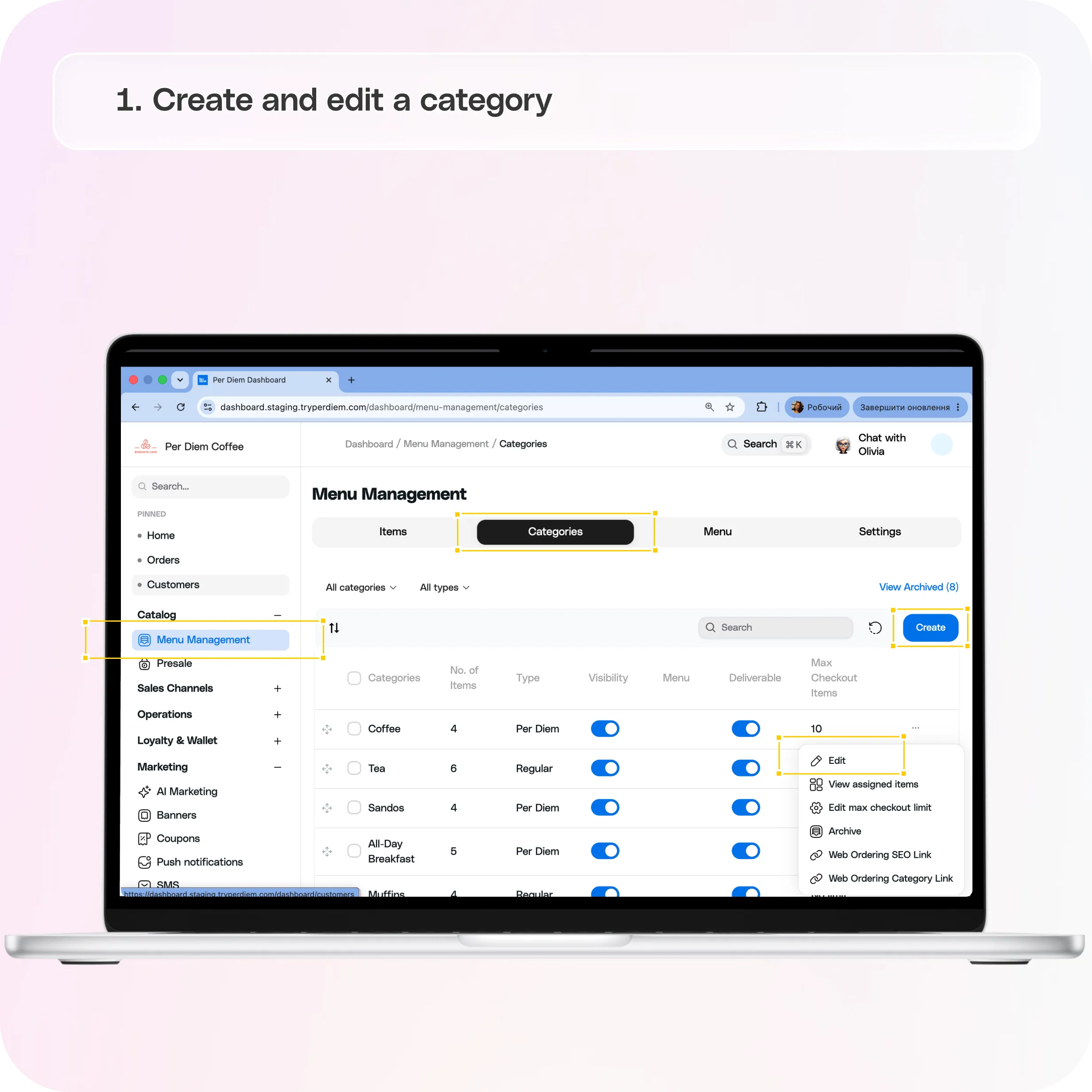
1. Create and edit a category
Go to Menu Management → Categories. Click the "..." menu next to any category for: Edit (name and description), View assigned items (read-only list — add items from the Items page, not here), Edit max checkout limit, Archive, Web Ordering SEO Link, and Web Ordering Category Link (direct links to that category's SEO settings and its live web page).
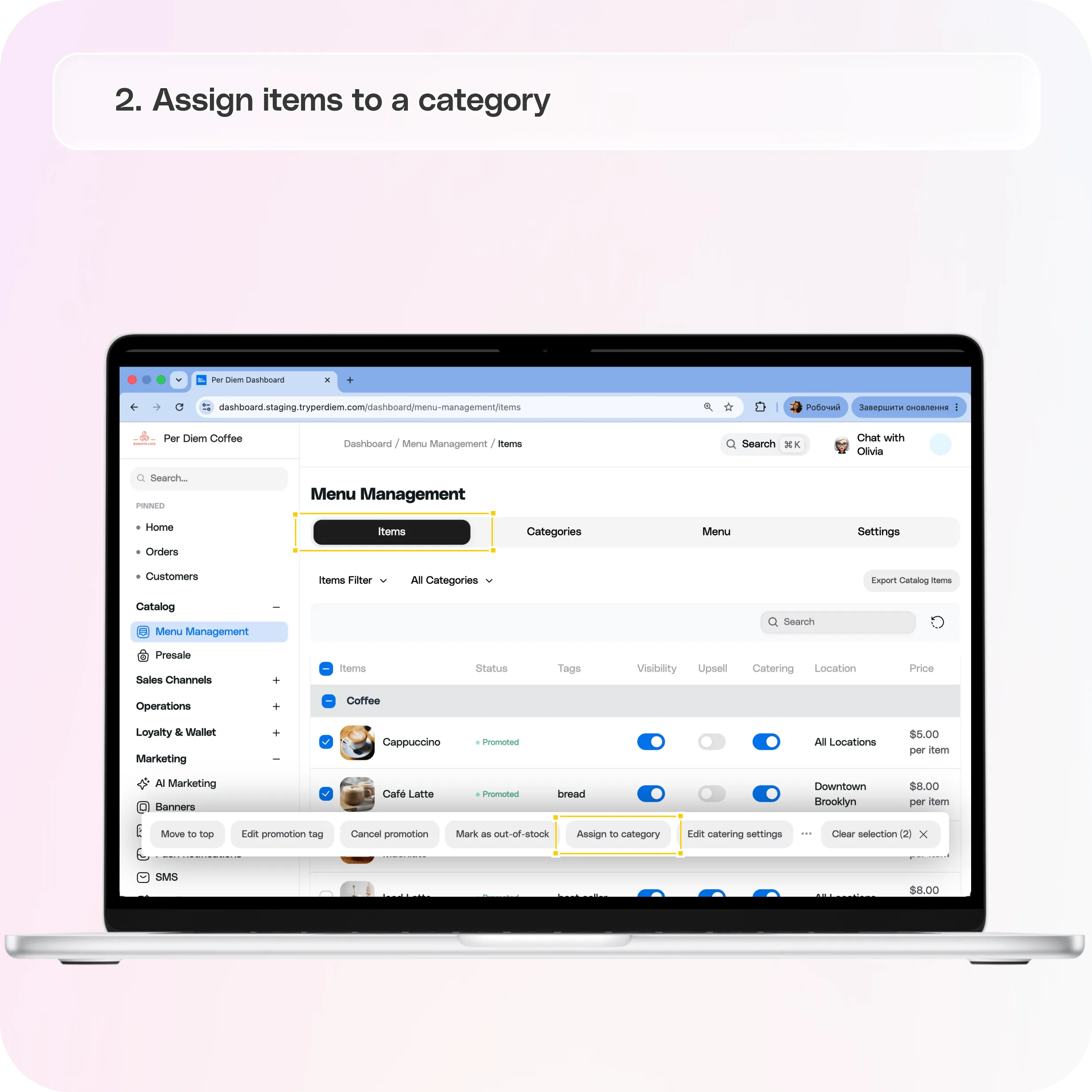
2. Assign items to a category
This is done from Menu Management → Items, not from the Categories page:
- One item: open the item, click Assign to Category, search and select the category, click Add.
- Multiple items at once: check the boxes next to the items you want (or select an entire category group), then click Assign to category in the action bar that appears. The same category-picker modal opens — check one or more categories and click Add.
- If you have uncategorized items, the Items page shows a banner ("You have X uncategorized items that won't appear in your app") with a direct link to fix them.
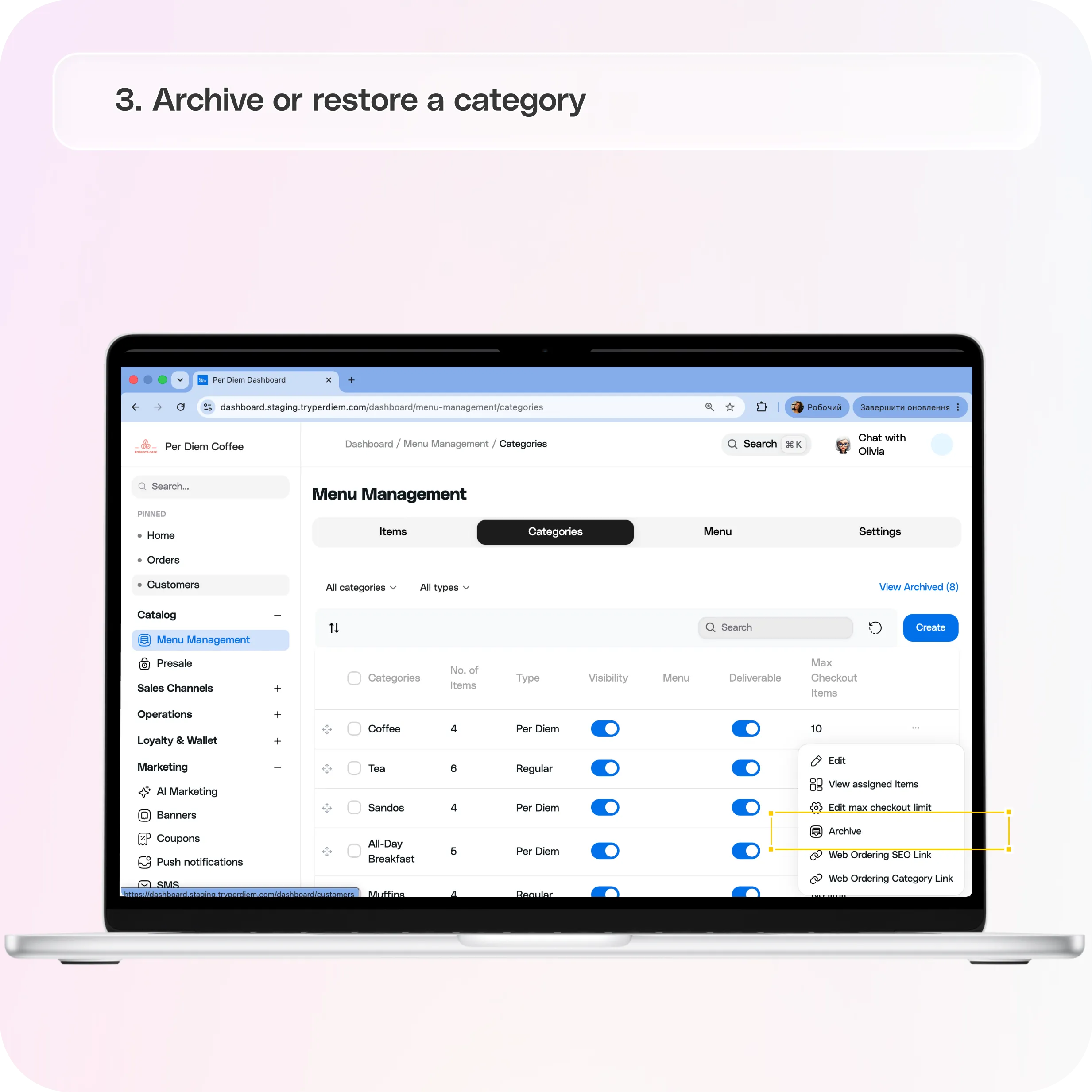
3. Archive or restore a category
Archiving hides a category from your app and stops it syncing with Square, without deleting it.
- Single category: "..." menu → Archive.
- Multiple categories: check the boxes → click Archive in the action bar.
- Restore: click "View Archived" at the top of the Categories page, select the category, click Unarchive.
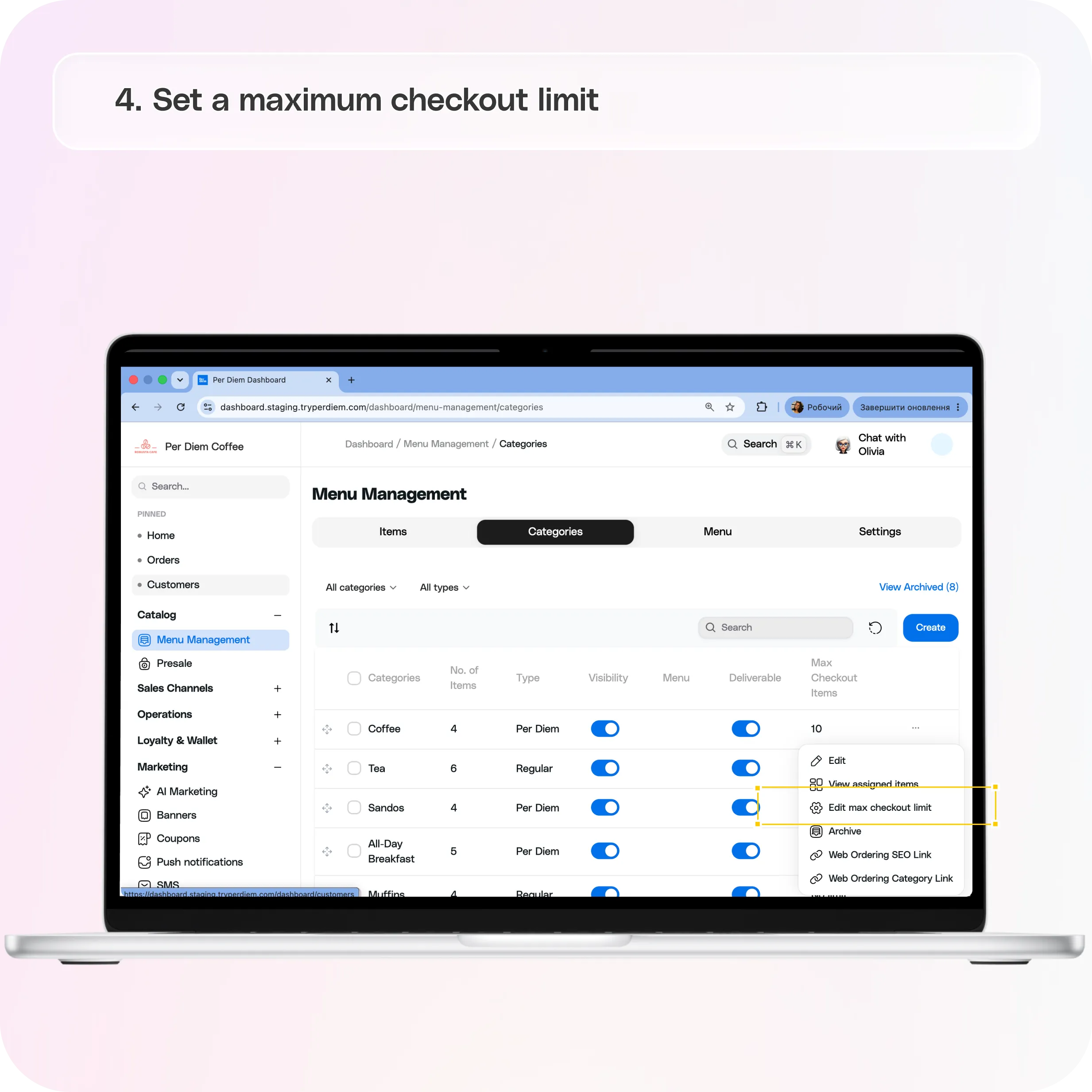
4. Set a maximum checkout limit
To cap how many items a customer can order from a category in one checkout: "..." menu → Edit max checkout limit → set the Max Checkout Items field (0 = no limit) → Update. Useful for capping bulk orders of high-demand items, managing kitchen capacity, or controlling limited seasonal stock. Note: confirm with your team whether this still requires a minimum app version — the source article claimed 7.4+.
5. Category-based discounts (set up in Square, not Per Diem)
Category discounts are configured in your Square Dashboard, not Per Diem:
- Square Dashboard → Discounts → Create a Discount (or edit an existing one).
- Set the discount name and amount type (Fixed Amount, Percentage, Variable Amount, or Variable Percentage) and applicable locations.
- Turn on Automatic Discount rules.
- Choose Category, select the categories to include, and click Done.
- Save. The discount applies automatically whenever a matching item is added to a cart.
Still have questions?Contact us
Ask anything or just say hi