
























App Features: Configure Your App Settings in Per Diem
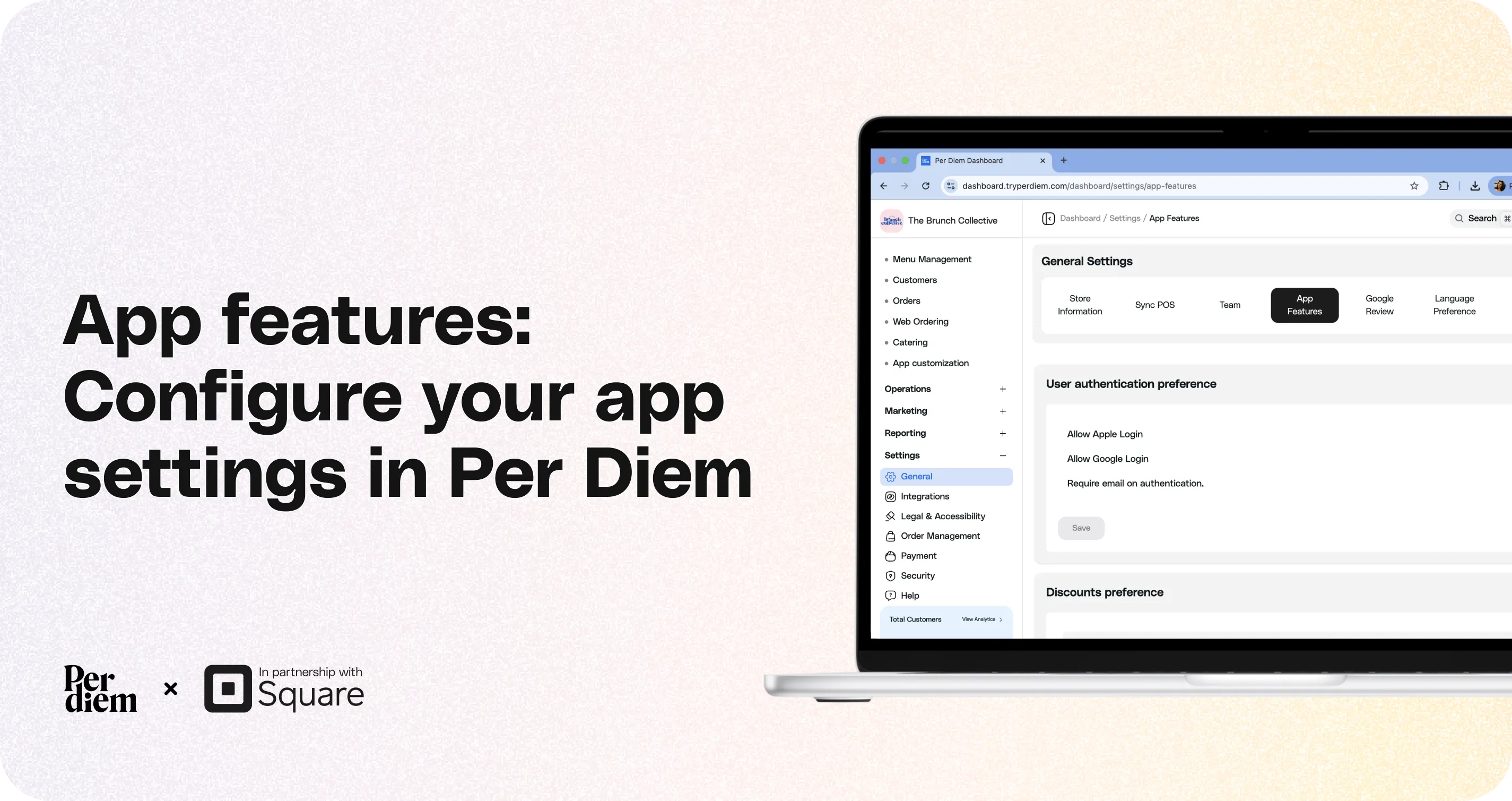
This guide explains the settings available under App Features and how they affect different parts of your mobile ordering app.
Still require support?
Contact support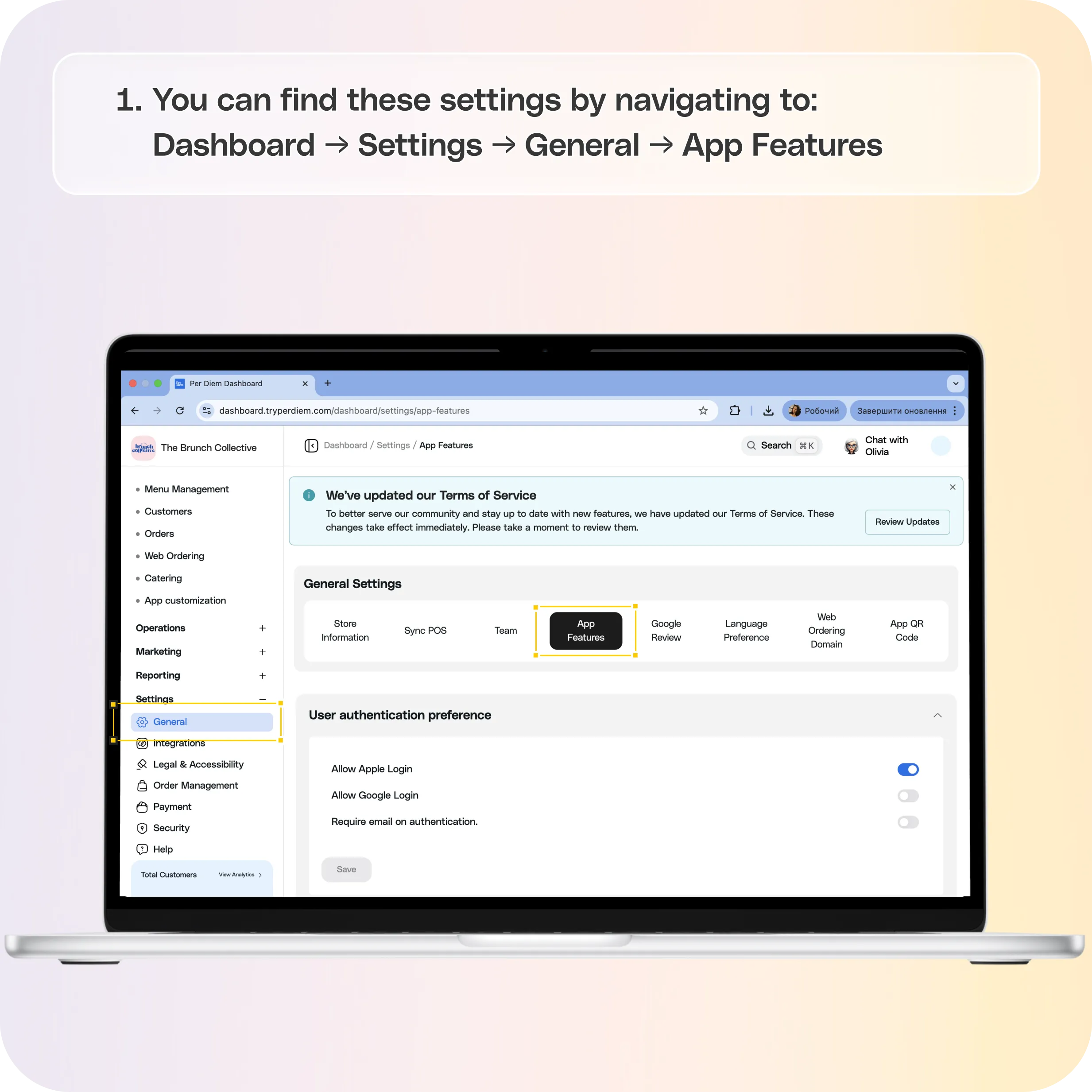
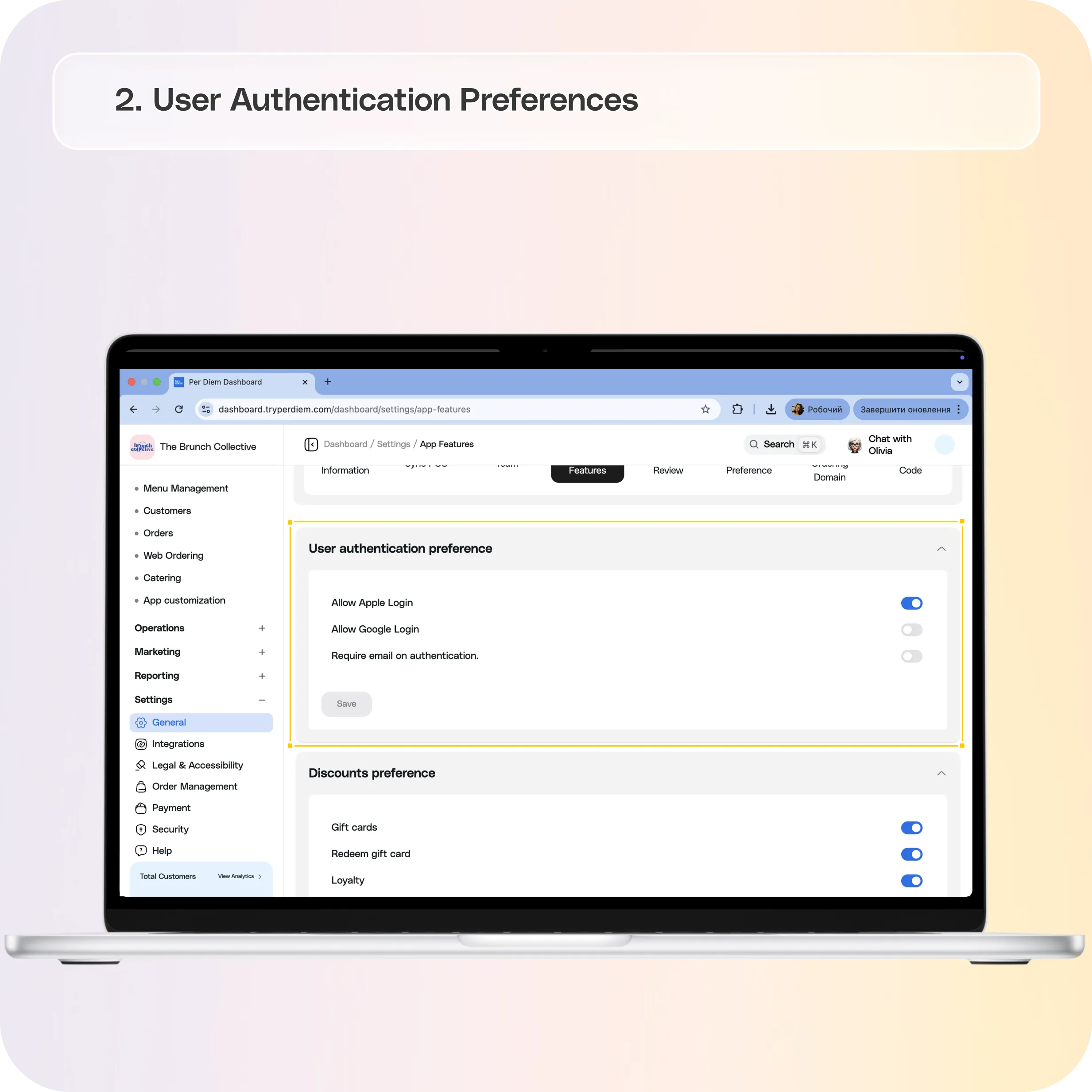
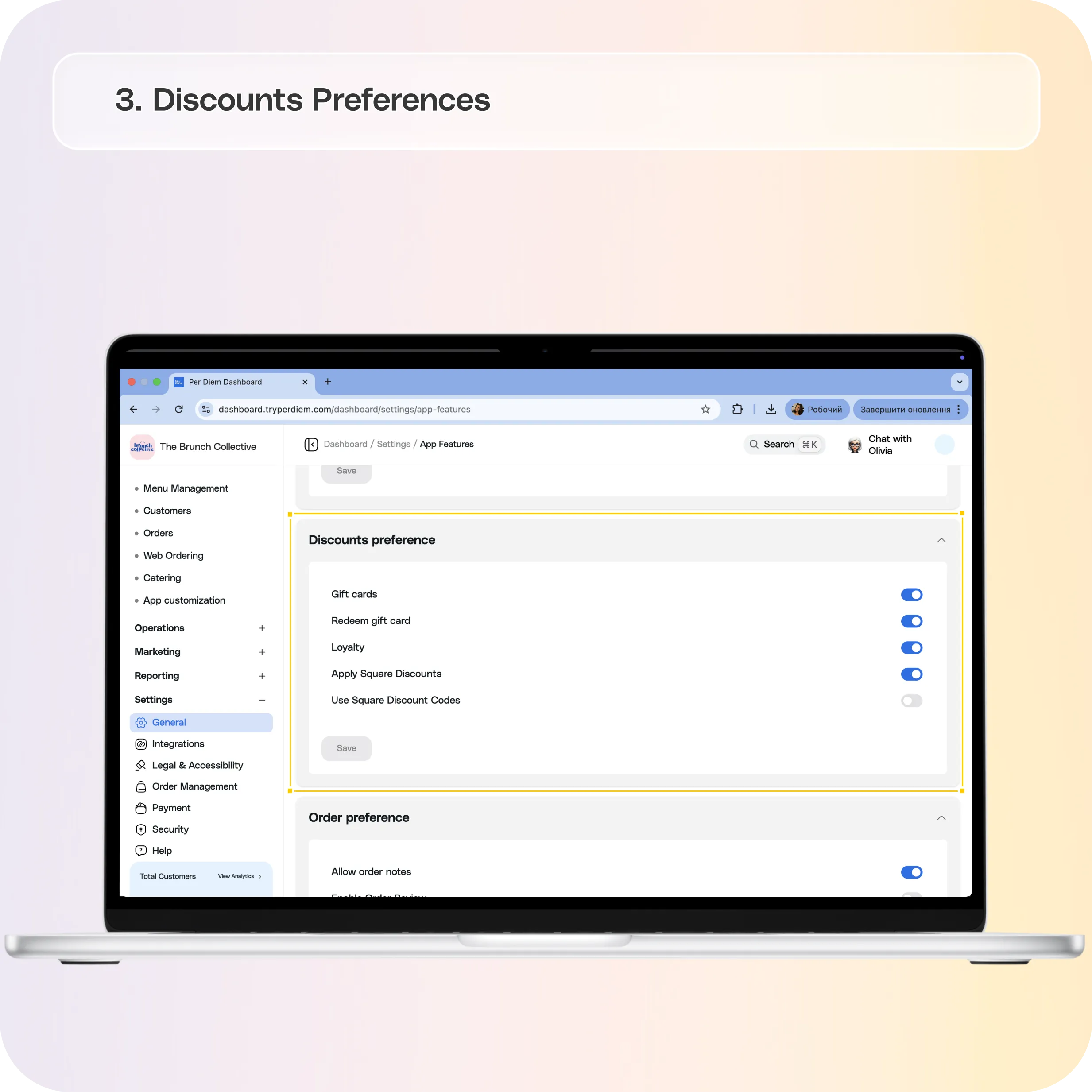
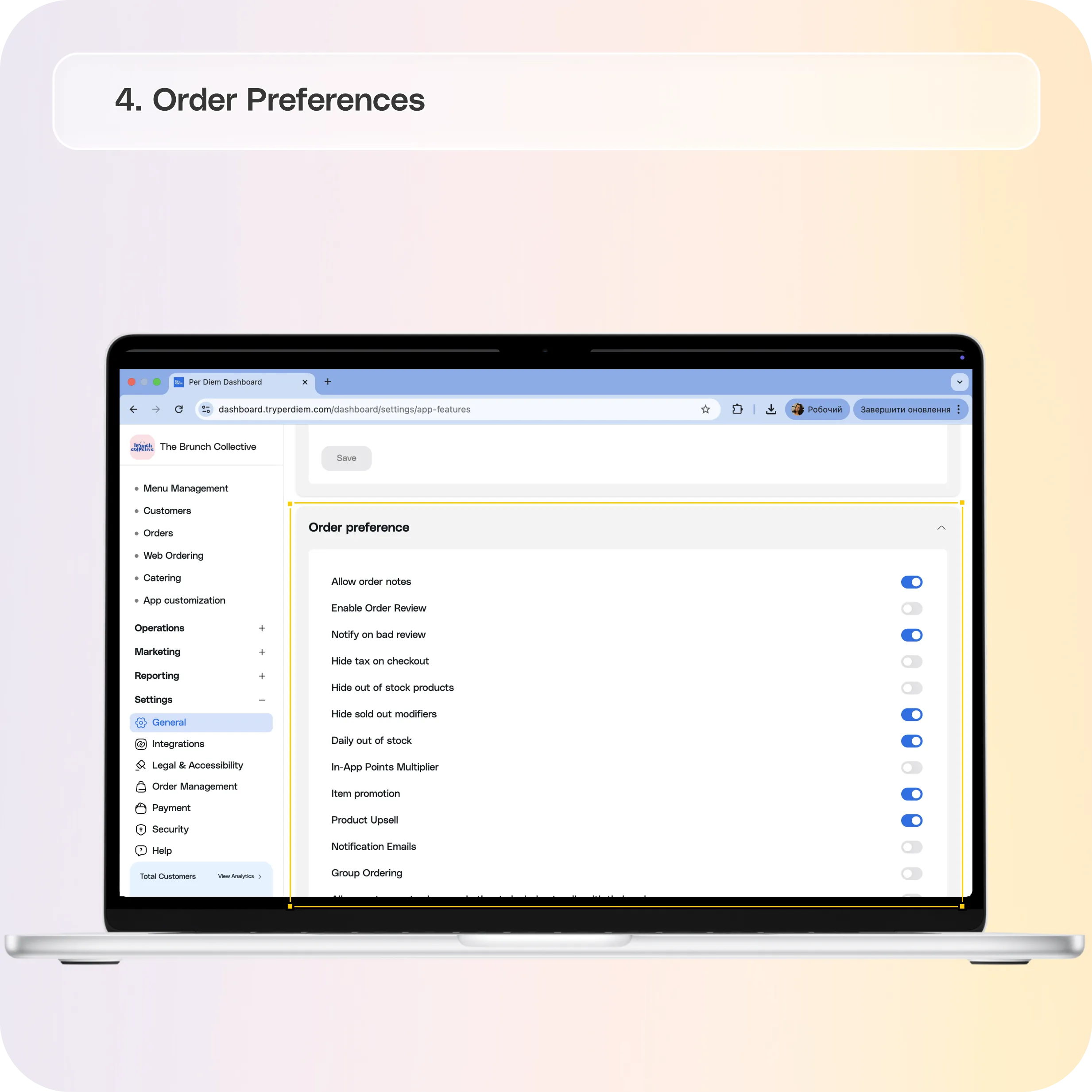
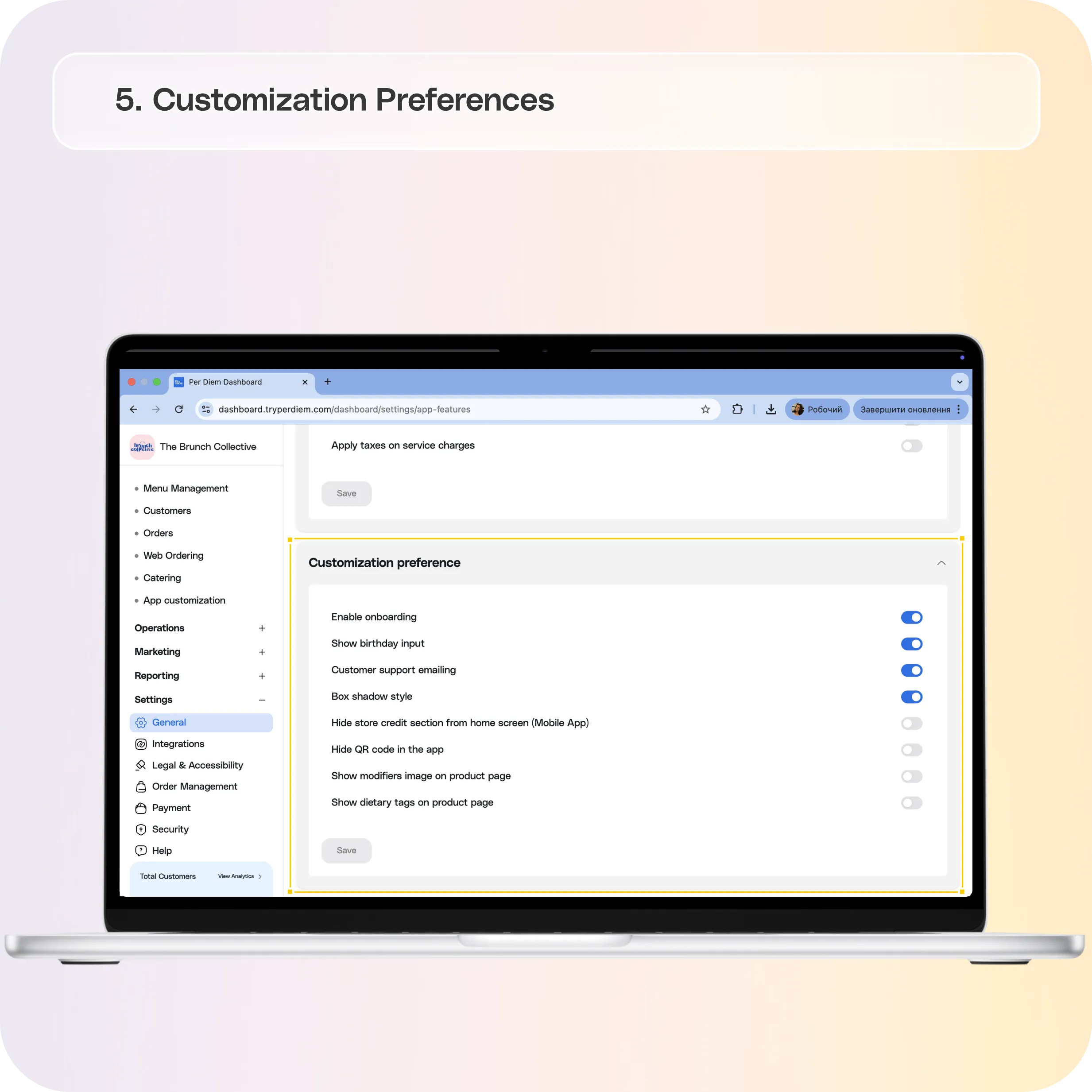
From this section, you can configure login options, discounts, ordering preferences, and various customization settings directly from your dashboard.
You can find these settings by navigating to:**
Dashboard → Settings → General → App Features**
Each section includes toggles that allow you to enable or disable specific features based on how you want your app to function.
User Authentication Preferences
These settings control how customers sign in to your mobile app.
Allow Apple Login
Allows customers to log in using their Apple account for faster sign-in and checkout.
Allow Google Login
Allows customers to log in using their Google account.
Require Email Authentication
Requires customers to verify their email address during authentication before placing orders.
This can help improve account security and ensure accurate customer information.
Discounts Preferences
These settings control how discounts, gift cards, and loyalty rewards function inside your app.
Gift Cards
Allows customers to purchase and use digital gift cards through the app.
Redeem Gift Card
Allows customers to redeem gift cards during checkout.
Loyalty
Enables the loyalty program so customers can earn and redeem rewards.
Apply Square Discounts
Allows discounts created in Square to automatically apply to eligible items in the app.
Use Square Discount Codes
Allows customers to enter discount codes created in Square during checkout.
Order Preferences
These settings control how the ordering experience works for customers.
Allow Order Notes
Allows customers to leave notes or special instructions for their order.
Enable Order Review
Allows customers to leave reviews after completing an order.
Notify on Bad Review
Sends a notification when a low rating is submitted so it can be addressed quickly.
Hide Tax at Checkout
Removes the tax line from the checkout screen display.
Hide Out of Stock Products
Automatically hides products that are out of stock from the menu.
Hide Sold Out Modifiers
Hides unavailable modifiers from item customization options.
Daily Out of Stock
Allows items to automatically reset availability daily.
In-App Item Multiplier
Allows customers to easily increase quantities of items when ordering.
Item Promotion
Highlights promotional items inside the app.
Product Upsell
Displays suggested items to customers to encourage larger orders.
Notification Emails
Enables email notifications for order activity.
Group Ordering
Allows multiple people to contribute items to a shared order.
Allow Customers to Choose Whether to Include Utensils with Their Order
Lets customers decide if utensils should be included.
Catering Guest Checkout
Allows catering orders to be placed without creating an account.
Customization Preferences
These settings allow you to customize the look and functionality of your mobile app.
Enable Onboarding
Shows a short onboarding experience for customers when they first open the app.
Show Birthday Input
Allows customers to add their birthday to their profile, which can be used for promotions or rewards.
Customer Support Emailing
Allows customers to contact support directly from the app.
Box Shadow Style
Controls visual styling for certain elements in the app interface.
Hide Store Credit Section from Home Screen
Removes the store credit section from the app’s home screen.
Hide QR Code in the App
Removes the QR code feature from the mobile app interface.
Show Modifiers Image on Product Page
Displays images for modifiers when available.
Show Dietary Tags on Product Page
Displays dietary tags such as vegan or gluten-free on menu items.
Saving Changes
After enabling or disabling any feature, make sure to click Save at the bottom of the section to apply your changes.
Changes will take effect once the settings are saved.
Still have questions?Contact us
Ask anything or just say hi