


























How to Enable Location Confirmation for Accurate Orders
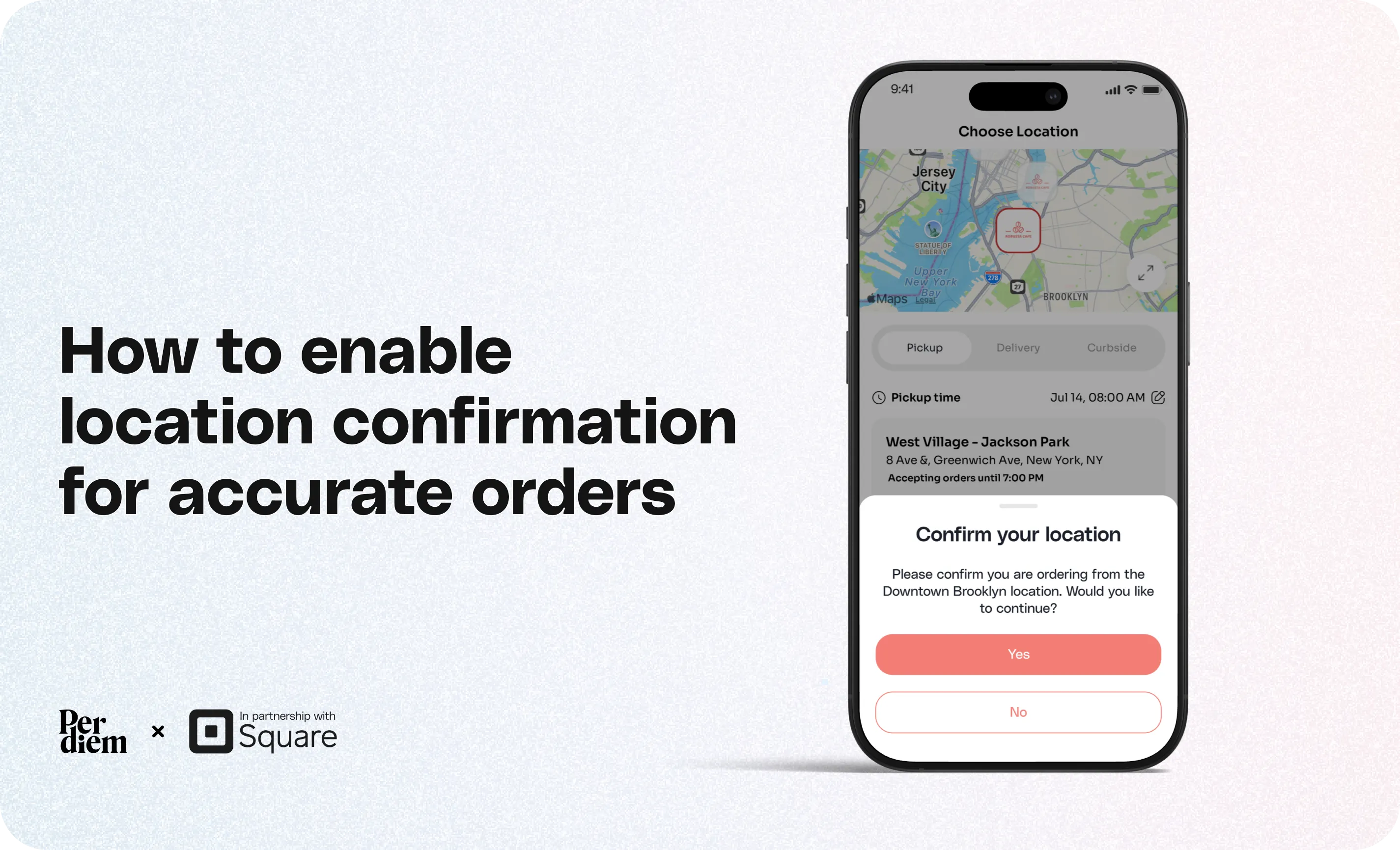
Location Confirmation adds an extra verification step before customers place an order, helping ensure they select the correct store location. This reduces ordering mistakes and minimizes orders being sent to the wrong location. Once enabled, the feature works across both your mobile app and web ordering experience.
- Go to: Merchant Dashboard → Sales Channels → App Customization
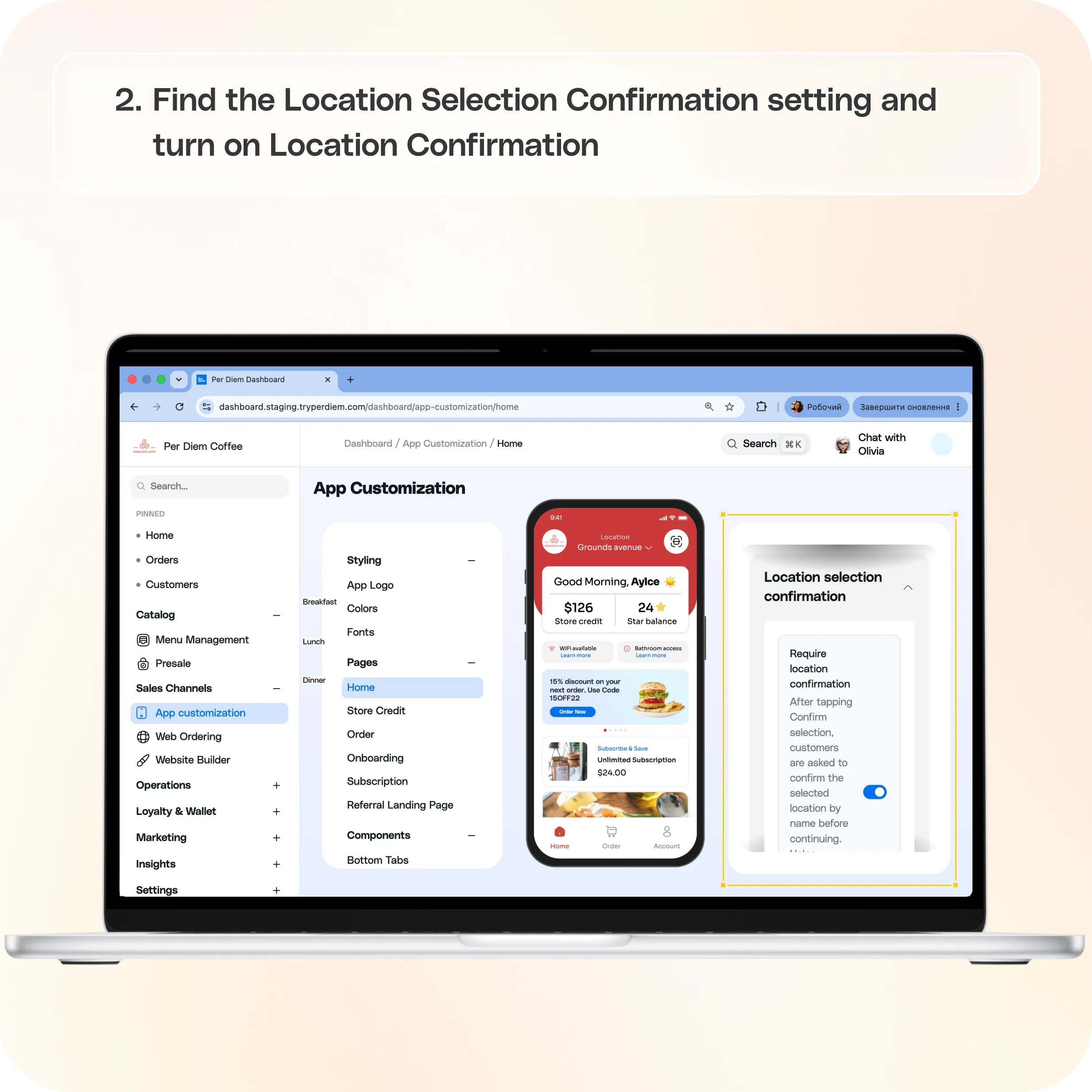
- Find the Location Selection Confirmation setting
- Turn on Location Confirmation
- Save your changes
Still require support?
Contact support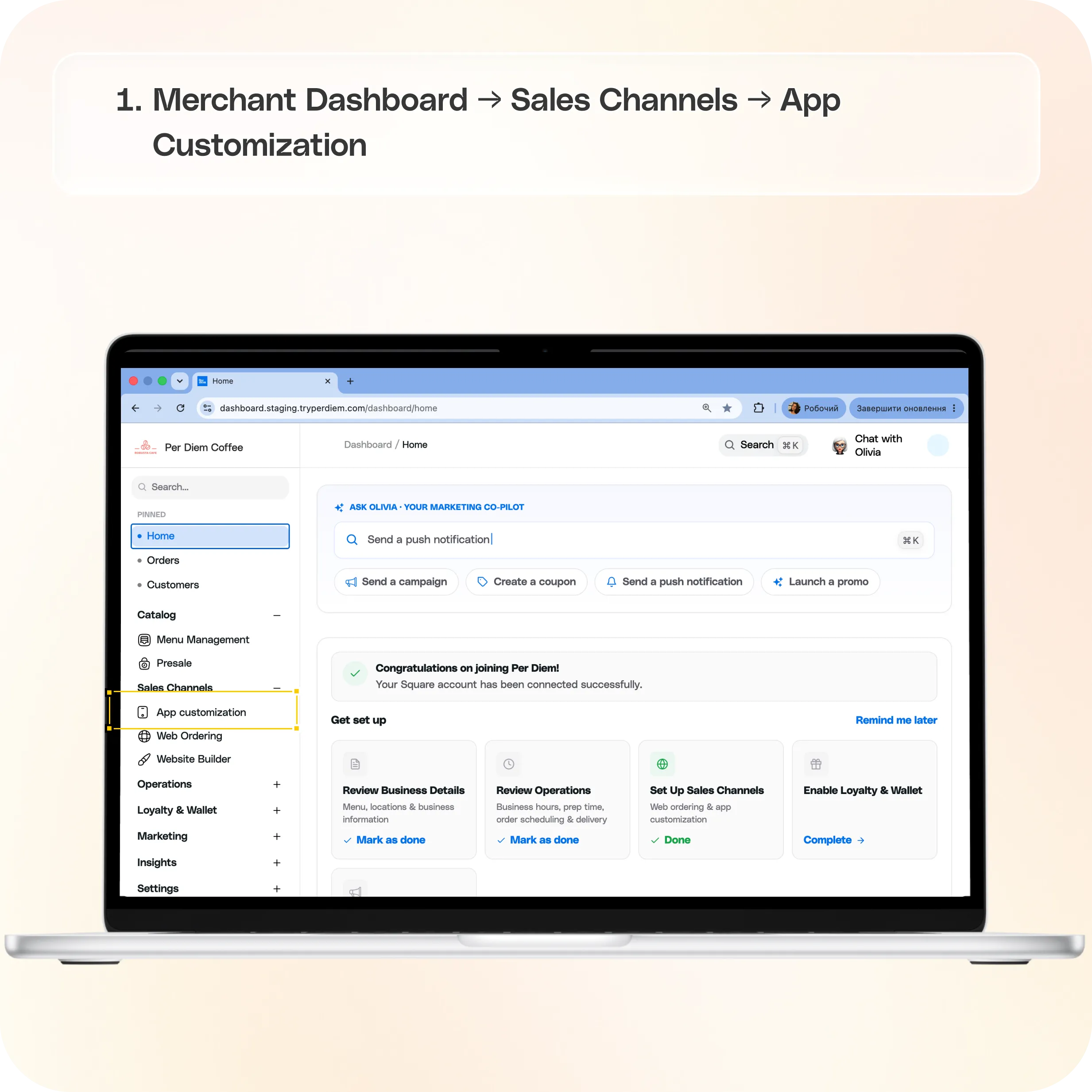
Where to find Location Confirmation
Go to:
Merchant Dashboard → Sales Channels → App Customization
Step 1: Open Home in App Customization
From the left navigation menu:
- Go to Sales Channels
- Select App Customization
- Click Home from the pages listed inside App Customization
Step 2: Find the Location Selection Confirmation setting
Scroll down until you reach the Location Selection Confirmation section.
Here you'll find the Required Location Confirmation option.
Step 3: Turn on Location Confirmation
Toggle Require Location Confirmation to On.
When enabled, customers are asked to confirm their selected location by name before continuing with their order.
This additional confirmation step helps prevent customers from accidentally placing orders at the wrong location.
Step 4: Save your changes
Click Save to apply the new setting.
The feature will immediately begin working across both your mobile app and web ordering.
How Location Confirmation works
When a customer selects a store location, they will be prompted to confirm that they have chosen the correct location before proceeding with their order.
This simple confirmation helps reduce accidental location selection and improves order accuracy, especially for businesses with multiple locations.
Still have questions?Contact us
Ask anything or just say hi