

























Help center
Enable Item Reviews on Web Ordering
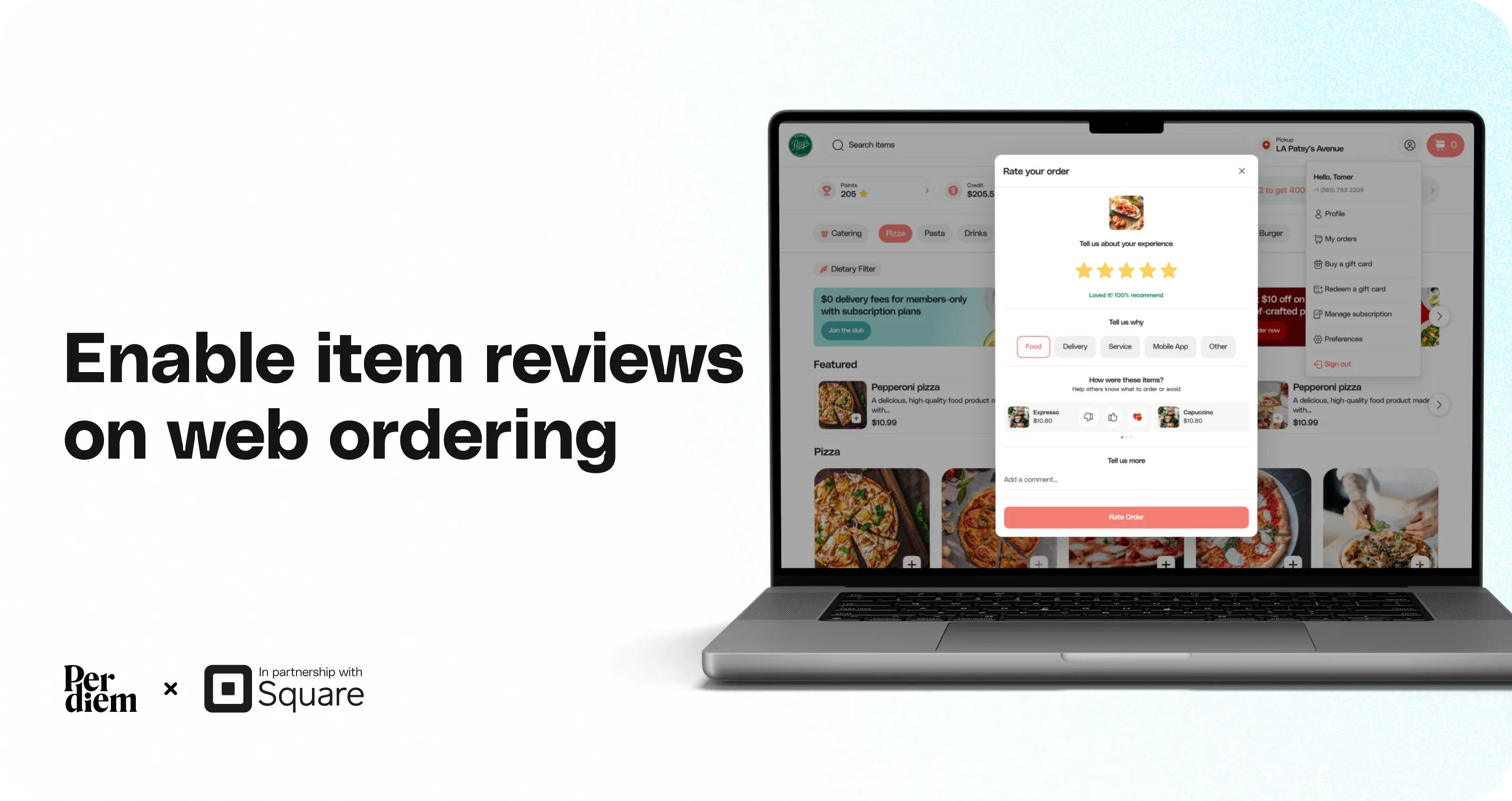
The Item Review feature allows customers to leave ratings and feedback on individual menu items. This helps you understand what customers love, identify issues quickly, and improve your menu based on real feedback.
- Log in to your Merchant Dashboard
- Go to Settings
- Click General
- Select the App Features tab
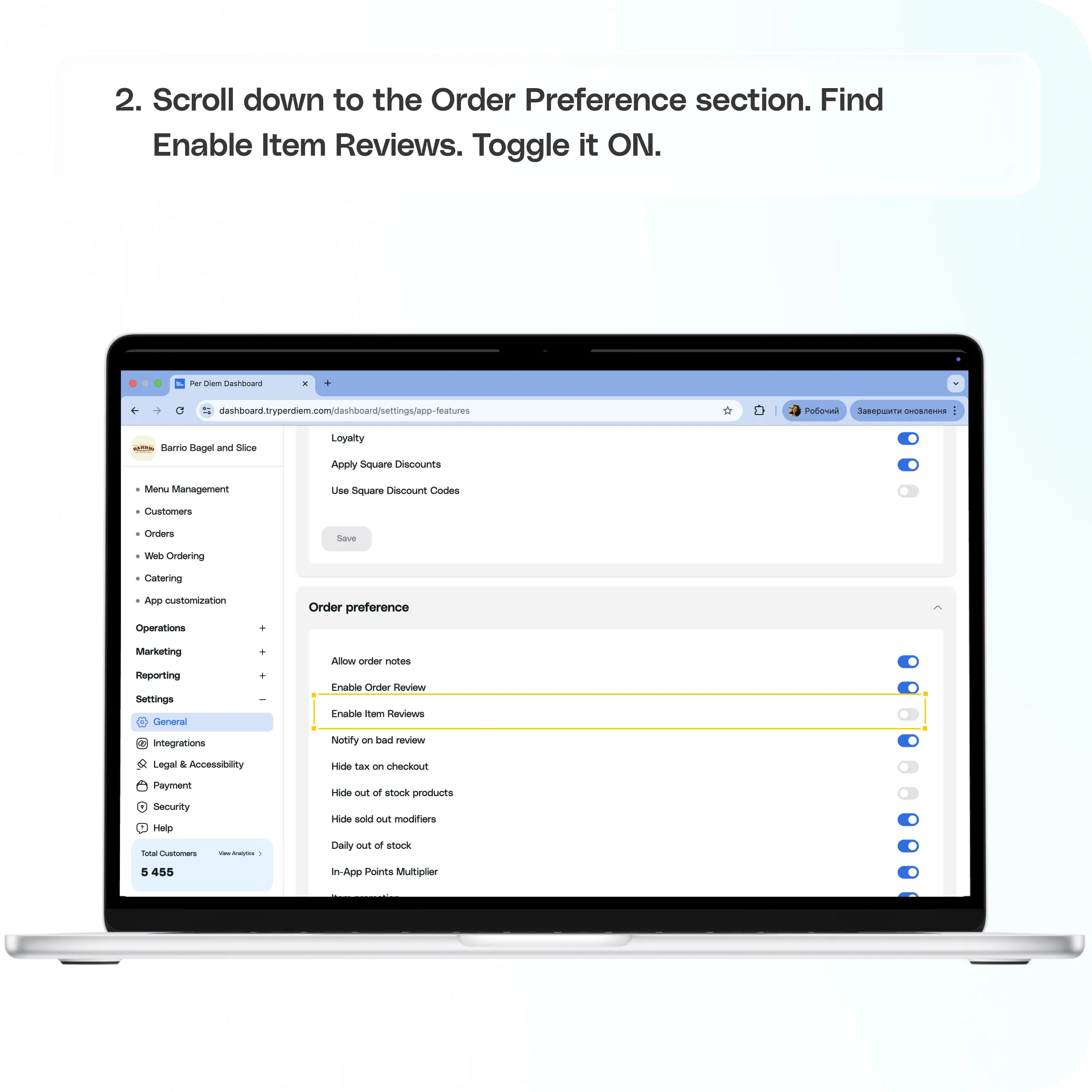
- Scroll down to the Order Preference section.
- Find Enable Item Reviews
- Toggle it ON
Still require support?
Contact support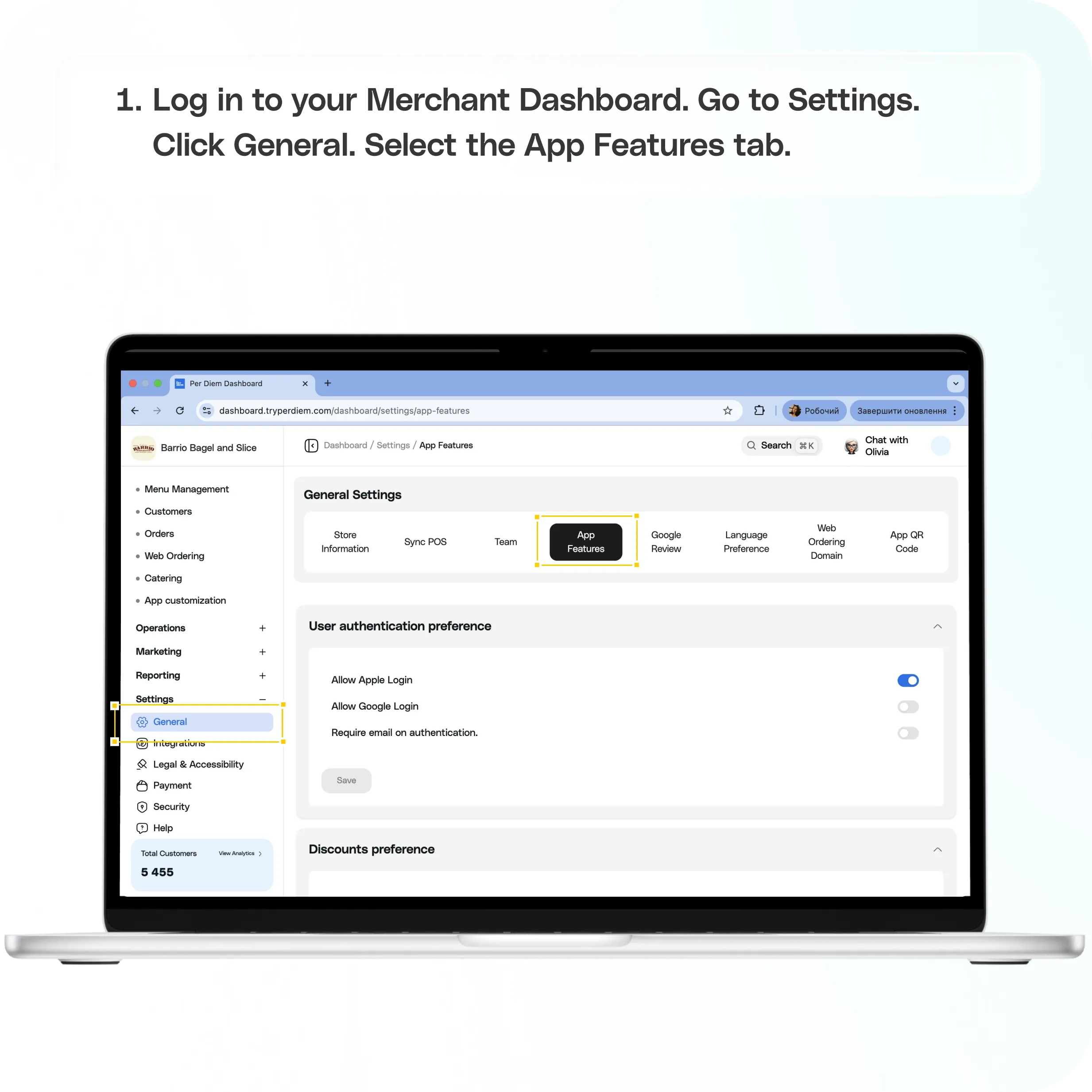
What this feature does
With Item Reviews enabled, you can:
- Receive ratings on individual items
- Collect written feedback from customers
- Identify top performing and underperforming items
Where to find it
Go to:
Merchant Dashboard → Settings → General → App Features
Scroll down to the Order Preference section.
How to enable Item Reviews
Step 1: Open App Features
- Log in to your Merchant Dashboard
- Go to Settings
- Click General
- Select the App Features tab
Step 2: Go to Order Preference
Scroll down to the Order Preference section.
Step 3: Enable Item Reviews
- Find Enable Item Reviews
- Toggle it ON
Once enabled, customers placing orders through your web ordering experience will be able to rate and review individual items.
Still have questions?Contact us
Ask anything or just say hi