

.svg)

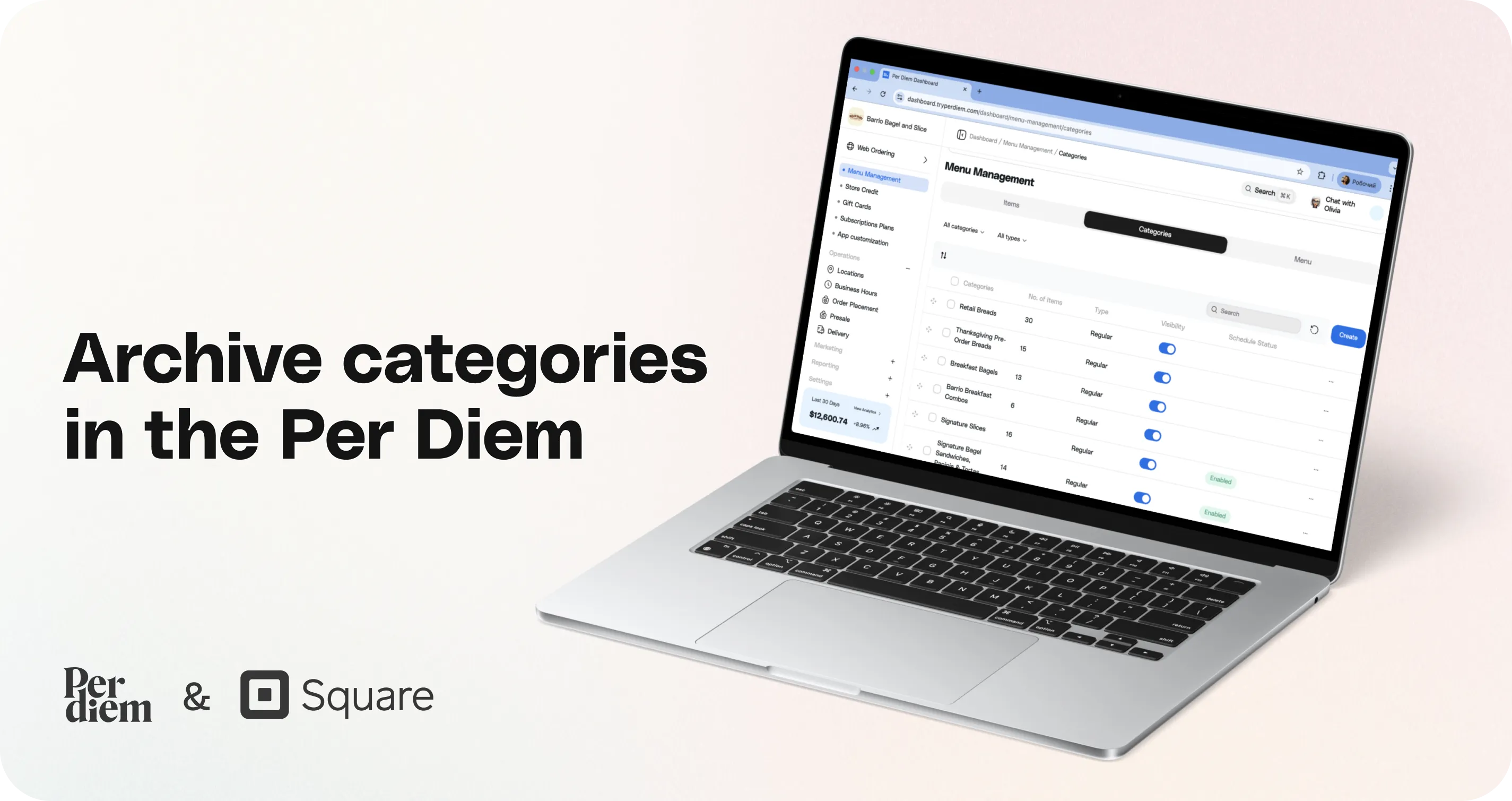
Archive categories in the Per Diem
Archiving helps you clean up old or unused categories without deleting them permanently. It keeps your menu organized, hides deprecated categories from the app, and prevents unnecessary re-syncs with Square. You can archive categories one at a time or in bulk, and bring them back whenever you need.
Instructions
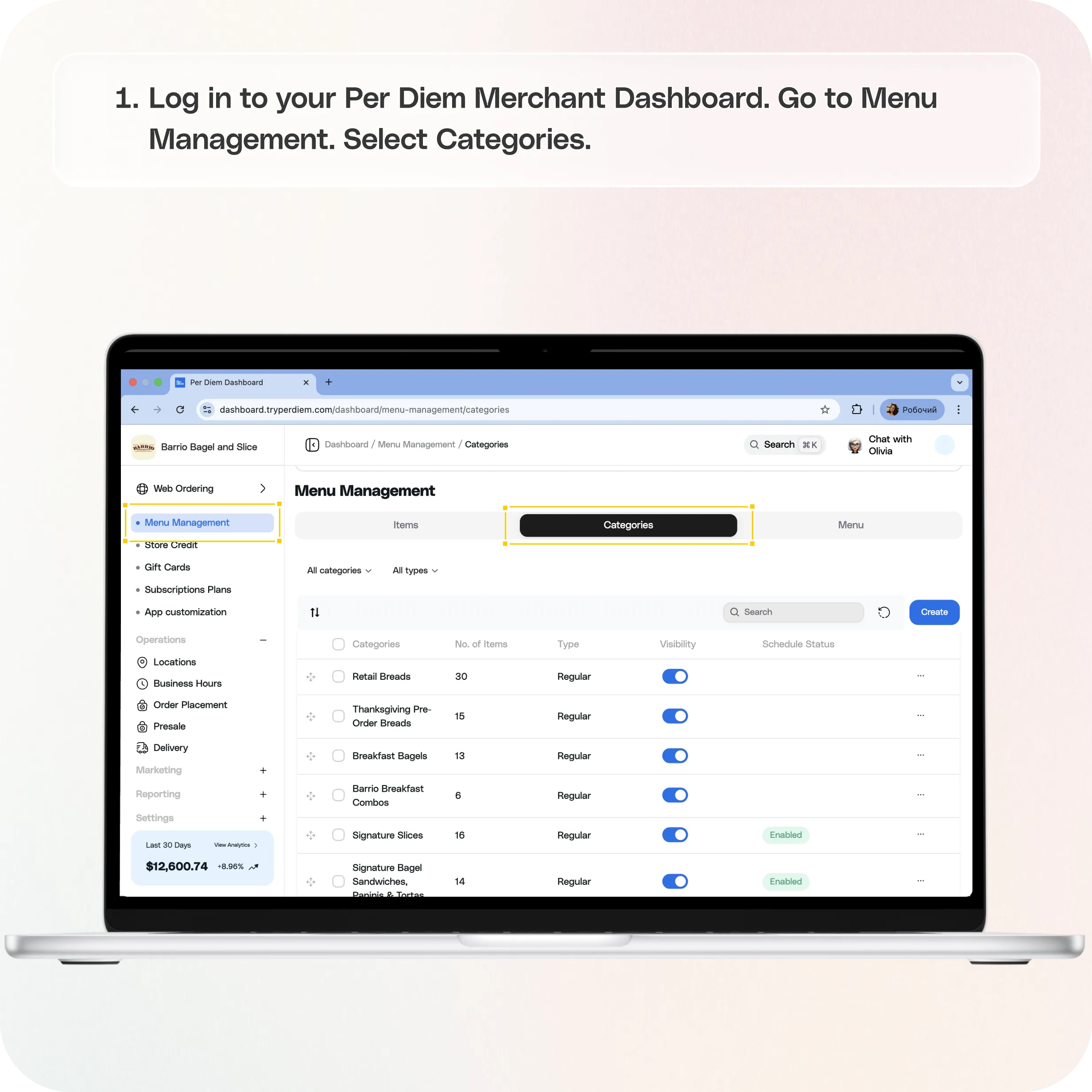
- Log in to your Per Diem Merchant Dashboard.
- Go to Menu Management.
- Select Categories.
- To archive a category, choose one of the options below:
- Option A: Single category
- Click the three dots next to the category.
- Select Archive.
- Click the three dots next to the category.
- Option B: Multiple categories
- Check the box next to each category you want to archive.
- Click Archive from the action bar below.
- Check the box next to each category you want to archive.
Still require support?
Contact support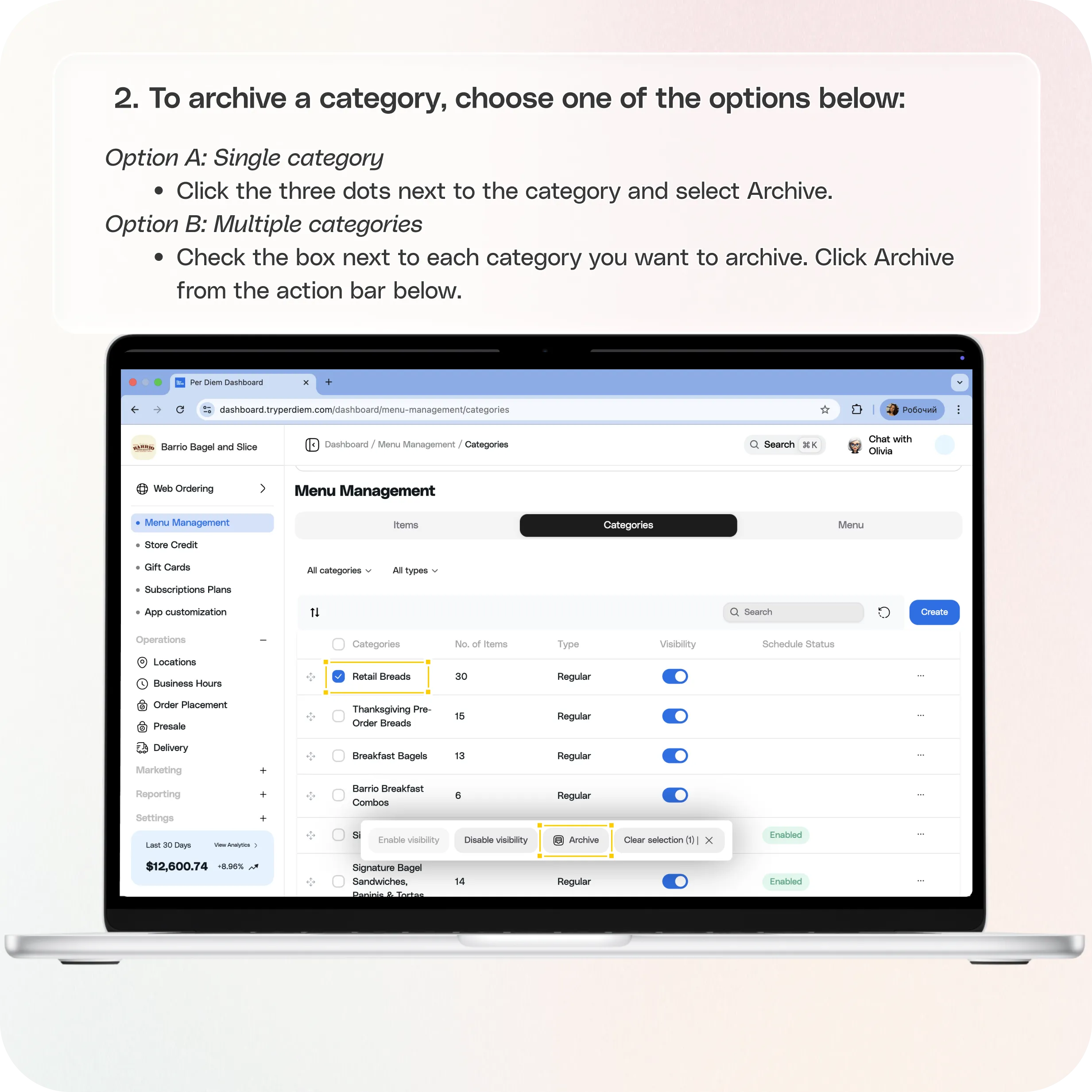
No items found.


How to Archive Categories
- Log in to your Per Diem Merchant Dashboard.
- Go to Menu Management.
- Select Categories.
- To archive a category, choose one of the options below:
Option A: Single category- Click the three dots next to the category.
- Select Archive.
- Click the three dots next to the category.
- Option B: Multiple categories
- Check the box next to each category you want to archive.
- Click Archive from the action bar below.
- Check the box next to each category you want to archive.
- Your selected categories will move out of your active list and will no longer sync back to Square.
How to View or Unarchive Categories
- In the Categories section, click View Archived at the top right.
- Select the category you want to restore.
- Click Unarchive.
- The category will return to your active list and will sync normally again.
Join the Per Diem Local Partner Program
Submit updates to your business details for review by Per Diem’s moderation team before they go live.
Thank you! Your submission has been received!
Oops! Something went wrong while submitting the form.


.svg)


Still have questions?Contact us
Ask anything or just say hi
Thank you! Your submission has been received!
Oops! Something went wrong while submitting the form.

Thank you! Your submission has been received!
Oops! Something went wrong while submitting the form.

