




















Set a Quantity Limit on Discounted Modifiers in Subscription Plans
Per Diem allows you to control how often subscribers can redeem free items included in a subscription plan. In addition to daily and weekly limits, you can now set a monthly quantity limit for free item benefits. This helps you manage subscription usage while offering flexible benefits to your customers.
- Go to Merchant Dashboard → Loyalty & Wallet → Subscription Plans
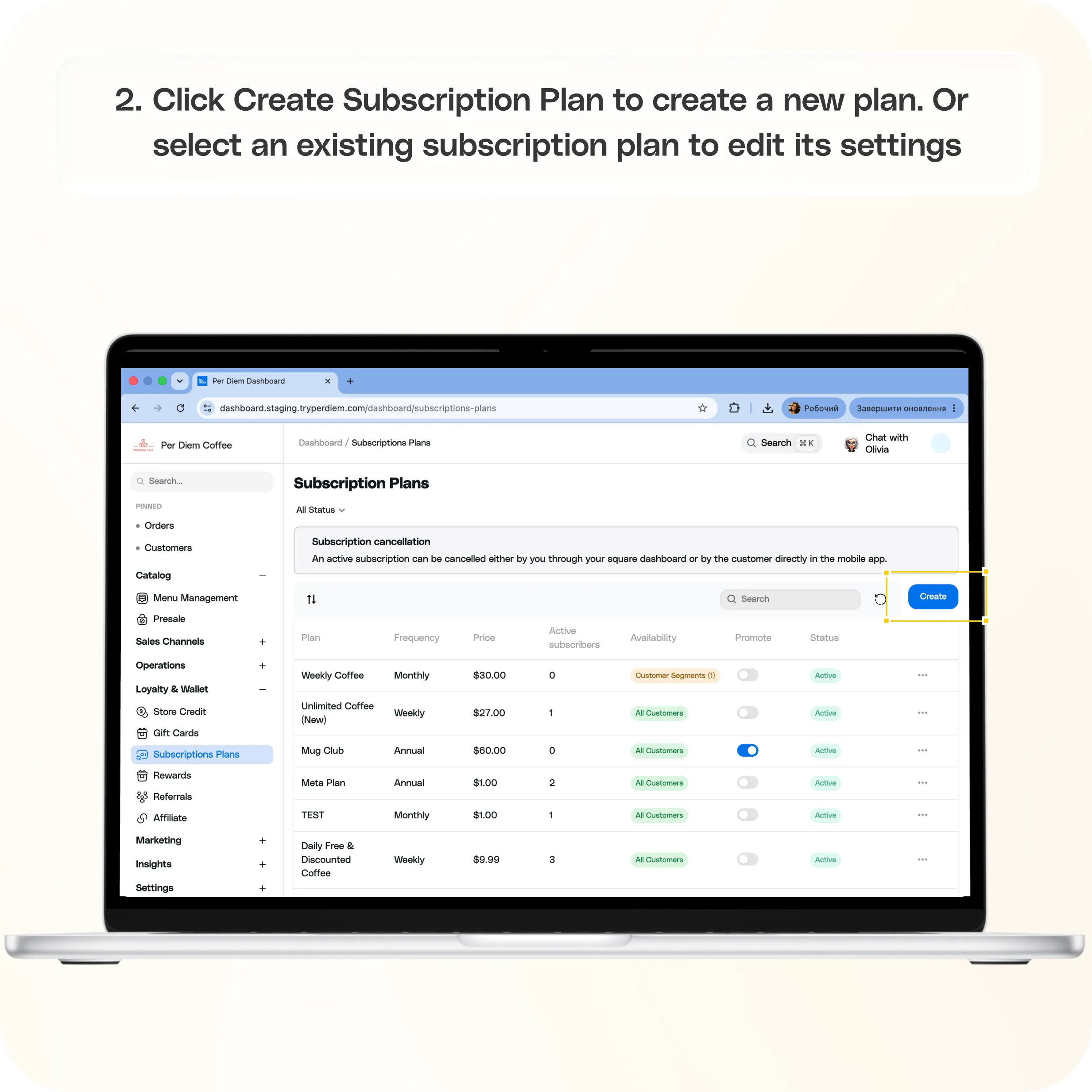
- Create or edit a subscription plan
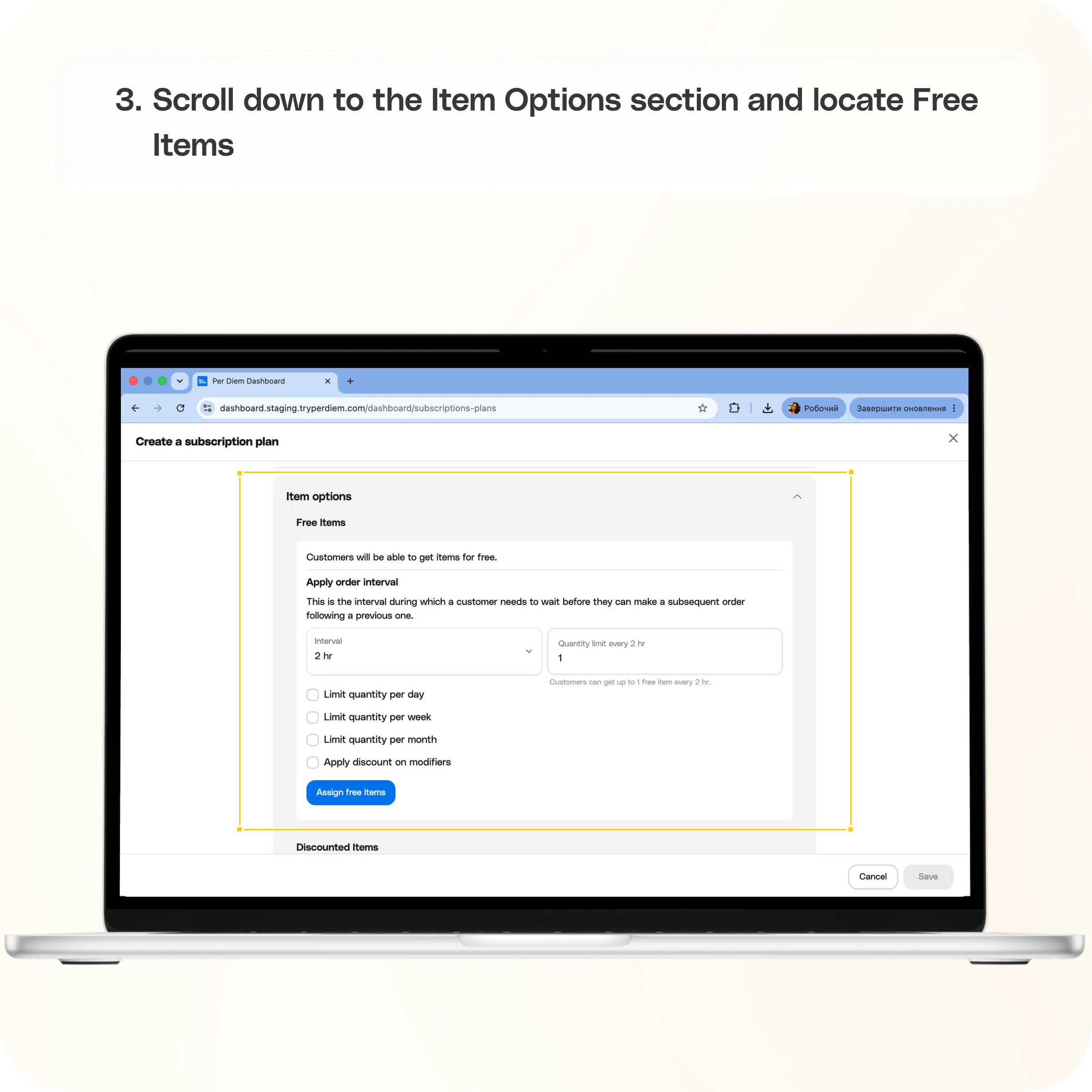
- Open the Free Items section
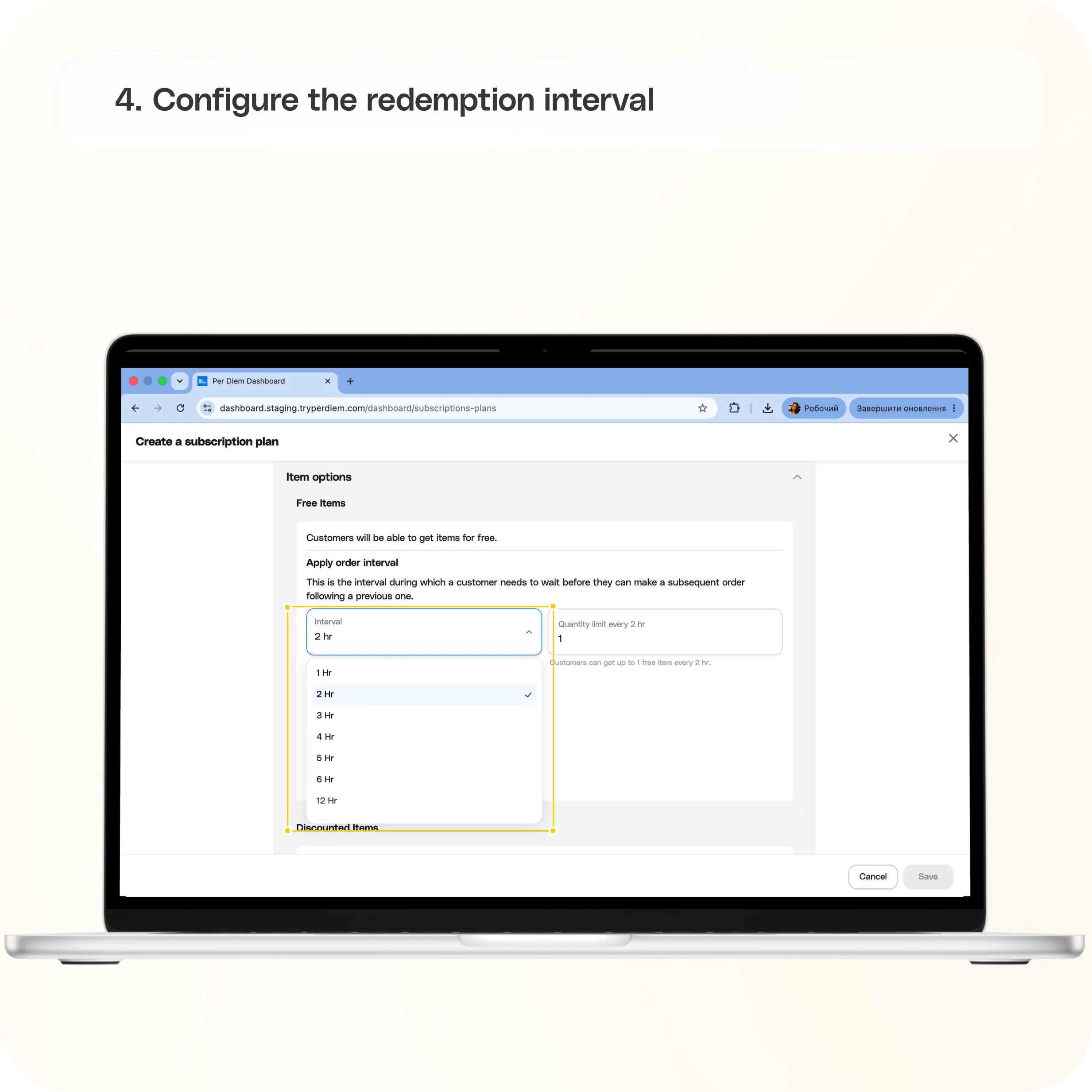
- Configure the redemption interval
- Enable a Monthly Quantity Limit
- Assign free items
- Save your changes
Still require support?
Contact support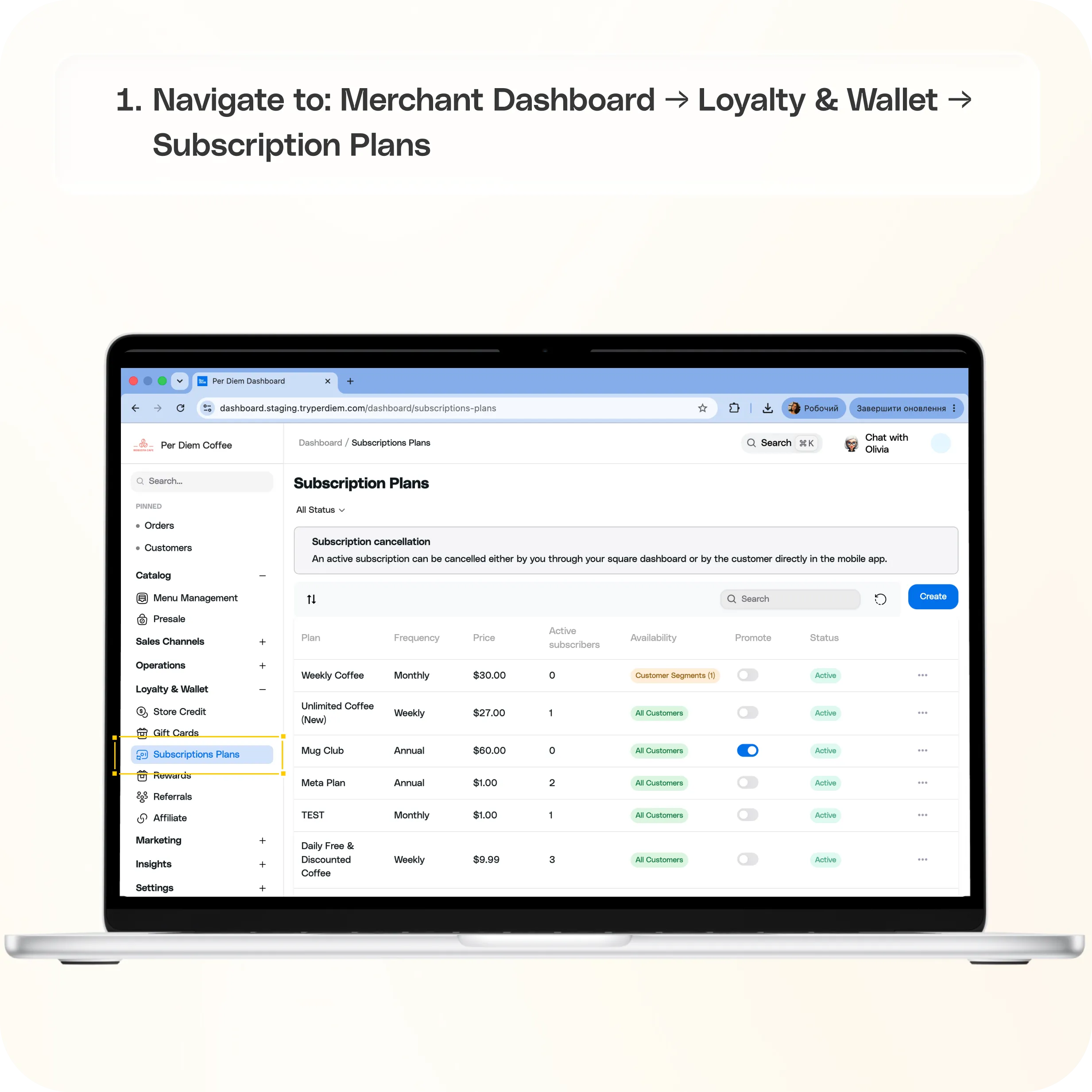
Where to find Monthly Quantity Limits
Navigate to:
Merchant Dashboard → Loyalty & Wallet → Subscription Plans
From here, create a new subscription plan or edit an existing one.
How to set a Monthly Quantity Limit
Step 1: Create or edit a subscription plan
From the Subscription Plans page:
- Click Create Subscription Plan to create a new plan.
- Or select an existing subscription plan to edit its settings.
Step 2: Open the Free Items section
Scroll down to the Item Options section and locate Free Items.
This is where you configure how customers redeem free items included with the subscription.
Step 3: Configure the redemption interval
Under Apply Order Interval, choose how often customers can redeem a free item and specify the quantity allowed during each interval.
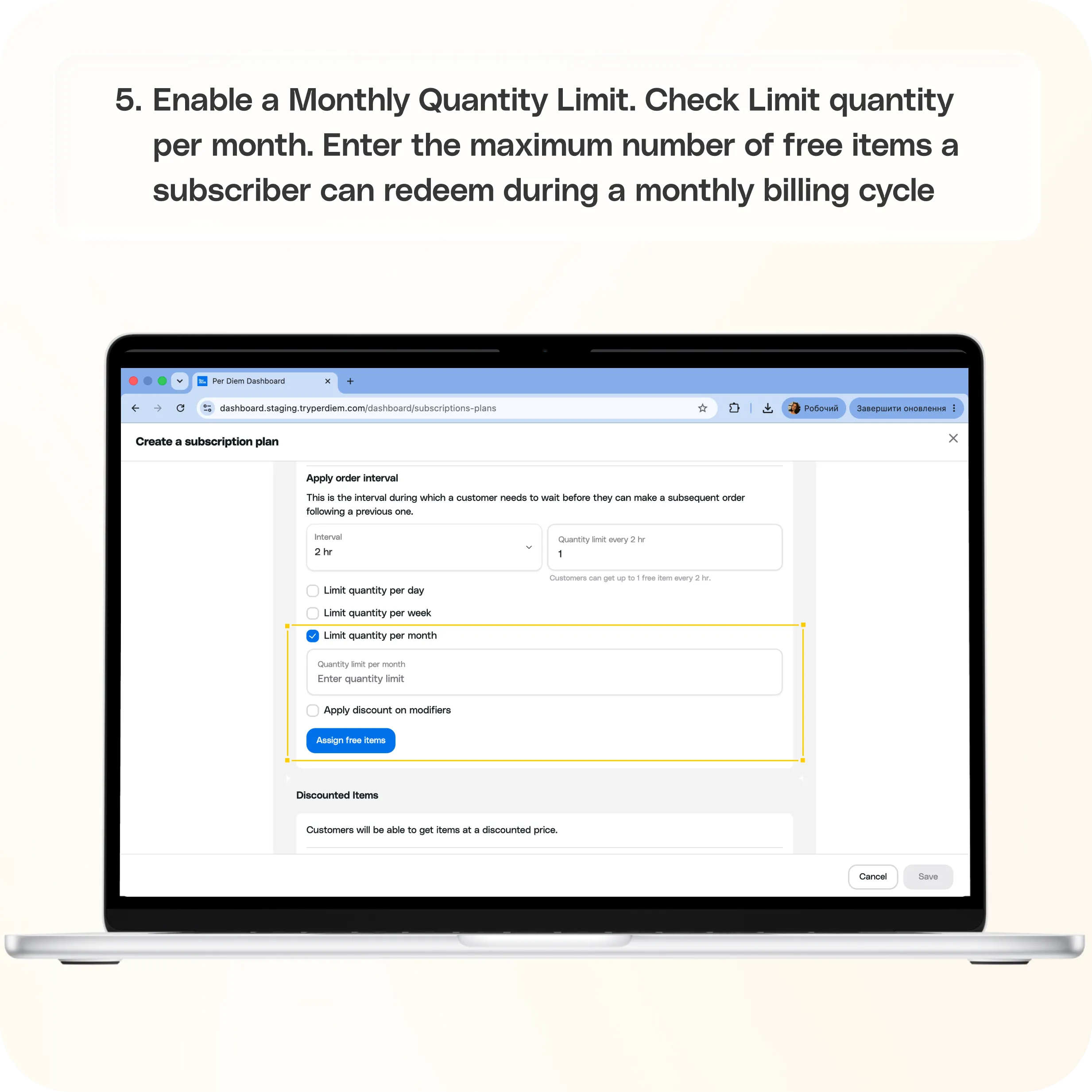
Step 4: Enable a Monthly Quantity Limit
To limit free item redemptions each month:
- Check Limit quantity per month.
- Enter the maximum number of free items a subscriber can redeem during a monthly billing cycle.
Once the monthly limit is reached, subscribers must wait until the next monthly cycle before they can redeem additional free items.
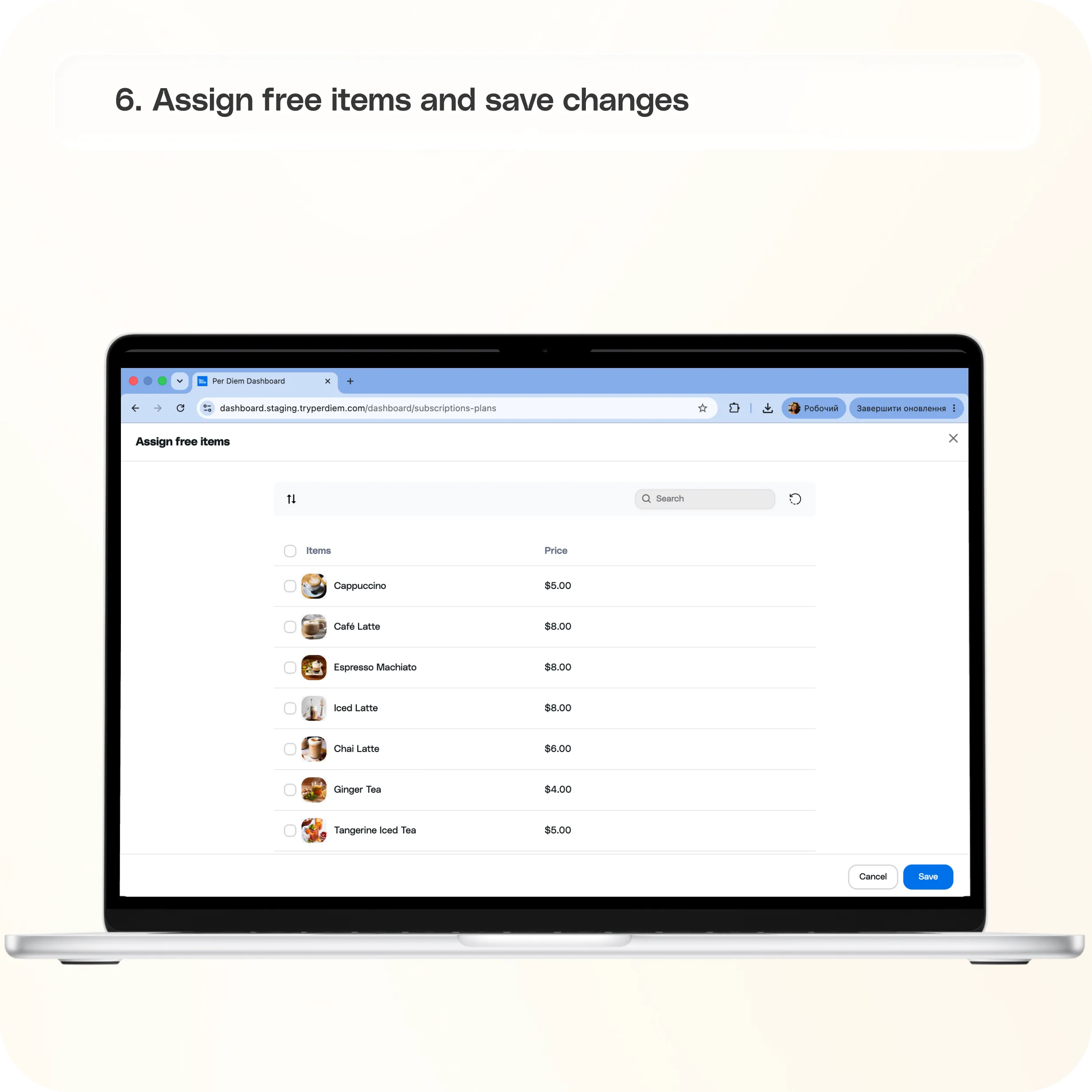
Step 5: Assign free items
Click Assign Free Items and select the menu items that will be included as free benefits in the subscription plan.
Step 6: Save your changes
Click Save to apply the updated subscription settings.
Available redemption limit options
You can choose one of the following limit types for free item benefits:
- Daily: Limit the number of free item redemptions per day.
- Weekly: Limit the number of free item redemptions per week.
- Monthly: Limit the number of free item redemptions per month.
Select the option that best matches how you want your subscription benefits to work.
Still have questions?Contact us
Ask anything or just say hi