

























How to boost SEO for your web ordering menu items
You can easily promote specific items from your web ordering menu by using item-level SEO links. These links take customers directly to an item’s dedicated page, which improves visibility and helps boost search performance across your online channels.
- Log in to your Per Diem merchant dashboard and navigate to Menu Management. Select the Items tab to see your full list of products.
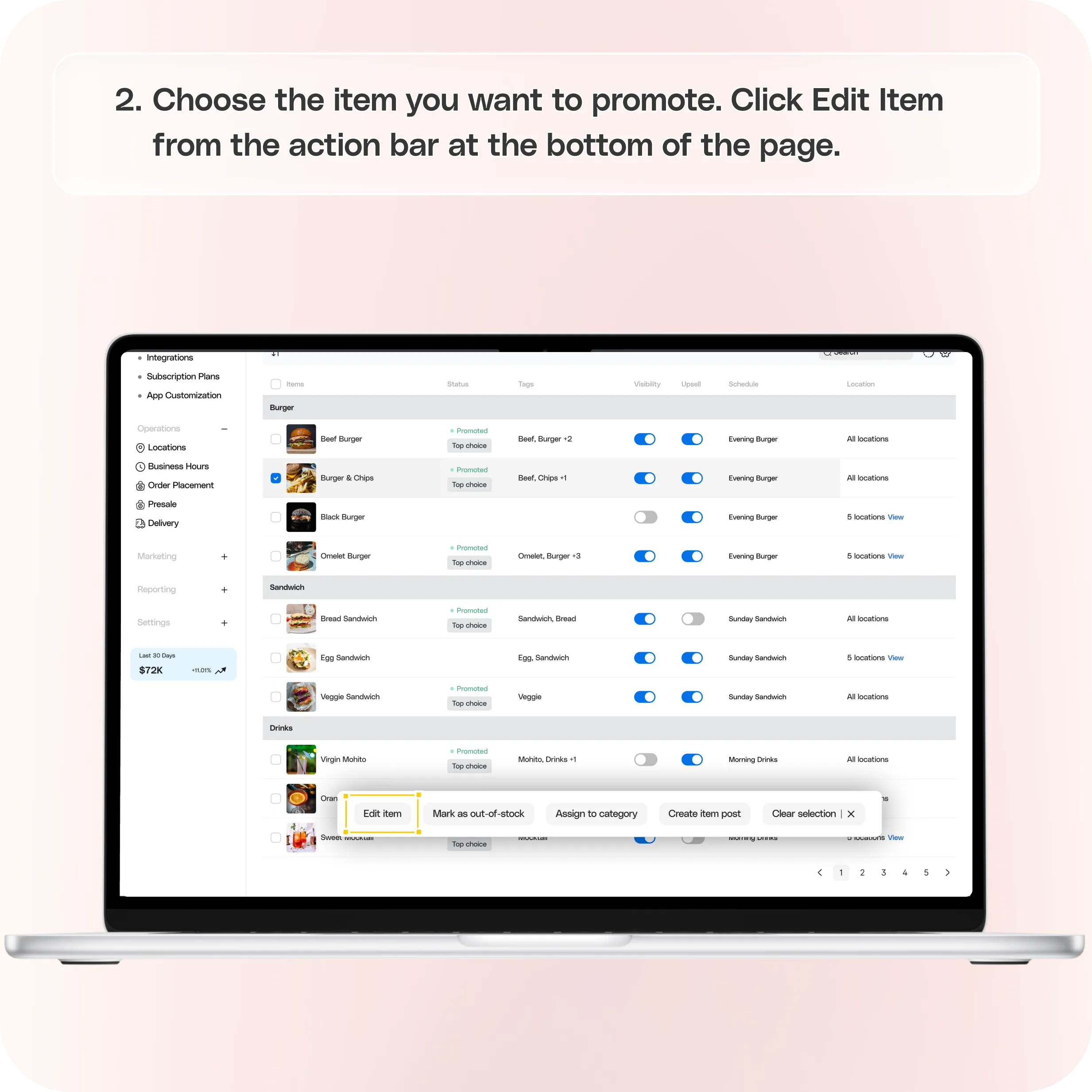
- Choose the item you want to promote. Click Edit Item from the action bar at the bottom of the page.
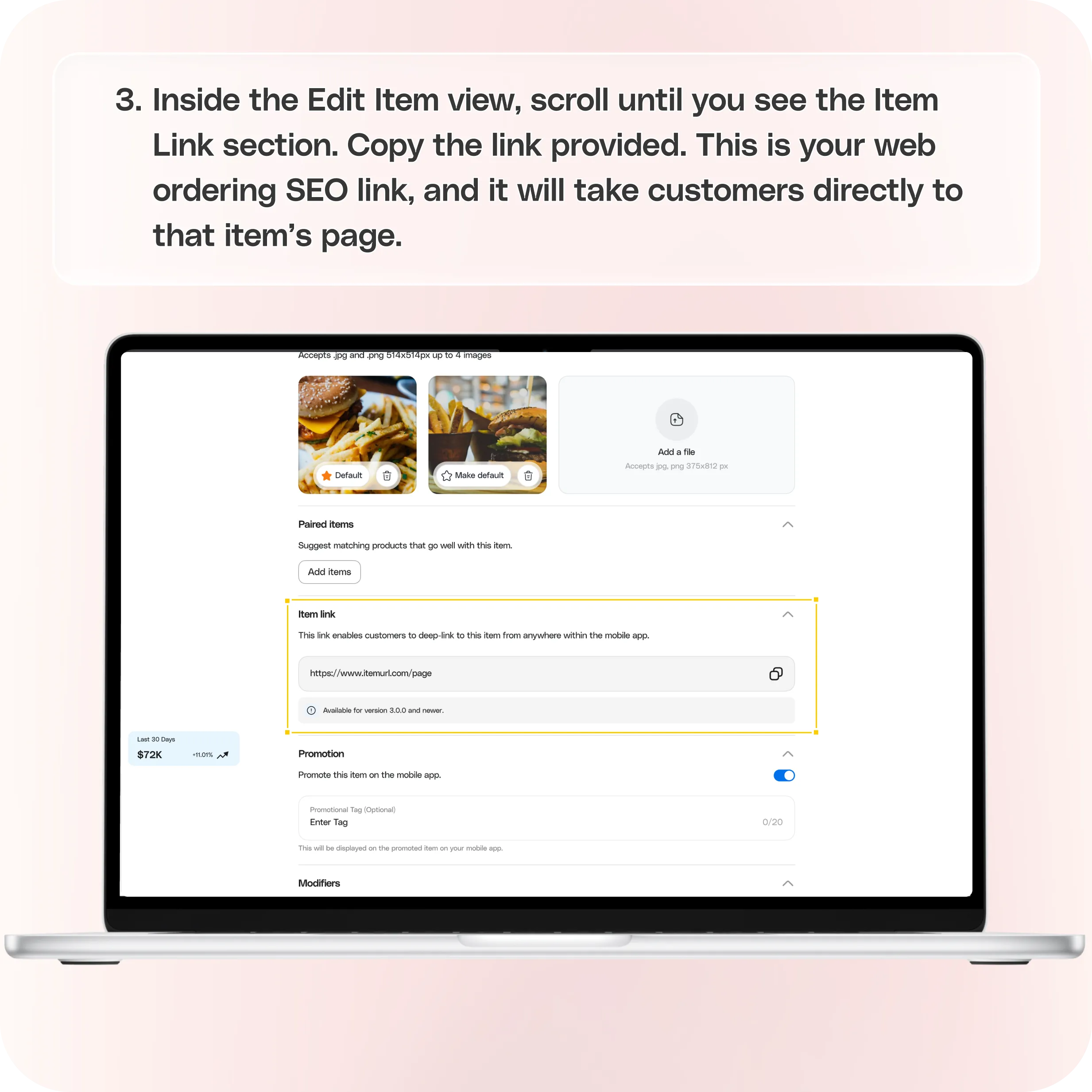
- Inside the Edit Item view, scroll until you see the Item Link section. Copy the link provided.
- Share your item link anywhere customers engage with your brand, including:
• Emails and newsletters
• Social posts and stories
• Your website or blog
• Digital ads
• QR codes inside your store
Still require support?
Contact support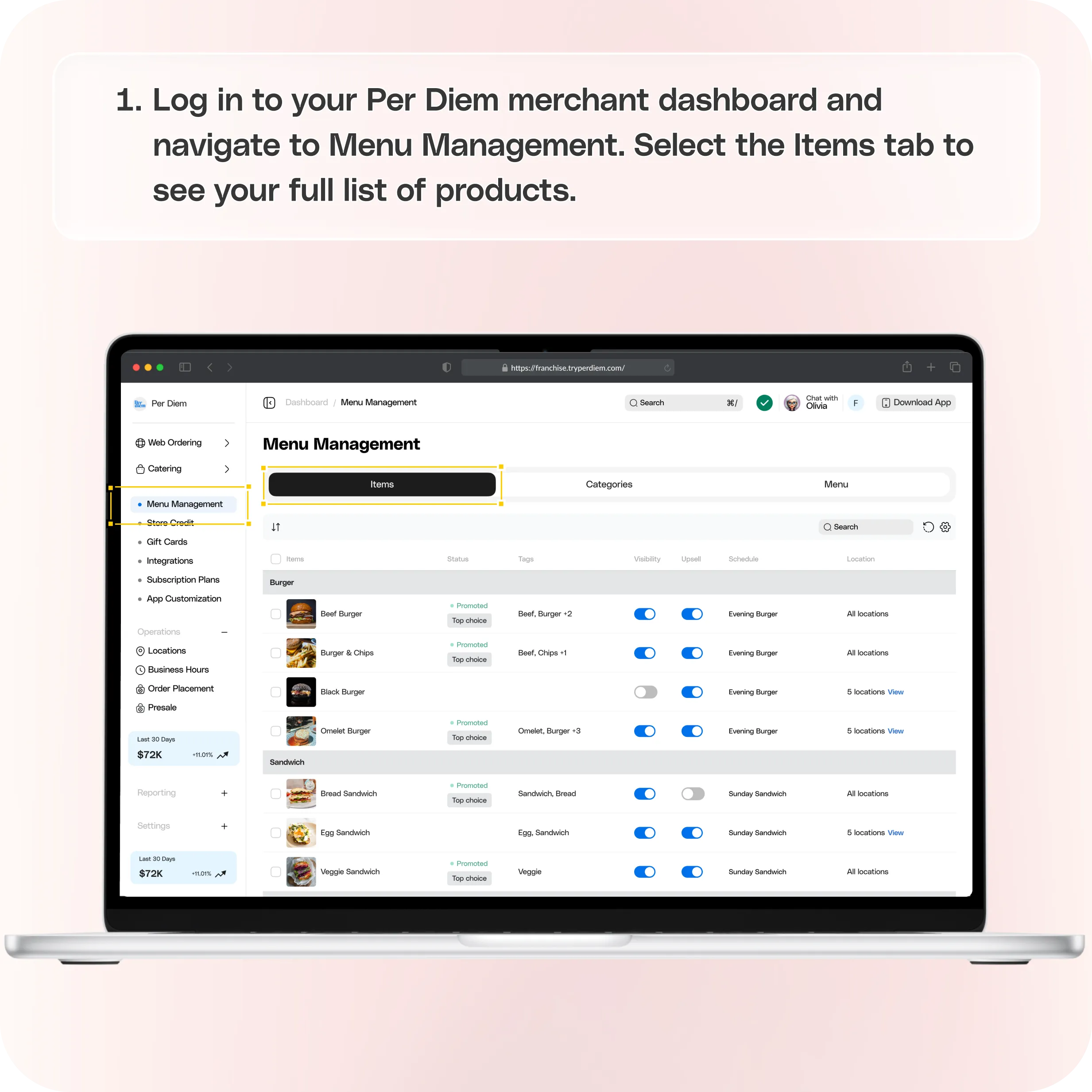
1. Open Menu Management
Log in to your Per Diem merchant dashboard and navigate to Menu Management. Select the Items tab to see your full list of products.
2. Select and Edit the Item
Choose the item you want to promote. Click Edit Item from the action bar at the bottom of the page.
3. Copy the Item Link
Inside the Edit Item view, scroll until you see the Item Link section. Copy the link provided.
This is your web ordering SEO link, and it will take customers directly to that item’s page.
How to Use This Link
Share your item link anywhere customers engage with your brand, including:
• Emails and newsletters
• Social posts and stories
• Your website or blog
• Digital ads
• QR codes inside your store
Each time someone clicks the link, they land on a dedicated item page, which strengthens your SEO and helps increase conversions for that specific product.
Still have questions?Contact us
Ask anything or just say hi