
























Help center
How to Pre-Sell menu items through the Per Diem app
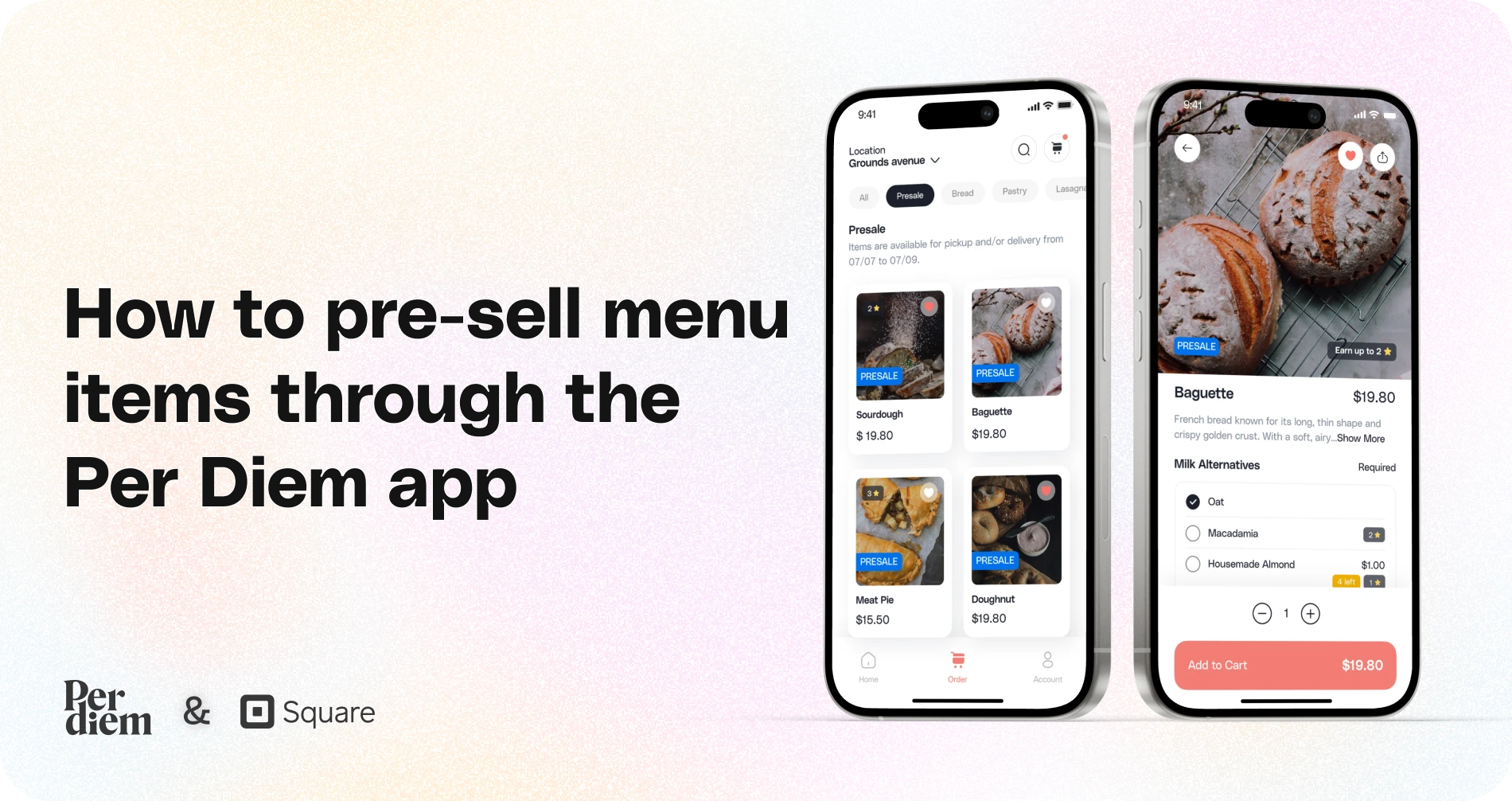
Offering pre-sale menu items can create excitement and drive early orders for your business.
Instructions
- Start by logging into your Per Diem merchant dashboard to access all necessary tools.
- From the left-hand menu, navigate to the Operations tab and select Order Placement. Scroll down to the Pre-sale Schedule section to begin.
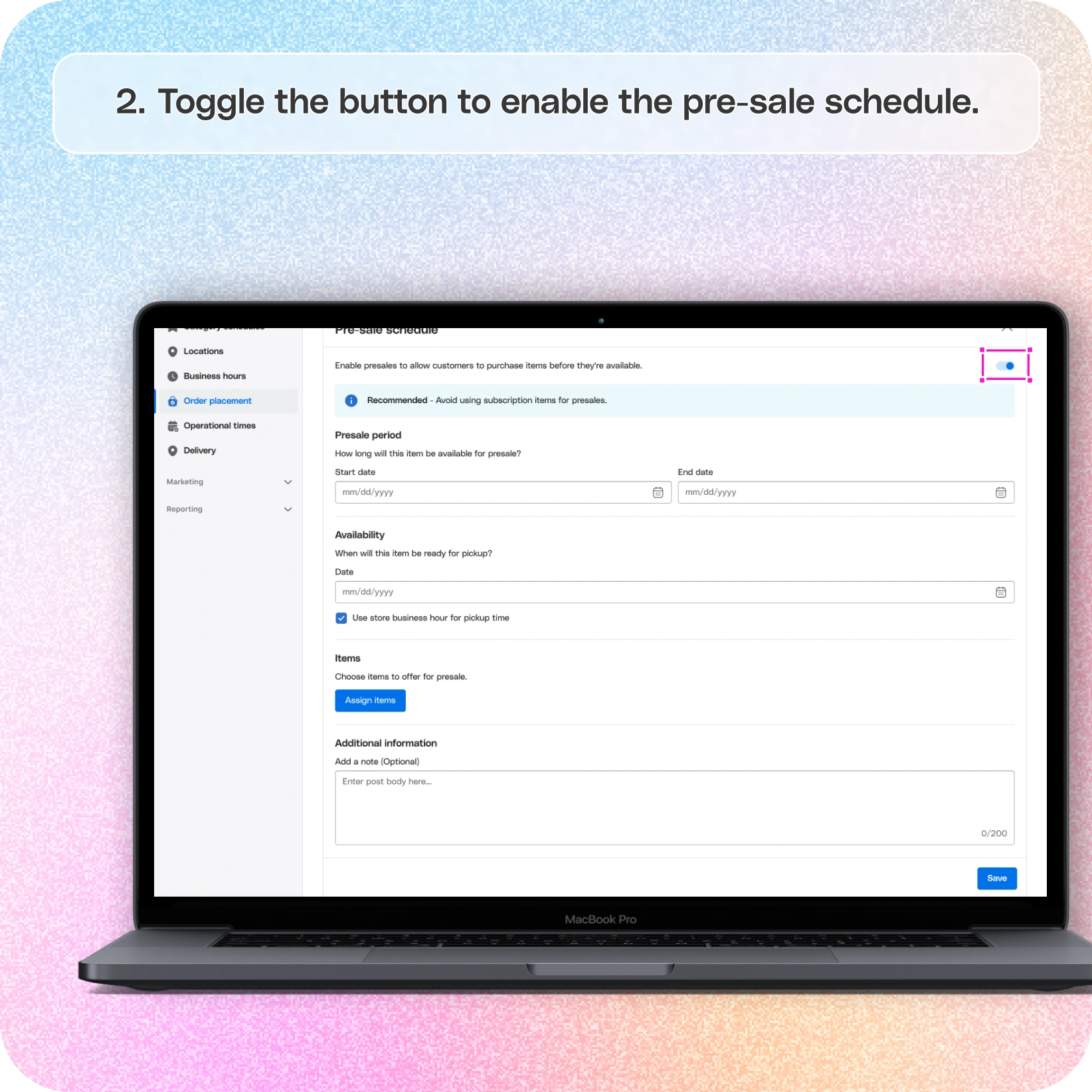
- Toggle the button to enable the pre-sale schedule.
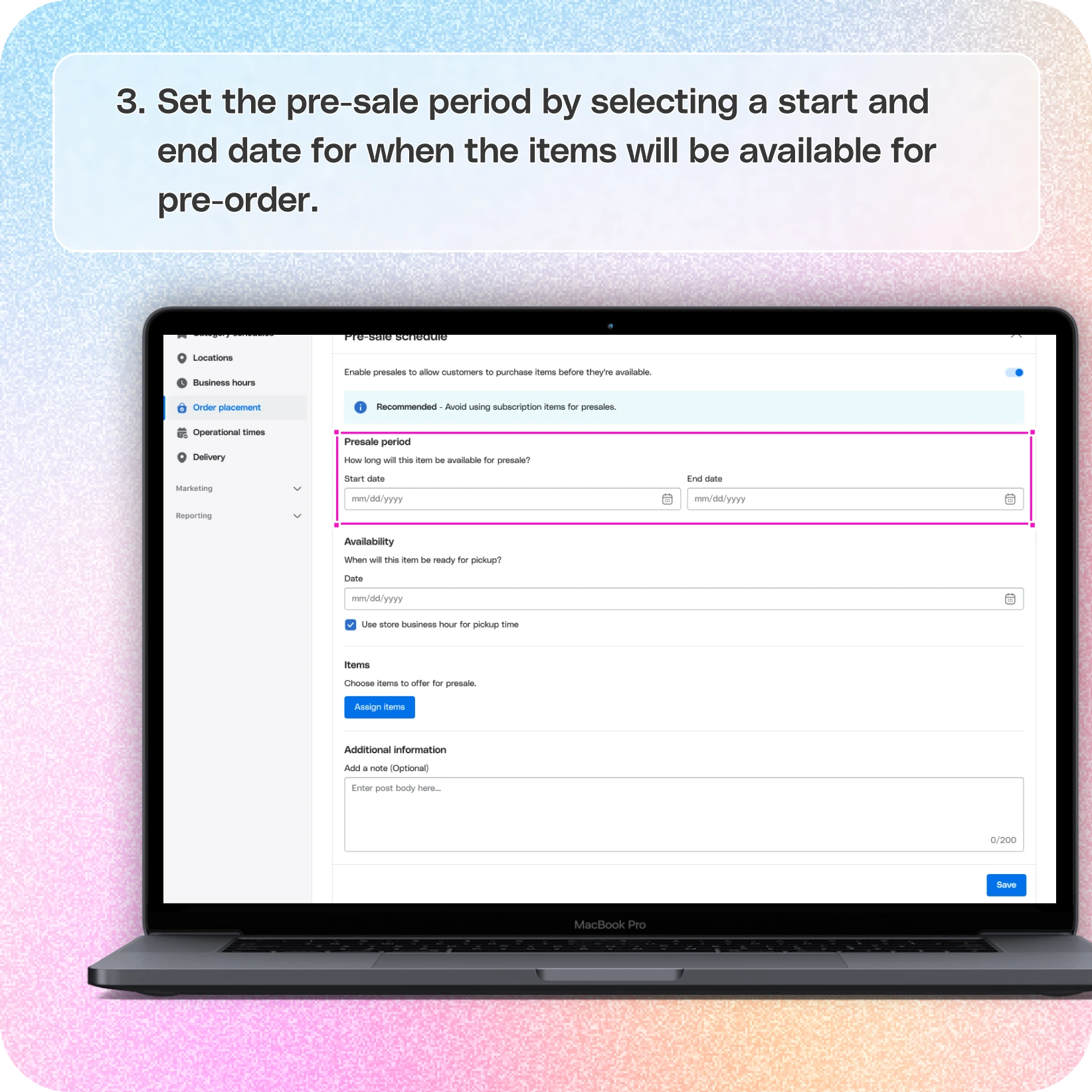
- Set the pre-sale period by selecting a start and end date for when the items will be available for pre-order.
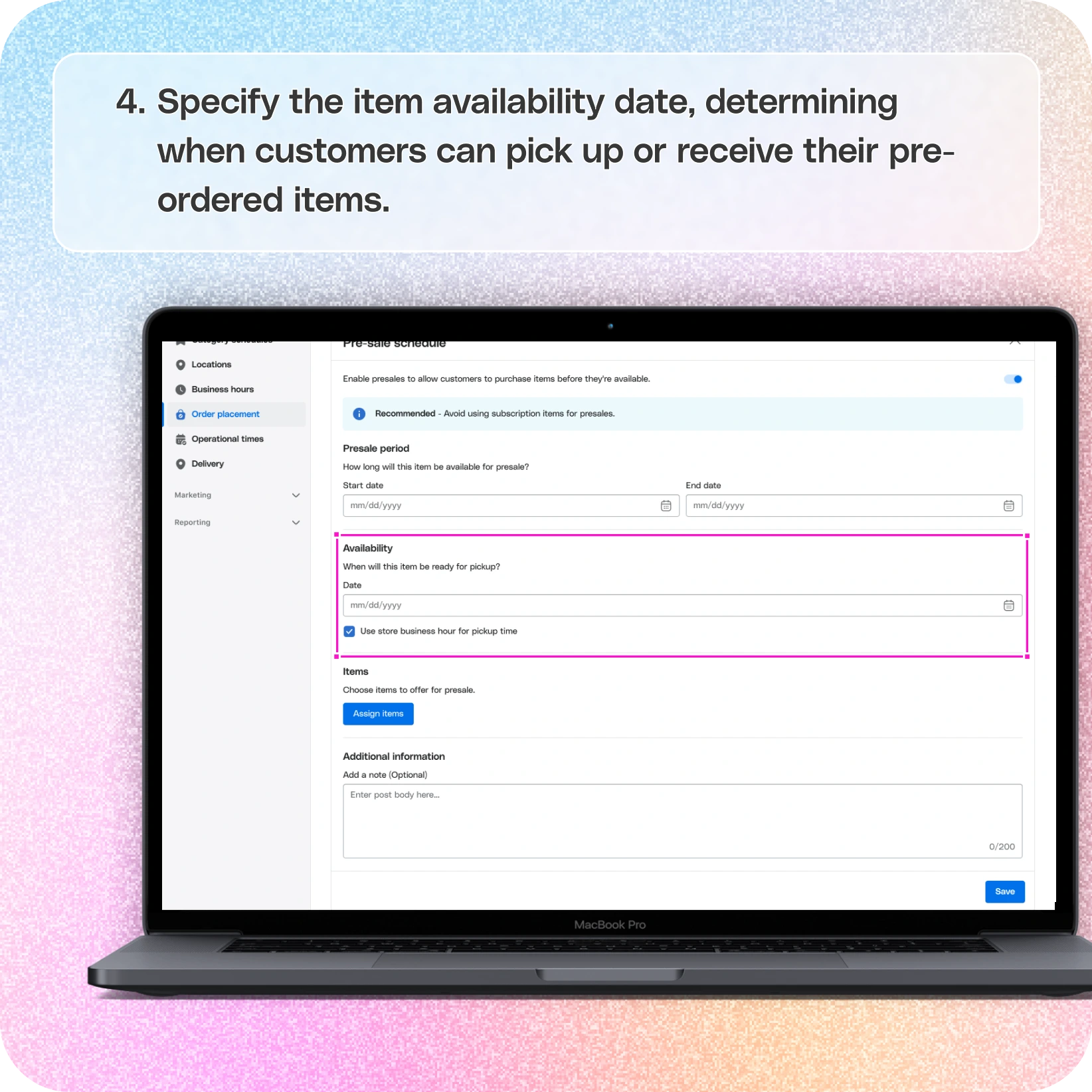
- Specify the item availability date, determining when customers can pick up or receive their pre-ordered items.
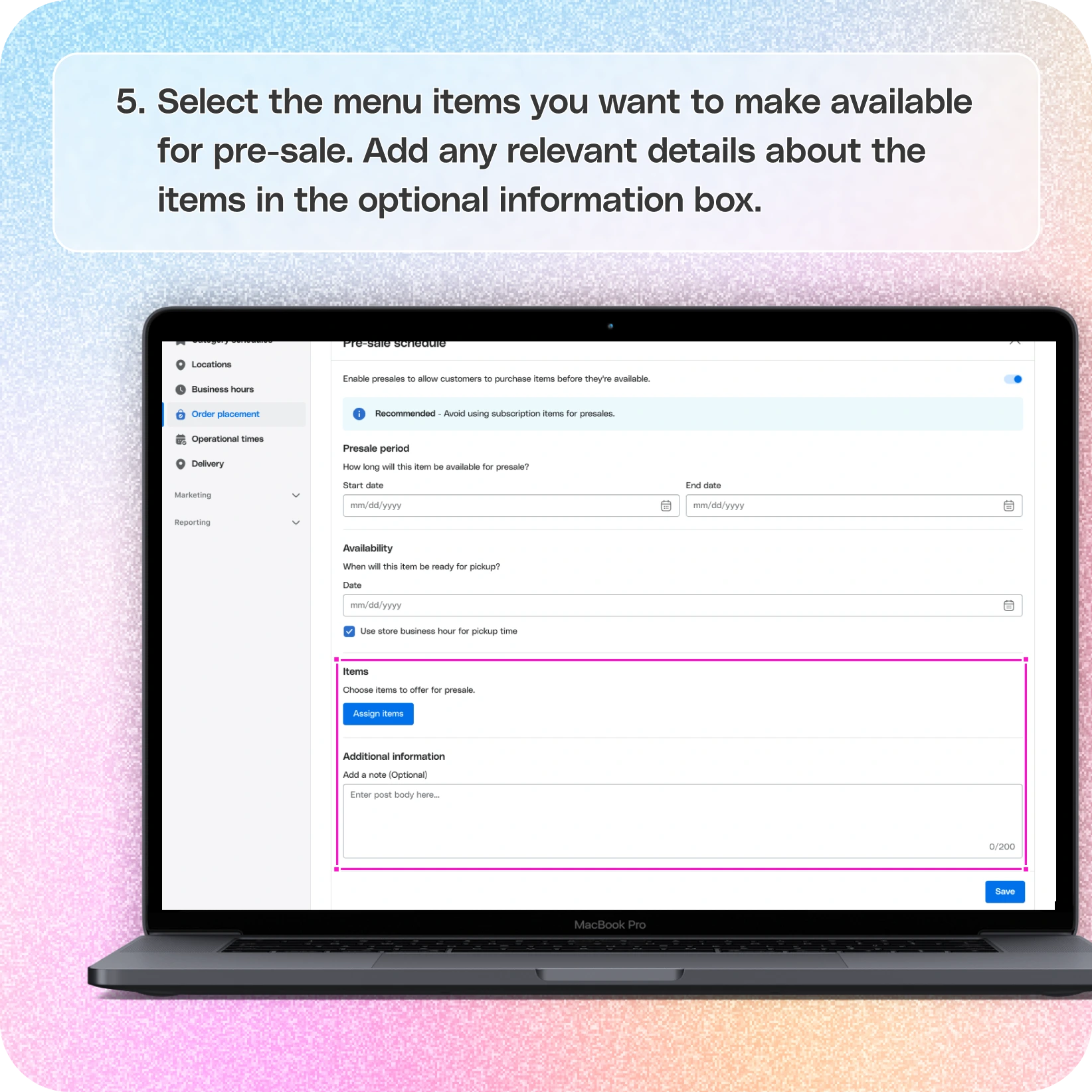
- Select the menu items you want to make available for pre-sale.
- Add any relevant details about the items in the optional information box, such as special instructions or promotional details.
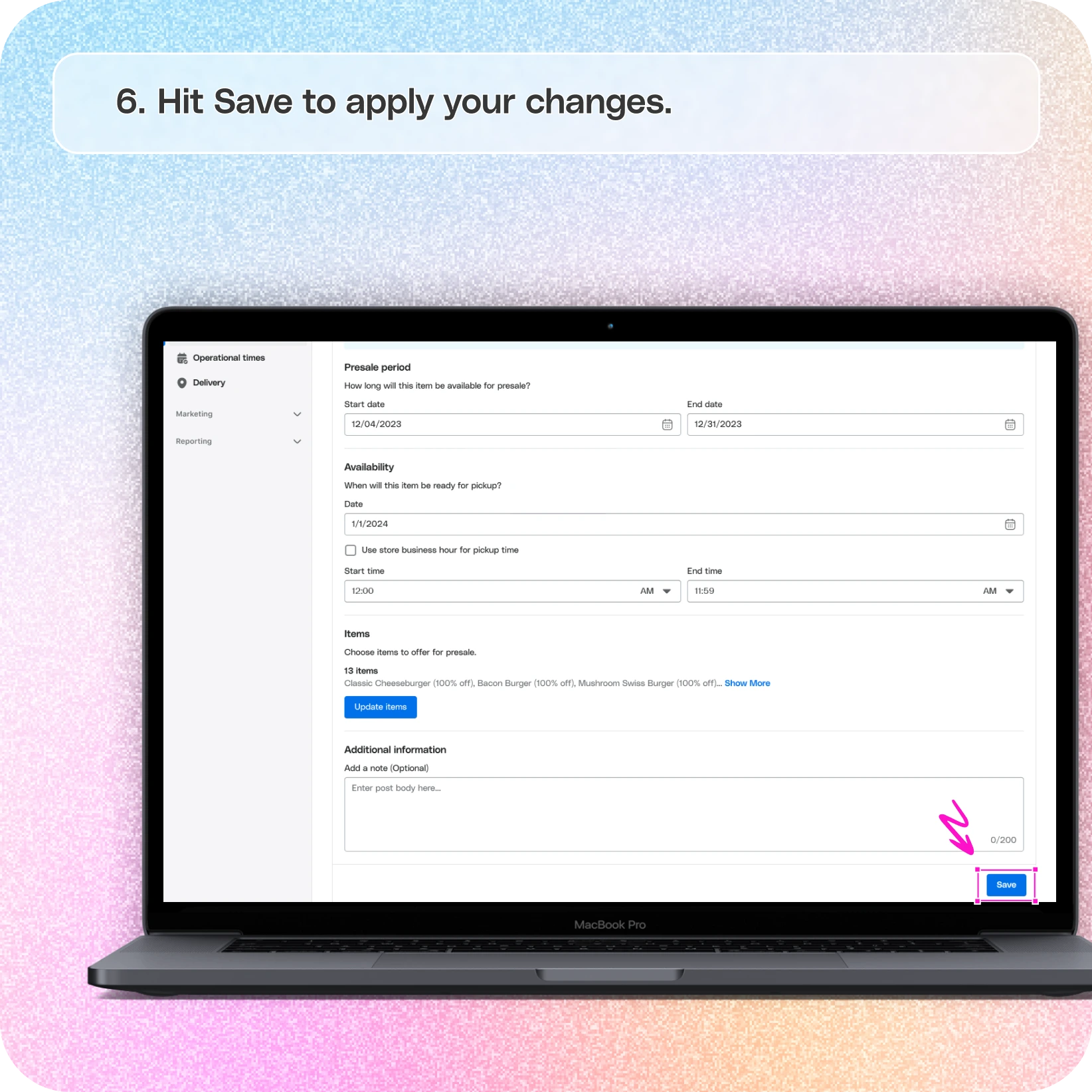
- Once all the details are filled in, click Save to publish the pre-sale items. They’ll now be live and visible to your customers for pre-ordering!
Still require support?
Contact support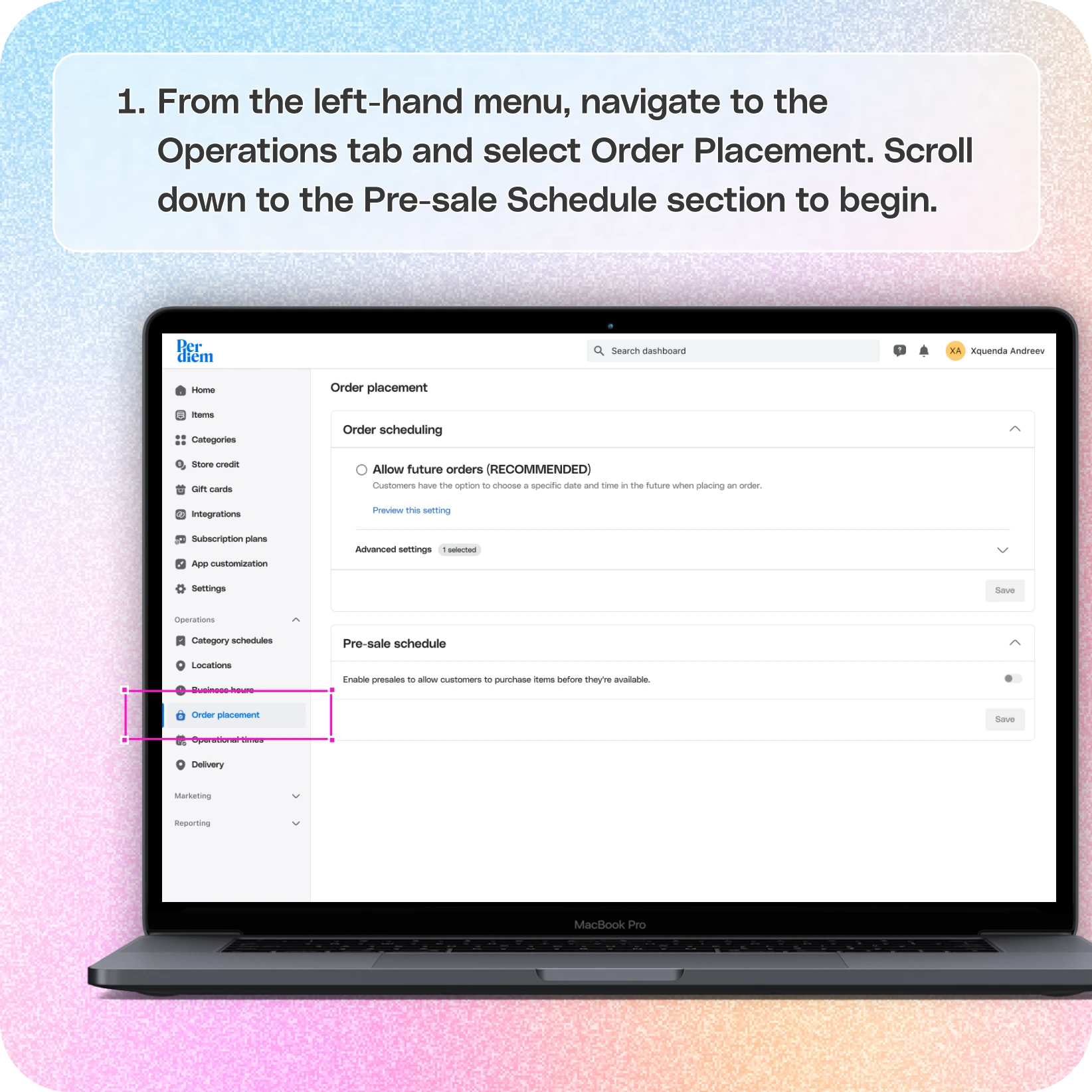
Log in to Your Merchant Dashboard
Start by logging into your Per Diem merchant dashboard to access all necessary tools.
Choose Order Placement from 'Operations'
From the left-hand menu, navigate to the Operations tab and select Order Placement. Scroll down to the Pre-sale Schedule section to begin.
Enable the Pre-Sale Feature
- Toggle the button to enable the pre-sale schedule.
- Set the pre-sale period by selecting a start and end date for when the items will be available for pre-order.
- Specify the item availability date, determining when customers can pick up or receive their pre-ordered items.
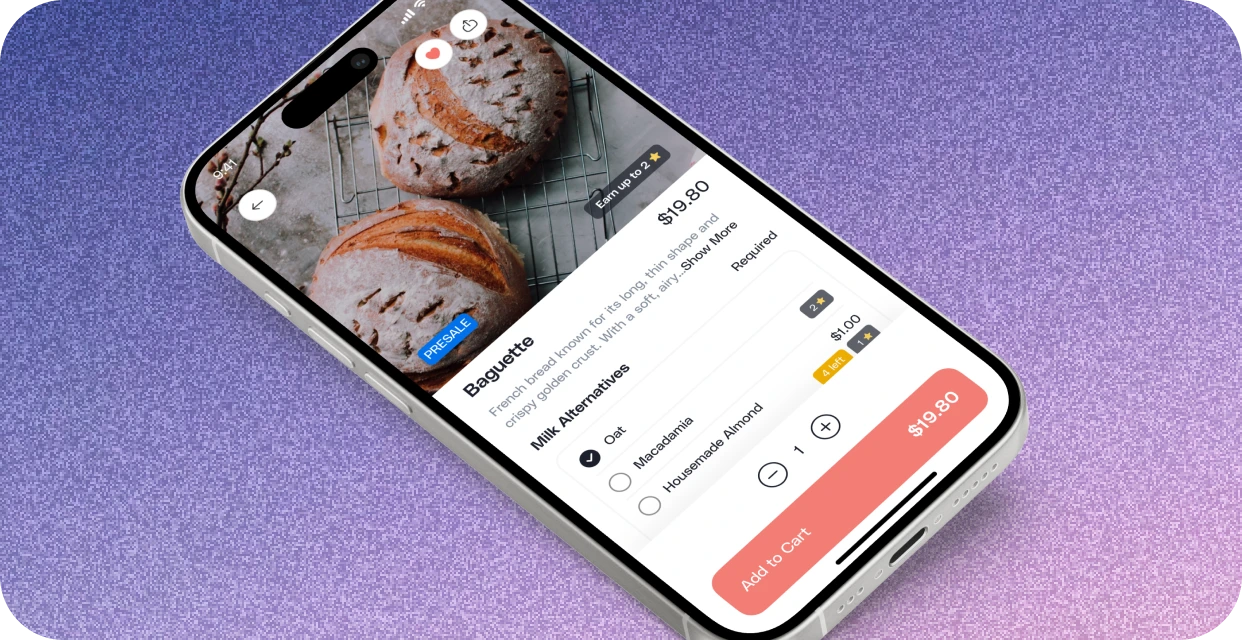
Assign Items for Pre-Sale
- Select the menu items you want to make available for pre-sale.
- Add any relevant details about the items in the optional information box, such as special instructions or promotional details.
Save and Publish
Once all the details are filled in, click Save to publish the pre-sale items. They’ll now be live and visible to your customers for pre-ordering!
By using the pre-sale feature, you can build anticipation for new items and streamline your operations, ensuring a smooth launch for both you and your customers.
Still have questions?Contact us
Ask anything or just say hi