























How to use the AI Editor for marketing features in your app
Instructions:
- Log in to Your Merchant Dashboard
- Navigate to the Marketing section and select Push Notifications.
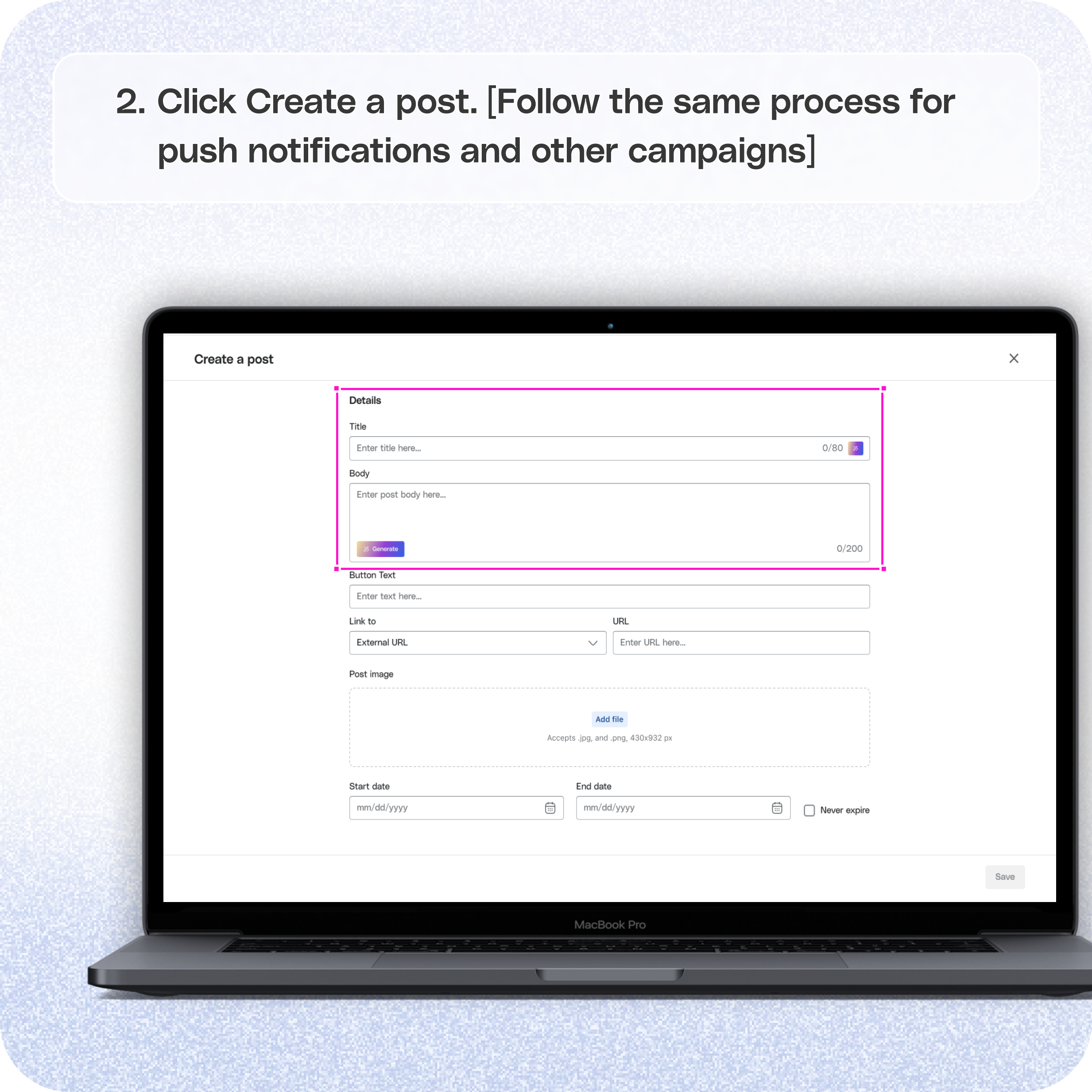
- Click Create Template and locate the message box.
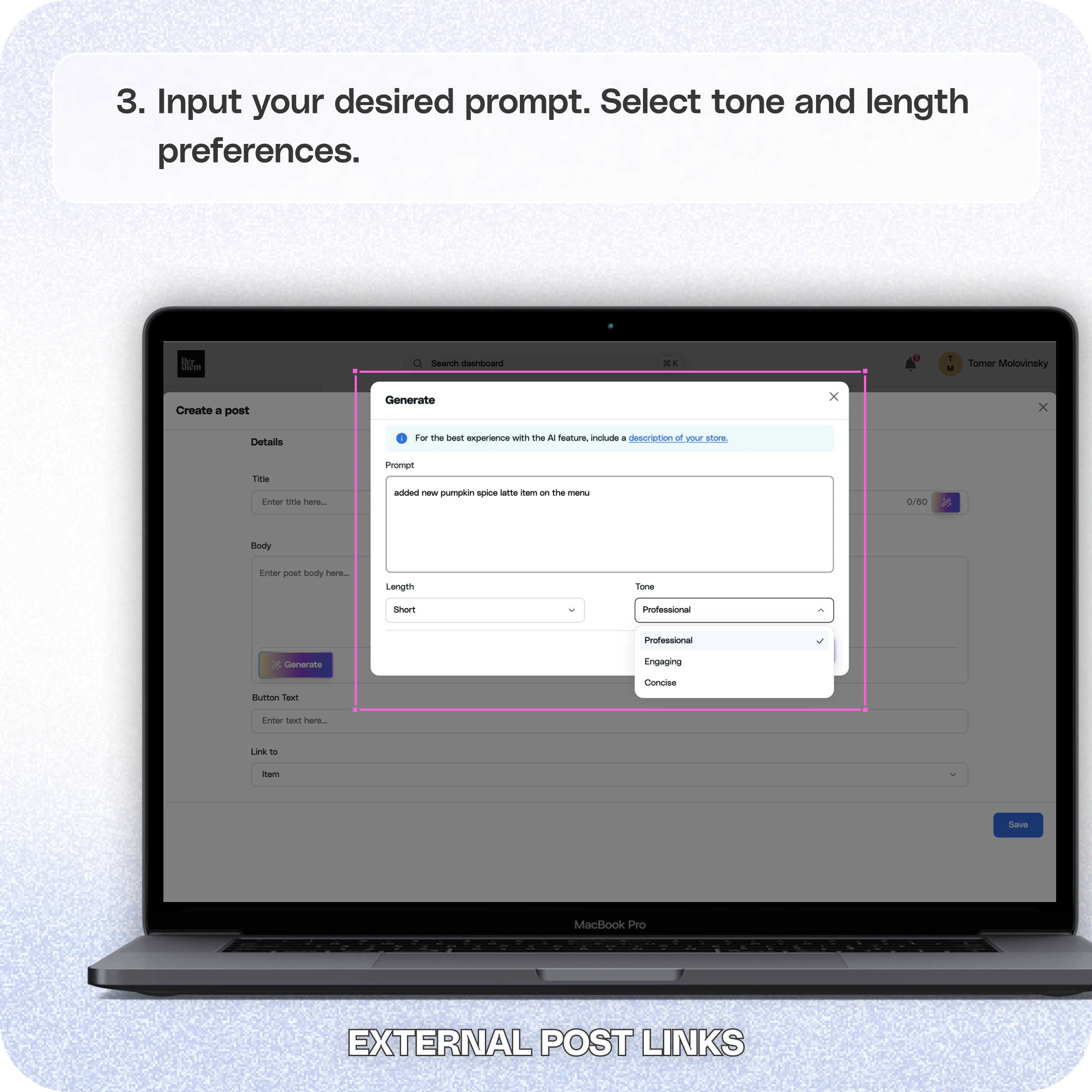
- Select the AI Generate tab and provide a clear prompt (e.g., "Promote a 20% discount on coffee").
- Choose the tone and length of the message, then let the AI generate the text.
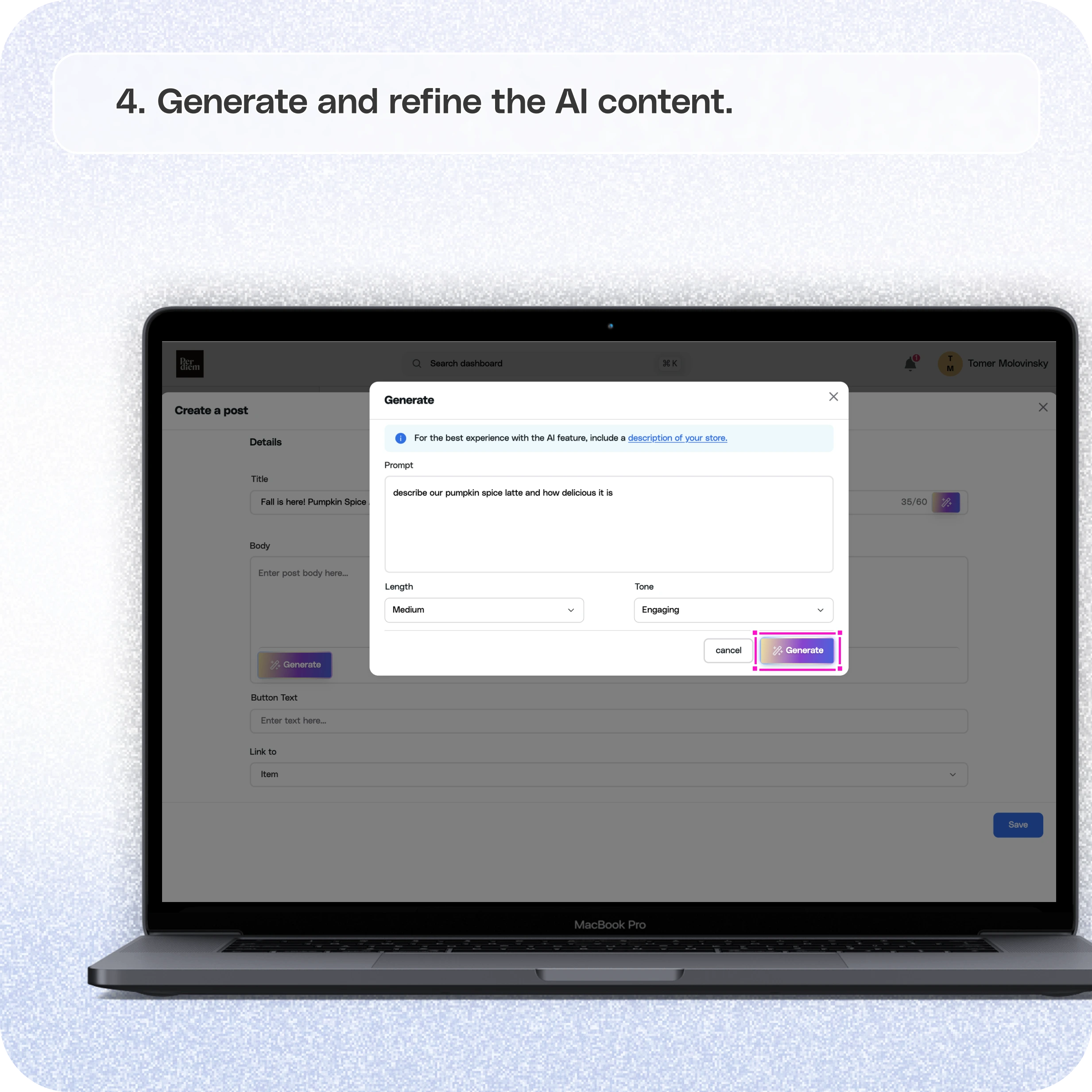
- Review the AI-generated content, make any adjustments, and hit Save.
- Follow the Same Process for Posts and Other Campaigns
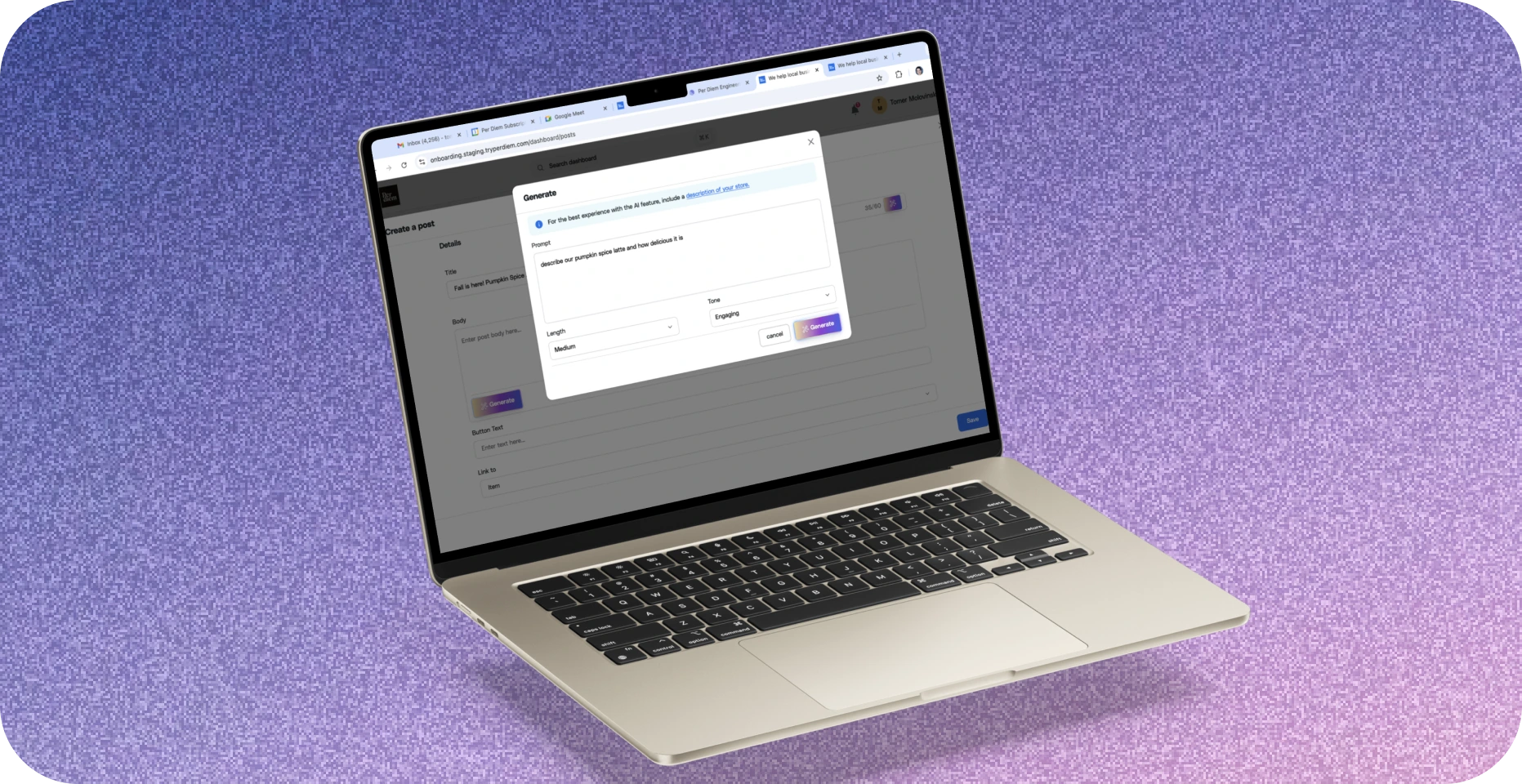
- Input your desired prompt.
- Select tone and length preferences.
- Generate and refine the AI content.
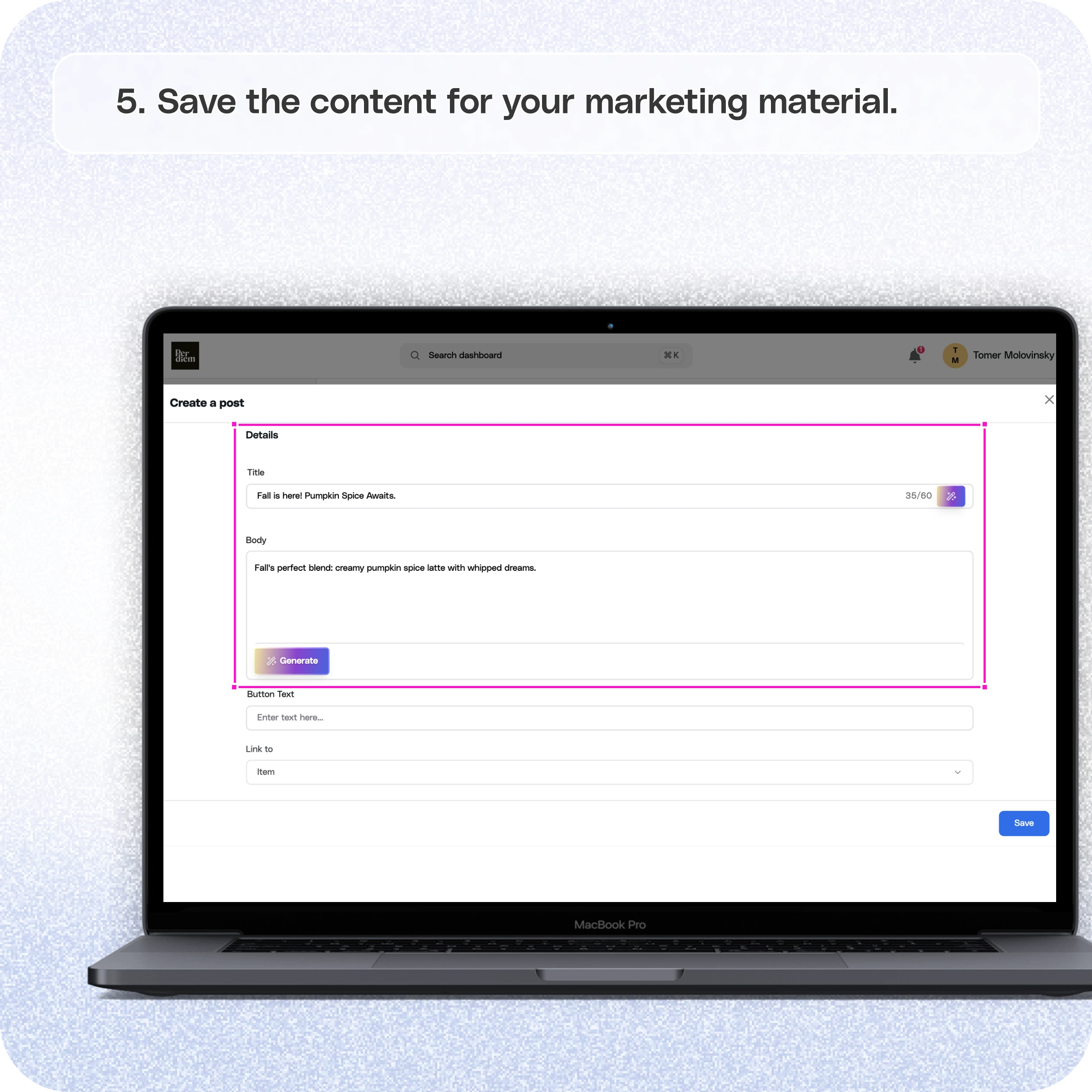
- Save the content for your marketing material.
The AI Editor saves time, ensures consistency, and helps you craft engaging messages tailored to your brand tone. Use it across multiple marketing channels to reach your customers effectively.
Still require support?
Contact support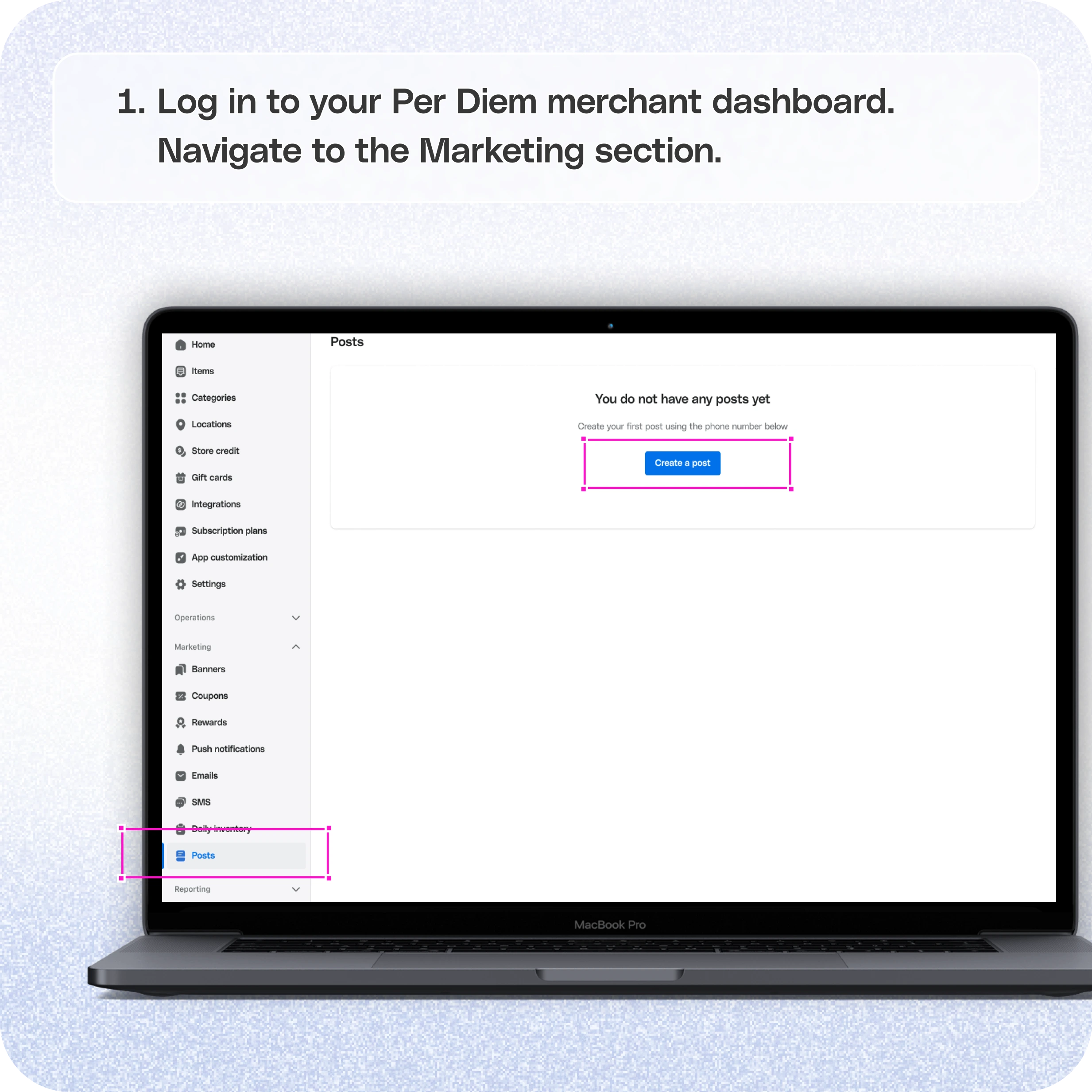
1. Log in to Your Merchant Dashboard
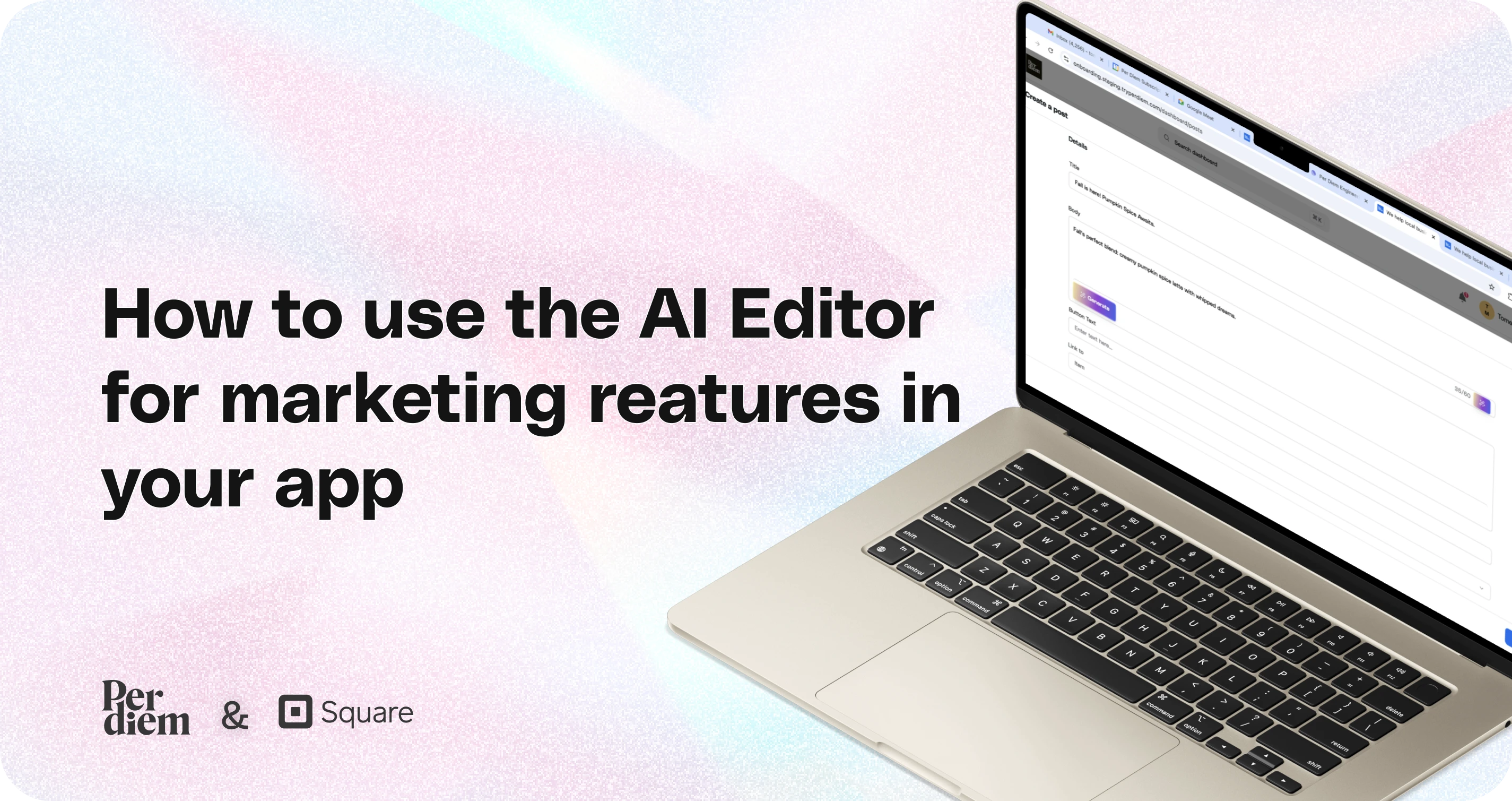
Start by logging in to your per diem merchant dashboard. The AI feature is available in various marketing tools, such as push notifications, posts, and subscriptions. When creating your message, look for the AI Generate tab next to the titles and description boxes.
2. Go to the Marketing Tab
- Navigate to the Marketing section and select Push Notifications.
- Click Create Template and locate the message box.
- Select the AI Generate tab and provide a clear prompt (e.g., "Promote a 20% discount on coffee").
- Choose the tone and length of the message, then let the AI generate the text.
- Review the AI-generated content, make any adjustments, and hit Save.
3. Follow the Same Process for Posts and Other Campaigns
When creating posts, homepage banners, or subscription promotions, the AI Editor works the same way:
- Input your desired prompt.
- Select tone and length preferences.
- Generate and refine the AI content.
- Save the content for your marketing material.
Why Use the AI Editor?
The AI Editor saves time, ensures consistency, and helps you craft engaging messages tailored to your brand tone. Use it across multiple marketing channels to reach your customers effectively.
Still have questions?Contact us
Ask anything or just say hi