
























Managing item modifiers with Square and Per Diem
Modifiers are customizable options for your items, such as toppings, add-ons, or special requests. You can also set rules for how many modifiers a customer must or can select at checkout. These help you offer flexible choices and personalized add-ons for any item. Per Diem now supports modifier visibility and modifier order syncing directly from Square. Any changes you make in Square will automatically update in the app, so you no longer need to manage these settings in two places.
Instructions
How to Hide Modifiers in Square
- Open your Square Dashboard and go to Items.
- Select Modifier Sets, then choose the set you want to edit.
- Scroll to the Modifier list, where all individual modifiers appear.
- Find the modifier you want to hide.
- Check the box next to Hide online.
- Click Save to apply these changes.
How to Hide Modifiers in Square
- Open your Square Dashboard and go to Items.
- Select Modifier Sets, then choose the set you want to edit.
- Scroll to the Modifier list, where all individual modifiers appear.
- Find the modifier you want to hide.
- Check the box next to Hide online.
- Click Save to apply these changes.
Still require support?
Contact support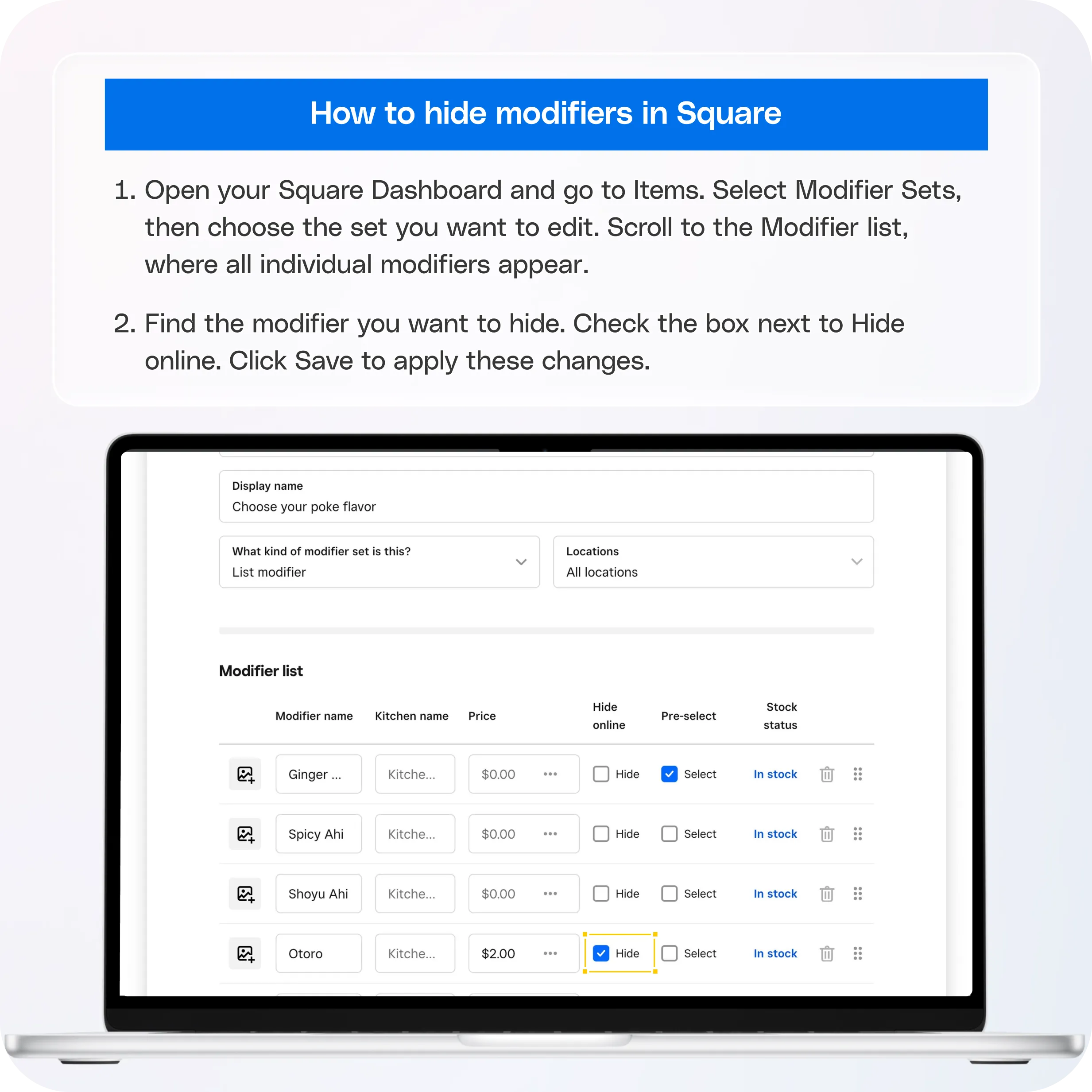
1. Default Modifier Order from the Modifier List
Square allows you to set the primary order of all modifier options inside the main modifier list. This becomes the default order for every item that uses that modifier set.
How to reorder from the main modifier list:
- Go to the Square Dashboard.
- Go to Items & Services.
- Select Modifiers.
- Choose the modifier set you want to edit.
- Drag the modifier options into your preferred order.
- Save your changes.
The app will display this updated order across all items that use this modifier set, unless you choose to override it at the item level.
2. Reordering Modifier Options at the Item Level
If you want a specific item to show modifier options in a different order than your default list, you can override it at the item level. Per Diem now supports item-level ordering fully.
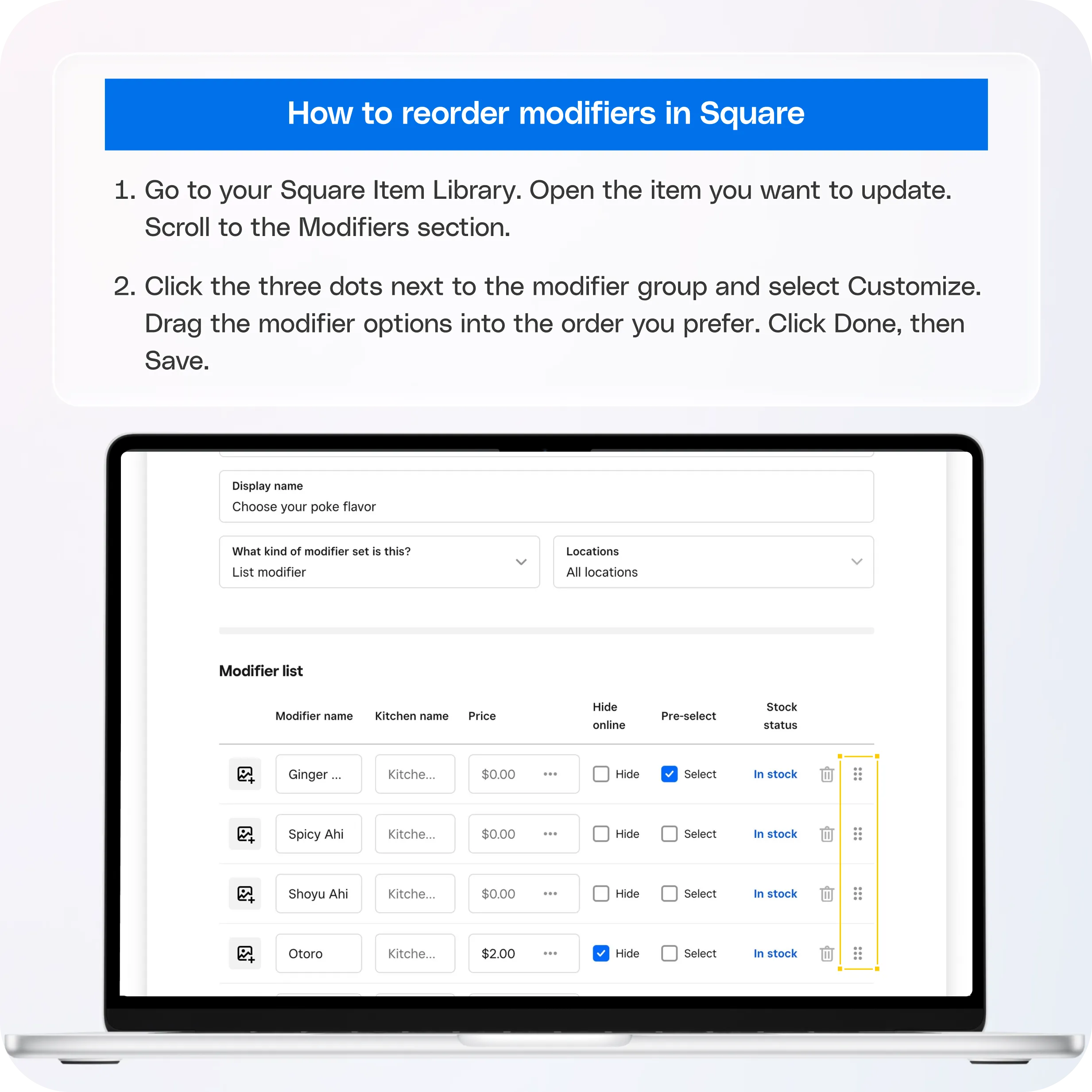
How to reorder modifiers at the item level:
- Go to your Square Item Library.
- Open the item you want to update.
- Scroll to the Modifiers section.
- Click the three dots next to the modifier group and select Customize.
- Drag the modifier options into the order you prefer.
- Click Done and then Save.
Once saved, Per Diem will display the item-level order in the app for that particular item.
Still have questions?Contact us
Ask anything or just say hi