

.svg)

Set Up Automatic Push Notifications in Per Diem
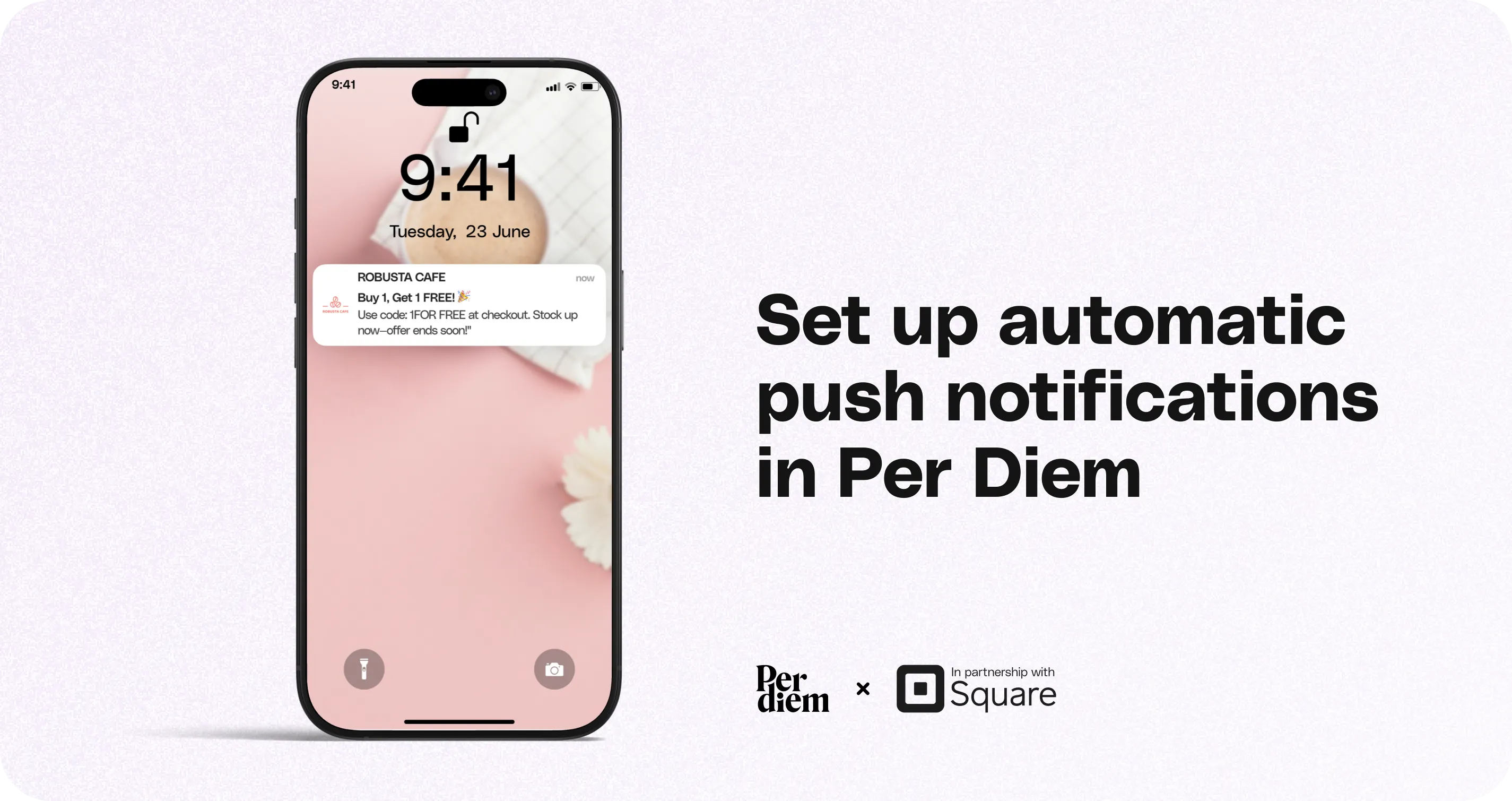
Automated push notifications help you stay connected with customers without manually sending messages each time. You can schedule recurring pushes, choose how messages are created, and keep engagement running in the background.
Instructions
- Log in to your Per Diem Merchant Dashboard.
- Go to Marketing from the left menu.
- Click Push Notifications.
- Select Auto Push.
- Click Setup Auto Push Campaign.
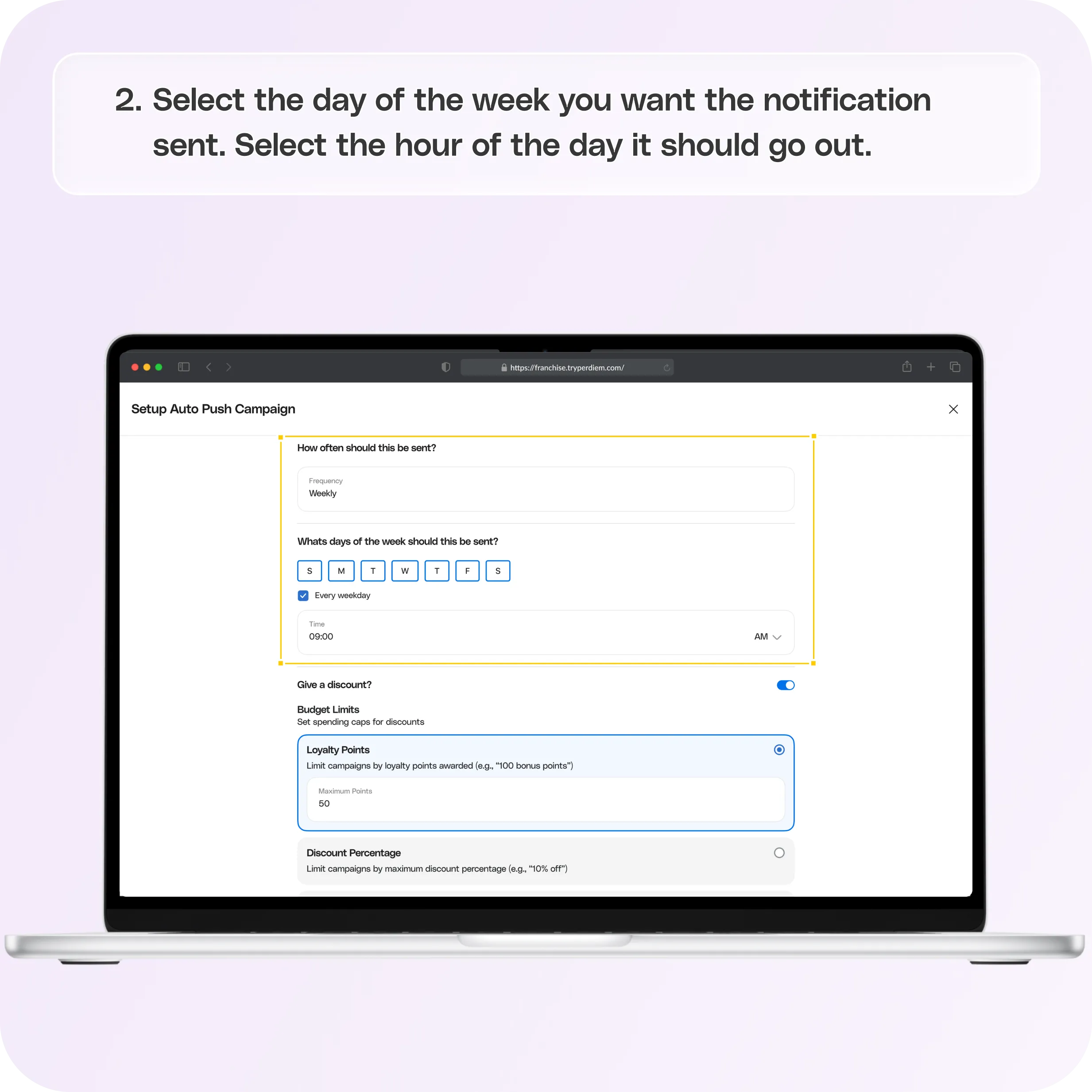
- Select the day of the week you want the notification sent.
- Select the hour of the day it should go out.
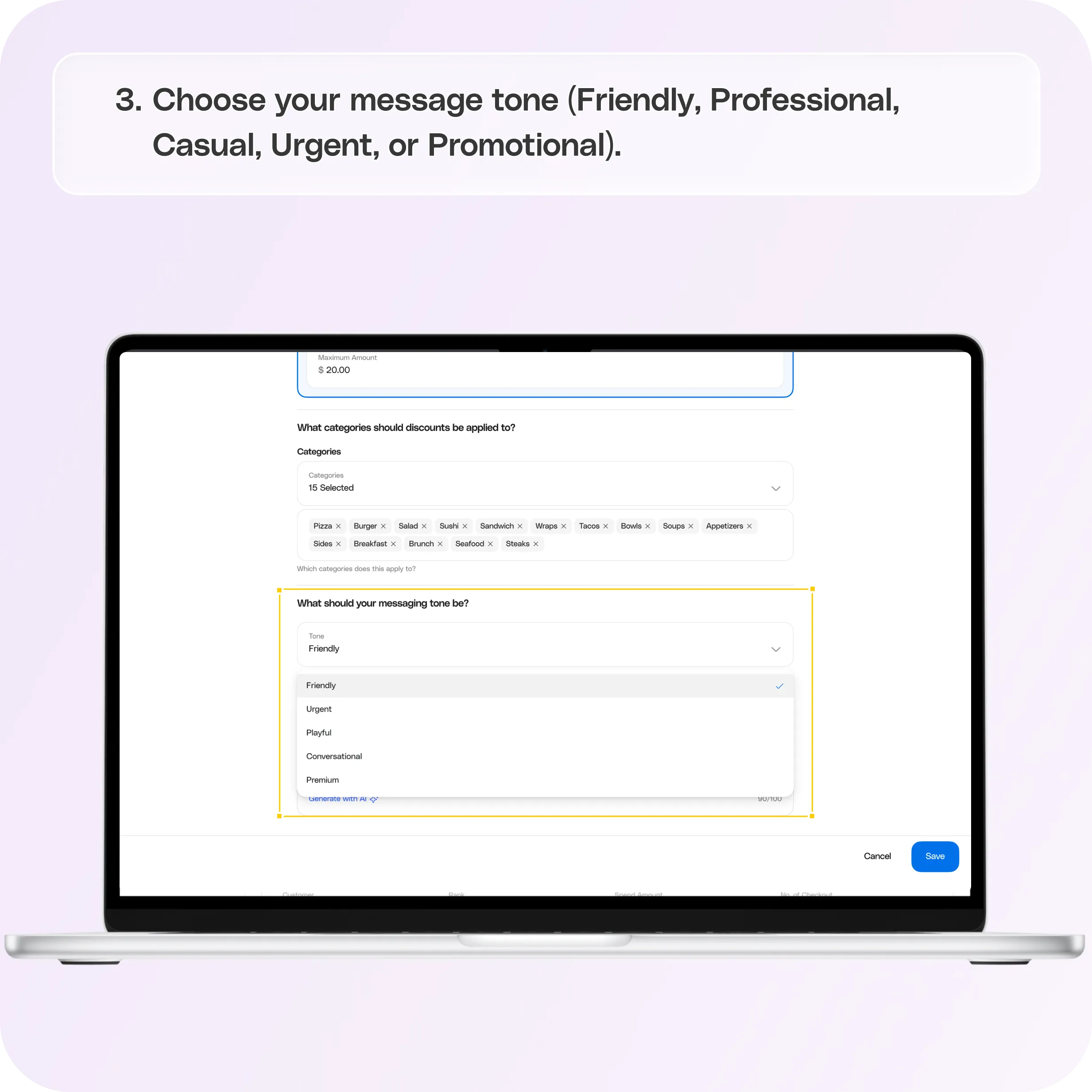
- Choose your message tone (Friendly, Professional, Casual, Urgent, or Promotional).
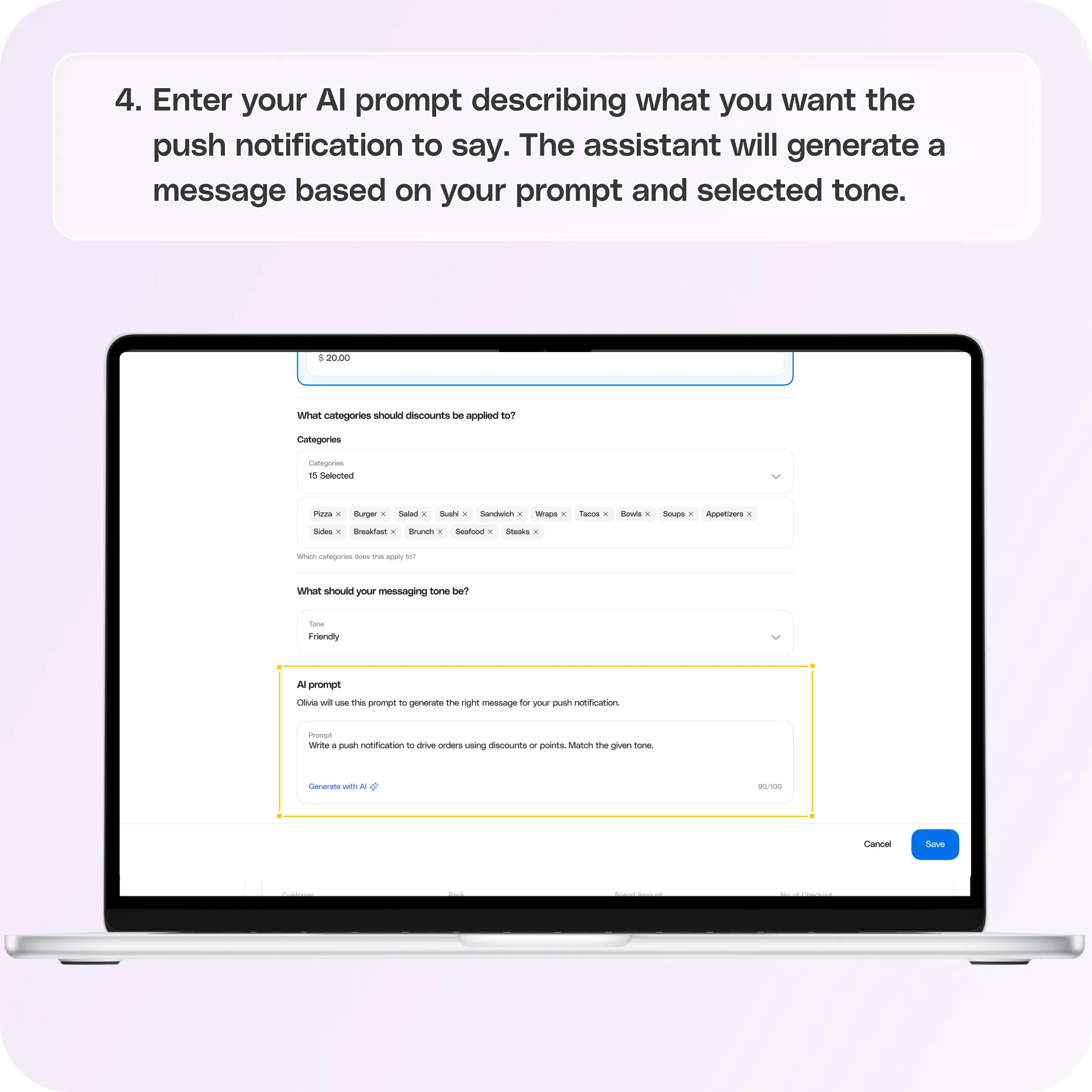
- Enter your AI prompt describing what you want the push notification to say.
- The assistant will generate a message based on your prompt and selected tone.
Still require support?
Contact support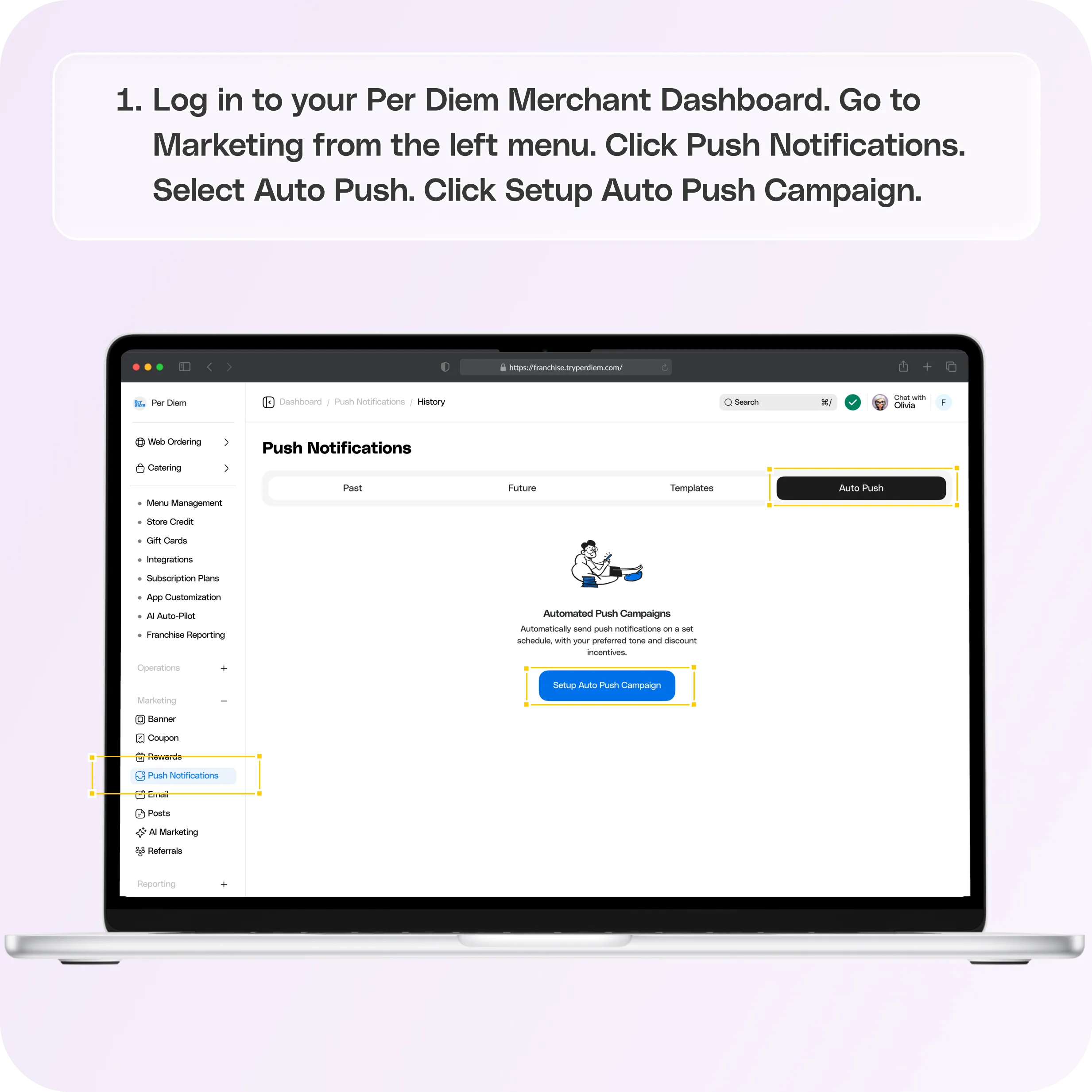
No items found.


1. Log in and Navigate to Push Notifications
Steps:
- Log in to your Per Diem Merchant Dashboard.
- Go to Marketing from the left menu.
- Click Push Notifications.
- Select Auto Push.
- Click Setup Auto Push Campaign.
2. Set Your Send Schedule (Day and Time)
Steps:
- Select the day of the week you want the notification sent.
- Select the hour of the day it should go out.
This creates your recurring schedule for automatic sends.
3. Choose How You Want to Create the Message
You can choose between AI-generated messaging or writing your own custom message.
Option A: AI-Generated Message
Steps:
- Select the AI-generated tab.
- Choose your message tone (Friendly, Professional, Casual, Urgent, or Promotional).
- Enter your AI prompt describing what you want the push notification to say.
- The assistant will generate a message based on your prompt and selected tone.
Option B: Custom Message
Steps:
- Type your push notification message manually.
- Click Save.
Best Practices for Auto Push Campaigns
- Schedule during high engagement hours like morning coffee time or lunch.
- Use a friendly or Promotional tone for offers and rewards.
- Keep messages short and action-focused.
Join the Per Diem Local Partner Program
Submit updates to your business details for review by Per Diem’s moderation team before they go live.
Thank you! Your submission has been received!
Oops! Something went wrong while submitting the form.


.svg)


Still have questions?Contact us
Ask anything or just say hi
Thank you! Your submission has been received!
Oops! Something went wrong while submitting the form.

Thank you! Your submission has been received!
Oops! Something went wrong while submitting the form.

