



















Menu promotion and visibility
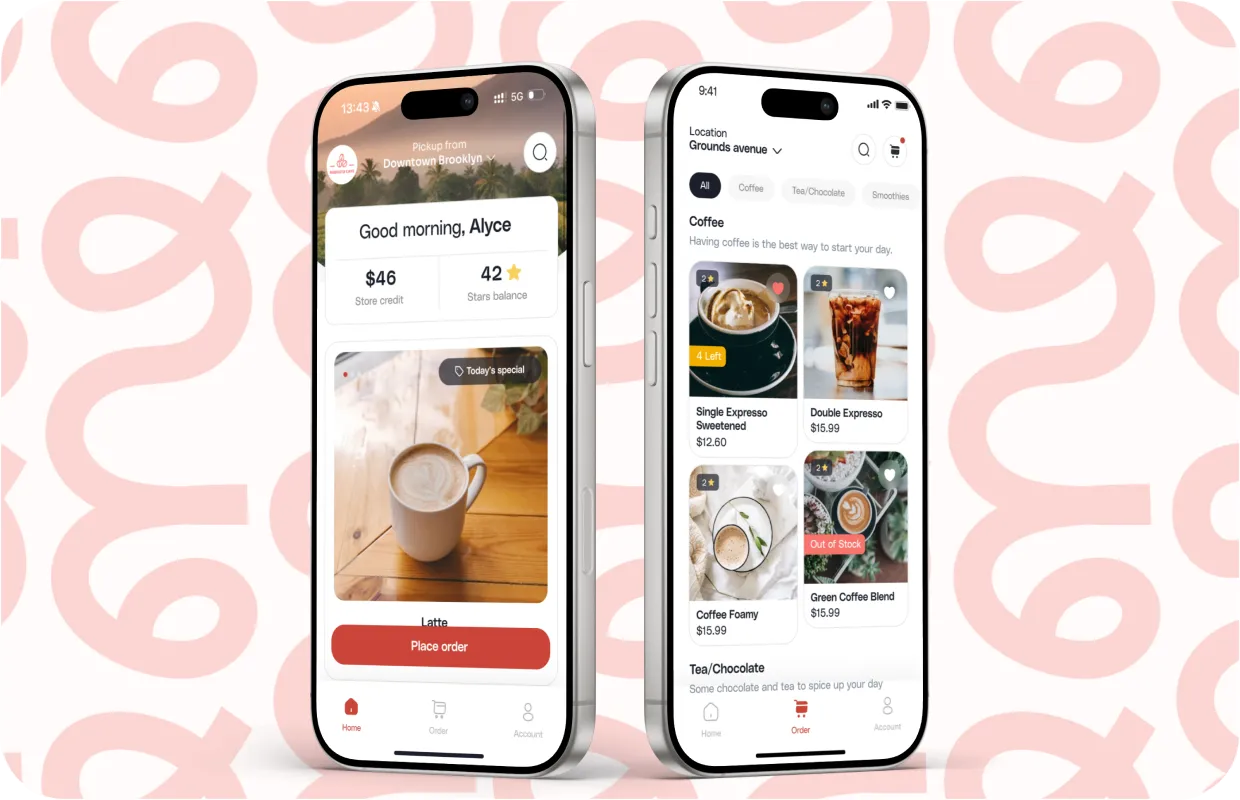
Every menu has items that deserve a little extra attention. Sometimes it is a new drink you want people to discover, other times it is a signature dish that consistently brings customers back. Promotion gives those items a clear spotlight inside your app and web ordering, without changing anything in your Square setup.
A promoted item stands out right away. It carries a small tag that helps customers understand why it is special and appears more prominently when people browse or search. Promotion is simple to use, and when you apply it with intention, it creates a noticeable lift in discovery and ordering.
Customers are significantly more likely to try something new when it is labeled with a clear, simple tag such as “New,” “Popular,” or “Seasonal.”
Promoting items with tags
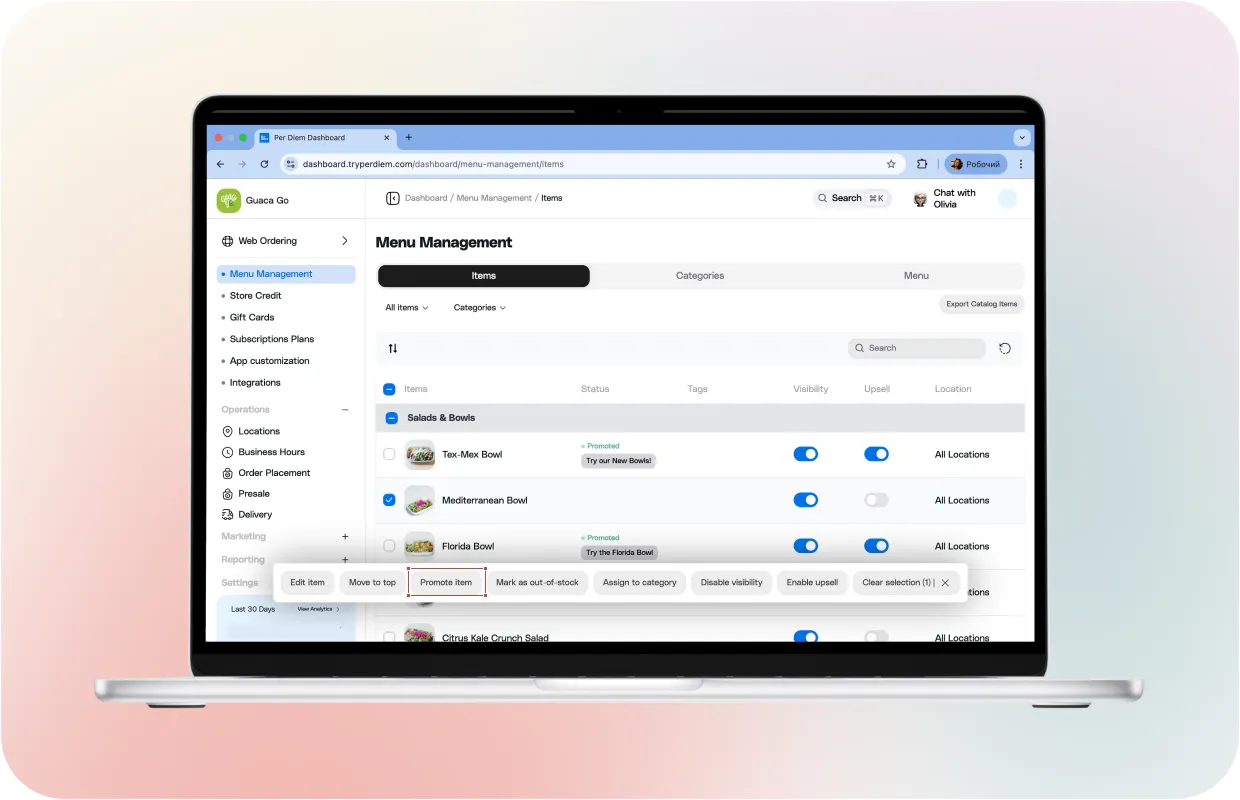
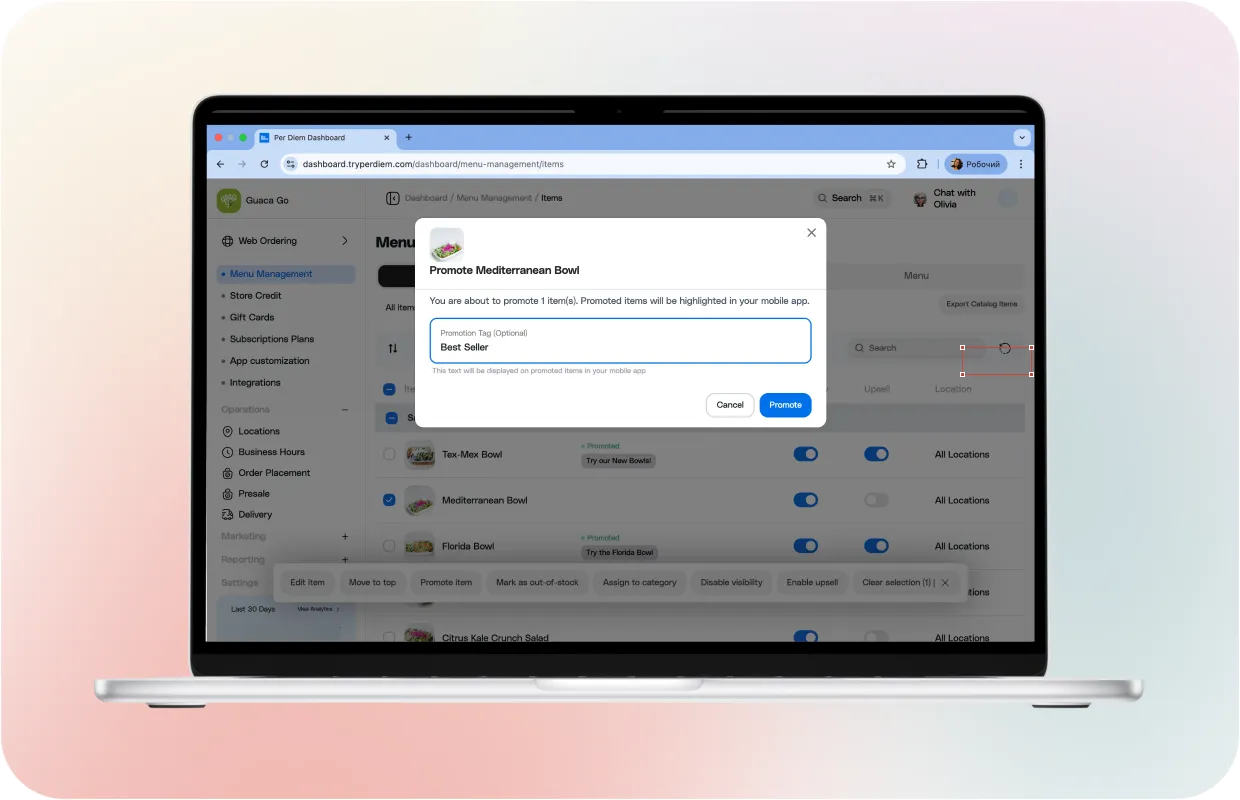
Item promotion happens in the Items tab. When you select an item and choose Promote from the action bar, you can add a short tag that appears directly on the product in the app. Customers see the tag instantly, which helps guide their choices.
Some commonly used tags include
- Today special
- New
- Best seller
- Seasonal pick
Tags do not change pricing or your menu structure. They simply call out the items you want customers to notice first.
Removing a promotion
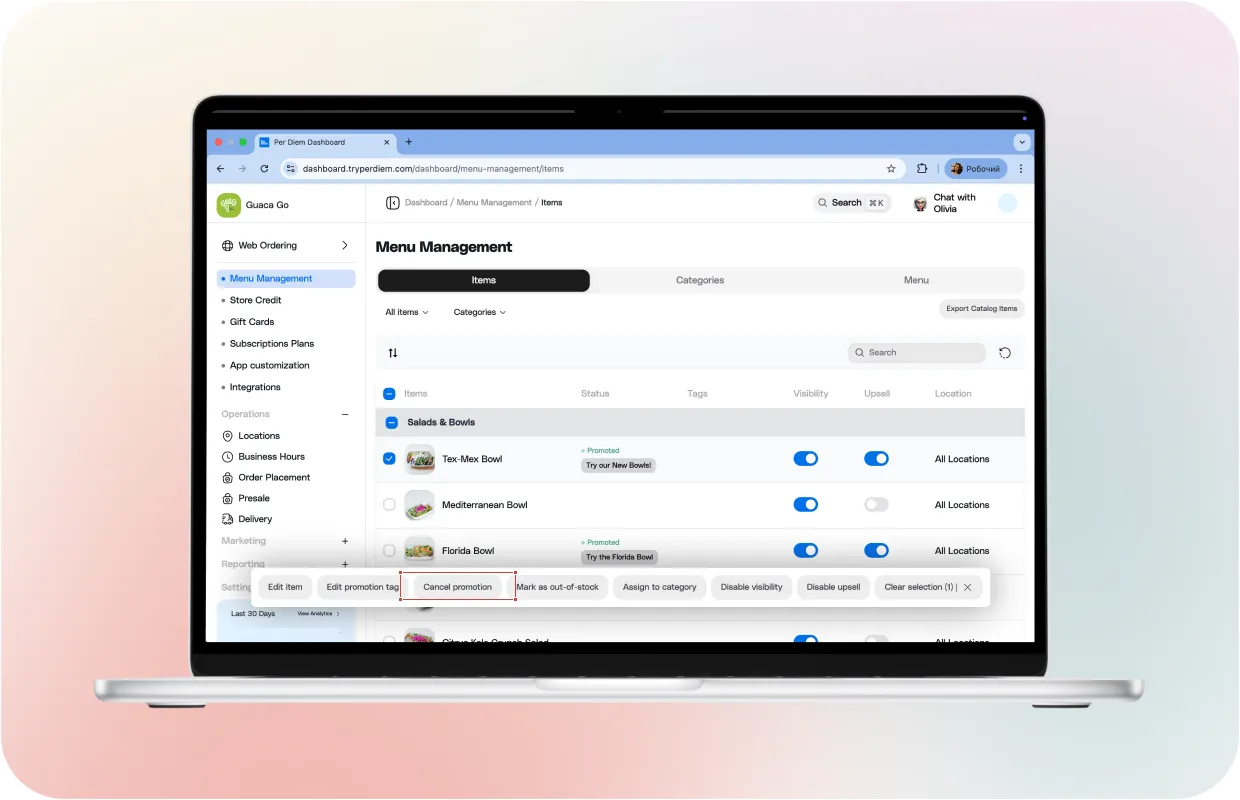
If you want to pull an item back into the regular menu, you can remove its promotion by clicking ‘cancel promotion’. The item stays visible, but the highlight and tag disappear. This makes it easy to rotate promotions without editing anything in Square.
How tags influence suggested items
Tags do more than label your products. They help your app recommend and rank items more effectively. A good tag acts like a quiet signal for what an item represents.
For example, a tag like Best burger in Midtown can help your burger appear when customers search for burgers near their area. Tags with natural everyday language work best. They help the search engine understand what the customer might be looking for and which items deserve priority.
Best practices for featuring items
Featured sections feel like recommendations from your team. They create a strong first impression and help customers make quick choices.
- A simple approach works best
- Keep the featured group small
- Choose items that define your brand or season
- Avoid featuring items that run out often
- Refresh the section when your menu changes
A clean, featured section adds clarity without overwhelming the customer.
Showing low stock count to create urgency
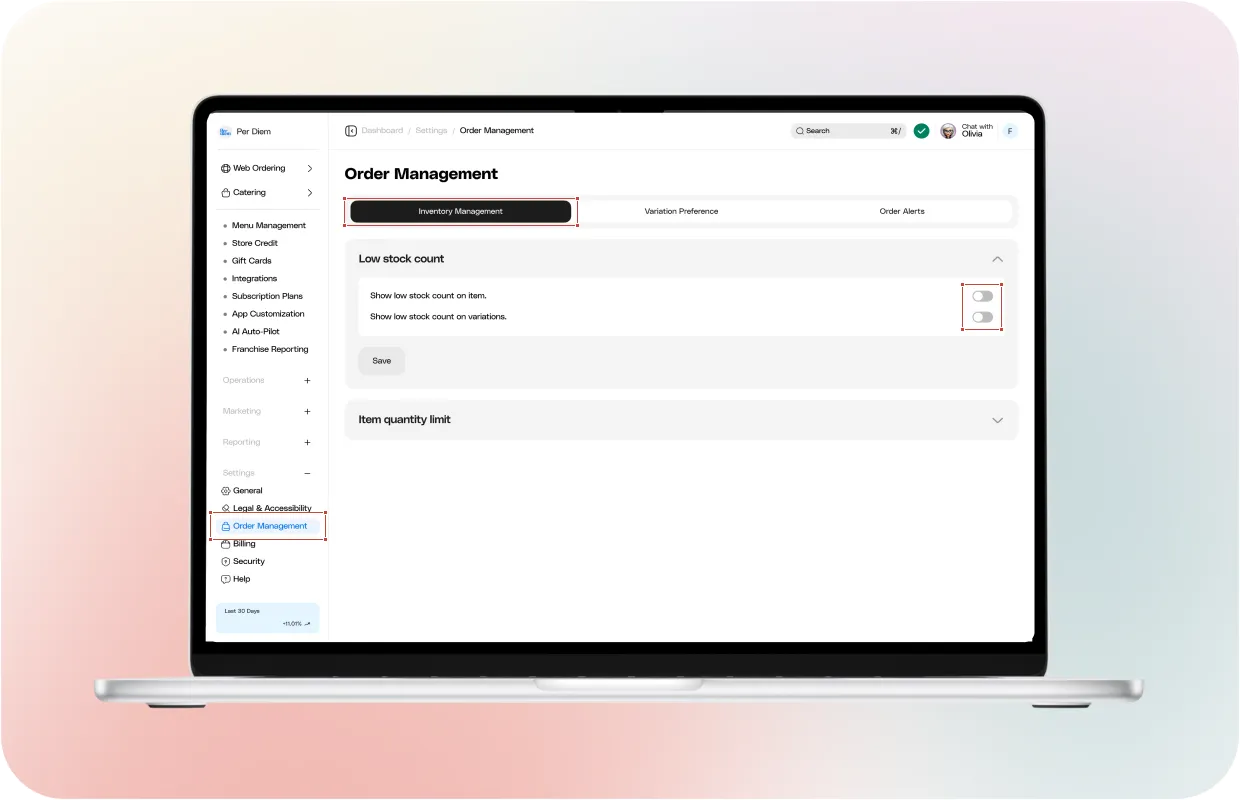
Low stock count adds a gentle real-world signal. When enabled, customers see a small notice when an item is almost out. This helps set expectations and sparks timely purchases.
You can enable low stock count inside Inventory Management. Two toggles control whether the app shows low stock on items or on individual variations. The counts come directly from Square inventory and update automatically.
Customers appreciate transparency, and it protects your team from dealing with surprise out of stock moments.
Improving search ranking in Web Ordering
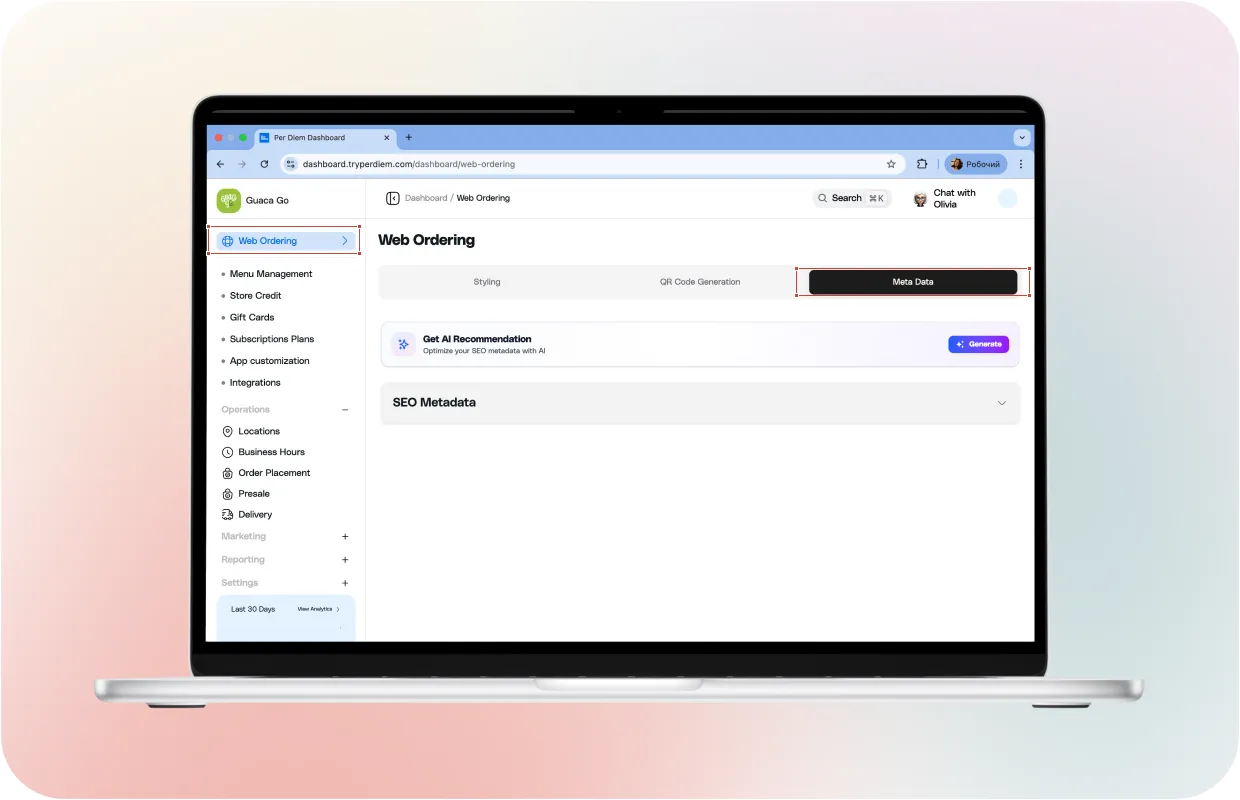
Most customers start with the search bar when they already know what they want. Your web ordering page can attract more local searches when its SEO fields are set up correctly. This takes only a moment in the Web Ordering dashboard and helps new customers discover your menu beyond the app.
A few simple guidelines
- Use clear, direct names like Crunchy Chicken Burger or Vanilla Cold Brew
- Include small natural phrases in descriptions that reflect how customers search. Example: House-made sauce with no artificial flavors or a Fresh breakfast sandwich near Wynwood
- Control how your page appears when shared on social platforms with clear titles and descriptions
- Add a few simple keywords separated by commas. Example: coffee, breakfast, pastries, online ordering
- Upload a clean image so your shared link looks polished.
These small steps support everything you promote on your menu. A well-described menu item and ordering page work together, giving your offers more reach and making featured items easier to find across search and social.
### **Promoting through push notifications, banners, and discounts** Menu promotion becomes even stronger when you pair it with app-wide announcements. [**Push notifications** ](https://www.tryperdiem.com/push-notification-marketing)Use them for quick, timely updates like: - New pastry just dropped - Holiday drink now available **Banners** These appear at the top of your app and help you call attention to launches, seasonal menus, or limited-time flavors. They feel natural and are seen by every customer who opens the app. **Discounts** A short-lived discount can boost traffic to new or slower-selling items. When combined with tags and banners, it creates a complete promotional moment that customers will not miss. 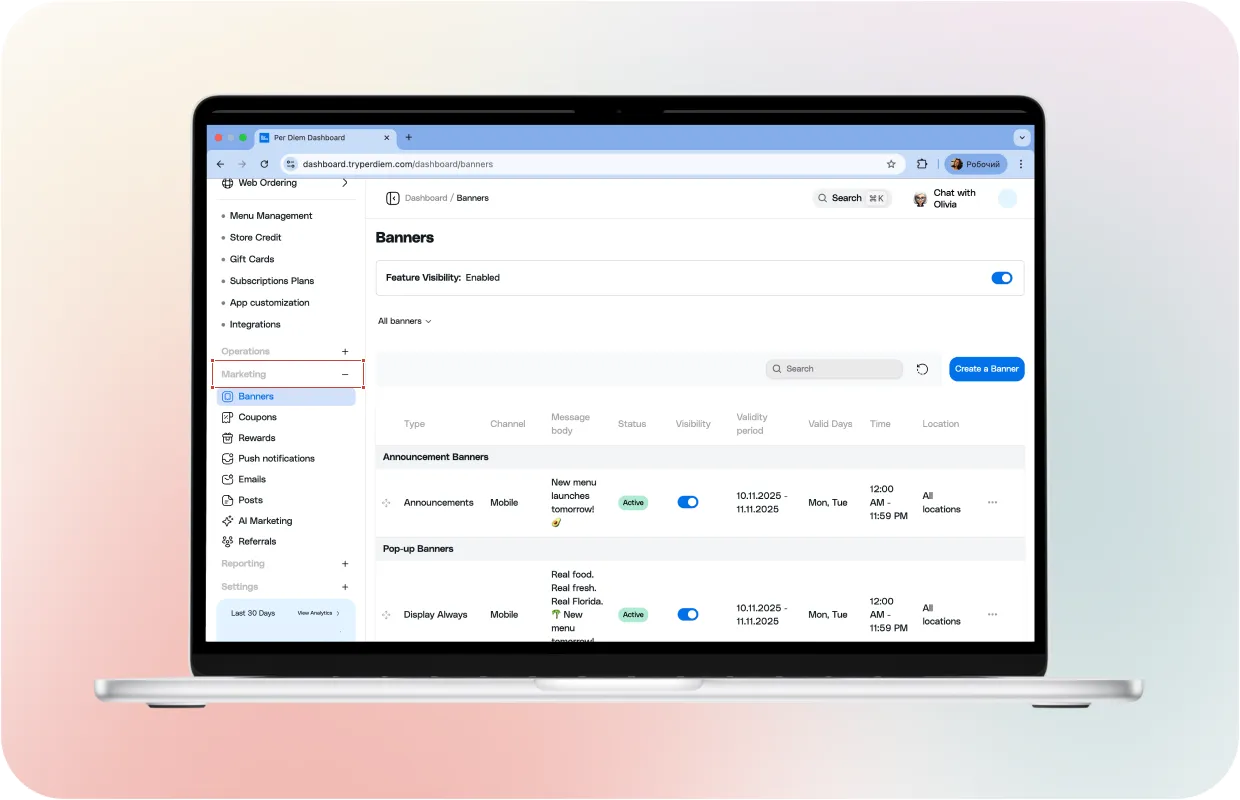 _Turn your menu into a profitable one. Learn from our_ [_ebook here_](https://www.tryperdiem.com/ebooks-collection/the-profitable-menu-how-to-design-a-coffee-shop-menu-that-sells-smarter)_._