

























Help center
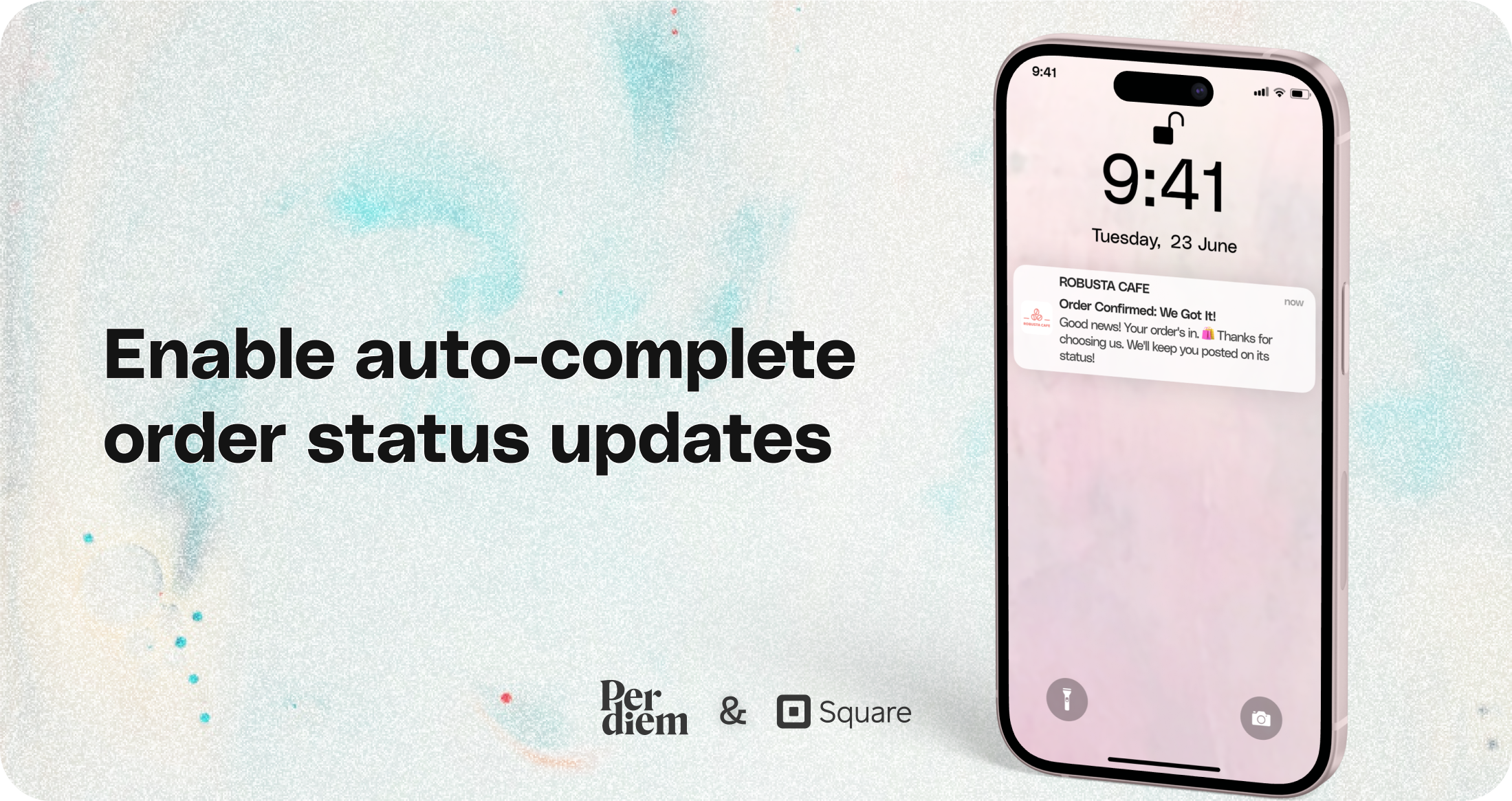
Enable auto-complete order status updates
Simplify your workflow by enabling automatic order status updates directly from your Per Diem dashboard.
Instructions
- Log in to your Per Diem merchant dashboard.
- Select the "Marketing" dropdown from the left menu.
- Choose "Push Notifications."
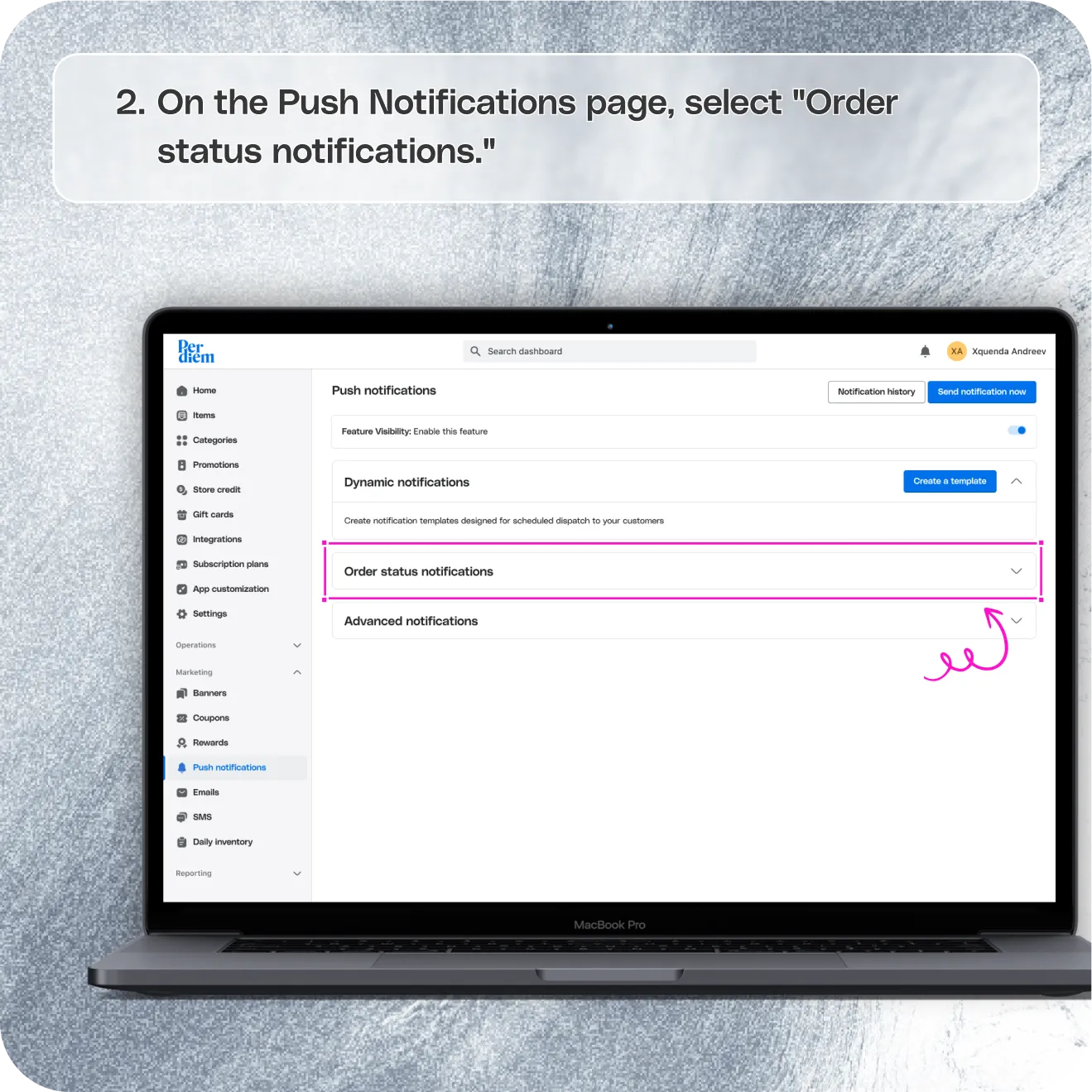
- On the Push Notifications page, select "Order Status Notifications."
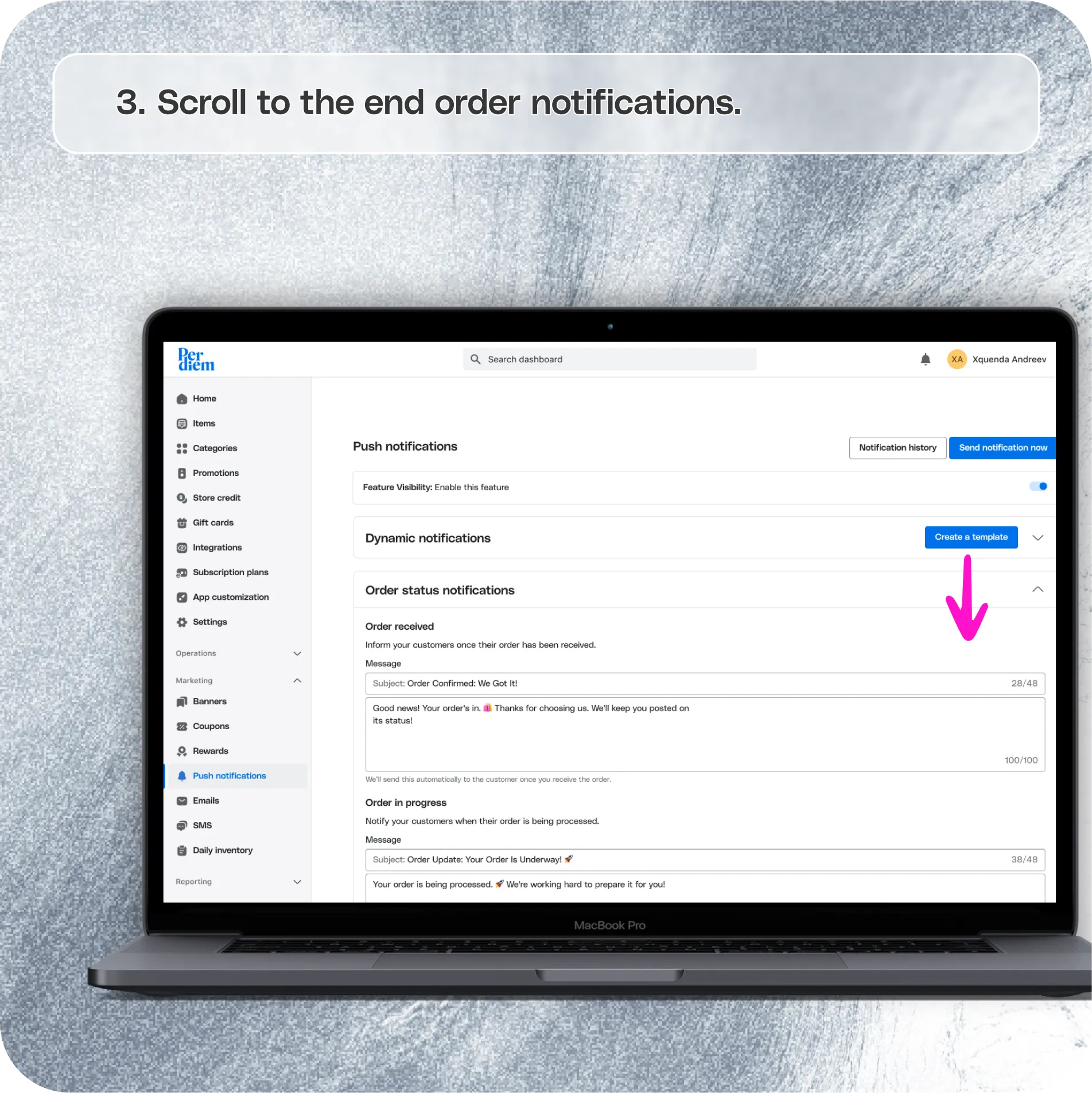
- Scroll to the end order notifications.
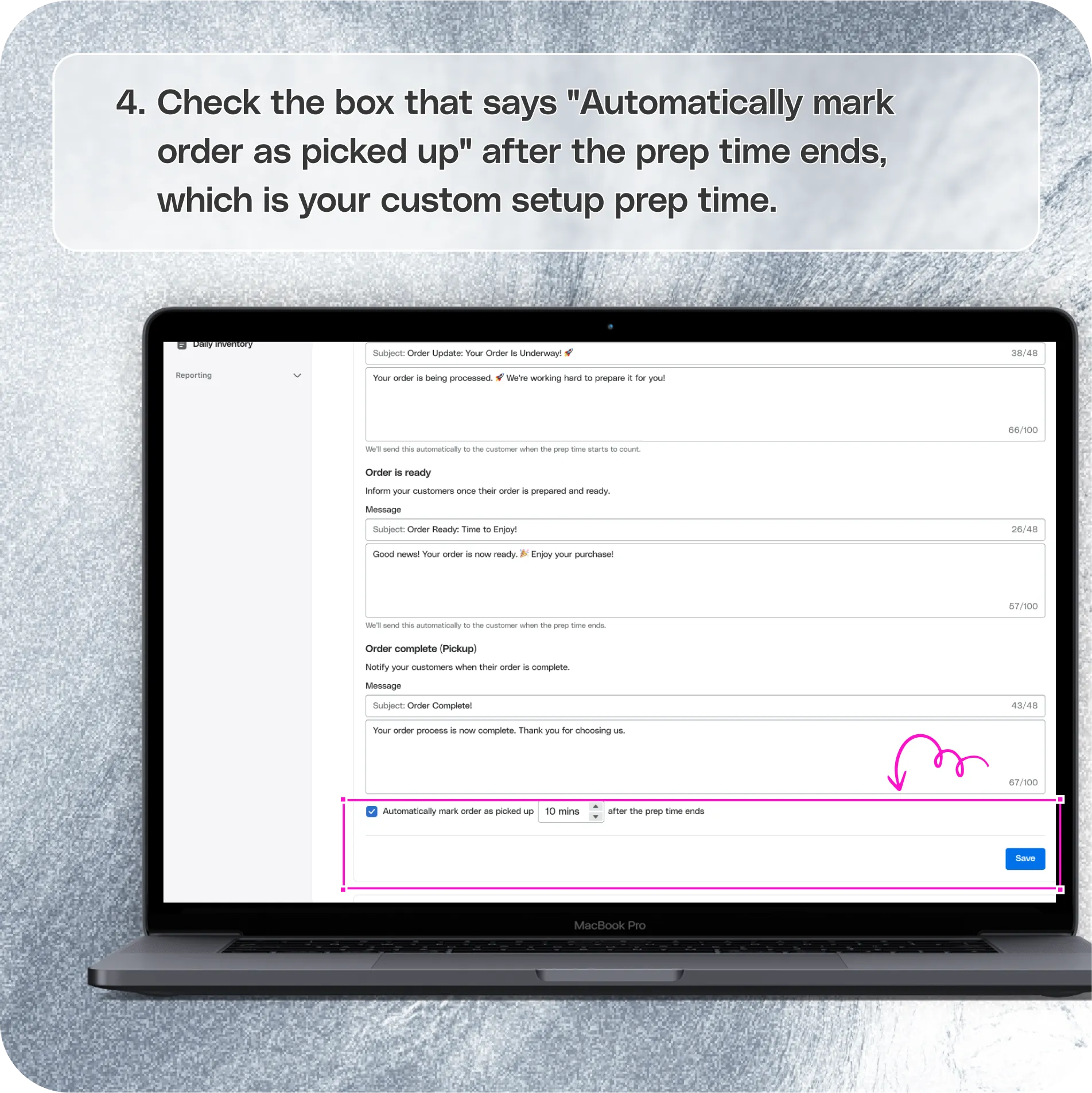
- Check the box that says "Automatically mark order as picked up" after the prep time ends, which is your custom setup prep time.
Simplify your workflow by enabling automatic order status updates directly from your Per Diem dashboard.
Still require support?
Contact support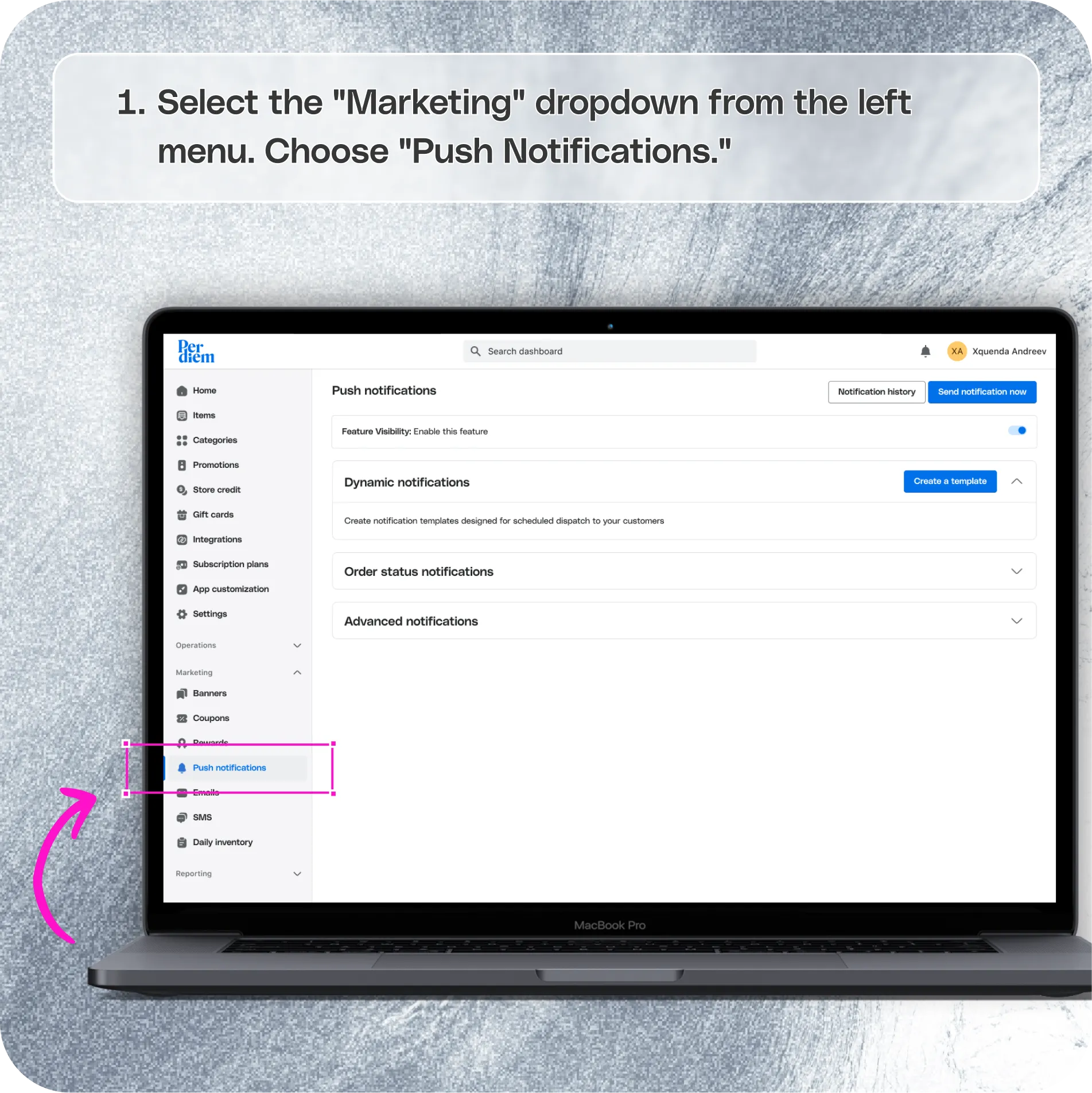
Log in to Your Merchant Dashboard
Start by accessing your dashboard:
Step 1
Log in to your Per Diem merchant dashboard.
Go to the Marketing Section
Navigate to the push notifications settings:
Step 1
Select the "Marketing" dropdown from the left menu.
Step 2
Choose "Push Notifications."
Set Up Auto Complete for Order Status Updates
Enable automatic order status updates:
Step 1
On the Push Notifications page, select "Order Status Notifications."
Step 2
Scroll to the end order notifications.
Step 3
Check the box that says "Automatically mark order as picked up" after the prep time ends, which is your custom setup prep time.
Still have questions?Contact us
Ask anything or just say hi