


























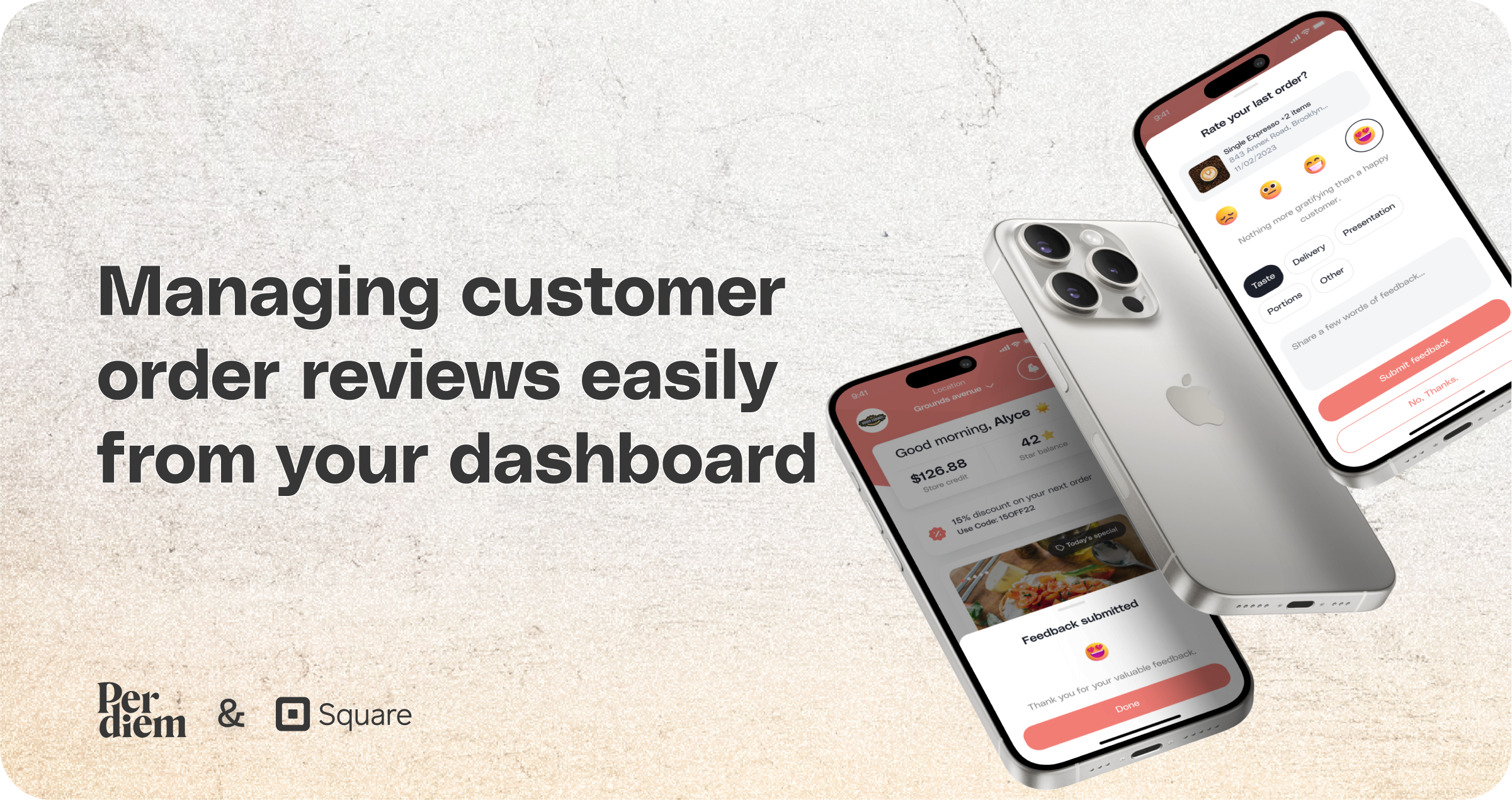
Managing customer order reviews easily from your dashboard
Manage customer order reviews and maintain strong customer relationships directly from your Per Diem merchant dashboard.
Instructions
- Log in to your Per Diem merchant dashboard.
- From the left menu bar, select "Reporting."
- Choose "Order Reviews" from the dropdown menu.
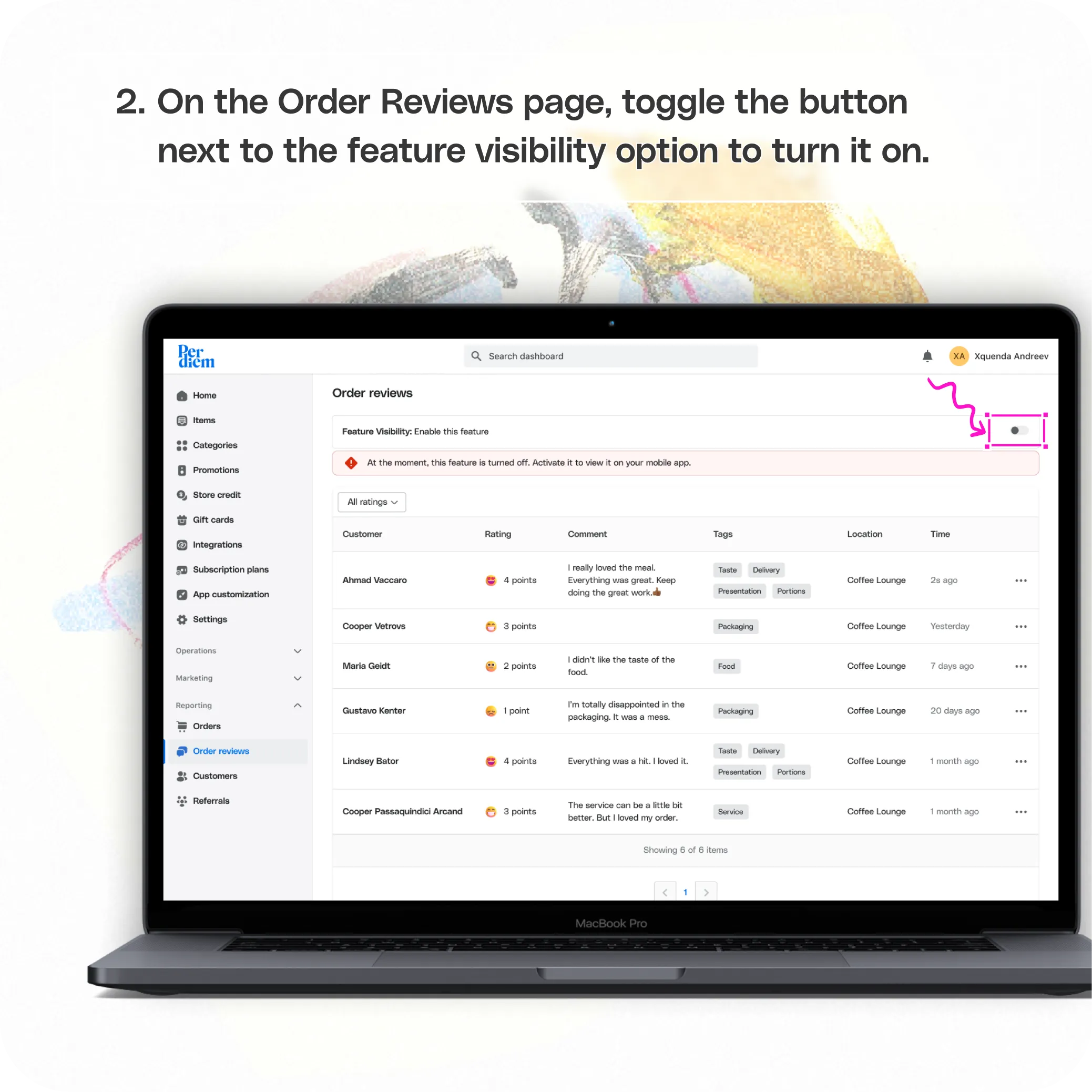
- On the Order Reviews page, toggle the button next to the feature visibility option to turn it on.
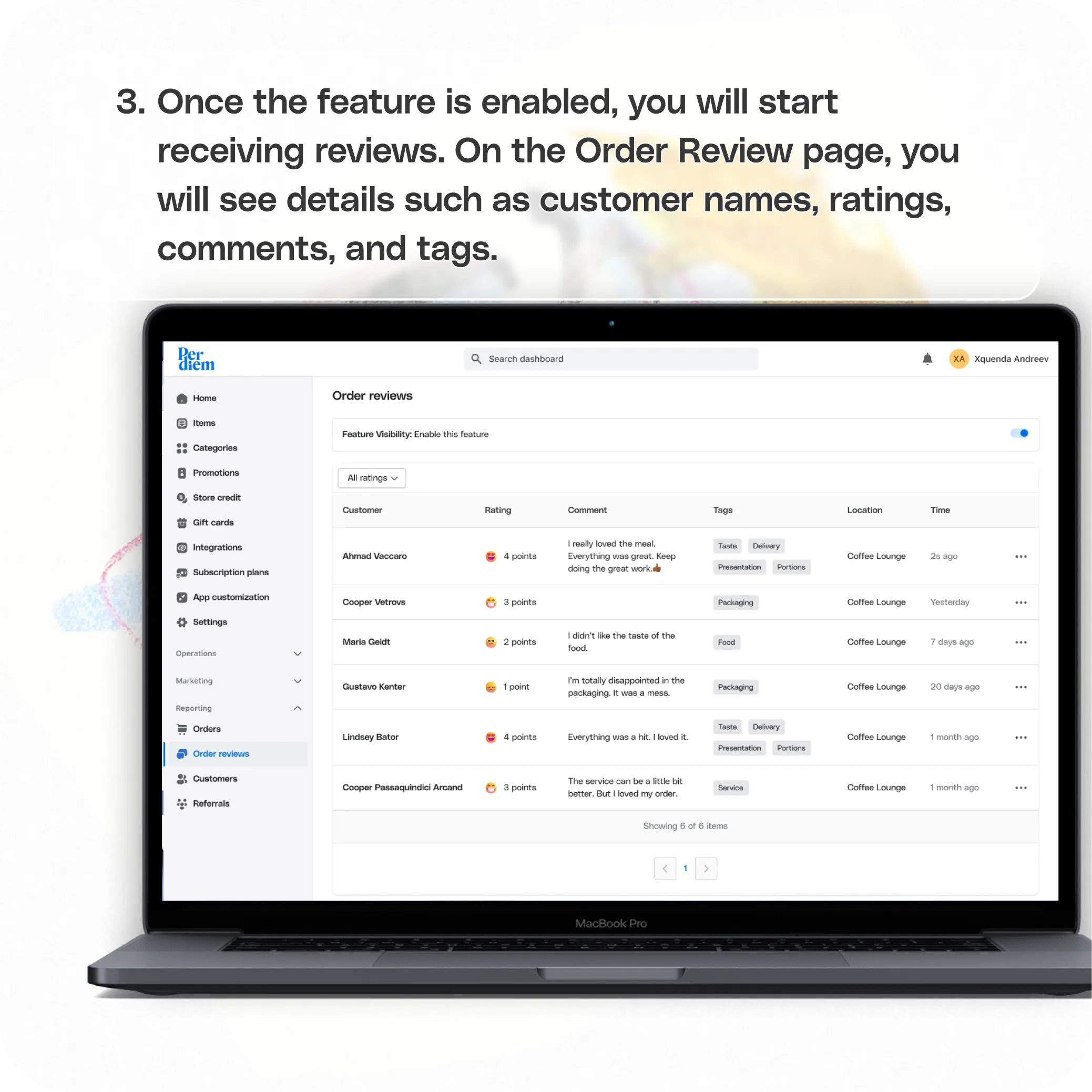
- Once the feature is enabled, you will start receiving reviews.
- On the Order Review page, you will see details such as customer names, ratings, comments, and tags.
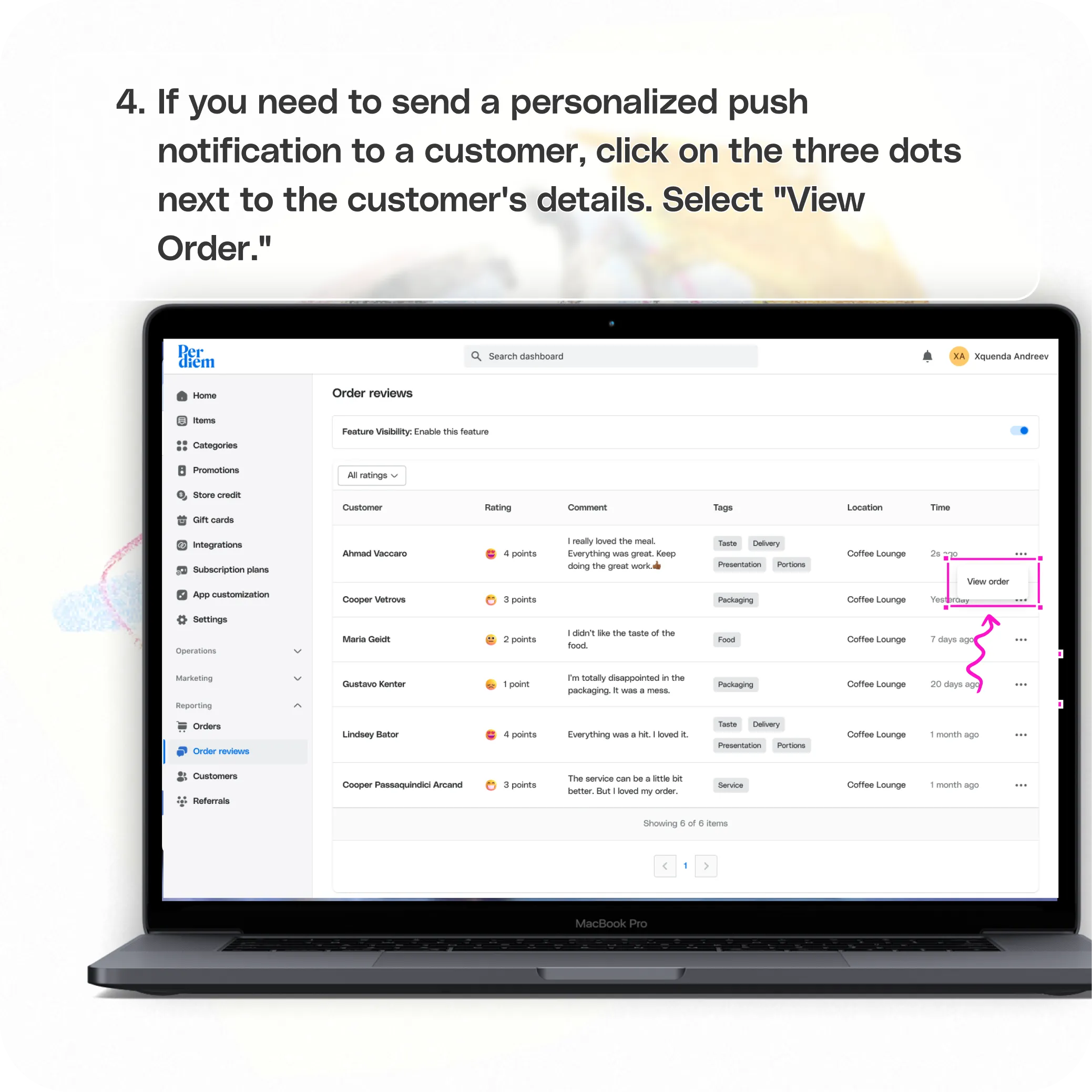
- If you need to send a personalized push notification to a customer, click on the three dots next to the customer's details.
- Select "View Order."
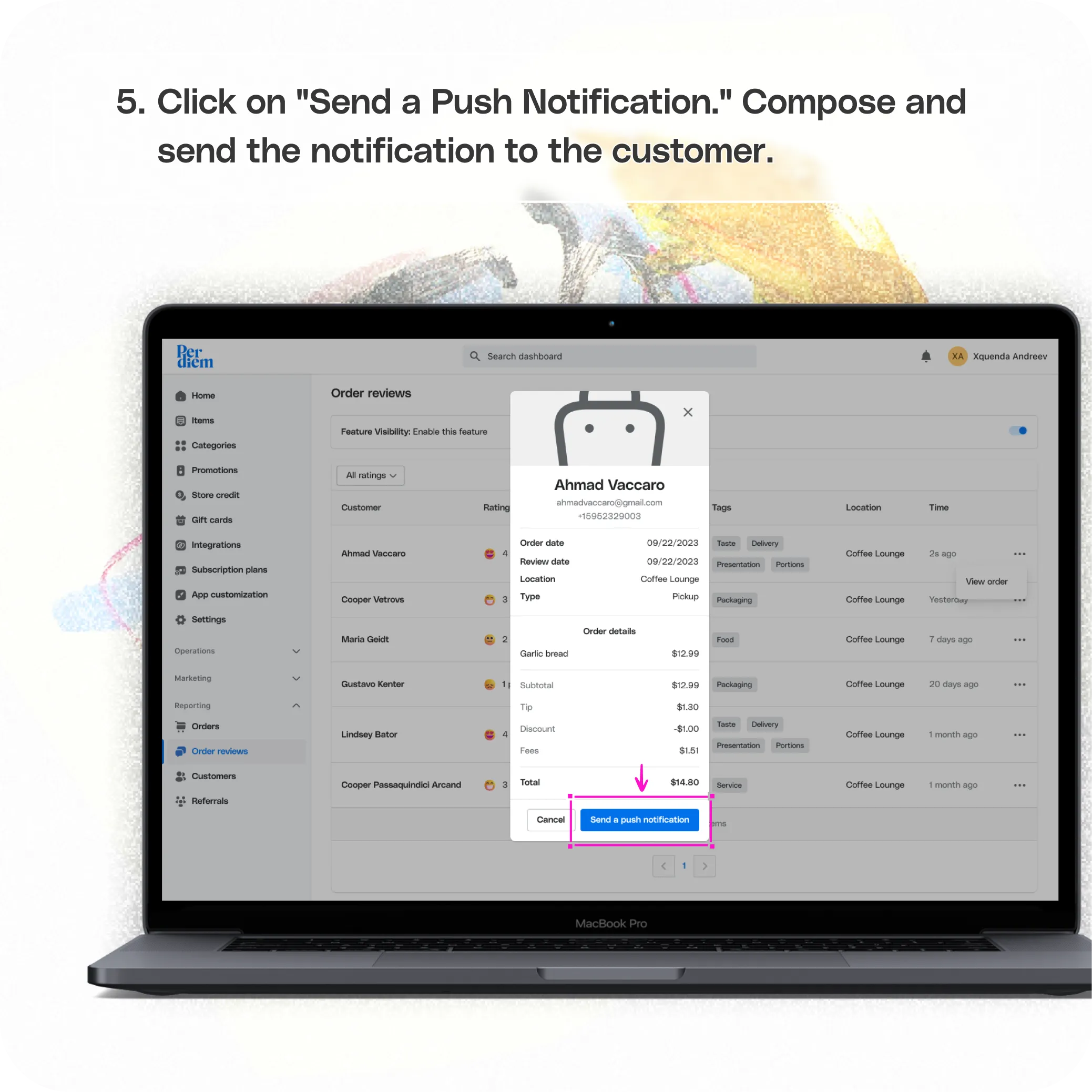
- Click on "Send a Push Notification."
- Compose and send the notification to the customer.
Still require support?
Contact support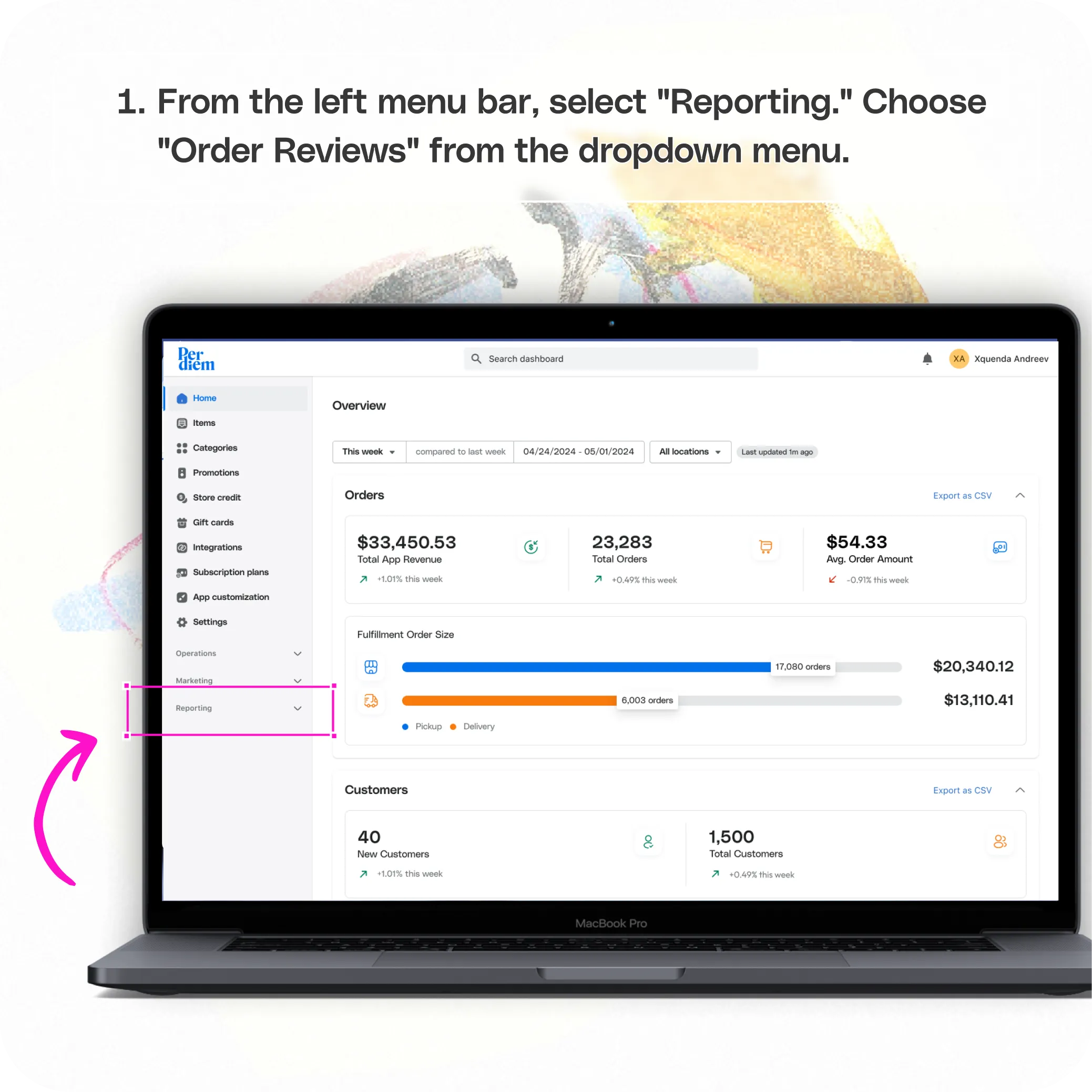
Log in to Your Merchant Dashboard
Streamline customer management with these simple steps:
Step 1
Log in to your Per Diem merchant dashboard.
Go to Reporting
Access customer management tools:
Step 1
From the left menu bar, select "Reporting."
Step 2
Choose "Order Reviews" from the dropdown menu.
Enable Order Reviews
Activate the feature to start managing reviews:
Step 1
__On the Order Reviews page, toggle the button next to the feature visibility option to turn it on.
Manage Reviews
Keep track of customer feedback:
Step 1
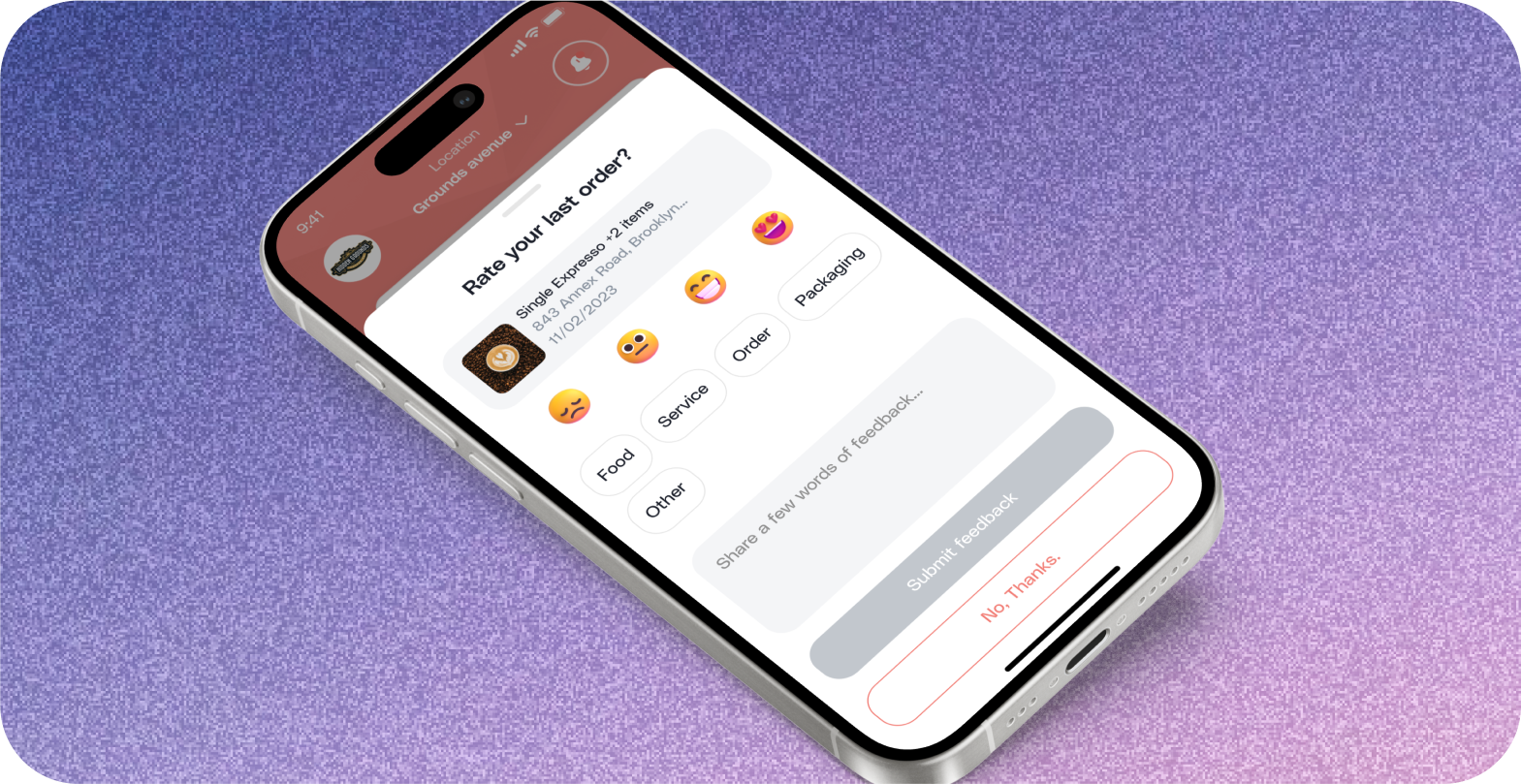
__Once the feature is enabled, you will start receiving reviews.
Step 2
__On the Order Review page, you will see details such as customer names, ratings, comments, and tags.
Send Personalized Push Notifications
Engage with customers directly:
Step 1
__If you need to send a personalized push notification to a customer, click on the three dots next to the customer's details.
Step 2
__Select "View Order."
Step 3
__Click on "Send a Push Notification."
Step 4
__Compose and send the notification to the customer.
Still have questions?Contact us
Ask anything or just say hi