

























Help center
Set up Special Day Overrides for holidays or special days
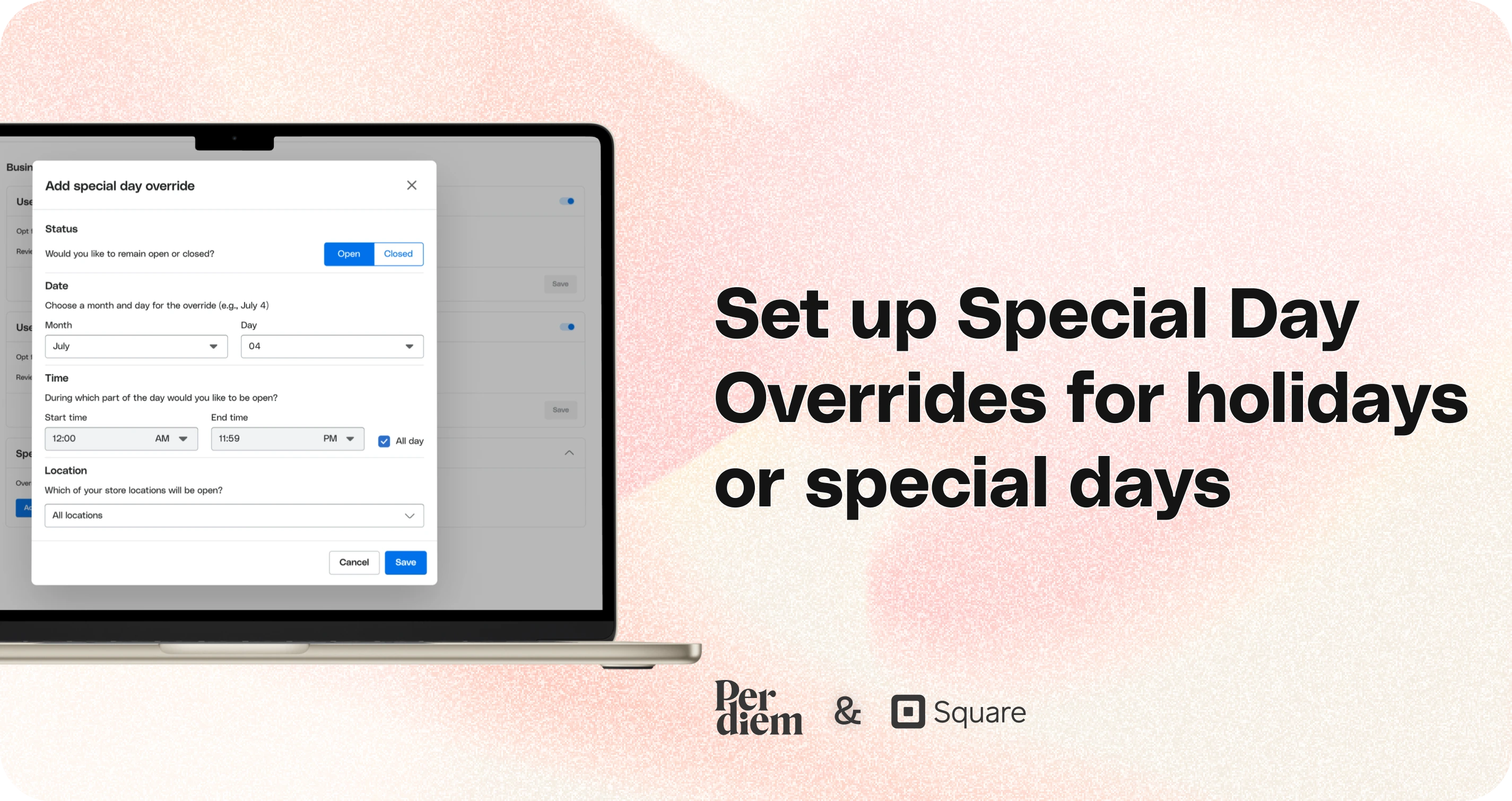
Set up special day overrides in the Per Diem app to easily manage your business hours for holidays or special events. Follow these simple steps to customize your schedule for specific days.
Instructions
- Start by logging in to your Per Diem merchant dashboard.
- Navigate to the Operations tab in the left-hand menu, and select Business Hours from the dropdown.
- Scroll to the bottom of the page and click Add Special Day Override.
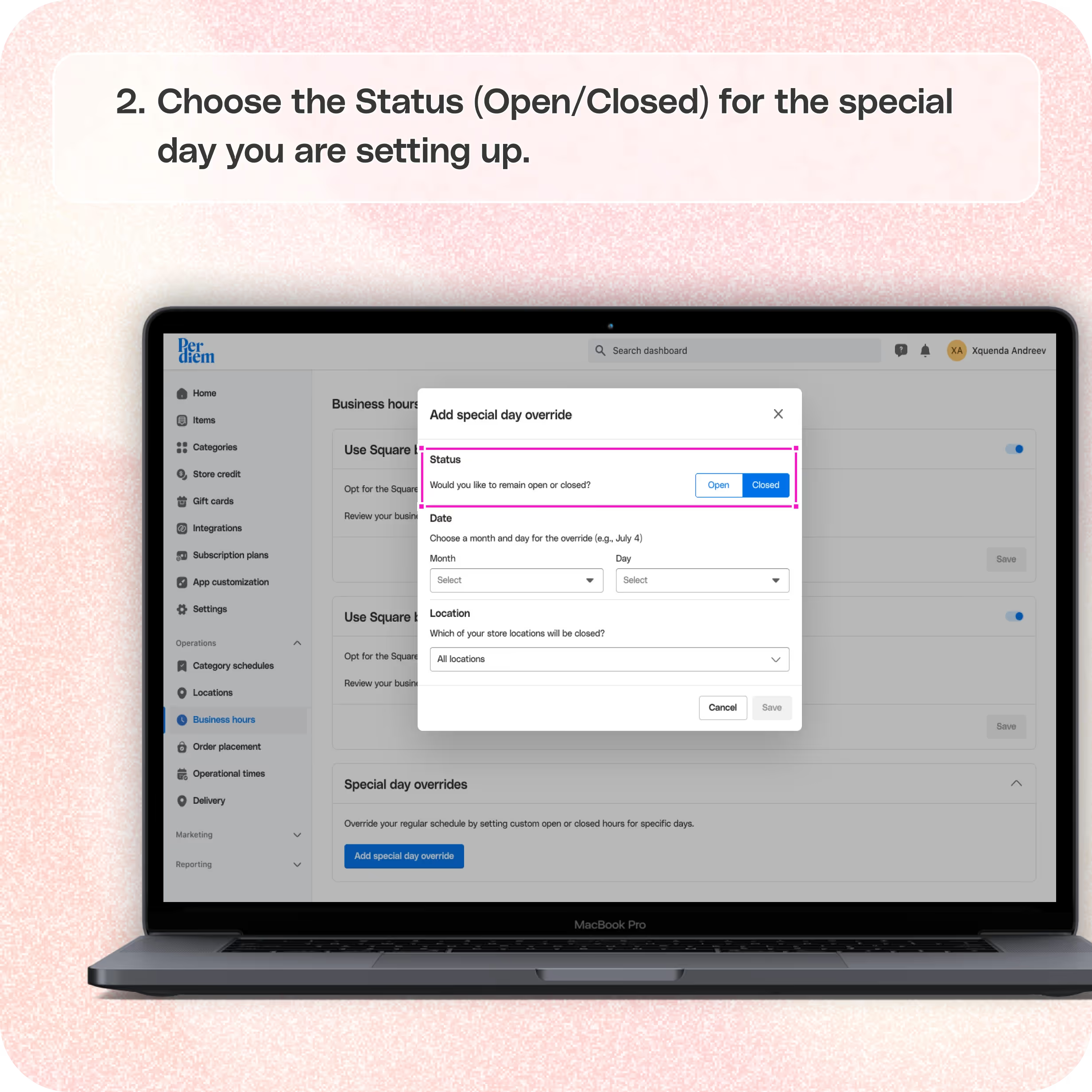
- Choose the Status (Open/Closed) for the special day you are setting up.
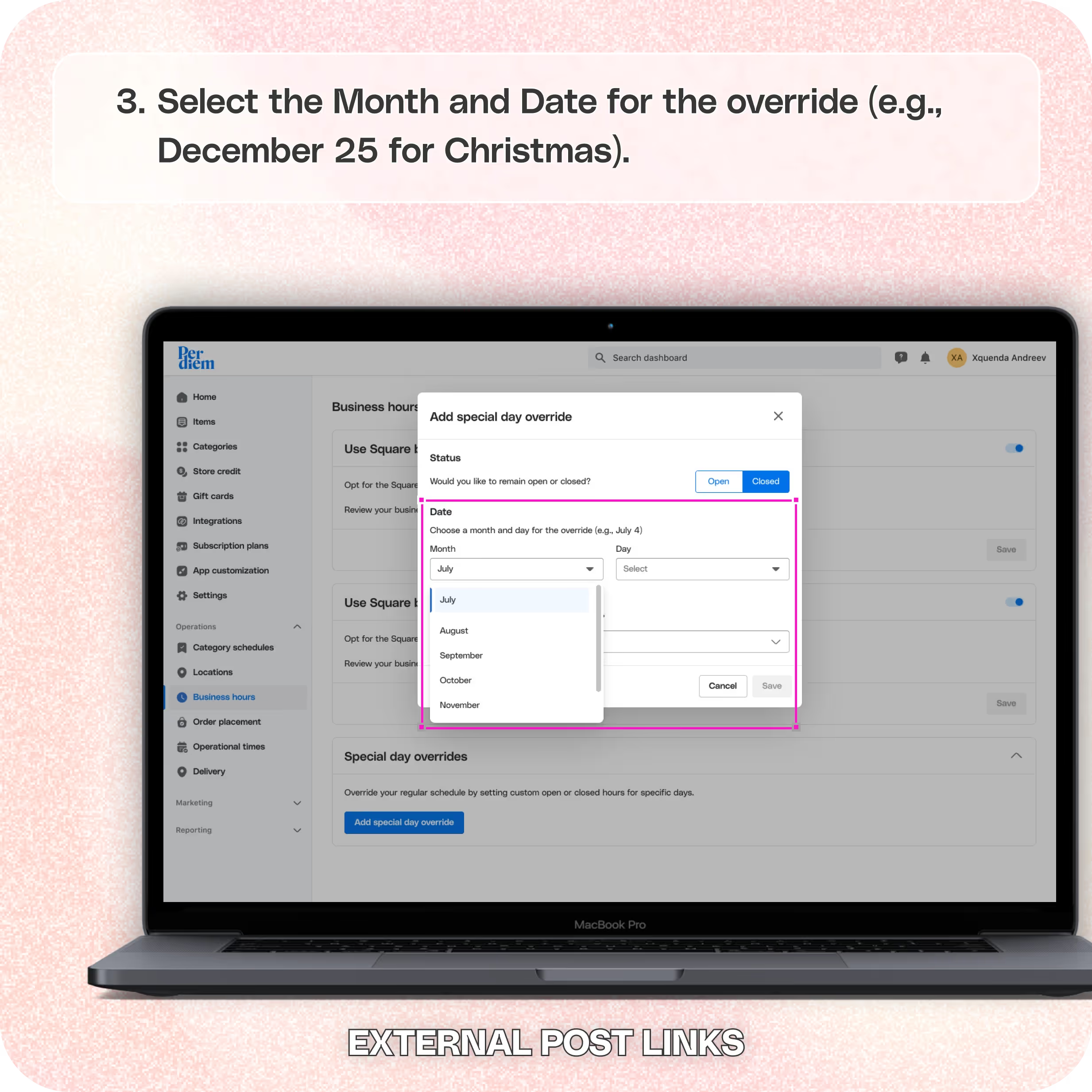
- Select the Month and Date for the override (e.g., December 25 for Christmas).
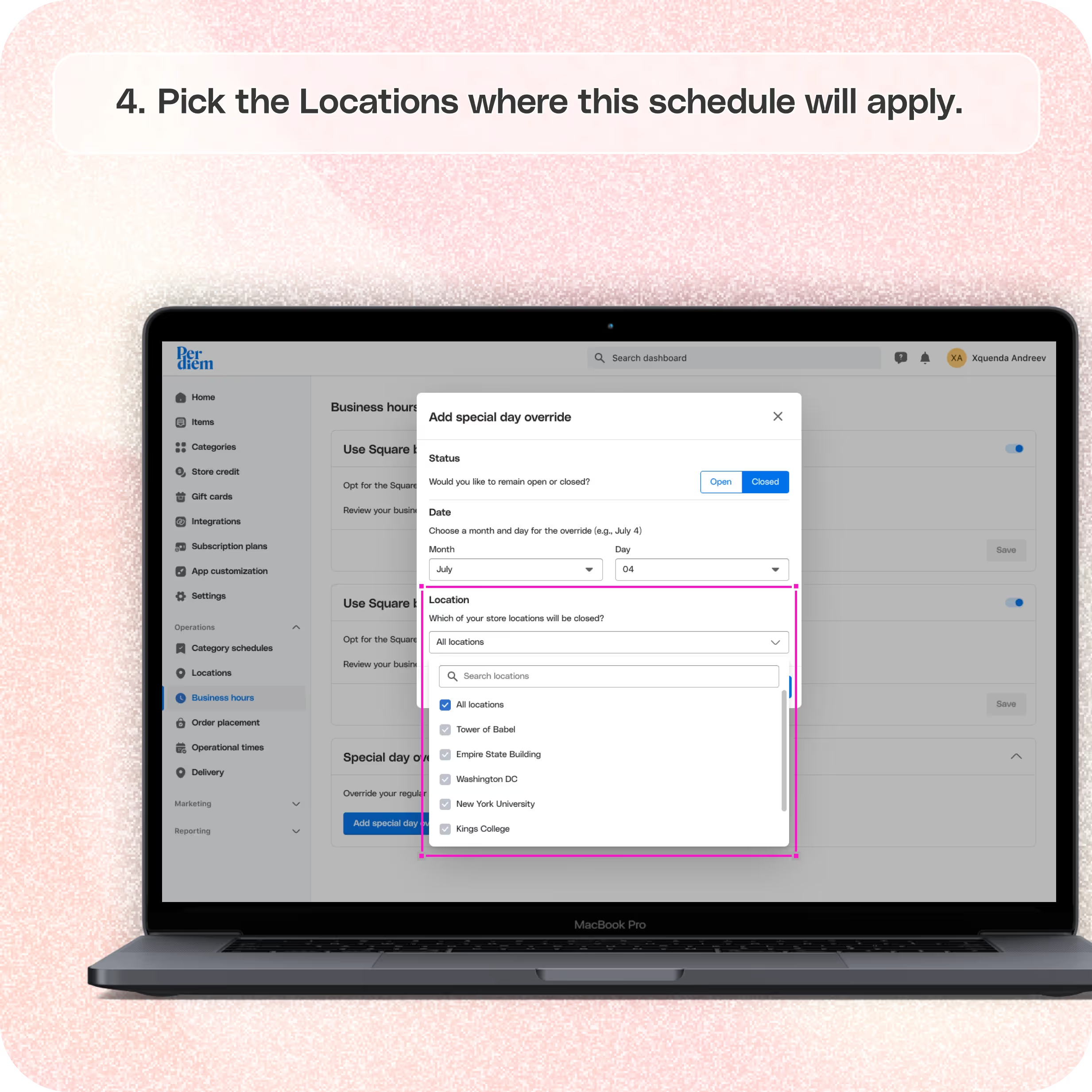
- Pick the Locations where this schedule will apply.
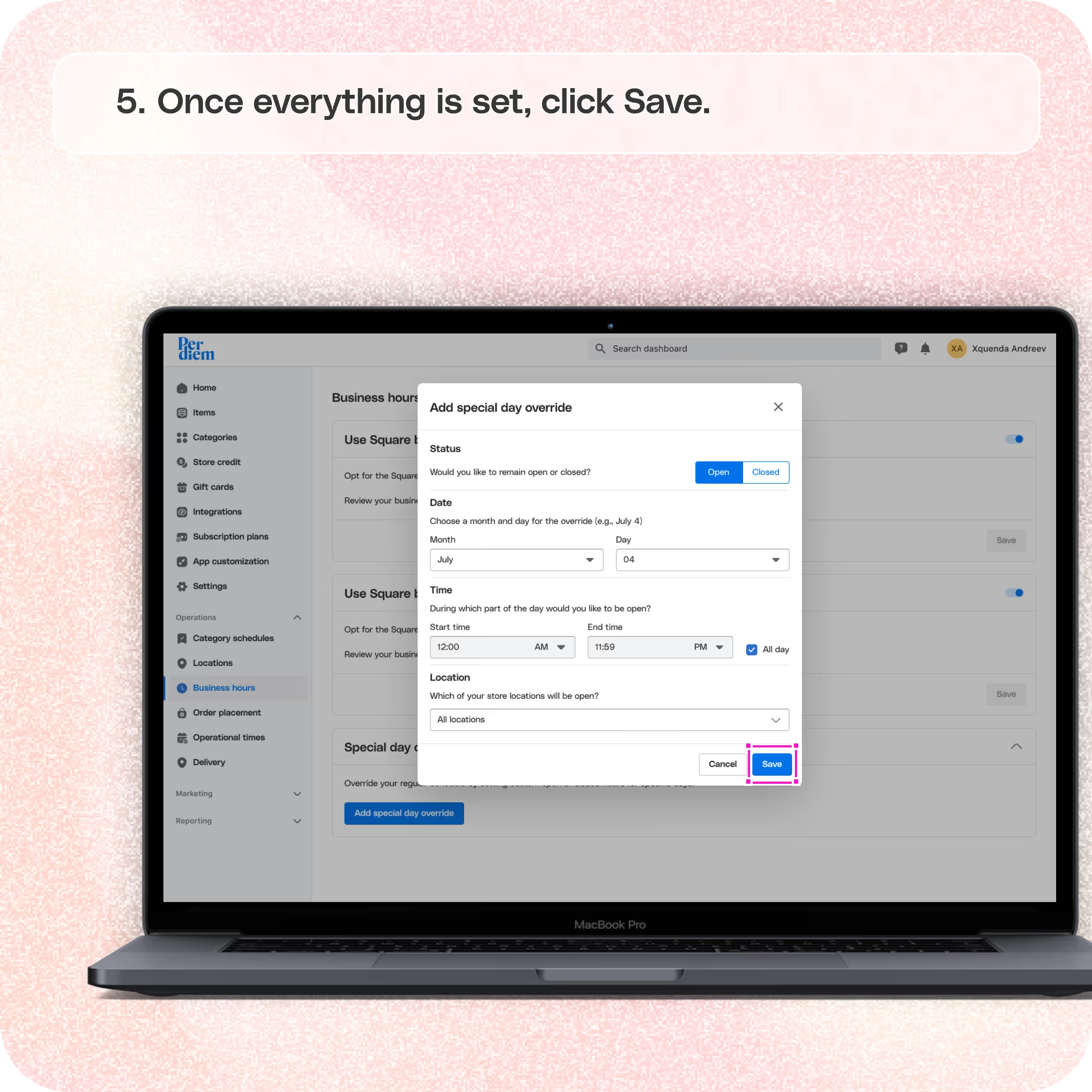
- Once everything is set, click Save.
Still require support?
Contact support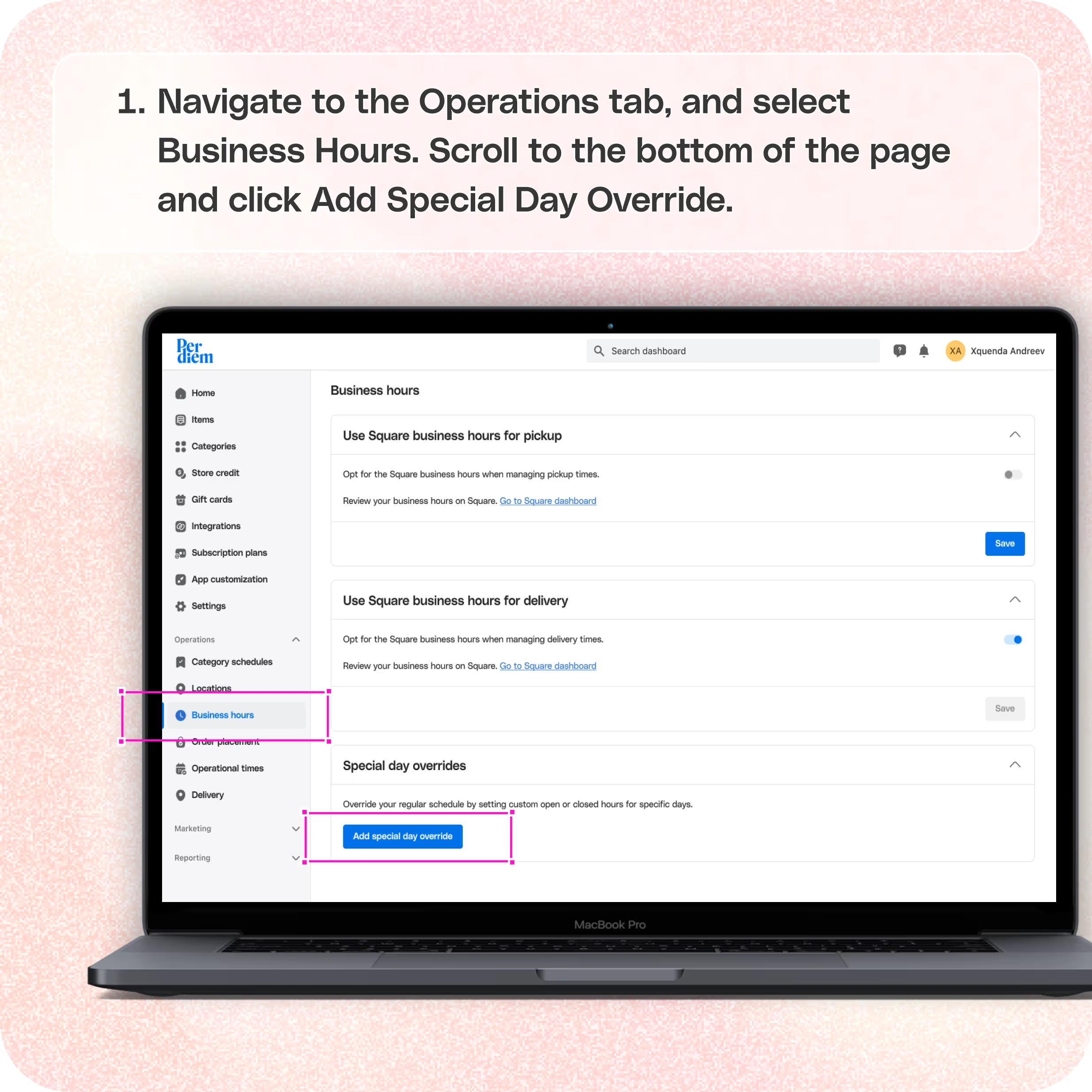
1. Log in to Your Merchant Dashboard
Start by logging in to your Per Diem merchant dashboard.
2. Go to Operations
Navigate to the Operations tab in the left-hand menu, and select Business Hours from the dropdown.
3. Go to Special Day Overrides
- Scroll to the bottom of the page and click Add Special Day Override.
- Choose the Status (Open/Closed) for the special day you are setting up.
- Select the Month and Date for the override (e.g., December 25 for Christmas).
- Pick the Locations where this schedule will apply.
- Once everything is set, click Save.
Why Use Special Day Overrides?
This feature ensures your customers are aware of holiday hours or closures, helps you streamline operations during special events, and saves you from manually adjusting schedules every time.
Still have questions?Contact us
Ask anything or just say hi